
Font Converter - Convert OTF t PC
SmartApps38
گیم لوپ ایمولیٹر کے ساتھ PC پر Font Converter - Convert OTF t ڈاؤن لوڈ کریں۔
پی سی پر Font Converter - Convert OTF t
Font Converter - Convert OTF t، جو ڈویلپر SmartApps38 سے آرہا ہے، ماضی میں اینڈرائیڈ سسٹم پر چل رہا ہے۔
اب، آپ پی سی پر Font Converter - Convert OTF t آسانی سے GameLoop کے ساتھ چلا سکتے ہیں۔
اسے GameLoop لائبریری یا تلاش کے نتائج میں ڈاؤن لوڈ کریں۔ مزید غلط وقت پر بیٹری یا مایوس کن کالوں پر نظر نہیں ڈالی جائے گی۔
بس بڑی سکرین پر Font Converter - Convert OTF t PC کا مفت میں لطف اٹھائیں!
Font Converter - Convert OTF t تعارف
This converter app allows you to convert one font format into another, including many exotic formats.
We support most common font file formats for Android and PC.
No more hassle with exotic font file formats!!
- Support convert otf to ttf
- Supported file types: ttf, otf, pfb, dfont, otb, fon, fnt, svg, ttc, bdf, sfd, cff, pfa, ofm, acfm, amfm, cha, chr.
- Max. file size for converting is 15 MB.
- Support autohinting for TTF fonts improves the font rendering on PC.
What can I do with this font converter?
Do you have a font file in a format that your tools cannot handle? With this font converter you can convert even exotic font file formats into commonly used formats like TTF or OTF.
If you do not know which format is suitable for your software, try using .ttf as the output format.
1. Supported font formats
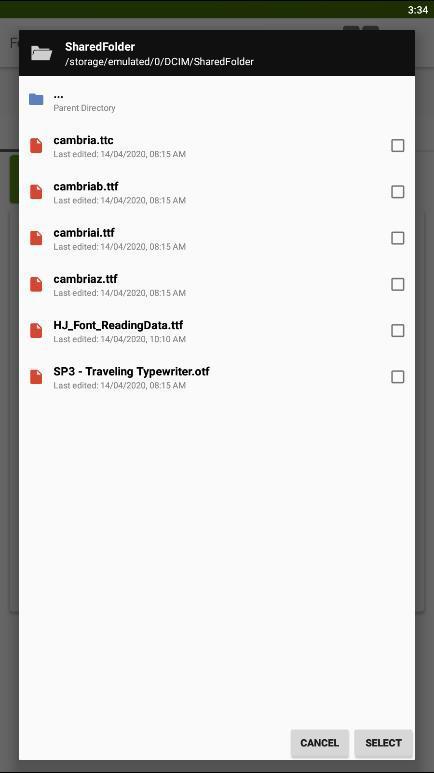
Font Converter can read the following font files:
TrueType, PostScript (Type 1 font), TeX Bitmap Fonts, OTB (X11 bitmap only sfnt), BDF (Glyph Bitmap Distribution Format), FON (Windows), FNT (Windows), OTF OpenType font, SVG, TTC, ABF (Adobe Binary Screen Font), AFM (Adobe Font Metrics File) , BDF (Glyph Bitmap Distribution Format), DFONT (Mac OS X Data Fork Font)
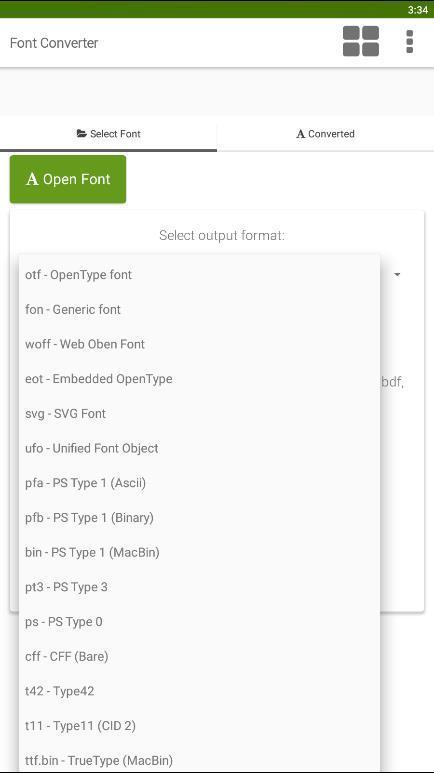
2. The following output formats are supported:
ttf - TrueType font
otf - OpenType font
woff - Web Oben Font
svg - SVG Font
ufo - Unified Font Object
eot - Embedded OpenType
pfa - PS Type 1 (Ascii)
pfb - PS Type 1 (Binary)
bin - PS Type 1 (MacBin)
pt3 - PS Type 3
ps - PS Type 0
cff - CFF (Bare)
fon - Generic font
t42 - Type42
t11 - Type11 (CID 2)
ttf.bin - TrueType (MacBin)
پیش نظارہ
ٹیگز
اوزارمعلومات
ڈویلپر
SmartApps38
تازہ ترین ورژن
5
آخری تازہ کاری
2023-07-17
قسم
اوزار
پر دستیاب ہے۔
Google Play
مزید دکھائیں
پی سی پر گیم لوپ کے ساتھ Font Converter - Convert OTF t کیسے کھیلا جائے۔
1. آفیشل ویب سائٹ سے گیم لوپ ڈاؤن لوڈ کریں، پھر گیم لوپ انسٹال کرنے کے لیے exe فائل چلائیں۔
2. گیم لوپ کھولیں اور "Font Converter - Convert OTF t" تلاش کریں، تلاش کے نتائج میں Font Converter - Convert OTF t تلاش کریں اور "انسٹال کریں" پر کلک کریں۔
3. گیم لوپ پر Font Converter - Convert OTF t کھیلنے کا لطف اٹھائیں۔
Minimum requirements
OS
Windows 8.1 64-bit or Windows 10 64-bit
GPU
GTX 1050
CPU
i3-8300
Memory
8GB RAM
Storage
1GB available space
Recommended requirements
OS
Windows 8.1 64-bit or Windows 10 64-bit
GPU
GTX 1050
CPU
i3-9320
Memory
16GB RAM
Storage
1GB available space