File Manager & Photo Gallery PC
Mega Apps Developers
گیم لوپ ایمولیٹر کے ساتھ PC پر File Manager & Photo Gallery ڈاؤن لوڈ کریں۔
پی سی پر File Manager & Photo Gallery
File Manager & Photo Gallery، جو ڈویلپر Mega Apps Developers سے آرہا ہے، ماضی میں اینڈرائیڈ سسٹم پر چل رہا ہے۔
اب، آپ پی سی پر File Manager & Photo Gallery آسانی سے GameLoop کے ساتھ چلا سکتے ہیں۔
اسے GameLoop لائبریری یا تلاش کے نتائج میں ڈاؤن لوڈ کریں۔ مزید غلط وقت پر بیٹری یا مایوس کن کالوں پر نظر نہیں ڈالی جائے گی۔
بس بڑی سکرین پر File Manager & Photo Gallery PC کا مفت میں لطف اٹھائیں!
File Manager & Photo Gallery تعارف
Manage your files, explore files, photo gallery, hide files with password, and a lot of other features like you do on your PC or laptop using Multiple Select, Move, Cut, Copy, Paste, Create, Search, Delete, Rename, Share, Send, Hide, Create Shortcut and Bookmark and many more. Easy, Free, Simply and Safely Manage your files efficiently with File Manager - Explore, Manage & Hide Files (File Manager)!
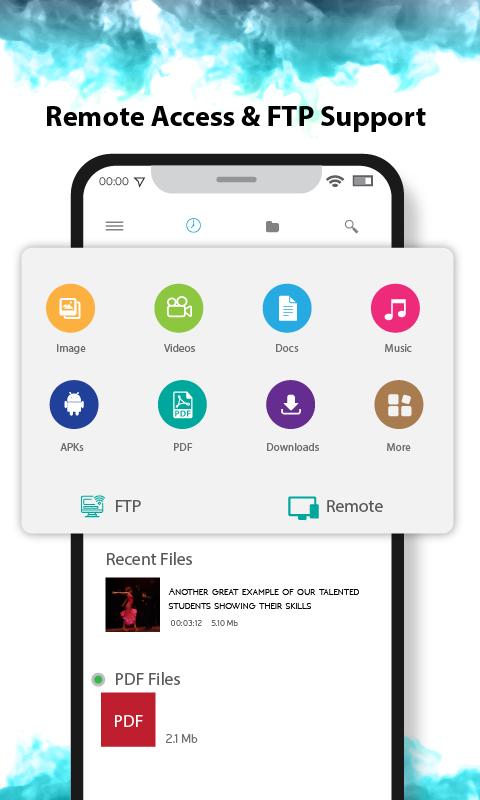
This File Manager app is easy and powerful file explorer for all Android devices. It’s free, smart, fast and full-featured app with photo gallery. Because of its simple Interface it is extremely easy to use. With this best File Manager app you can easily manage your files and folders on your device. Besides this, you can view all files & apps you have in your device at one glance immediately after opening File Manager - Explore, Manage & Hide Files.
Hide your secret pictures, videos, audio or any type of folder and files in your android phone and prevent it from others. There is no delay in hiding files because in this file hider app move your files in hidden folder in secret location and access it with your password.
File Manager - Explore, Manage & Hide is a best privacy protection app to easily hide and encrypt your media files like photos, videos and any other files that you do not want others to see.
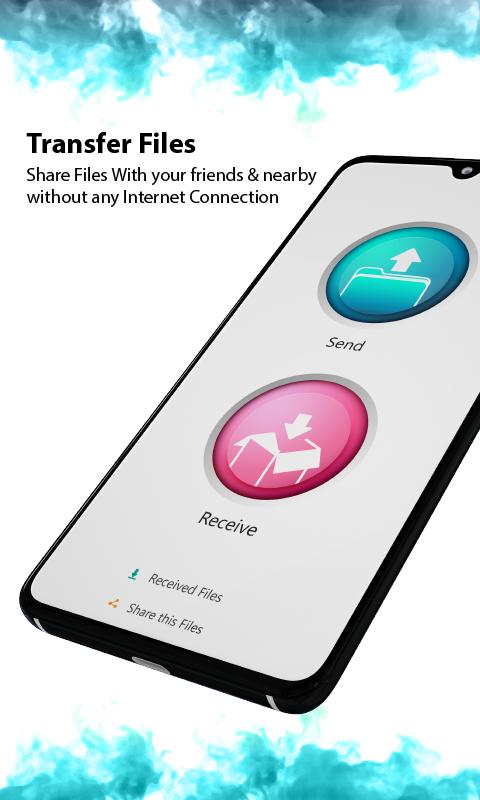
Easy File Explorer - File Manager, Photo Gallery & File Hider is a full-featured manager app (Images, Music, Movies, Documents, app) for Android Devices! With several users worldwide, File Manager - File Explorer and File Hider helps manage your android phone files efficiently and effectively and share files without any data cost.
File Manager FEATURES:
* Best File Manager – manage, explore, copy, cut, move to, paste, hide your files easily.
* Friendly User Interface.
* Support multiple resolution.
* List view and grid view for file explorer and manager.
* Search and share files easily.
* Select multiple files at a time.
* Thumbnail support for media files.
* Useful features like cut, copy, delete, compress, extract etc. easily and effectively.
* Multiple themes support.
* Quickly Navigate with navigation drawer.
* Sort out media files according to name, size and date.
* Timeline view of your media files.
* View hidden files with your own password.
* And many more features.
File Manager - Explore, Manage & Hide Files is the best file explorer, file manager and file tool for android device manager with powerful features. File manager | File Explorer app is free, really easy to use with file organizer by category: Images, Music, Movies, Documents, Apps etc..
With this app manager for Android, you can manage your files and folders on device. This is the best explorer files app with useful and cool file manager android app features.
پیش نظارہ
ٹیگز
اوزارمعلومات
ڈویلپر
Mega Apps Developers
تازہ ترین ورژن
1.1
آخری تازہ کاری
2022-05-25
قسم
اوزار
پر دستیاب ہے۔
Google Play
مزید دکھائیں
پی سی پر گیم لوپ کے ساتھ File Manager & Photo Gallery کیسے کھیلا جائے۔
1. آفیشل ویب سائٹ سے گیم لوپ ڈاؤن لوڈ کریں، پھر گیم لوپ انسٹال کرنے کے لیے exe فائل چلائیں۔
2. گیم لوپ کھولیں اور "File Manager & Photo Gallery" تلاش کریں، تلاش کے نتائج میں File Manager & Photo Gallery تلاش کریں اور "انسٹال کریں" پر کلک کریں۔
3. گیم لوپ پر File Manager & Photo Gallery کھیلنے کا لطف اٹھائیں۔
Minimum requirements
OS
Windows 8.1 64-bit or Windows 10 64-bit
GPU
GTX 1050
CPU
i3-8300
Memory
8GB RAM
Storage
1GB available space
Recommended requirements
OS
Windows 8.1 64-bit or Windows 10 64-bit
GPU
GTX 1050
CPU
i3-9320
Memory
16GB RAM
Storage
1GB available space