
Video Downloader - All in One PC
Kholifa Network
گیم لوپ ایمولیٹر کے ساتھ PC پر Video Downloader - All in One ڈاؤن لوڈ کریں۔
پی سی پر Video Downloader - All in One
Video Downloader - All in One، جو ڈویلپر Kholifa Network سے آرہا ہے، ماضی میں اینڈرائیڈ سسٹم پر چل رہا ہے۔
اب، آپ پی سی پر Video Downloader - All in One آسانی سے GameLoop کے ساتھ چلا سکتے ہیں۔
اسے GameLoop لائبریری یا تلاش کے نتائج میں ڈاؤن لوڈ کریں۔ مزید غلط وقت پر بیٹری یا مایوس کن کالوں پر نظر نہیں ڈالی جائے گی۔
بس بڑی سکرین پر Video Downloader - All in One PC کا مفت میں لطف اٹھائیں!
Video Downloader - All in One تعارف
Video Downloader is the best and All in One Video Downloader app for Android. With Video Downloader you can download videos from any websites & Apps. You can also download videos in different resolutions and formats, and save them to your device for offline viewing. Video Downloader is easy to use and completely free with Watch Ads or you can buy Premium for Ads Free Version.
Download videos with music directly from any Apps or Website to your device.
Video Downloader App auto detects videos so you can download them with just one click. The most powerful Download manager allows you to pause or resume downloads, download in the background and download several files at the same time. Fast download and play it offline.
Video Downloader Features:
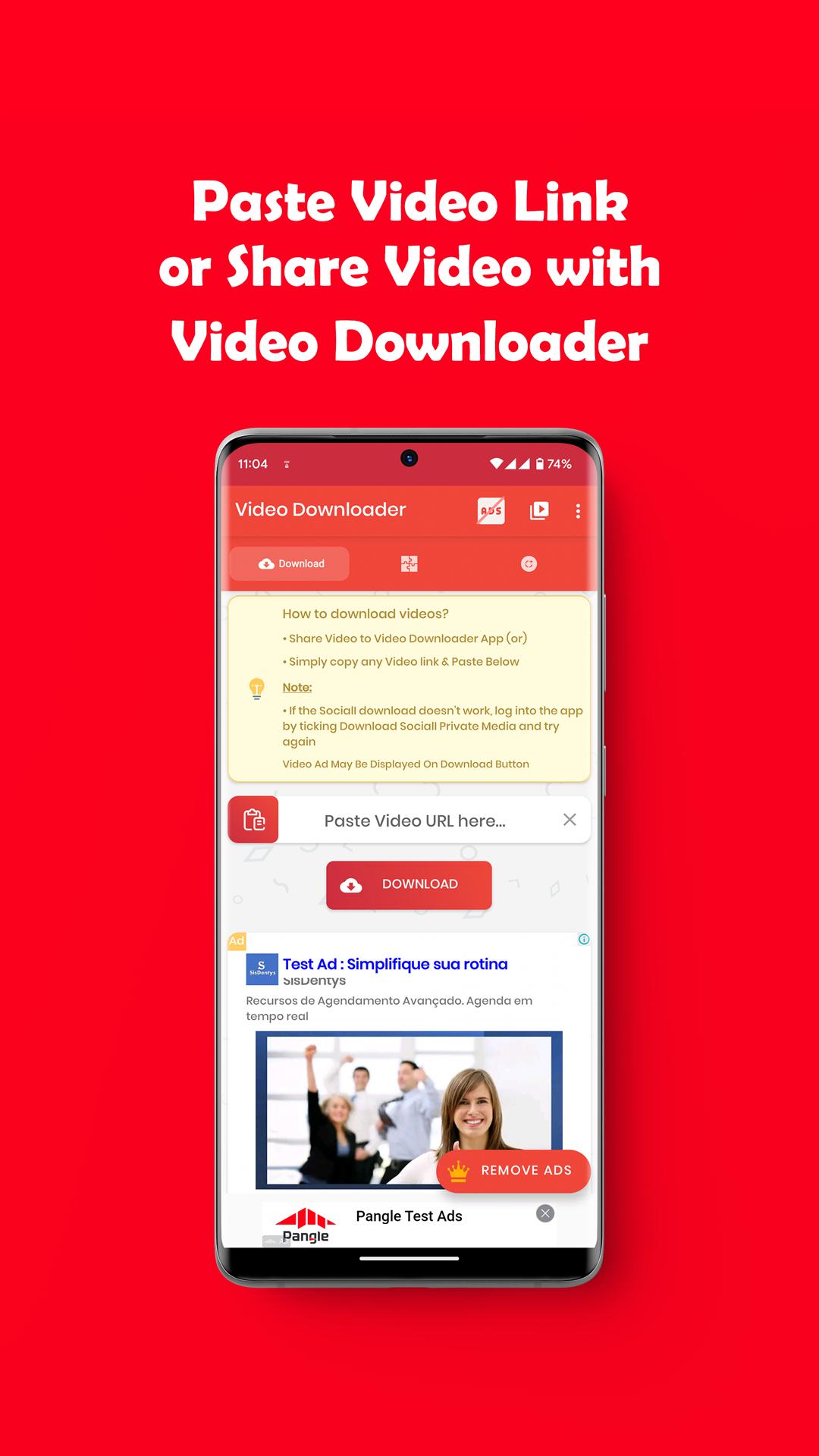
* Share Video with Video Downloader app and Start Download.
* Copy your Video Link, open Video Downloader App, paste your link and click Download Button.
* Play videos offline with built-in Video Player.
* Auto detect videos from Copied link to easily download.
* Full-featured download manager to pause, resume and remove downloads.
* Download several files at the same time.
* Download videos in the background.
* SD card supported.
* Resume support for failed downloads.
* Fast download speed.
* Check the progress in the download bar.
* Supported HD/FHD video download.
* Supported Large file size download.
* Download video, music and pictures.
* Video Downloader.
* Free video Downloader.
* Download videos from any website.
* Save videos from Web.
* Offline viewing Downloader.
* High quality videos Downloader.
How to Use Video Downloader:
* Open your Video App
* Click Send / Share button from Video and Share it with Video Downloader App.
* Select Method to Download your Selected Videos. or
* Open your Video Website to any Browser copy video Link and paste it on Video Downloader App.
* Auto detect videos, and tap the download button
* Select Method to Download your Selected Videos
* Done!
پیش نظارہ
ٹیگز
اوزارVideo-Playersمعلومات
ڈویلپر
Kholifa Network
تازہ ترین ورژن
31.0
آخری تازہ کاری
2023-09-23
قسم
اوزار
پر دستیاب ہے۔
Google Play
مزید دکھائیں
پی سی پر گیم لوپ کے ساتھ Video Downloader - All in One کیسے کھیلا جائے۔
1. آفیشل ویب سائٹ سے گیم لوپ ڈاؤن لوڈ کریں، پھر گیم لوپ انسٹال کرنے کے لیے exe فائل چلائیں۔
2. گیم لوپ کھولیں اور "Video Downloader - All in One" تلاش کریں، تلاش کے نتائج میں Video Downloader - All in One تلاش کریں اور "انسٹال کریں" پر کلک کریں۔
3. گیم لوپ پر Video Downloader - All in One کھیلنے کا لطف اٹھائیں۔
Minimum requirements
OS
Windows 8.1 64-bit or Windows 10 64-bit
GPU
GTX 1050
CPU
i3-8300
Memory
8GB RAM
Storage
1GB available space
Recommended requirements
OS
Windows 8.1 64-bit or Windows 10 64-bit
GPU
GTX 1050
CPU
i3-9320
Memory
16GB RAM
Storage
1GB available space