Time calculator PC
Yutaka Kenjo
گیم لوپ ایمولیٹر کے ساتھ PC پر Time calculator ڈاؤن لوڈ کریں۔
پی سی پر Time calculator
Time calculator، جو ڈویلپر Yutaka Kenjo سے آرہا ہے، ماضی میں اینڈرائیڈ سسٹم پر چل رہا ہے۔
اب، آپ پی سی پر Time calculator آسانی سے GameLoop کے ساتھ چلا سکتے ہیں۔
اسے GameLoop لائبریری یا تلاش کے نتائج میں ڈاؤن لوڈ کریں۔ مزید غلط وقت پر بیٹری یا مایوس کن کالوں پر نظر نہیں ڈالی جائے گی۔
بس بڑی سکرین پر Time calculator PC کا مفت میں لطف اٹھائیں!
Time calculator تعارف
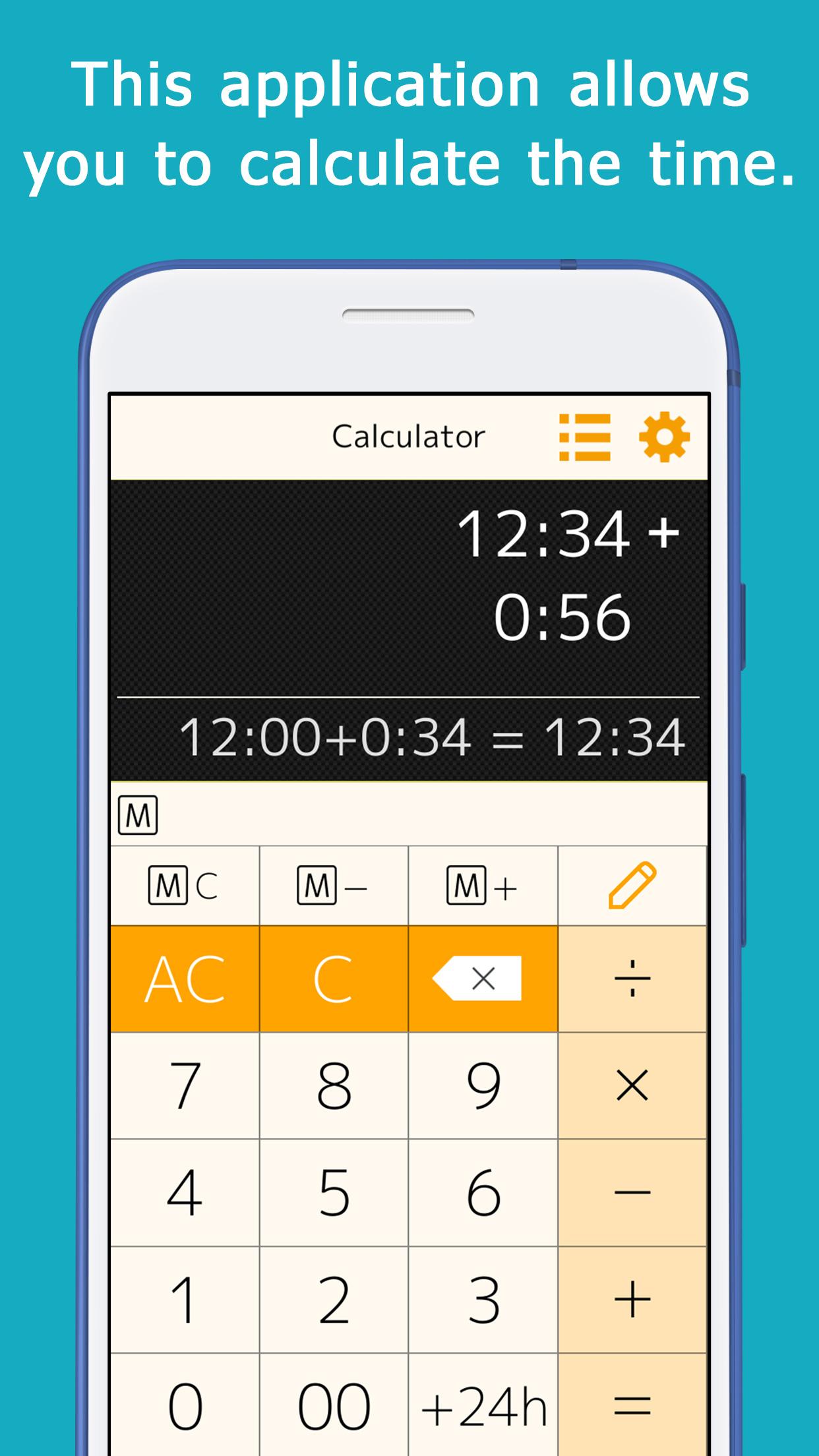
This application allows you to calculate time (hours and minutes).
You can calculate things like 1:30+0:50.
When you enter a number, ":" is automatically inserted to separate the hour and minute, so you can calculate quickly.
This is useful for calculating total work hours, time spent on daily errands, and travel time.
You can add, subtract, multiply, and divide.
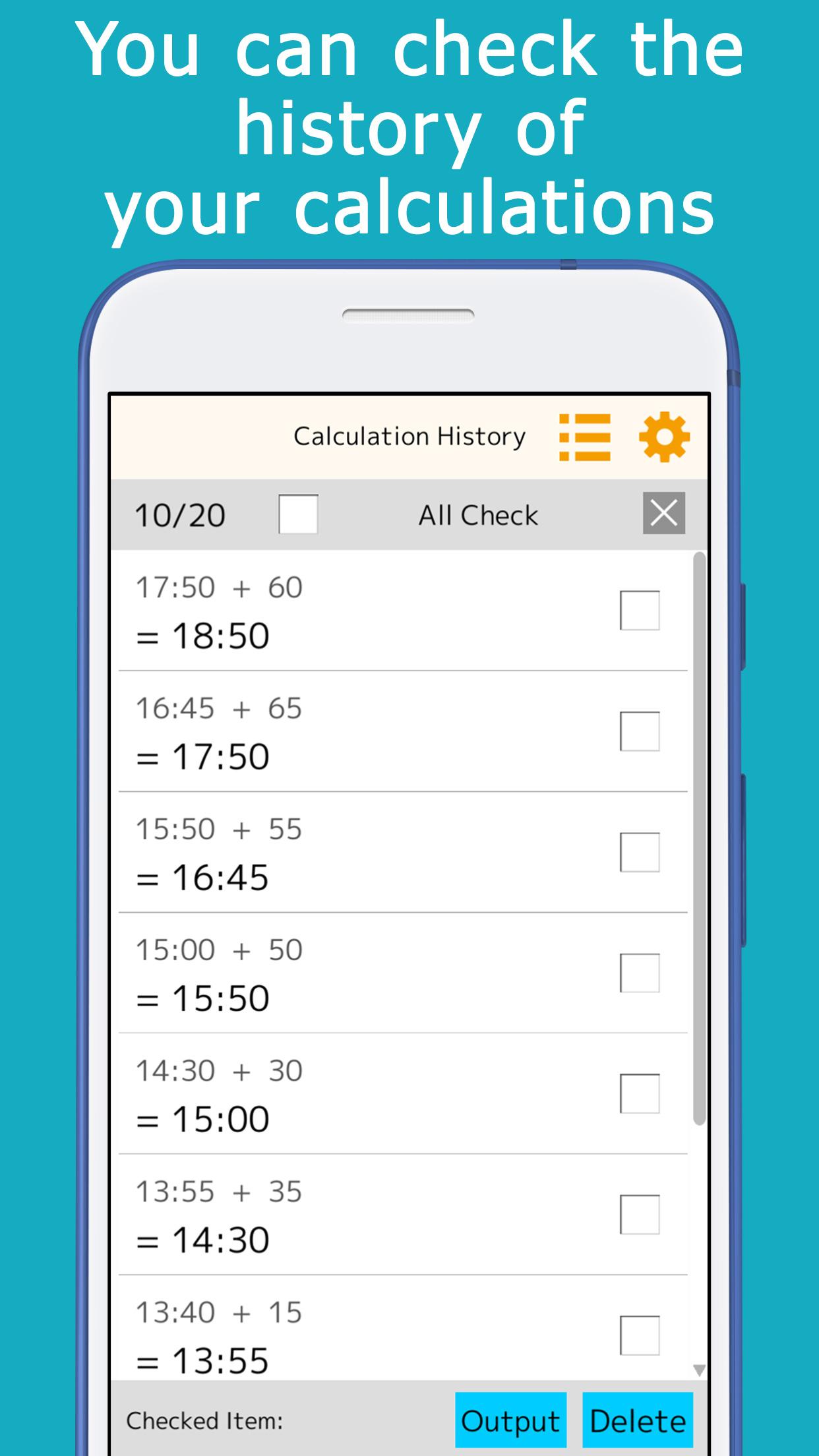
The calculation history is automatically saved, so you can check it later.
A memory key is provided, allowing you to save and add subtotals.
Minutes that are often used for calculations (15 minutes, 30 minutes, etc.) can be registered and used for one-touch addition.
It is equipped with a button to add or subtract 24 hours.
This is useful for calculating the time across midnight.
It comes in a variety of colors such as orange, green, cyan, pink, and black, and you can choose the one you like best.
[ List of functions ]
You can check the calculation history, and touch the answer displayed in the history to reuse it for calculations.
You can use the memory keys to save, add, and subtract subtotals.
By setting the preset keys, you can use the most frequently used time (minutes) for calculation with a single touch.
The color of the application can be selected.
پیش نظارہ
ٹیگز
اوزارمعلومات
ڈویلپر
Yutaka Kenjo
تازہ ترین ورژن
1.21
آخری تازہ کاری
2025-09-04
قسم
اوزار
پر دستیاب ہے۔
Google Play
مزید دکھائیں
پی سی پر گیم لوپ کے ساتھ Time calculator کیسے کھیلا جائے۔
1. آفیشل ویب سائٹ سے گیم لوپ ڈاؤن لوڈ کریں، پھر گیم لوپ انسٹال کرنے کے لیے exe فائل چلائیں۔
2. گیم لوپ کھولیں اور "Time calculator" تلاش کریں، تلاش کے نتائج میں Time calculator تلاش کریں اور "انسٹال کریں" پر کلک کریں۔
3. گیم لوپ پر Time calculator کھیلنے کا لطف اٹھائیں۔
Minimum requirements
OS
Windows 8.1 64-bit or Windows 10 64-bit
GPU
GTX 1050
CPU
i3-8300
Memory
8GB RAM
Storage
1GB available space
Recommended requirements
OS
Windows 8.1 64-bit or Windows 10 64-bit
GPU
GTX 1050
CPU
i3-9320
Memory
16GB RAM
Storage
1GB available space