
Connection Tracker PC
borgshell
گیم لوپ ایمولیٹر کے ساتھ PC پر Connection Tracker ڈاؤن لوڈ کریں۔
پی سی پر Connection Tracker
Connection Tracker، جو ڈویلپر borgshell سے آرہا ہے، ماضی میں اینڈرائیڈ سسٹم پر چل رہا ہے۔
اب، آپ پی سی پر Connection Tracker آسانی سے GameLoop کے ساتھ چلا سکتے ہیں۔
اسے GameLoop لائبریری یا تلاش کے نتائج میں ڈاؤن لوڈ کریں۔ مزید غلط وقت پر بیٹری یا مایوس کن کالوں پر نظر نہیں ڈالی جائے گی۔
بس بڑی سکرین پر Connection Tracker PC کا مفت میں لطف اٹھائیں!
Connection Tracker تعارف
Connection Tracker
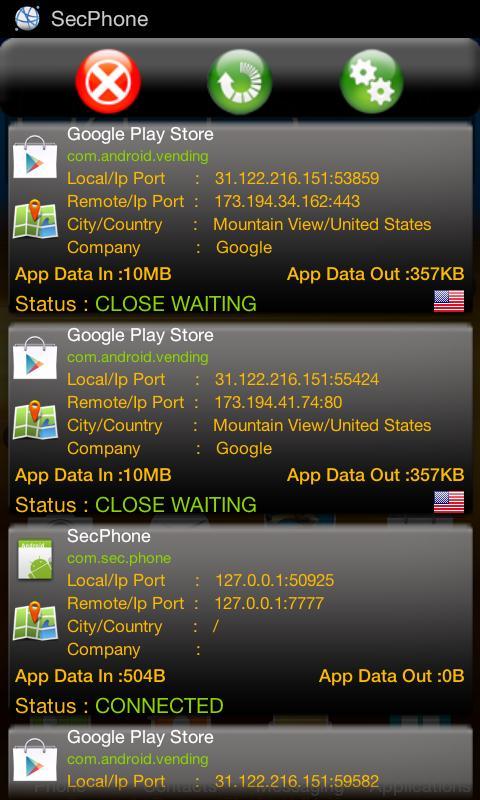
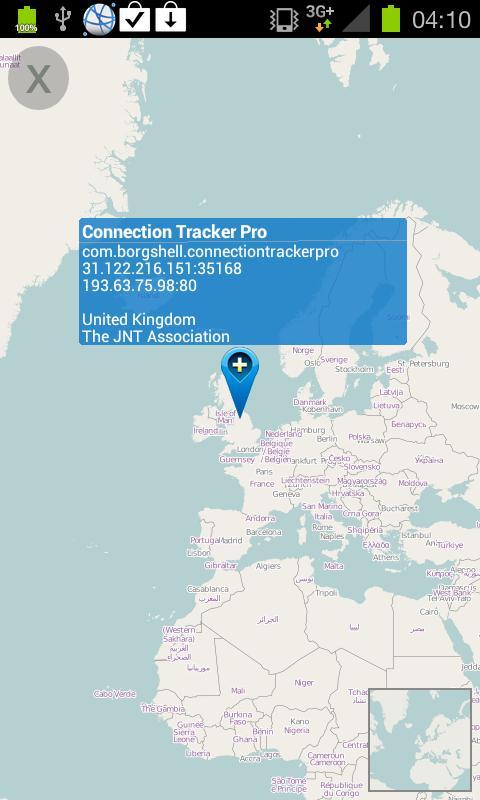
Keep your phone secure by monitoring connections in the background and data usage,local.remote Ip address, city, country and company information for every application which uses network connection.
You can easily keep track of applications and services' data usage,local remote ip address and country information and get notification when a connection is made in the background.
By monitoring the Application Data Out information rather than Data In , it gives you an exact idea how much data is send out by specific application .
Features
• Pro version is available with full features and no ads.
• Keep your phone secure monitor malicious apps
• Check every remote connection made by apps and services
• Can be run all day with 10-15 refresh time.
• Adjust refresh time , recommended refresh time is 10-15
• You can run the application in the background.
• Notification for every time there is a new connection.
• Auto Start on Boot (PRO ONLY)
• Copy to Clipboard
• You can copy remote ip address and port by touch the specific connection on the list to clipboard.
FAQ
How to scroll down the connection list?
• Tap anywhere on the list(except the map button of the connection) .
• Another pop up list will be opened with the latest connections, this list is not updated automatically and contains the connections found when the main list was tapped.
• Basically it is easy way to capture the main list while updating.
• And easily scroll up/down and select any connection on the list ip number will be copied to clipboard.
Credits
Flag icon design by http://icondrawer.com
Big thanks to the users who provide their useful ideas and feedback to improve this project, we do add most of the features requested by users as much as possible.
Support
If you need any help with applications,purchasing process errors, please contact our Dev Team
We will gladly help you and answer your questions
پیش نظارہ
ٹیگز
اوزارمعلومات
ڈویلپر
borgshell
تازہ ترین ورژن
1.1.9
آخری تازہ کاری
2014-10-26
قسم
اوزار
پر دستیاب ہے۔
Google Play
مزید دکھائیں
پی سی پر گیم لوپ کے ساتھ Connection Tracker کیسے کھیلا جائے۔
1. آفیشل ویب سائٹ سے گیم لوپ ڈاؤن لوڈ کریں، پھر گیم لوپ انسٹال کرنے کے لیے exe فائل چلائیں۔
2. گیم لوپ کھولیں اور "Connection Tracker" تلاش کریں، تلاش کے نتائج میں Connection Tracker تلاش کریں اور "انسٹال کریں" پر کلک کریں۔
3. گیم لوپ پر Connection Tracker کھیلنے کا لطف اٹھائیں۔
Minimum requirements
OS
Windows 8.1 64-bit or Windows 10 64-bit
GPU
GTX 1050
CPU
i3-8300
Memory
8GB RAM
Storage
1GB available space
Recommended requirements
OS
Windows 8.1 64-bit or Windows 10 64-bit
GPU
GTX 1050
CPU
i3-9320
Memory
16GB RAM
Storage
1GB available space