Nepali English Keyboard PC
AM Technologies Pvt Ltd
گیم لوپ ایمولیٹر کے ساتھ PC پر Nepali English Keyboard ڈاؤن لوڈ کریں۔
پی سی پر Nepali English Keyboard
Nepali English Keyboard، جو ڈویلپر AM Technologies Pvt Ltd سے آرہا ہے، ماضی میں اینڈرائیڈ سسٹم پر چل رہا ہے۔
اب، آپ پی سی پر Nepali English Keyboard آسانی سے GameLoop کے ساتھ چلا سکتے ہیں۔
اسے GameLoop لائبریری یا تلاش کے نتائج میں ڈاؤن لوڈ کریں۔ مزید غلط وقت پر بیٹری یا مایوس کن کالوں پر نظر نہیں ڈالی جائے گی۔
بس بڑی سکرین پر Nepali English Keyboard PC کا مفت میں لطف اٹھائیں!
Nepali English Keyboard تعارف
Nepali English Typing Keyboard gives you the best interface to type the fast Nepali language and make it simple among all Nepali Typing keyboards apps. Easy Nepali Language Keyboard app is the Simple and Best Nepali Language Keyboard with new Stylish Emoji and HD Stylish Themes. Nepali Typing Keyboard allows you to write Nepali and English Language texts and make long detailed Smooth Nepali documents will no more freeze your hand typing, Easy Nepali English Typing keyboard for multiple texts Emoji keypad English, Nepali English Typing Keyboard app upgraded with Rich Nepali Vocabulary. Powerful Easy Nepali emoji keyboard. Easy Nepali Typing Keyboard app is specially designed for those people who love to chat in the Nepali Language. Easy Nepali Typing keyboard app works inside all apps on your phone. An Easy Nepali typing keyboard app for all social media and messaging apps. Easy Nepali Typing keyboard allows users to type messages, text, words, letters, alphabets, emails, and update status in the Nepali Language.
Phonetic Nepali Language Keyboard app has an option of Nepali words suggestion, Nepali letters, spell check, and alternative local Nepali words. Nepali keyboard app is an Indic Nepali input tool for offline lovers that have the best solution for sharing Nepali content on social media with all Nepali speakers. This keyboard of the Nepali finest tool brings you close to Nepali English readers and your problem of having chat with Nepali speakers has fixed by Nepali Mobile Nepali keyboard app. English and Nepali words suggestions are also available. Nepali keyboard emoji dual expression of writing from English to Nepali and Nepali to English is enhancing the usability of classical English to Nepali keyboard on daily basis with customizable Nepali keyboard to English.
Features of Easy Nepali English Typing Keyboard
* Nepali Language Keyboard is an offline working keyboard with HD and stylish themes.
* Type in Nepali faster. Start typing the Nepali letters and choose Nepali predictions from the list. This is the easiest app for Nepali typing.
* Most of the Nepali words are available offline in this fast Nepali Language Keyboard.
* Nepali English Keyboard with complete Dictionary, Nepali and english words suggestion, spell check, and auto-correction.
* A phonetic Nepali transliteration keyboard that works perfectly well on Android phones and tablets.
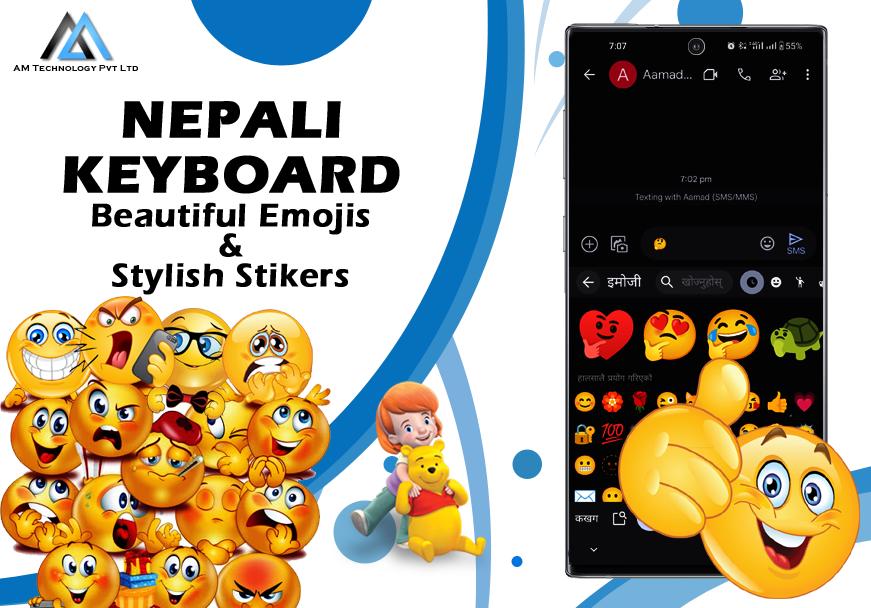
* Nepali Typing Keyboard has more than 1000 plus Emoji’s, stylish stickers, and cute emotions Emoji.
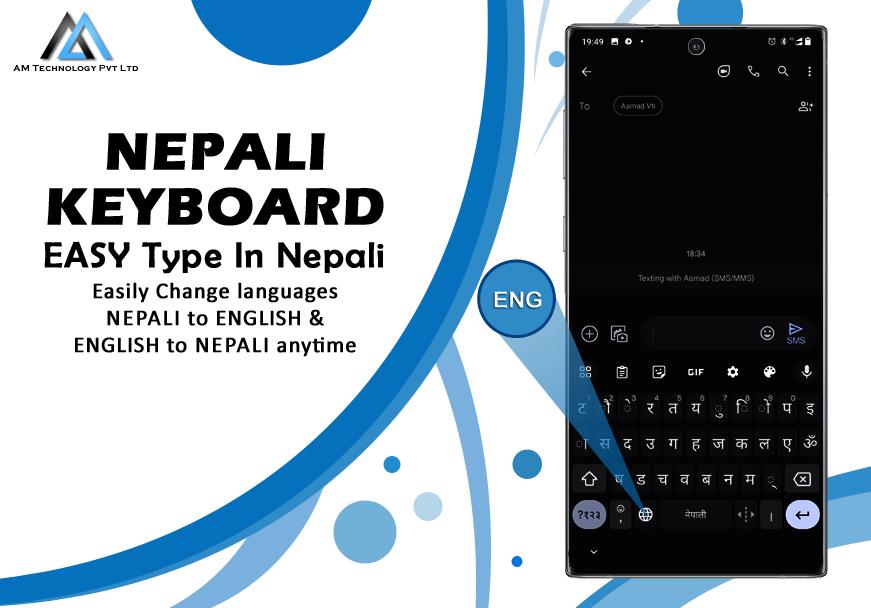
* Nepali to English and English to Nepali Keyboard allows you to get full access to the Nepali and English language.
How To Use Easy Nepali Typing Keyboard?
* Download and install the Free Easy Nepali English Typing keyboard.
* Open Nepali English keyboard.
* Enable Nepali English keyboard in first step.
* Select Nepali English keyboard in second step.
* Select Settings for different options.
* Choose one of the HD theme.
After setting you can use this Easy Nepali English Typing Keyboard to write name, text, alphabets, words, and emails in Nepali.
Privacy Policy of Easy Nepali English Typing Keyboard
Easy Nepali English Typing Keyboard is 100% safe and secure because we do not collect any personal information, credit card details, passwords etc. A standard warning is shown by Android for all keyboards that you download.
پیش نظارہ
معلومات
ڈویلپر
AM Technologies Pvt Ltd
تازہ ترین ورژن
1.0
آخری تازہ کاری
2024-01-20
قسم
اوزار
پر دستیاب ہے۔
Google Play
مزید دکھائیں
پی سی پر گیم لوپ کے ساتھ Nepali English Keyboard کیسے کھیلا جائے۔
1. آفیشل ویب سائٹ سے گیم لوپ ڈاؤن لوڈ کریں، پھر گیم لوپ انسٹال کرنے کے لیے exe فائل چلائیں۔
2. گیم لوپ کھولیں اور "Nepali English Keyboard" تلاش کریں، تلاش کے نتائج میں Nepali English Keyboard تلاش کریں اور "انسٹال کریں" پر کلک کریں۔
3. گیم لوپ پر Nepali English Keyboard کھیلنے کا لطف اٹھائیں۔
Minimum requirements
OS
Windows 8.1 64-bit or Windows 10 64-bit
GPU
GTX 1050
CPU
i3-8300
Memory
8GB RAM
Storage
1GB available space
Recommended requirements
OS
Windows 8.1 64-bit or Windows 10 64-bit
GPU
GTX 1050
CPU
i3-9320
Memory
16GB RAM
Storage
1GB available space