
CCTV Super Tool PC
BruceNguyen
گیم لوپ ایمولیٹر کے ساتھ PC پر CCTV Super Tool ڈاؤن لوڈ کریں۔
پی سی پر CCTV Super Tool
CCTV Super Tool، جو ڈویلپر BruceNguyen سے آرہا ہے، ماضی میں اینڈرائیڈ سسٹم پر چل رہا ہے۔
اب، آپ پی سی پر CCTV Super Tool آسانی سے GameLoop کے ساتھ چلا سکتے ہیں۔
اسے GameLoop لائبریری یا تلاش کے نتائج میں ڈاؤن لوڈ کریں۔ مزید غلط وقت پر بیٹری یا مایوس کن کالوں پر نظر نہیں ڈالی جائے گی۔
بس بڑی سکرین پر CCTV Super Tool PC کا مفت میں لطف اٹھائیں!
CCTV Super Tool تعارف
CCTV Super Tool is the essential all-in-one mobile toolkit designed for professional CCTV installers, network technicians, and security system enthusiasts. Combining five powerful functions into a single, intuitive app, CCTV Super Tool helps you streamline your workflow, accelerate troubleshooting, and manage security systems like a pro.
KEY FEATURES:
1. Advanced Network Device Scanner:
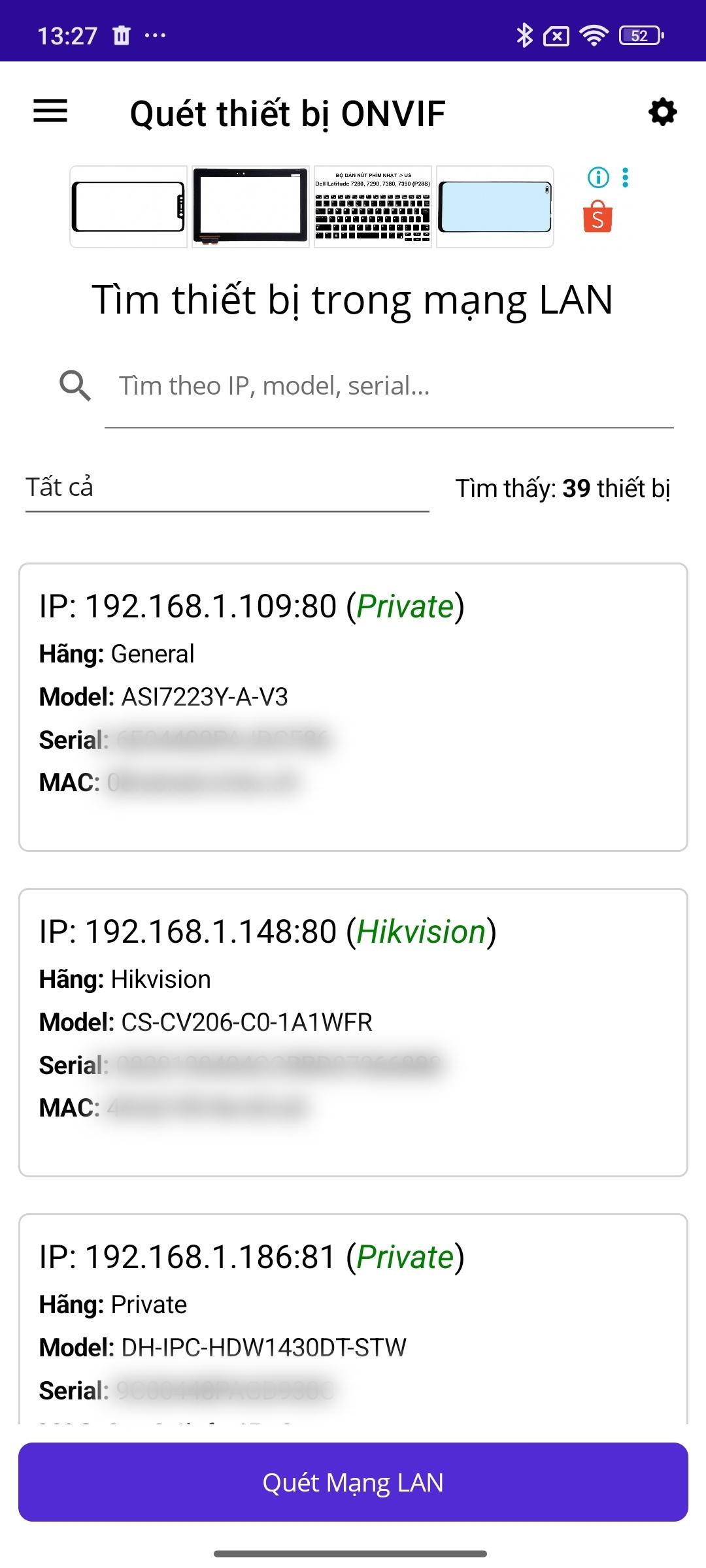
Instantly discover all IP cameras, NVRs, and DVRs on your local area network.
Multi-Protocol Support: Simultaneously scans for standard ONVIF devices as well as proprietary protocols from major brands like Dahua, KBVision, and Hikvision.
Detailed Information: Get a comprehensive overview of each device, including IP Address, Model, Manufacturer, Serial Number, MAC Address, and active ports.
Smart & Unique: The app intelligently merges information from ONVIF and private protocols to present the most complete device profile. It also automatically highlights and color-codes any devices with duplicate IP addresses on the network, helping you resolve conflicts instantly.
2. Effortless Port Forwarding Check:
An indispensable tool to verify if you have successfully configured port forwarding for remote camera access.
Automatically detects your public WAN IP address.
Includes convenient presets for common device ports from popular manufacturers (Dahua, Hikvision, etc.) for one-tap checking.
Simply enter a hostname or IP and a list of ports, and the app will clearly report which are OPEN or CLOSED.
3. Comprehensive Storage & Bandwidth Calculator:
Plan your CCTV system requirements with precision. Add multiple camera profiles with different settings to calculate the total system load.
Two Flexible Modes:
Calculate Required Capacity: Enter the desired number of recording days to determine the necessary hard drive space in GB/TB.
Calculate Storage Duration: Enter your available hard drive capacity to find out how many days of footage the system can store.
Supports all critical parameters: Resolution, compression type (H.264, H.265, Smart H.264/H.265+), frame rate (FPS), and recording hours per day.
4. Instant Warranty Lookup:
Quickly check the warranty status of a product by entering its serial number.
Features an integrated barcode and QR code scanner, allowing you to use your phone's camera to capture the serial number from the product box or device, eliminating manual entry.
5. Remote Device Configuration (Advanced Feature):
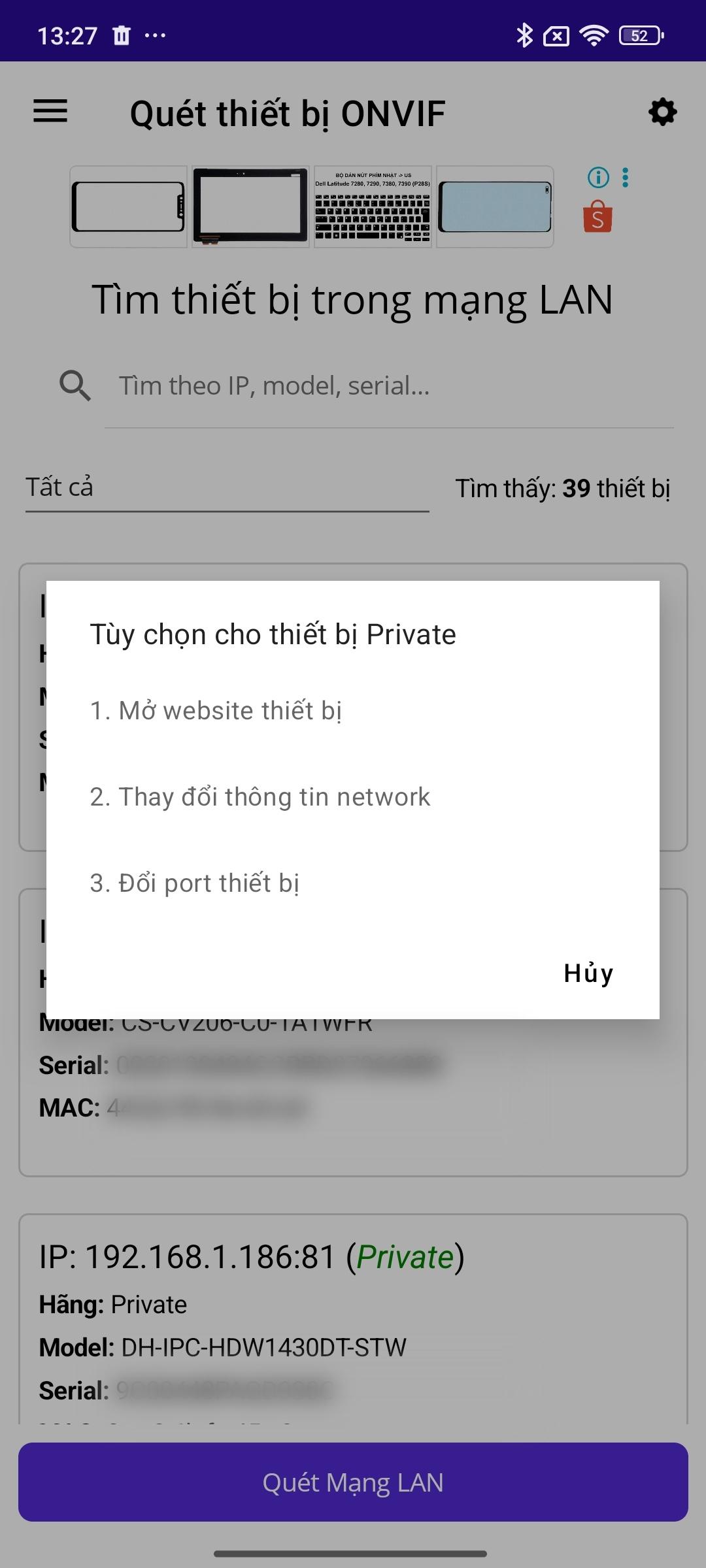
For supported Dahua/KBVision devices (Private protocol), you can modify critical settings directly from the app.
Change Network Settings: Modify the IP Address, Subnet Mask, and Default Gateway.
Change Ports: Adjust the device's HTTP and TCP ports.
(Note: Requires device login credentials, which can be configured in the app's Settings menu).
Who is this for?
Whether you're on-site for a new installation, troubleshooting a network issue, or planning a system upgrade, this app is the perfect companion for every CCTV professional.
Download CCTV Super Tool today and take your installations to the next level
پیش نظارہ
ٹیگز
اوزارمعلومات
ڈویلپر
BruceNguyen
تازہ ترین ورژن
3.2.20251019
آخری تازہ کاری
2025-10-19
قسم
اوزار
پر دستیاب ہے۔
Google Play
مزید دکھائیں
پی سی پر گیم لوپ کے ساتھ CCTV Super Tool کیسے کھیلا جائے۔
1. آفیشل ویب سائٹ سے گیم لوپ ڈاؤن لوڈ کریں، پھر گیم لوپ انسٹال کرنے کے لیے exe فائل چلائیں۔
2. گیم لوپ کھولیں اور "CCTV Super Tool" تلاش کریں، تلاش کے نتائج میں CCTV Super Tool تلاش کریں اور "انسٹال کریں" پر کلک کریں۔
3. گیم لوپ پر CCTV Super Tool کھیلنے کا لطف اٹھائیں۔
Minimum requirements
OS
Windows 8.1 64-bit or Windows 10 64-bit
GPU
GTX 1050
CPU
i3-8300
Memory
8GB RAM
Storage
1GB available space
Recommended requirements
OS
Windows 8.1 64-bit or Windows 10 64-bit
GPU
GTX 1050
CPU
i3-9320
Memory
16GB RAM
Storage
1GB available space