Battery Clock PC
BrainCrash Soft
گیم لوپ ایمولیٹر کے ساتھ PC پر Battery Clock ڈاؤن لوڈ کریں۔
پی سی پر Battery Clock
Battery Clock، جو ڈویلپر BrainCrash Soft سے آرہا ہے، ماضی میں اینڈرائیڈ سسٹم پر چل رہا ہے۔
اب، آپ پی سی پر Battery Clock آسانی سے GameLoop کے ساتھ چلا سکتے ہیں۔
اسے GameLoop لائبریری یا تلاش کے نتائج میں ڈاؤن لوڈ کریں۔ مزید غلط وقت پر بیٹری یا مایوس کن کالوں پر نظر نہیں ڈالی جائے گی۔
بس بڑی سکرین پر Battery Clock PC کا مفت میں لطف اٹھائیں!
Battery Clock تعارف
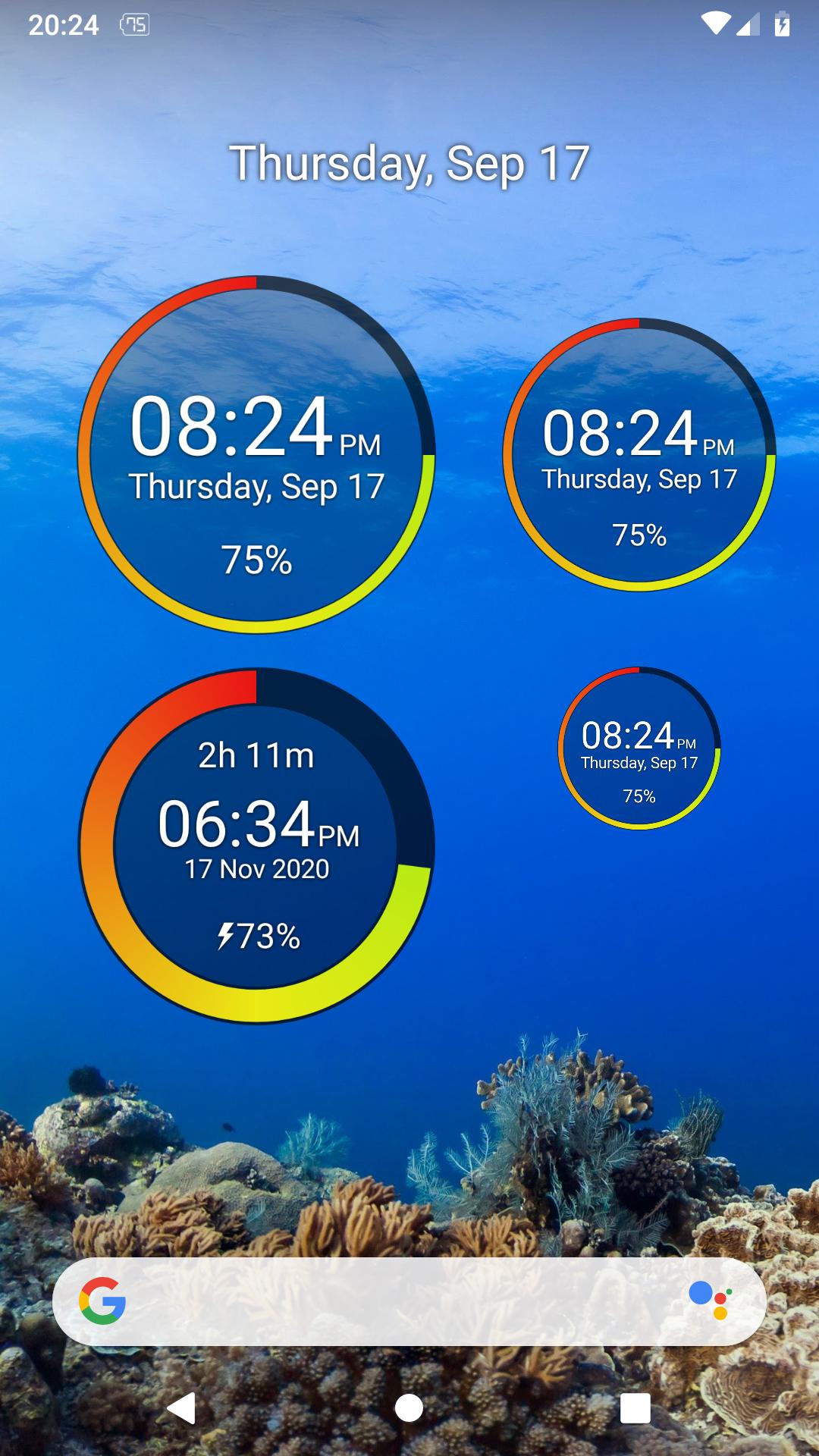
A beautiful designed battery widget that also functions as a clock.
Widget Features:
- re-sizable widget with high quality graphics
- radial representation of battery percentage
- numerical battery percent in widget
- customize all the widget colors and transparency from the app
- shows time and date
- tap the upper part of the widget to open your alarms
- option to show charge / discharge time left (estimated)
App Features:
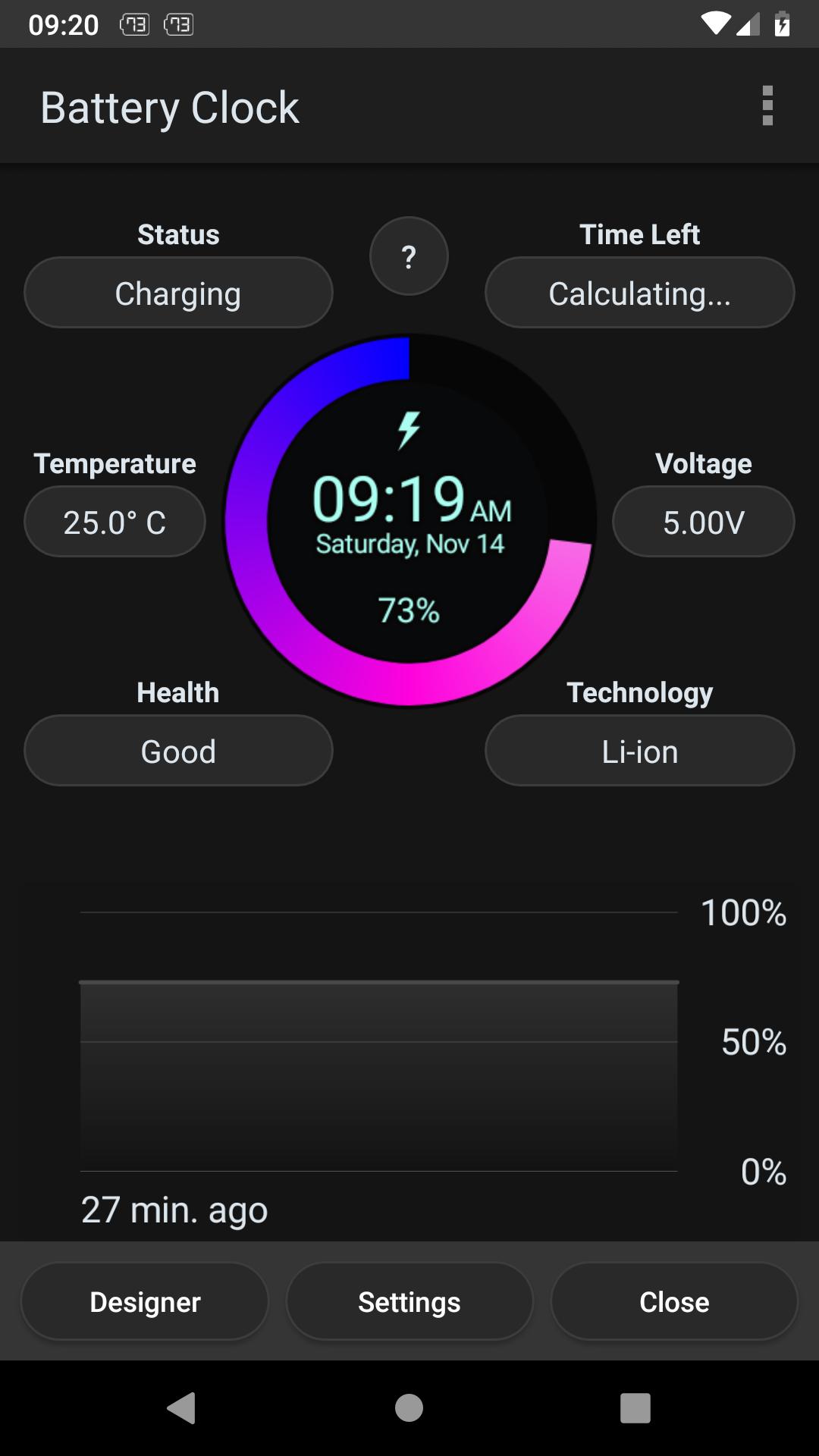
- discharge prediction (estimates how long the battery lasts)
- charge prediction (estimates how long until full charge)
- graphical history of battery usage
- battery details (Temperature, Voltage, Health, Status, etc.)
- widget designer to configure every detail of the widget
Notes:
- Task Manager, Task Killer or other power saving features (often built in the system) may affect this app. Please don’t use them or try to create an exception for this app if it does not work as expected.
- The App is very light and optimized and should NOT drain you battery
- Due to the limitation of the Android platform, home screen widgets will NOT work if the app is moved to the SD card.
پیش نظارہ
ٹیگز
اوزارمعلومات
ڈویلپر
BrainCrash Soft
تازہ ترین ورژن
1.3.2 free
آخری تازہ کاری
2023-09-01
قسم
اوزار
پر دستیاب ہے۔
Google Play
مزید دکھائیں
پی سی پر گیم لوپ کے ساتھ Battery Clock کیسے کھیلا جائے۔
1. آفیشل ویب سائٹ سے گیم لوپ ڈاؤن لوڈ کریں، پھر گیم لوپ انسٹال کرنے کے لیے exe فائل چلائیں۔
2. گیم لوپ کھولیں اور "Battery Clock" تلاش کریں، تلاش کے نتائج میں Battery Clock تلاش کریں اور "انسٹال کریں" پر کلک کریں۔
3. گیم لوپ پر Battery Clock کھیلنے کا لطف اٹھائیں۔
Minimum requirements
OS
Windows 8.1 64-bit or Windows 10 64-bit
GPU
GTX 1050
CPU
i3-8300
Memory
8GB RAM
Storage
1GB available space
Recommended requirements
OS
Windows 8.1 64-bit or Windows 10 64-bit
GPU
GTX 1050
CPU
i3-9320
Memory
16GB RAM
Storage
1GB available space