Auto Call Recorder & Editor PC
Theta Mobile
گیم لوپ ایمولیٹر کے ساتھ PC پر Auto Call Recorder & Editor ڈاؤن لوڈ کریں۔
پی سی پر Auto Call Recorder & Editor
Auto Call Recorder & Editor، جو ڈویلپر Theta Mobile سے آرہا ہے، ماضی میں اینڈرائیڈ سسٹم پر چل رہا ہے۔
اب، آپ پی سی پر Auto Call Recorder & Editor آسانی سے GameLoop کے ساتھ چلا سکتے ہیں۔
اسے GameLoop لائبریری یا تلاش کے نتائج میں ڈاؤن لوڈ کریں۔ مزید غلط وقت پر بیٹری یا مایوس کن کالوں پر نظر نہیں ڈالی جائے گی۔
بس بڑی سکرین پر Auto Call Recorder & Editor PC کا مفت میں لطف اٹھائیں!
Auto Call Recorder & Editor تعارف
Auto Call, Audio, Sound, Voice Recorder & Editor is a free app for recording calls, lectures, meetings and much more. Our Auto Call Recorder offers unique features that allow you to automatically record each call. You will find Auto Call, Audio, Sound, Voice Recorder & Editor to be feature rich and simple in operation for the ease of our users.
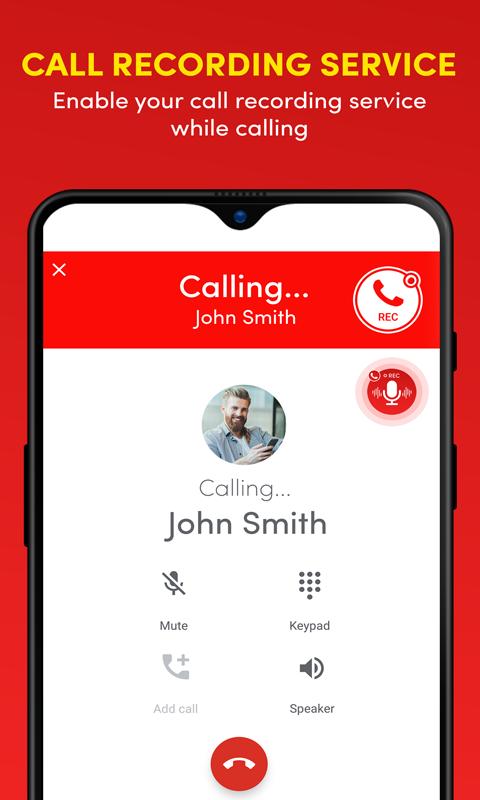
With Auto Call, Audio, Sound, Voice Recorder & Editor, you can record calls automatically and save all calls you want in the mp3 audio format with quality of your choice. Our call recorder stands out in the store as it renders the choice to the user at each audio call intimation. You can just click a button on the incoming call alert and auto call recorder will do the trick.
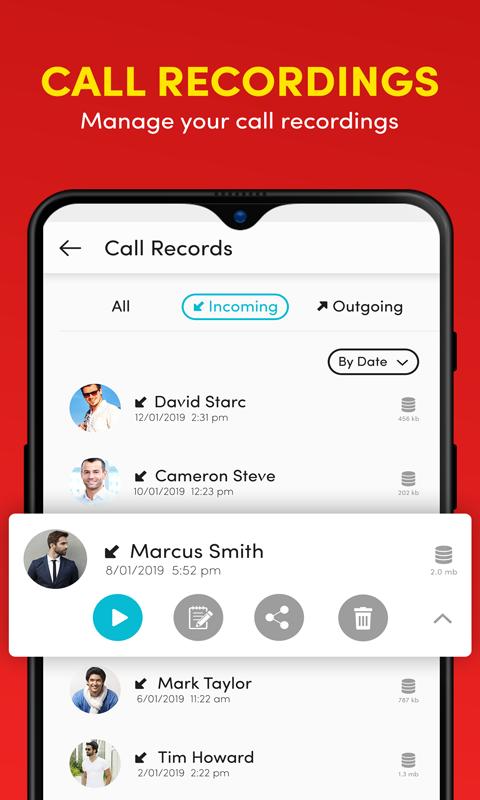
Auto Call, Audio, Sound, Voice Recorder & Editor allows you to record phone calls and intelligently manage recording files. Our audio editor includes features such as split audio calls, play audio calls, delete audio calls and rename audio call records; we have included the editor so that you can cut and save the critical part of a long audio call for later use.
Sitting a long lecture or having a full day strategy meeting; it gets hard to keep notes and be attentive as well. We have Auto Call, Audio, Sound, Voice Recorder & Editor to solve this problem with a single tap you can start the audio recorder and use the functionality of our high-quality sound recorder for any situation.
All auto call recordings and the audio recordings are curated separately within the audio gallery of the app and our user has the option to rename or edit the sound files with the built-in audio editor. All audio and calls are saved in mp3 sound format that is best in the world.
One more unique feature of Auto Call, Audio, Sound, Voice Recorder & Editor is that it delivers a powerful audio recorder widget that shows on any incoming call or outgoing call intimation on your screen. Just a single tap on the auto call recorder button and the call recorder triggers for that call. Once the call ends the auto call recorder notification comes up that takes you to the auto recorded call.
For clear & quality recording our app needs permission to use device microphone, storage, phone call, & accessibility service.
Storage (to save recordings)
Microphone (to record audio)
Phone (to manage calls)
Accessibility Service (to record call on Android 10)
Disable Battery Optimization (to work in background)
Auto call, audio, sound, voice recorder & editor comes with a load of features that include;
• Auto calls recording
• Organize auto call recording logs
• View all auto call records with options, such as: E.g. list by time, group by name or group by date
• Play or record your call as MP3 files on your SD card
• Auto call recorder/ Voice recorder audio sound editor
• Audio Recording for any lecture, meeting or sound situation
• Play recorded conversations as audio
• Delete or edit audio recordings
Download Auto Call, Audio, Sound, Voice Recorder & Editor and give us feedback so that we can make more functional and useful apps for you.
پیش نظارہ
ٹیگز
اوزارمعلومات
ڈویلپر
Theta Mobile
تازہ ترین ورژن
2.1.2
آخری تازہ کاری
2023-11-17
قسم
اوزار
پر دستیاب ہے۔
Google Play
مزید دکھائیں
پی سی پر گیم لوپ کے ساتھ Auto Call Recorder & Editor کیسے کھیلا جائے۔
1. آفیشل ویب سائٹ سے گیم لوپ ڈاؤن لوڈ کریں، پھر گیم لوپ انسٹال کرنے کے لیے exe فائل چلائیں۔
2. گیم لوپ کھولیں اور "Auto Call Recorder & Editor" تلاش کریں، تلاش کے نتائج میں Auto Call Recorder & Editor تلاش کریں اور "انسٹال کریں" پر کلک کریں۔
3. گیم لوپ پر Auto Call Recorder & Editor کھیلنے کا لطف اٹھائیں۔
Minimum requirements
OS
Windows 8.1 64-bit or Windows 10 64-bit
GPU
GTX 1050
CPU
i3-8300
Memory
8GB RAM
Storage
1GB available space
Recommended requirements
OS
Windows 8.1 64-bit or Windows 10 64-bit
GPU
GTX 1050
CPU
i3-9320
Memory
16GB RAM
Storage
1GB available space