Shortcut Maker: Icon Changer PC
GoNext
گیم لوپ ایمولیٹر کے ساتھ PC پر Shortcut Maker: Icon Changer ڈاؤن لوڈ کریں۔
پی سی پر Shortcut Maker: Icon Changer
Shortcut Maker: Icon Changer، جو ڈویلپر GoNext سے آرہا ہے، ماضی میں اینڈرائیڈ سسٹم پر چل رہا ہے۔
اب، آپ پی سی پر Shortcut Maker: Icon Changer آسانی سے GameLoop کے ساتھ چلا سکتے ہیں۔
اسے GameLoop لائبریری یا تلاش کے نتائج میں ڈاؤن لوڈ کریں۔ مزید غلط وقت پر بیٹری یا مایوس کن کالوں پر نظر نہیں ڈالی جائے گی۔
بس بڑی سکرین پر Shortcut Maker: Icon Changer PC کا مفت میں لطف اٹھائیں!
Shortcut Maker: Icon Changer تعارف
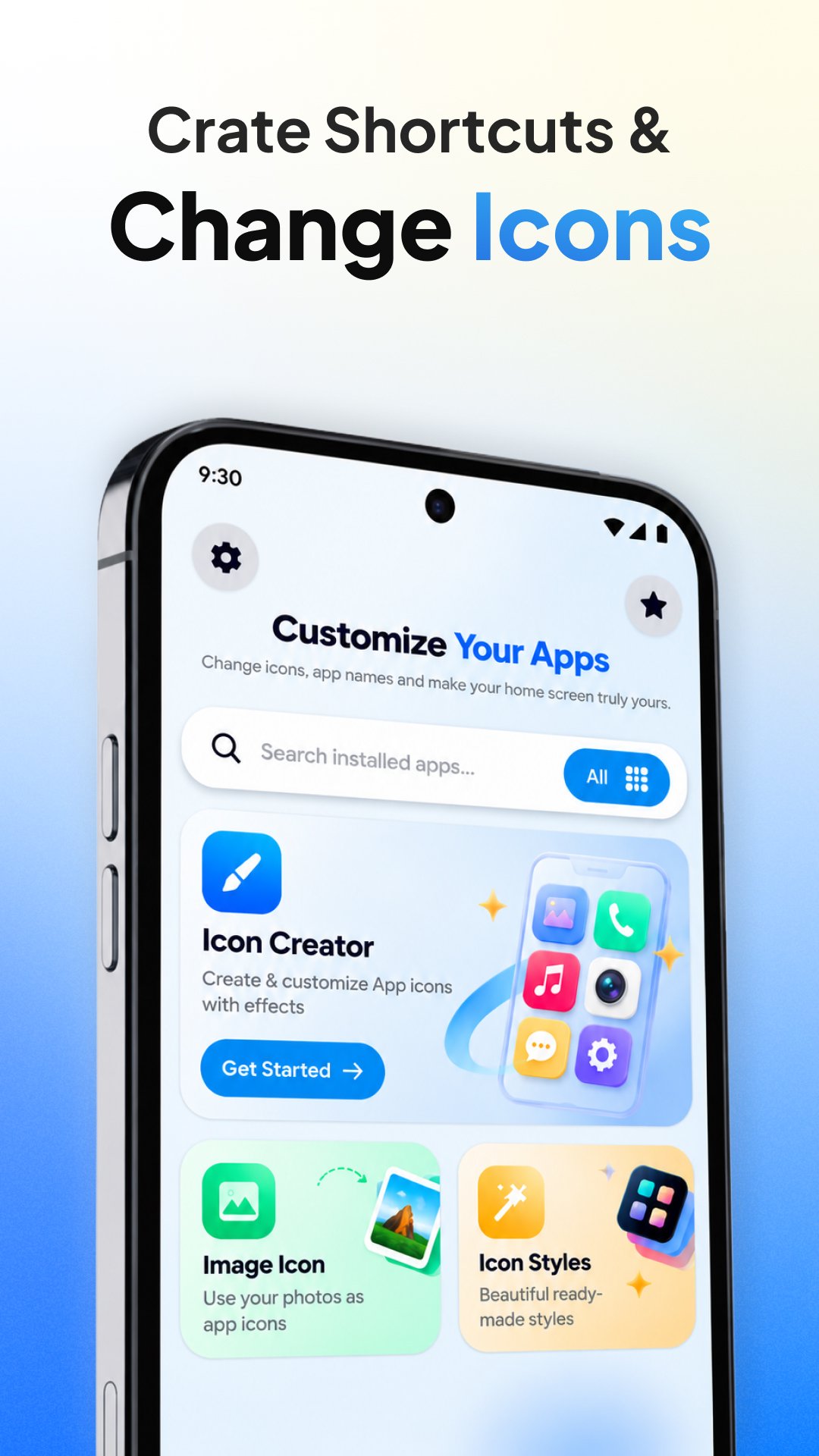
Create Home Screen shortcuts for your apps and supported app activities. Choose what you want to open, give the shortcut your own icon and name, and place it on your Home Screen for faster access.
Shortcut Maker: Icon Changer helps you create personalized shortcuts on your home screen
CREATE APP SHORTCUTS
Choose an installed app and create a new Home Screen shortcut for it.
You can customize the shortcut with:
• A custom shortcut name
• A photo from your gallery
• An edited version of the app icon
• Your preferred icon appearance
CREATE SHORTCUTS TO APP ACTIVITIES
Some apps contain multiple activities or screens that Android makes available for shortcut access.
Instead of always opening the main app screen, you may be able to create a shortcut that opens a specific supported activity directly.
For example, if an app exposes a particular activity, you can create a Home Screen shortcut for that destination and give it a custom icon and name.
Available activities depend on what each installed app exposes on your device.
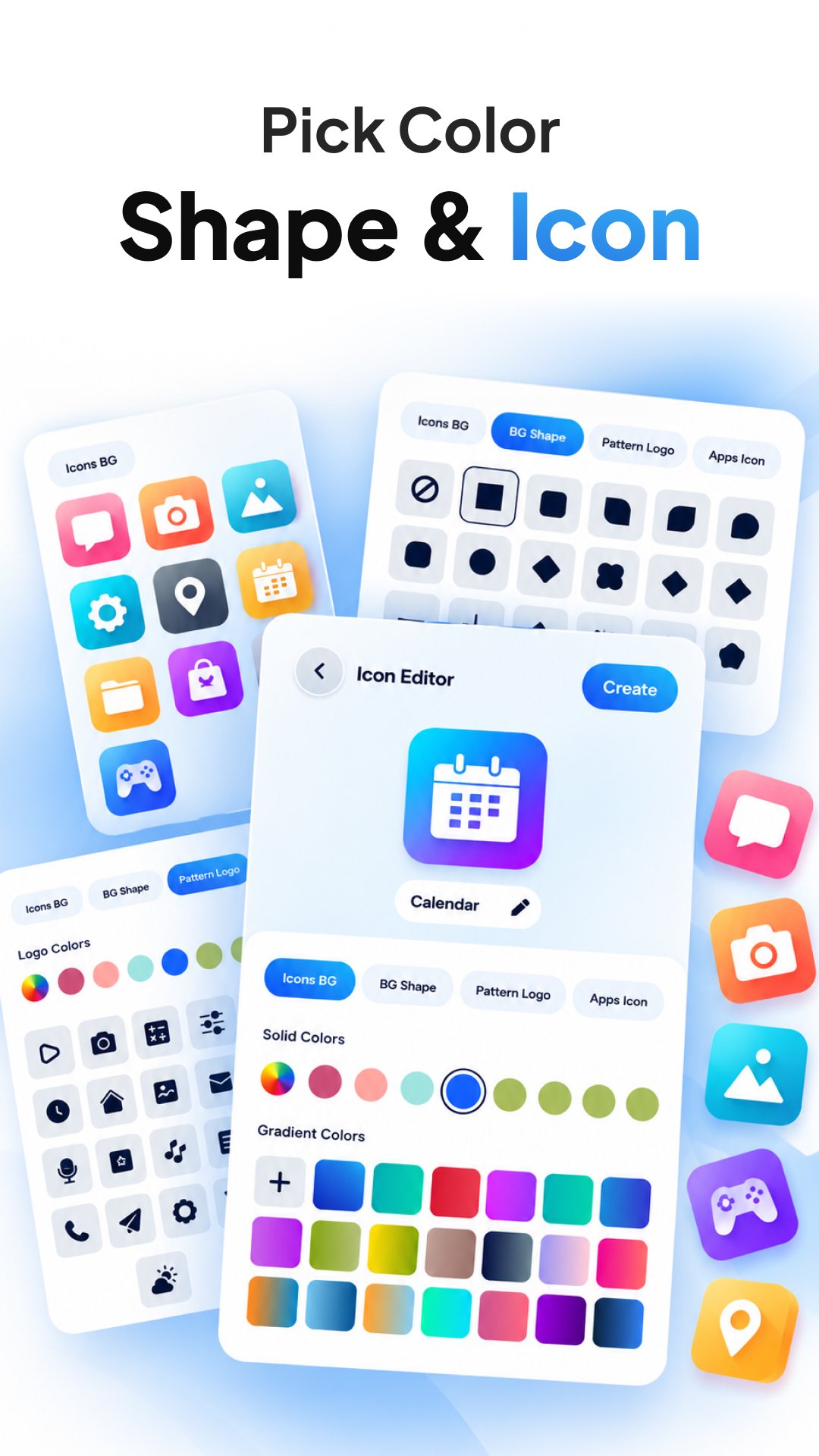
CUSTOMIZE SHORTCUT ICONS
Give each shortcut a look that matches your Home Screen.
You can:
• Use a photo from your gallery
• Capture photo from camera
• Use the existing app icon
• Edit the icon before creating the shortcut
• Change icon colors
Create shortcuts that are easier to recognize or better match your Home Screen style.
RENAME YOUR SHORTCUTS
Choose the text that appears below your shortcut icon.
You can use a shorter name, a custom label, or a name that describes exactly what the shortcut opens.
QUICK ACCESS FROM YOUR HOME SCREEN
Create shortcuts for apps and supported activities you use often, then open them directly from your Home Screen.
HOW IT WORKS
1. Select an installed app.
2. Choose the app or an available supported activity.
3. Enter your preferred shortcut name.
4. Choose or edit the shortcut icon.
5. Create the shortcut.
6. Access it from your Home Screen.
Shortcut Maker: Icon Changer is designed for users who want more control over how app shortcuts look and what they open.
Use custom icons, custom names and activity shortcuts to organize your Home Screen in a way that works for you.
Note:
Shortcut availability and behavior can vary by app, Android version and device launcher. This app creates shortcuts and does not modify the original installed application.
پیش نظارہ
ٹیگز
اوزارمعلومات
ڈویلپر
GoNext
تازہ ترین ورژن
2.0.0
آخری تازہ کاری
2026-10-13
قسم
اوزار
پر دستیاب ہے۔
Google Play
مزید دکھائیں
پی سی پر گیم لوپ کے ساتھ Shortcut Maker: Icon Changer کیسے کھیلا جائے۔
1. آفیشل ویب سائٹ سے گیم لوپ ڈاؤن لوڈ کریں، پھر گیم لوپ انسٹال کرنے کے لیے exe فائل چلائیں۔
2. گیم لوپ کھولیں اور "Shortcut Maker: Icon Changer" تلاش کریں، تلاش کے نتائج میں Shortcut Maker: Icon Changer تلاش کریں اور "انسٹال کریں" پر کلک کریں۔
3. گیم لوپ پر Shortcut Maker: Icon Changer کھیلنے کا لطف اٹھائیں۔
Minimum requirements
OS
Windows 8.1 64-bit or Windows 10 64-bit
GPU
GTX 1050
CPU
i3-8300
Memory
8GB RAM
Storage
1GB available space
Recommended requirements
OS
Windows 8.1 64-bit or Windows 10 64-bit
GPU
GTX 1050
CPU
i3-9320
Memory
16GB RAM
Storage
1GB available space