
App Country Finder & Manager PC
SYSTWEAK SOFTWARE
گیم لوپ ایمولیٹر کے ساتھ PC پر App Country Finder & Manager ڈاؤن لوڈ کریں۔
پی سی پر App Country Finder & Manager
App Country Finder & Manager، جو ڈویلپر SYSTWEAK SOFTWARE سے آرہا ہے، ماضی میں اینڈرائیڈ سسٹم پر چل رہا ہے۔
اب، آپ پی سی پر App Country Finder & Manager آسانی سے GameLoop کے ساتھ چلا سکتے ہیں۔
اسے GameLoop لائبریری یا تلاش کے نتائج میں ڈاؤن لوڈ کریں۔ مزید غلط وقت پر بیٹری یا مایوس کن کالوں پر نظر نہیں ڈالی جائے گی۔
بس بڑی سکرین پر App Country Finder & Manager PC کا مفت میں لطف اٹھائیں!
App Country Finder & Manager تعارف
Ever found yourself in a situation when you want to know the country of origin of the Android app you are using?
Yes, how do you do that?
Do you visit the app page and look for the information provided in the Developer or Information section? True!
But do you know in some cases app country name shown in this section might not be real? Well, if this worries you here’s a quick and trusted solution called App Country Finder.
Using this interesting app, without heading to the App developer information centre, you can find the app country name for all the installed apps. App Country Finder as the name infers provides users with country-specific information. This helps users to decide whether they want to use the application coming from a specific location or not.
Features
• Sort apps by country in Ascending or Descending order
• Backup apps
• Uninstall selects apps from within the App Country Finder
• Neat and easy-to-use interface.
• One tap app backup and uninstall feature.
How to use App Country Finder
1. Launch the app from Google Play Store
2. Grant media permission
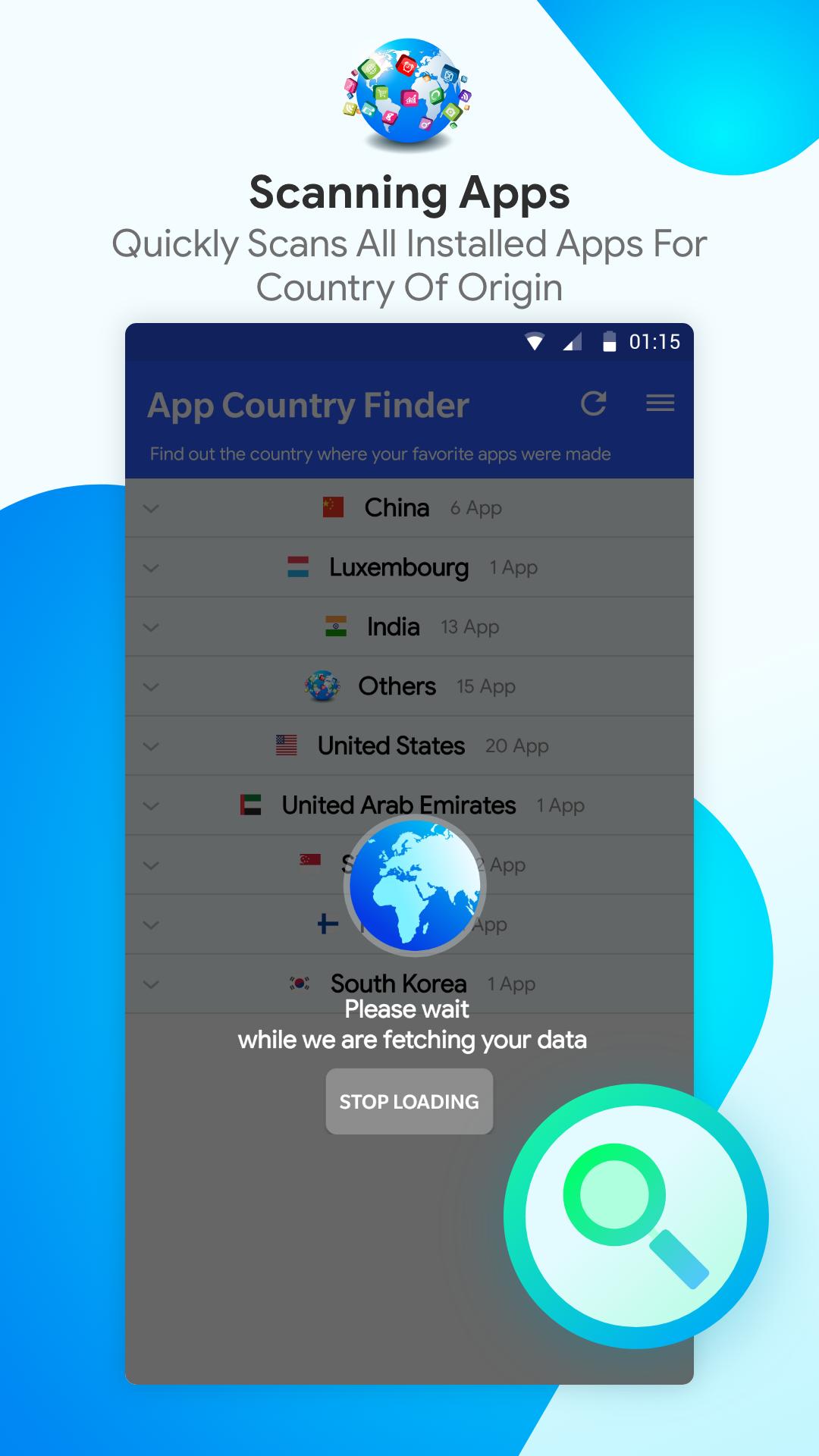
3. Next, tap the refresh icon to get a list of the installed apps.
4. Wait for the process to finish.
5. You will now see a categorized list of apps divided country-wise.
6. From here, you can either take backup of the apps or can directly uninstall the selected apps.
This helps declutter the app list and keep the apps from countries you trust.
In addition to this, using App Country Finder you can recover storage space as the unwanted apps will be uninstalled.
پیش نظارہ
ٹیگز
اوزارمعلومات
ڈویلپر
SYSTWEAK SOFTWARE
تازہ ترین ورژن
7.1.1.49
آخری تازہ کاری
2023-08-25
قسم
اوزار
پر دستیاب ہے۔
Google Play
مزید دکھائیں
پی سی پر گیم لوپ کے ساتھ App Country Finder & Manager کیسے کھیلا جائے۔
1. آفیشل ویب سائٹ سے گیم لوپ ڈاؤن لوڈ کریں، پھر گیم لوپ انسٹال کرنے کے لیے exe فائل چلائیں۔
2. گیم لوپ کھولیں اور "App Country Finder & Manager" تلاش کریں، تلاش کے نتائج میں App Country Finder & Manager تلاش کریں اور "انسٹال کریں" پر کلک کریں۔
3. گیم لوپ پر App Country Finder & Manager کھیلنے کا لطف اٹھائیں۔
Minimum requirements
OS
Windows 8.1 64-bit or Windows 10 64-bit
GPU
GTX 1050
CPU
i3-8300
Memory
8GB RAM
Storage
1GB available space
Recommended requirements
OS
Windows 8.1 64-bit or Windows 10 64-bit
GPU
GTX 1050
CPU
i3-9320
Memory
16GB RAM
Storage
1GB available space