Apowersoft Screenshot PC
APOWERSOFT
گیم لوپ ایمولیٹر کے ساتھ PC پر Apowersoft Screenshot ڈاؤن لوڈ کریں۔
پی سی پر Apowersoft Screenshot
Apowersoft Screenshot، جو ڈویلپر APOWERSOFT سے آرہا ہے، ماضی میں اینڈرائیڈ سسٹم پر چل رہا ہے۔
اب، آپ پی سی پر Apowersoft Screenshot آسانی سے GameLoop کے ساتھ چلا سکتے ہیں۔
اسے GameLoop لائبریری یا تلاش کے نتائج میں ڈاؤن لوڈ کریں۔ مزید غلط وقت پر بیٹری یا مایوس کن کالوں پر نظر نہیں ڈالی جائے گی۔
بس بڑی سکرین پر Apowersoft Screenshot PC کا مفت میں لطف اٹھائیں!
Apowersoft Screenshot تعارف
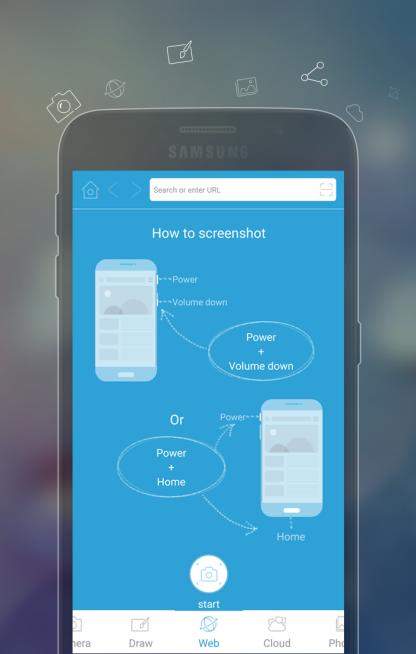
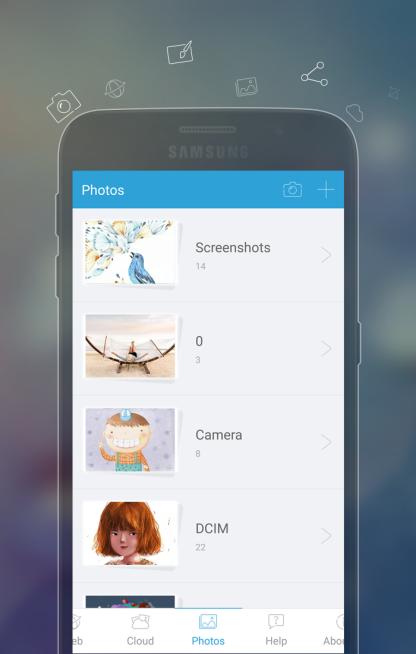
Apowersoft Screenshot is a free yet efficient app that lets you surf the Internet, take screenshots and edit images on your phone. This app is equipped with a built-in browser which provides various tips on how to screenshot on mobile devices. And also, it enables you to screenshot a region of the webpage or even a full webpage with contents beyond the screen. After taking a screenshot, you can crop it and annotate it with lines, arrows, texts, etc. It also allows you to directly share images to popular social networks or upload them to the free cloud space provided by the developer.
How to take a screenshot
1. Tap the overlay icon (only for Android 5.0 and higher).
2. Press the "Power" button and the "Volume down" button at the same time, or press the "Power" button and the "Home" button at the same time (mostly on Samsung phones).
3. Capture webpage screenshots. You can screenshot a region, the visible contents or the full webpage.
Other highlight features
# Crop and annotate images with lines, circles, texts, mosaics, etc.
# Take photo and edit it instantly.
# Draw your inspiration on fingertips.
# Share images to popular social networks immediately.
# Upload images to free cloud space.
# Additional QR code scanner.
SUPPORTS
Official site: http://screenshot.net
Facebook: https://www.facebook.com/freescreenshot/
Twitter: https://twitter.com/FreeScreenshot
Google+: https://plus.google.com/u/3/117614636045536552999/posts
پیش نظارہ
ٹیگز
اوزارمعلومات
ڈویلپر
APOWERSOFT
تازہ ترین ورژن
1.2.3
آخری تازہ کاری
2017-08-17
قسم
اوزار
پر دستیاب ہے۔
Google Play
مزید دکھائیں
پی سی پر گیم لوپ کے ساتھ Apowersoft Screenshot کیسے کھیلا جائے۔
1. آفیشل ویب سائٹ سے گیم لوپ ڈاؤن لوڈ کریں، پھر گیم لوپ انسٹال کرنے کے لیے exe فائل چلائیں۔
2. گیم لوپ کھولیں اور "Apowersoft Screenshot" تلاش کریں، تلاش کے نتائج میں Apowersoft Screenshot تلاش کریں اور "انسٹال کریں" پر کلک کریں۔
3. گیم لوپ پر Apowersoft Screenshot کھیلنے کا لطف اٹھائیں۔
Minimum requirements
OS
Windows 8.1 64-bit or Windows 10 64-bit
GPU
GTX 1050
CPU
i3-8300
Memory
8GB RAM
Storage
1GB available space
Recommended requirements
OS
Windows 8.1 64-bit or Windows 10 64-bit
GPU
GTX 1050
CPU
i3-9320
Memory
16GB RAM
Storage
1GB available space