Aloud Reader - Text to Speech PC
Smart Digital Solution
گیم لوپ ایمولیٹر کے ساتھ PC پر Aloud Reader - Text to Speech ڈاؤن لوڈ کریں۔
پی سی پر Aloud Reader - Text to Speech
Aloud Reader - Text to Speech، جو ڈویلپر Smart Digital Solution سے آرہا ہے، ماضی میں اینڈرائیڈ سسٹم پر چل رہا ہے۔
اب، آپ پی سی پر Aloud Reader - Text to Speech آسانی سے GameLoop کے ساتھ چلا سکتے ہیں۔
اسے GameLoop لائبریری یا تلاش کے نتائج میں ڈاؤن لوڈ کریں۔ مزید غلط وقت پر بیٹری یا مایوس کن کالوں پر نظر نہیں ڈالی جائے گی۔
بس بڑی سکرین پر Aloud Reader - Text to Speech PC کا مفت میں لطف اٹھائیں!
Aloud Reader - Text to Speech تعارف
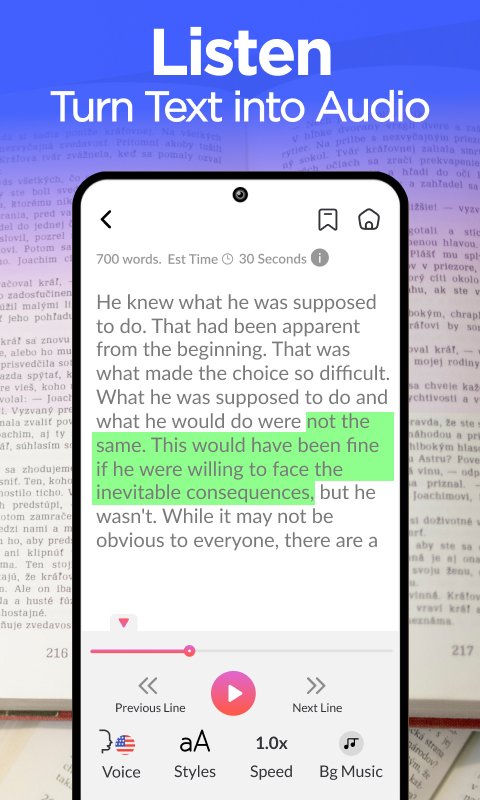
Read aloud text to speech an audio text reader app to listen PDF, DOC, TXT files. Text to speech can read text in multiple languages. Get text to speech reader to easily speak text using read aloud app. This text to speech aloud reader app provides you screen reader with audio text feature.
Text to voice converter helps you quickly listen any text. Choose the text file or document to import with audio text reader. Text to speech app allows you to import text in different languages, listen text using voice aloud reader. Turn your reading content in to audiobook and listen text with text to speech app. Accurately listen to the text and Scan PDF, book pages or directly import PDF, document and txt files.
Text to speech tts the best narrator in your pocket to listen text.
Choose from different languages and listen your text in desired language.
Simultaneously read and listen books, PDFs, documents, and txt files.
Adjust speaker speed along with background color and text colors.
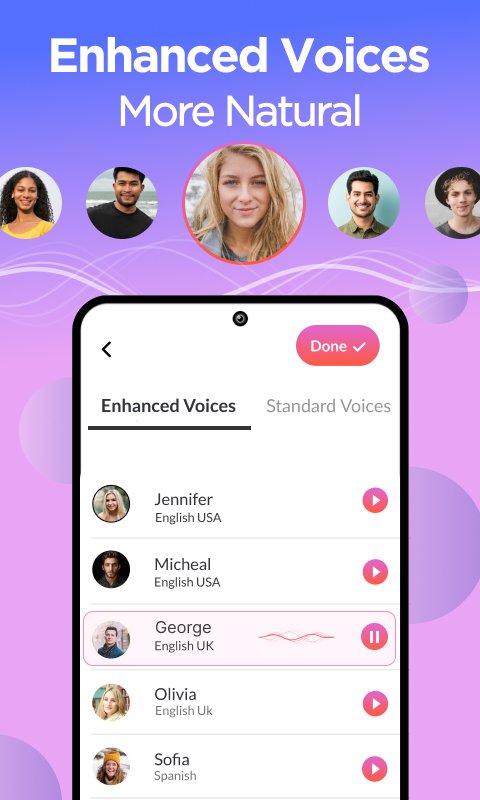
Convert text to audio and choose your favorite voice for listening.
Read aloud helps you generate voice or any text, create focus while reading and listening text at the same time. Text to voice generator app provides you ultimate voices and reading speed adjustments. Get text speaker app to listen text in multiple voices, input any text and enjoy read aloud. Voice text reader provides you accurate text to speech.
How to use text to speech tts
- Get read aloud text to speech
- Import any PDF, Doc or txt
- Scan any image to extract text
- Choose the language for listing text
- Adjust listening speed
- Finally, Enjoy text to speech
Key Features
- Smoothly listen text in text to speech
- Import text from PDFs, doc and text files
- Read aloud app supports different languages
- Multiples fonts, text colors with audio text reader
- Adjust text listening speed
پیش نظارہ
ٹیگز
اوزاربورڈمعلومات
ڈویلپر
Smart Digital Solution
تازہ ترین ورژن
4.7
آخری تازہ کاری
2025-01-20
قسم
اوزار
پر دستیاب ہے۔
Google Play
مزید دکھائیں
پی سی پر گیم لوپ کے ساتھ Aloud Reader - Text to Speech کیسے کھیلا جائے۔
1. آفیشل ویب سائٹ سے گیم لوپ ڈاؤن لوڈ کریں، پھر گیم لوپ انسٹال کرنے کے لیے exe فائل چلائیں۔
2. گیم لوپ کھولیں اور "Aloud Reader - Text to Speech" تلاش کریں، تلاش کے نتائج میں Aloud Reader - Text to Speech تلاش کریں اور "انسٹال کریں" پر کلک کریں۔
3. گیم لوپ پر Aloud Reader - Text to Speech کھیلنے کا لطف اٹھائیں۔
Minimum requirements
OS
Windows 8.1 64-bit or Windows 10 64-bit
GPU
GTX 1050
CPU
i3-8300
Memory
8GB RAM
Storage
1GB available space
Recommended requirements
OS
Windows 8.1 64-bit or Windows 10 64-bit
GPU
GTX 1050
CPU
i3-9320
Memory
16GB RAM
Storage
1GB available space