Sticker Tracker PC
toe.ch
گیم لوپ ایمولیٹر کے ساتھ PC پر Sticker Tracker ڈاؤن لوڈ کریں۔
پی سی پر Sticker Tracker
Sticker Tracker، جو ڈویلپر toe.ch سے آرہا ہے، ماضی میں اینڈرائیڈ سسٹم پر چل رہا ہے۔
اب، آپ پی سی پر Sticker Tracker آسانی سے GameLoop کے ساتھ چلا سکتے ہیں۔
اسے GameLoop لائبریری یا تلاش کے نتائج میں ڈاؤن لوڈ کریں۔ مزید غلط وقت پر بیٹری یا مایوس کن کالوں پر نظر نہیں ڈالی جائے گی۔
بس بڑی سکرین پر Sticker Tracker PC کا مفت میں لطف اٹھائیں!
Sticker Tracker تعارف
*** includes support for the World Cup 2022 ***
*** in Spanish, German and English ***
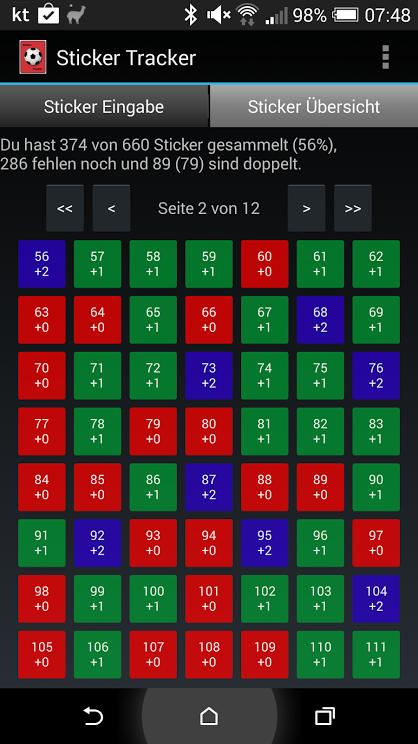
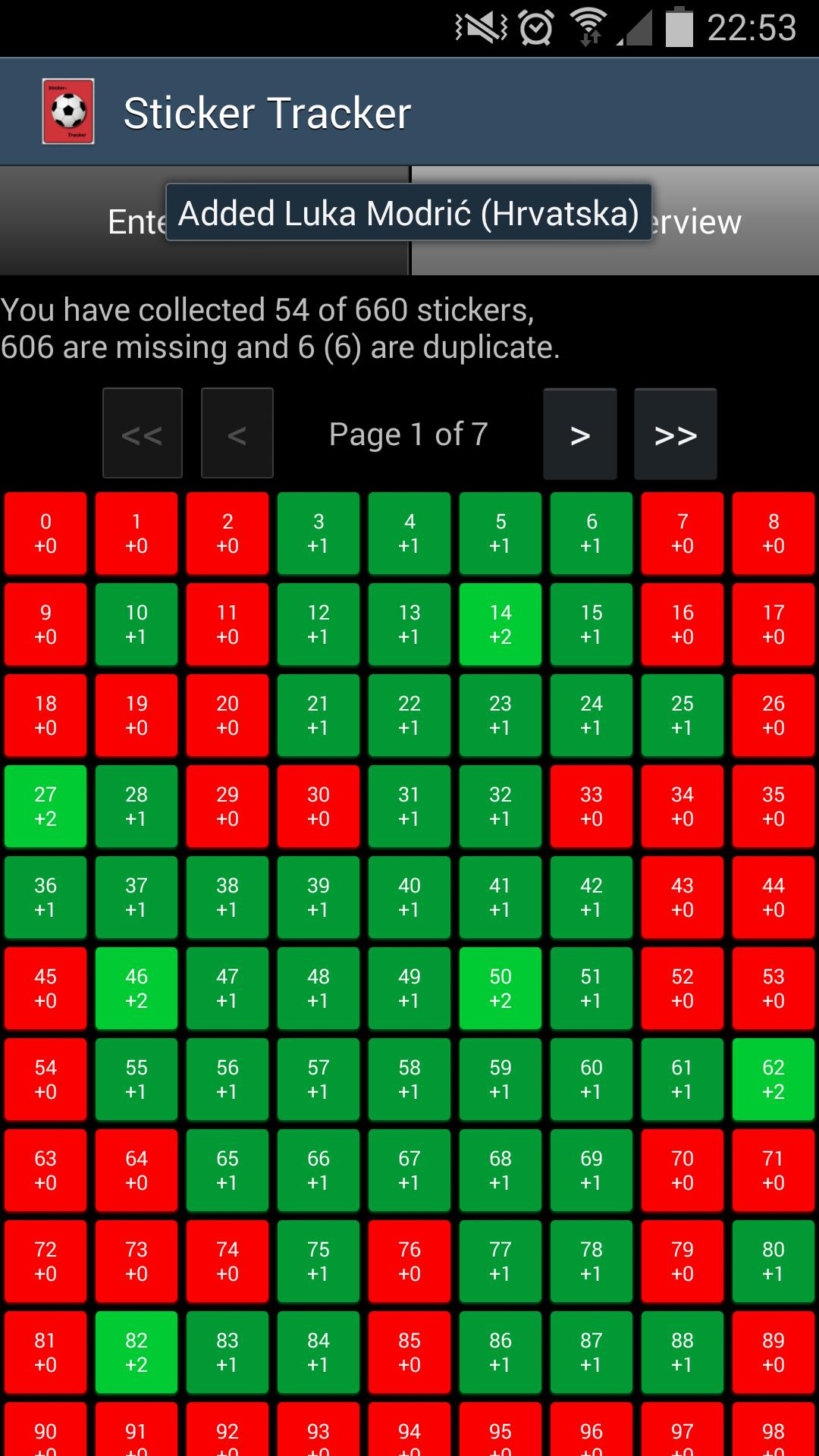
Sticker Tracker helps you track your sticker collection and allows you to keep an overview of collected and missing stickers. Stickers can be entered via sticker number or by using the overview page to click-add stickers.
The application will automatically calculate the number of missing stickers as well as the duplicate stickers you have. This information is also exportable and can be sent via e-mail to other collectors.
The application currently supports football/soccer stickers by Panini(tm) of the:
- World Cup 2022 (670 and 638 versions)
- European Championship 2020
- World Cup 2018
- European Championship 2016
- European Championship 2016 Extras (Germany M1-M32, Austria A1-A20, Belgium A-H)
- Copa América 2016
- World Cup 2014 (including poster P1-P20)
- European Championship 2012 (including poster P1-P20)
Known issues & FAQ:
Q: I see missing sticker numbers / sticker count only goes up to X?
A: Try re-installing / a fresh install and wait a few moments after first start up to let it initialize the database.
Q: How can I reduce the sticker count for a number?
A: Long click on the sticker's button to reduce the count by one.
Q: What are the sticker numbers P1-P20 for?
A: For the stickers of the poster (only available in selected countries).
Q: Will I loose existing data when updating?
A: No, all your current album stats will be retained, you can switch between albums easily.
Any other feedback and input appreciated: android@toe.ch
پیش نظارہ
ٹیگز
کھیلمعلومات
ڈویلپر
toe.ch
تازہ ترین ورژن
1.0.18
آخری تازہ کاری
2022-11-10
قسم
کھیل
پر دستیاب ہے۔
Google Play
مزید دکھائیں
پی سی پر گیم لوپ کے ساتھ Sticker Tracker کیسے کھیلا جائے۔
1. آفیشل ویب سائٹ سے گیم لوپ ڈاؤن لوڈ کریں، پھر گیم لوپ انسٹال کرنے کے لیے exe فائل چلائیں۔
2. گیم لوپ کھولیں اور "Sticker Tracker" تلاش کریں، تلاش کے نتائج میں Sticker Tracker تلاش کریں اور "انسٹال کریں" پر کلک کریں۔
3. گیم لوپ پر Sticker Tracker کھیلنے کا لطف اٹھائیں۔
Minimum requirements
OS
Windows 8.1 64-bit or Windows 10 64-bit
GPU
GTX 1050
CPU
i3-8300
Memory
8GB RAM
Storage
1GB available space
Recommended requirements
OS
Windows 8.1 64-bit or Windows 10 64-bit
GPU
GTX 1050
CPU
i3-9320
Memory
16GB RAM
Storage
1GB available space