PIX4TEAM Remote PC
MOVE 'N SEE
گیم لوپ ایمولیٹر کے ساتھ PC پر PIX4TEAM Remote ڈاؤن لوڈ کریں۔
پی سی پر PIX4TEAM Remote
PIX4TEAM Remote، جو ڈویلپر MOVE 'N SEE سے آرہا ہے، ماضی میں اینڈرائیڈ سسٹم پر چل رہا ہے۔
اب، آپ پی سی پر PIX4TEAM Remote آسانی سے GameLoop کے ساتھ چلا سکتے ہیں۔
اسے GameLoop لائبریری یا تلاش کے نتائج میں ڈاؤن لوڈ کریں۔ مزید غلط وقت پر بیٹری یا مایوس کن کالوں پر نظر نہیں ڈالی جائے گی۔
بس بڑی سکرین پر PIX4TEAM Remote PC کا مفت میں لطف اٹھائیں!
PIX4TEAM Remote تعارف
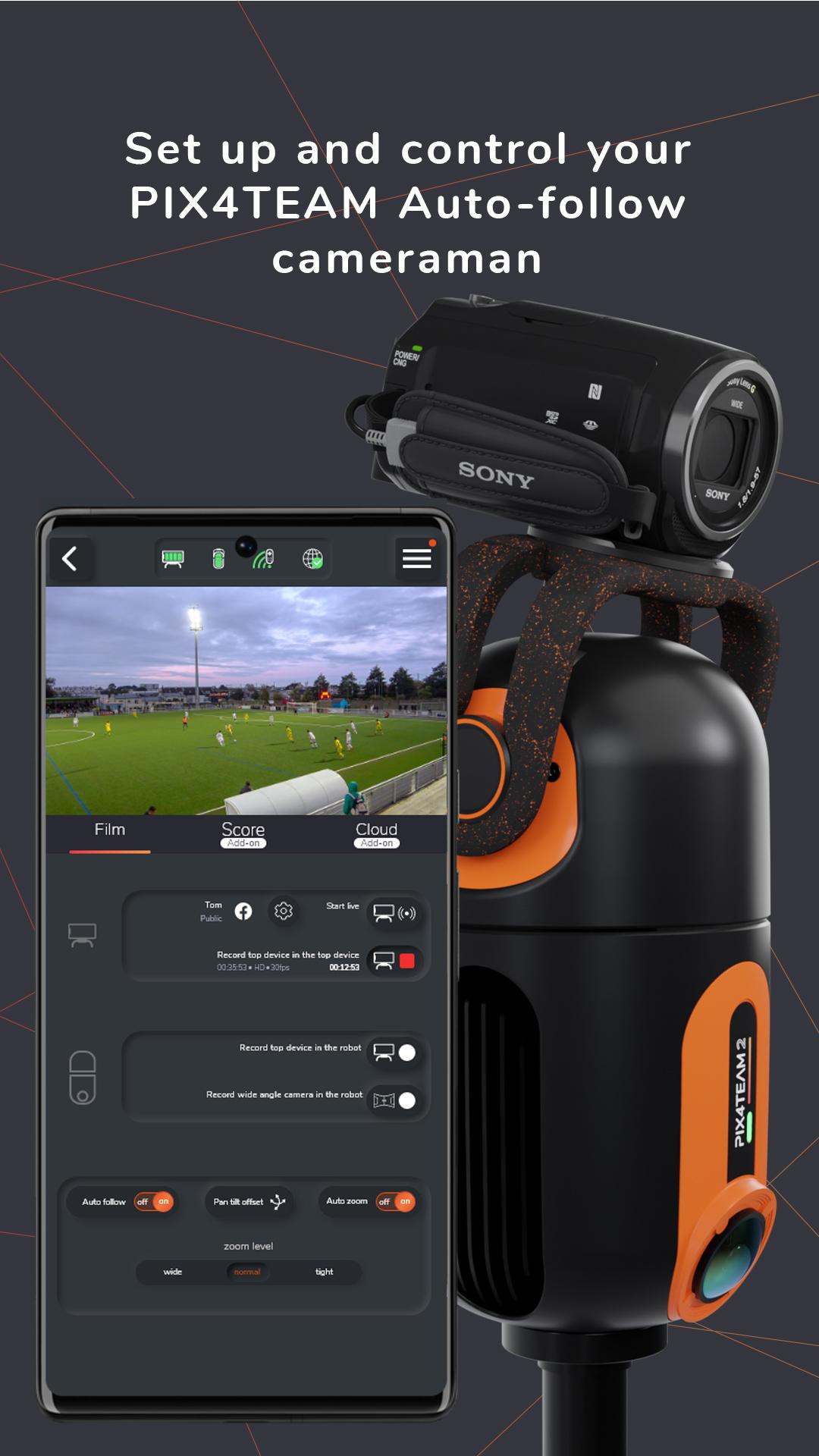
The PIX4TEAM Remote is the app to set up and control your PIX4TEAM Auto-follow cameraman for team sports:
Select the sport you want to film and define the corners of the field.
Choose if you want to film with a camera or with a smartphone/tablet mounted on the robot.
Start/stop the recording of the match.
Start/stop the free live-streaming on social media.
Start/stop the free live-streaming on your own website with a RTMP link.
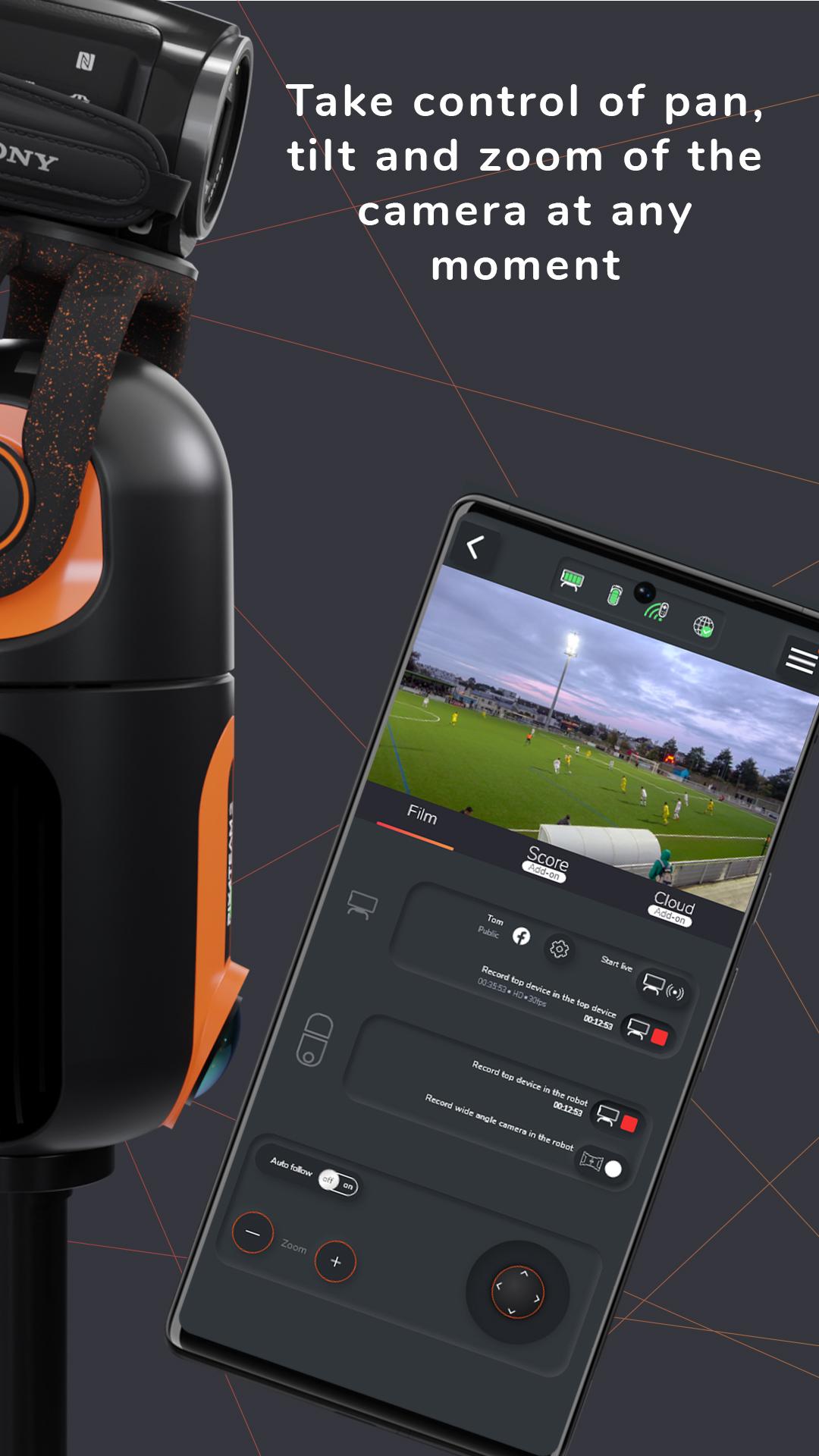
Deactivate the auto-follow mode and take control of pan, tilt, and zoom of the camera at any moment.
Launch a firmware update of your robot.
Add score, game time and an advertisement banner with your sponsors or logos to your video and lives PIX4TEAM
PIX4TEAM is used by thousands of clubs around the world to film team sport matches and training sessions, progress faster thanks to video, communicate more thanks to free live-streaming on social networks or on your own websites, make more memories.
پیش نظارہ
ٹیگز
کھیلمعلومات
ڈویلپر
MOVE 'N SEE
تازہ ترین ورژن
2.22
آخری تازہ کاری
2025-08-09
قسم
کھیل
پر دستیاب ہے۔
Google Play
مزید دکھائیں
پی سی پر گیم لوپ کے ساتھ PIX4TEAM Remote کیسے کھیلا جائے۔
1. آفیشل ویب سائٹ سے گیم لوپ ڈاؤن لوڈ کریں، پھر گیم لوپ انسٹال کرنے کے لیے exe فائل چلائیں۔
2. گیم لوپ کھولیں اور "PIX4TEAM Remote" تلاش کریں، تلاش کے نتائج میں PIX4TEAM Remote تلاش کریں اور "انسٹال کریں" پر کلک کریں۔
3. گیم لوپ پر PIX4TEAM Remote کھیلنے کا لطف اٹھائیں۔
Minimum requirements
OS
Windows 8.1 64-bit or Windows 10 64-bit
GPU
GTX 1050
CPU
i3-8300
Memory
8GB RAM
Storage
1GB available space
Recommended requirements
OS
Windows 8.1 64-bit or Windows 10 64-bit
GPU
GTX 1050
CPU
i3-9320
Memory
16GB RAM
Storage
1GB available space