
Steam locomotive choo-choo PC
ZOUSAN
گیم لوپ ایمولیٹر کے ساتھ PC پر Steam locomotive choo-choo ڈاؤن لوڈ کریں۔
پی سی پر Steam locomotive choo-choo
Steam locomotive choo-choo، جو ڈویلپر ZOUSAN سے آرہا ہے، ماضی میں اینڈرائیڈ سسٹم پر چل رہا ہے۔
اب، آپ پی سی پر Steam locomotive choo-choo آسانی سے GameLoop کے ساتھ چلا سکتے ہیں۔
اسے GameLoop لائبریری یا تلاش کے نتائج میں ڈاؤن لوڈ کریں۔ مزید غلط وقت پر بیٹری یا مایوس کن کالوں پر نظر نہیں ڈالی جائے گی۔
بس بڑی سکرین پر Steam locomotive choo-choo PC کا مفت میں لطف اٹھائیں!
Steam locomotive choo-choo تعارف
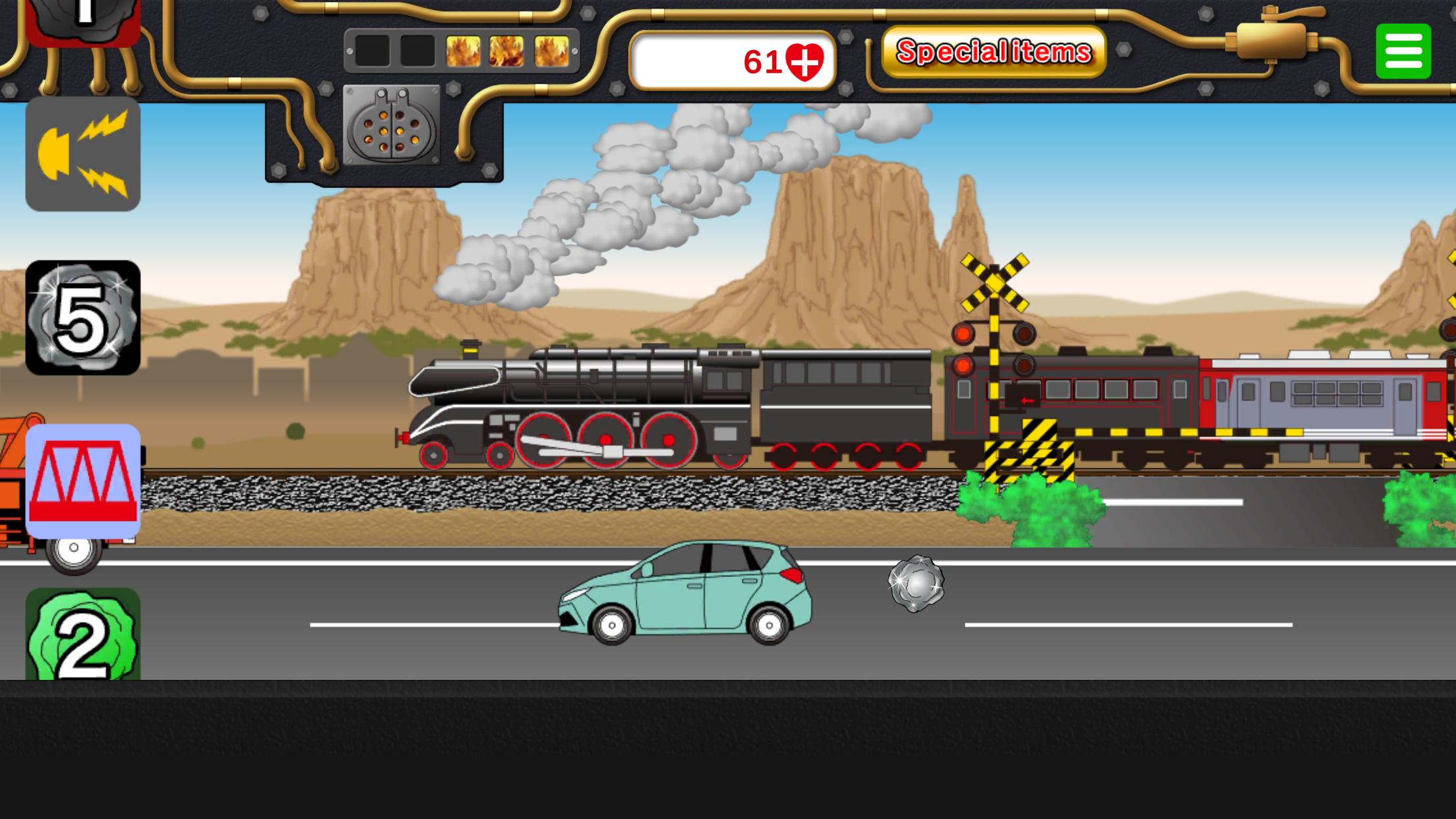
This is an app where you can play by running a steam locomotive (SL).
Tap the coal icon to load coal into the firebox.
As the firepower increases and boiler pressure rises, the SL's speed will increase.
On the other hand, if you don't add coal, the speed will drop and eventually stop.
Adjust the amount of coal carefully to control the speed and keep it running.
There are various other icons that appear, so try tapping them.
There are four types of special items. When used, you can tap that button as much as you like for a certain time.
"Big Button": Tapping this icon will make the train or Shinkansen grow in two stages.
"Rail Crossing": Tapping this icon will let you freely place rail crossings as much as you like.
"Freight Train": Tapping this icon will make a freight train pass by.
"Combustion Accelerator": Tapping this greatly boosts firepower and super speeds up the SL.
・SL icon: Transforms into another SL.
・Rail crossing icon: Brings up a crossing.
・Tunnel icon: Displays a tunnel.
・Bridge icon: Displays a bridge.
・Scenery switch icon: Changes the route to a different landscape.
・Whistle icon: You can sound the whistle.
・Station icon: Automatically stops at a station.
・Special item button: Lets you use one special item per tap.
●Many working vehicles appear on the road in front. Tap to see what happens with police cars, ambulances, fire trucks, city buses, and more.
Enjoy finding out what happens
پیش نظارہ

ٹیگز
تخروپنمعلومات
ڈویلپر
ZOUSAN
تازہ ترین ورژن
00.00.34
آخری تازہ کاری
2025-10-14
قسم
تخروپن
پر دستیاب ہے۔
Google Play
مزید دکھائیں
پی سی پر گیم لوپ کے ساتھ Steam locomotive choo-choo کیسے کھیلا جائے۔
1. آفیشل ویب سائٹ سے گیم لوپ ڈاؤن لوڈ کریں، پھر گیم لوپ انسٹال کرنے کے لیے exe فائل چلائیں۔
2. گیم لوپ کھولیں اور "Steam locomotive choo-choo" تلاش کریں، تلاش کے نتائج میں Steam locomotive choo-choo تلاش کریں اور "انسٹال کریں" پر کلک کریں۔
3. گیم لوپ پر Steam locomotive choo-choo کھیلنے کا لطف اٹھائیں۔
Minimum requirements
OS
Windows 8.1 64-bit or Windows 10 64-bit
GPU
GTX 1050
CPU
i3-8300
Memory
8GB RAM
Storage
1GB available space
Recommended requirements
OS
Windows 8.1 64-bit or Windows 10 64-bit
GPU
GTX 1050
CPU
i3-9320
Memory
16GB RAM
Storage
1GB available space