
Shoppy Mall PC
Dotsquares
گیم لوپ ایمولیٹر کے ساتھ PC پر Shoppy Mall ڈاؤن لوڈ کریں۔
پی سی پر Shoppy Mall
Shoppy Mall، جو ڈویلپر Dotsquares سے آرہا ہے، ماضی میں اینڈرائیڈ سسٹم پر چل رہا ہے۔
اب، آپ پی سی پر Shoppy Mall آسانی سے GameLoop کے ساتھ چلا سکتے ہیں۔
اسے GameLoop لائبریری یا تلاش کے نتائج میں ڈاؤن لوڈ کریں۔ مزید غلط وقت پر بیٹری یا مایوس کن کالوں پر نظر نہیں ڈالی جائے گی۔
بس بڑی سکرین پر Shoppy Mall PC کا مفت میں لطف اٹھائیں!
Shoppy Mall تعارف
Welcome to the all new Shoppy Mall e-commerce Android-based app!
What is Shoppy Mall?
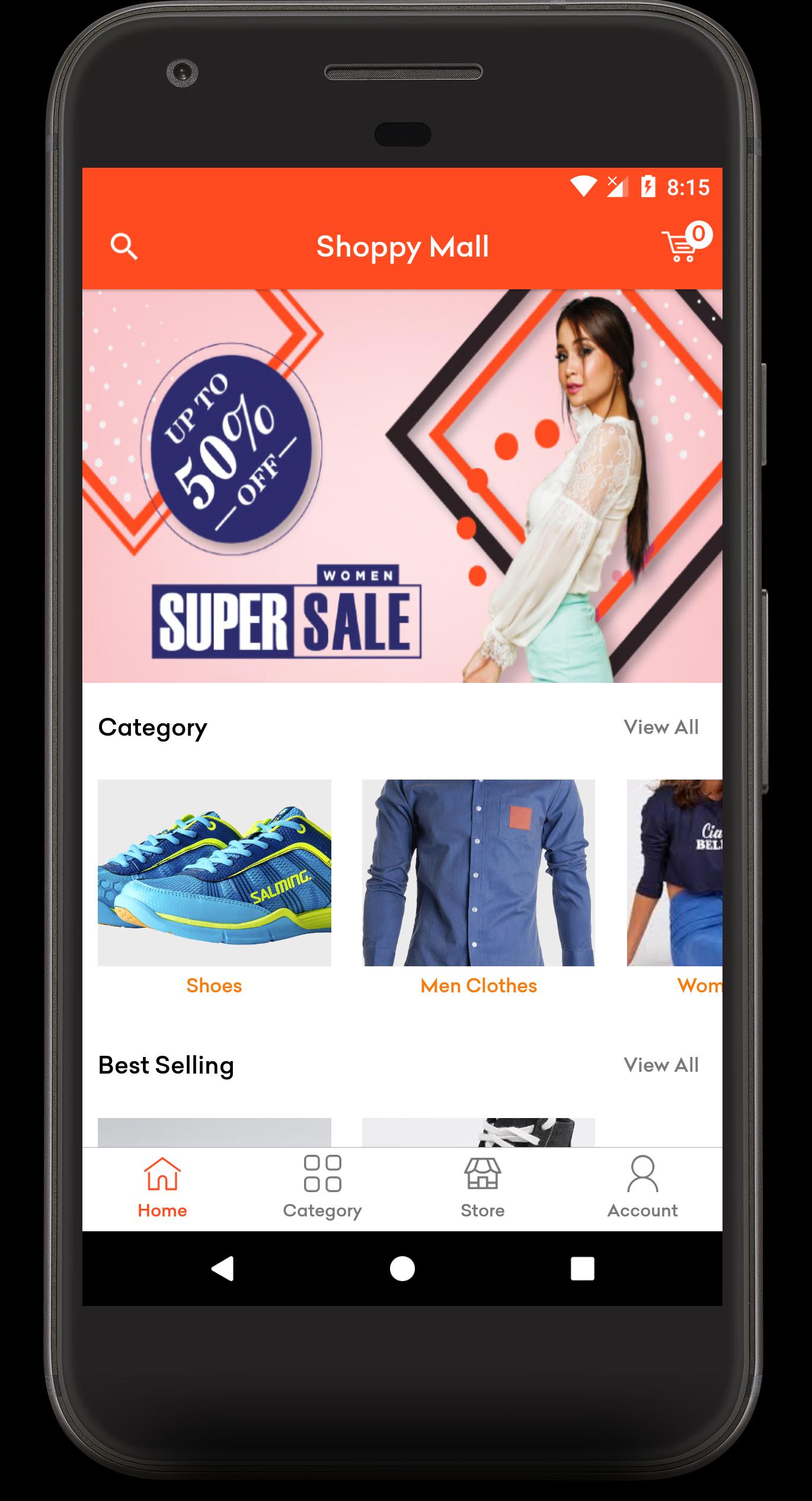
The Shoppy Mall app lets you access and manages your Shopify store on your Android device. It provides categories view, product listing and product details view. Customers can have a clear view of the products (sort by name, recent, and popularity), they can add products to the cart they wish to buy. The order history can be easily seen, this app offers easy and fast payment options. With the “My Account” feature, account details can be edited anytime.
How does the app work?
• Access your online store with a domain name and access key.
• View product categories through one tap.
• A clear view of the products listings and product details.
• Order history can be seen.
• Customers can log in or sign up.
• Place orders anytime, anywhere.
• Add to cart option is available.
• Account details can be easily edited through “My Account”.
• And then you can log out.
Features
• Convenient and fast payment options available (Credit card).
• Account details can be edited anytime.
• Clear products listing and product details view.
• Order history can be seen.
• All transactions are secured.
If you want to run your shopify store through our app than please follow the steps: (to get Domain name and Store front API key)
1. Login to Shopify Partner
https://partners.shopify.com/820122/development_stores
2. Select development stores tab and click on create store.
3. Create new store and login into Newly created store Or If you have existing store than login to that store.
4. Select Apps from tab and scroll down to click on Managed Private Apps.
5. To get Store Front Access token click on Below link.
https://help.shopify.com/en/api/custom-storefronts/storefront-api/getting-started
6. To Show the store Domain name click below link.
https://dotsjhalana.myshopify.com/admin/settings/domains
7. Add access token and domain name to our apps store login screen.
For further clarifications about this Shoppy Mall app, kindly reach us here https://stores.dotsquares.com/contact
پیش نظارہ
ٹیگز
خریداریمعلومات
ڈویلپر
Dotsquares
تازہ ترین ورژن
3.0
آخری تازہ کاری
2020-07-21
قسم
خریداری
پر دستیاب ہے۔
Google Play
مزید دکھائیں
پی سی پر گیم لوپ کے ساتھ Shoppy Mall کیسے کھیلا جائے۔
1. آفیشل ویب سائٹ سے گیم لوپ ڈاؤن لوڈ کریں، پھر گیم لوپ انسٹال کرنے کے لیے exe فائل چلائیں۔
2. گیم لوپ کھولیں اور "Shoppy Mall" تلاش کریں، تلاش کے نتائج میں Shoppy Mall تلاش کریں اور "انسٹال کریں" پر کلک کریں۔
3. گیم لوپ پر Shoppy Mall کھیلنے کا لطف اٹھائیں۔
Minimum requirements
OS
Windows 8.1 64-bit or Windows 10 64-bit
GPU
GTX 1050
CPU
i3-8300
Memory
8GB RAM
Storage
1GB available space
Recommended requirements
OS
Windows 8.1 64-bit or Windows 10 64-bit
GPU
GTX 1050
CPU
i3-9320
Memory
16GB RAM
Storage
1GB available space