Atomix PC
GEKKO
گیم لوپ ایمولیٹر کے ساتھ PC پر Atomix ڈاؤن لوڈ کریں۔
پی سی پر Atomix
Atomix، جو ڈویلپر GEKKO سے آرہا ہے، ماضی میں اینڈرائیڈ سسٹم پر چل رہا ہے۔
اب، آپ پی سی پر Atomix آسانی سے GameLoop کے ساتھ چلا سکتے ہیں۔
اسے GameLoop لائبریری یا تلاش کے نتائج میں ڈاؤن لوڈ کریں۔ مزید غلط وقت پر بیٹری یا مایوس کن کالوں پر نظر نہیں ڈالی جائے گی۔
بس بڑی سکرین پر Atomix PC کا مفت میں لطف اٹھائیں!
Atomix تعارف
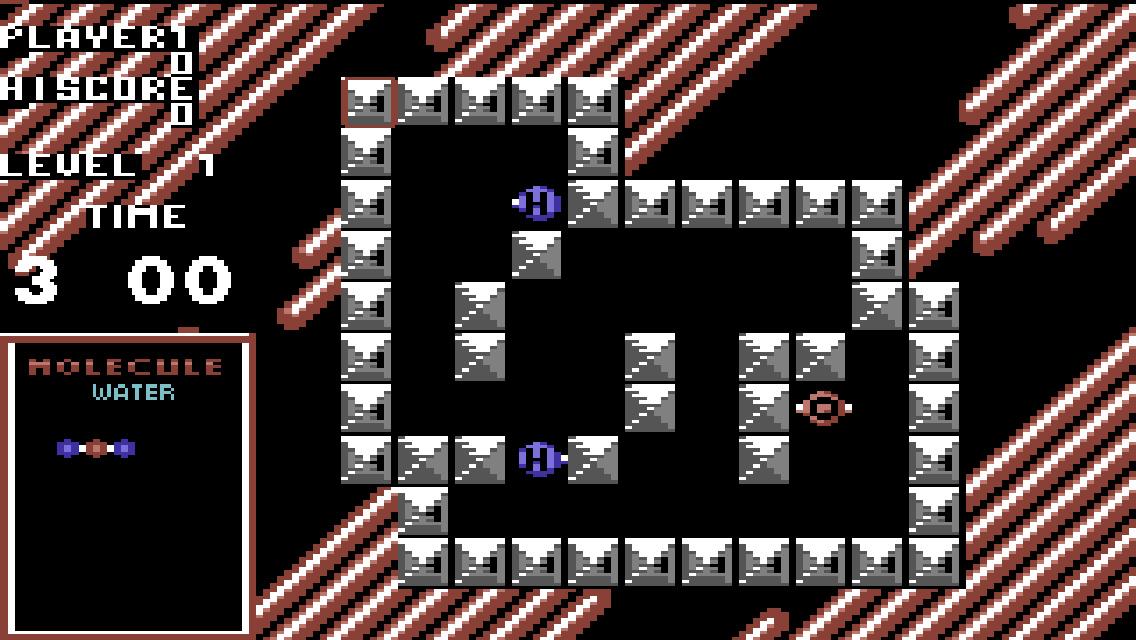
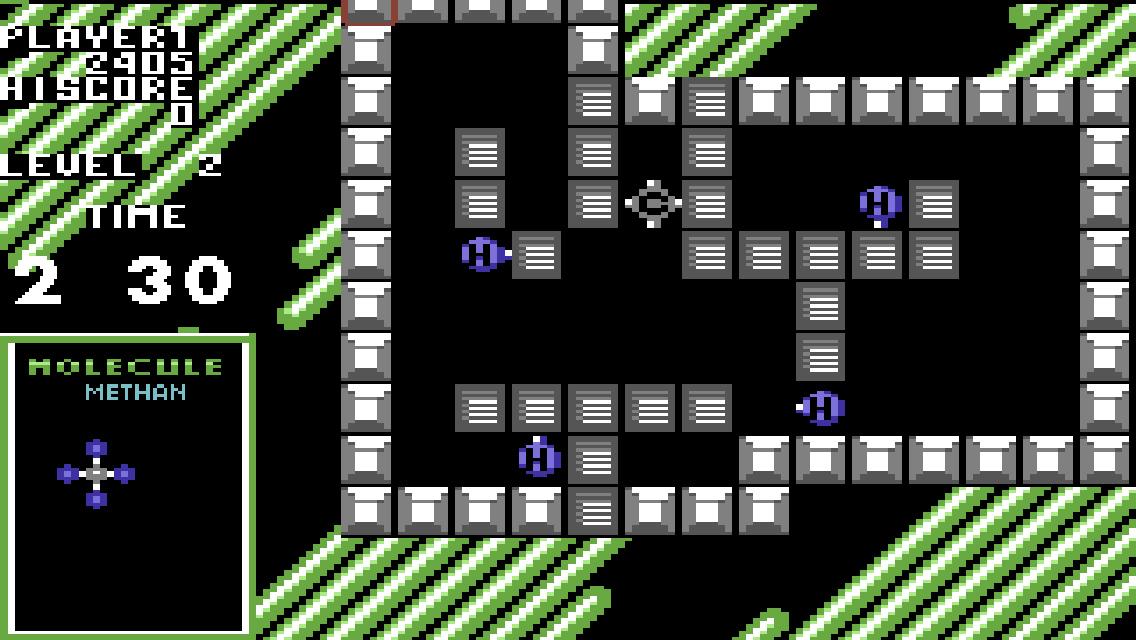
Atomix takes place on a playfield consisting of a number of walls, with the atoms scattered throughout.
The player is tasked with assembling a molecule from the atoms. The atoms must be arranged to exactly match the molecule displayed on the left side of the screen.
The player can choose an atom and move it in any of the four cardinal directions. A moved atom keeps sliding in one direction until it hits a wall or another atom.
Solving the puzzles requires strategic planning in moving the atoms, and on later levels with little free space, even finding room for the completed molecule can be a problem. Once the molecule is assembled, the player is given a score; the faster the puzzle was completed, the higher the score.
Each puzzle must be completed within a time limit. A portion of the player's score can be spent to restart a failed puzzle. The entire game consists of 30 puzzles of increasing difficulty.
In addition, after every five puzzles, there is a bonus level where the player must move laboratory flasks filled with various amounts of liquid to arrange them from empty to full.
پیش نظارہ
ٹیگز
پہیلیمعلومات
ڈویلپر
GEKKO
تازہ ترین ورژن
1.3
آخری تازہ کاری
2025-08-17
قسم
پہیلی
پر دستیاب ہے۔
Google Play
مزید دکھائیں
پی سی پر گیم لوپ کے ساتھ Atomix کیسے کھیلا جائے۔
1. آفیشل ویب سائٹ سے گیم لوپ ڈاؤن لوڈ کریں، پھر گیم لوپ انسٹال کرنے کے لیے exe فائل چلائیں۔
2. گیم لوپ کھولیں اور "Atomix" تلاش کریں، تلاش کے نتائج میں Atomix تلاش کریں اور "انسٹال کریں" پر کلک کریں۔
3. گیم لوپ پر Atomix کھیلنے کا لطف اٹھائیں۔
Minimum requirements
OS
Windows 8.1 64-bit or Windows 10 64-bit
GPU
GTX 1050
CPU
i3-8300
Memory
8GB RAM
Storage
1GB available space
Recommended requirements
OS
Windows 8.1 64-bit or Windows 10 64-bit
GPU
GTX 1050
CPU
i3-9320
Memory
16GB RAM
Storage
1GB available space