
SmartPresence Emp Employee PC
BimaSakti Alterra
گیم لوپ ایمولیٹر کے ساتھ PC پر SmartPresence Emp Employee ڈاؤن لوڈ کریں۔
پی سی پر SmartPresence Emp Employee
SmartPresence Emp Employee، جو ڈویلپر BimaSakti Alterra سے آرہا ہے، ماضی میں اینڈرائیڈ سسٹم پر چل رہا ہے۔
اب، آپ پی سی پر SmartPresence Emp Employee آسانی سے GameLoop کے ساتھ چلا سکتے ہیں۔
اسے GameLoop لائبریری یا تلاش کے نتائج میں ڈاؤن لوڈ کریں۔ مزید غلط وقت پر بیٹری یا مایوس کن کالوں پر نظر نہیں ڈالی جائے گی۔
بس بڑی سکرین پر SmartPresence Emp Employee PC کا مفت میں لطف اٹھائیں!
SmartPresence Emp Employee تعارف
Employees can't see work schedules and exchange work schedules independently? SmartPresence can be the right solution for you!
SmartPresence is an online attendance application with face validation or face pattern recognition. SmartPresence uses android / ios smartphone media that makes it easy to attend at predetermined locations. SmartPresence has 3 applications which have their respective functions and are connected to each other. The application is the SmartPresence Dashboard, SmartPresence DataCapture and SmartPresence Employe.
SmartPresence provides a complete solution for attendance management, from recording, managing, processing schedules and attendance reporting. In tracking the presence of smartpresence, it is equipped with a face recognition feature. Face recognition feature functions for validation when making absences. In addition to validation using face recognition, smartpresence also has GPS restriction that can determine where the employee can attend.
In managing smartpresence work schedules already equipped with work scheduling features, both for full time or for part time. Smartpresence can automate time calculations. This automatic calculation can be arranged according to the needs in each company. There are several reports that have been provided by smartpresence. You can choose which reports are suitable for your company.
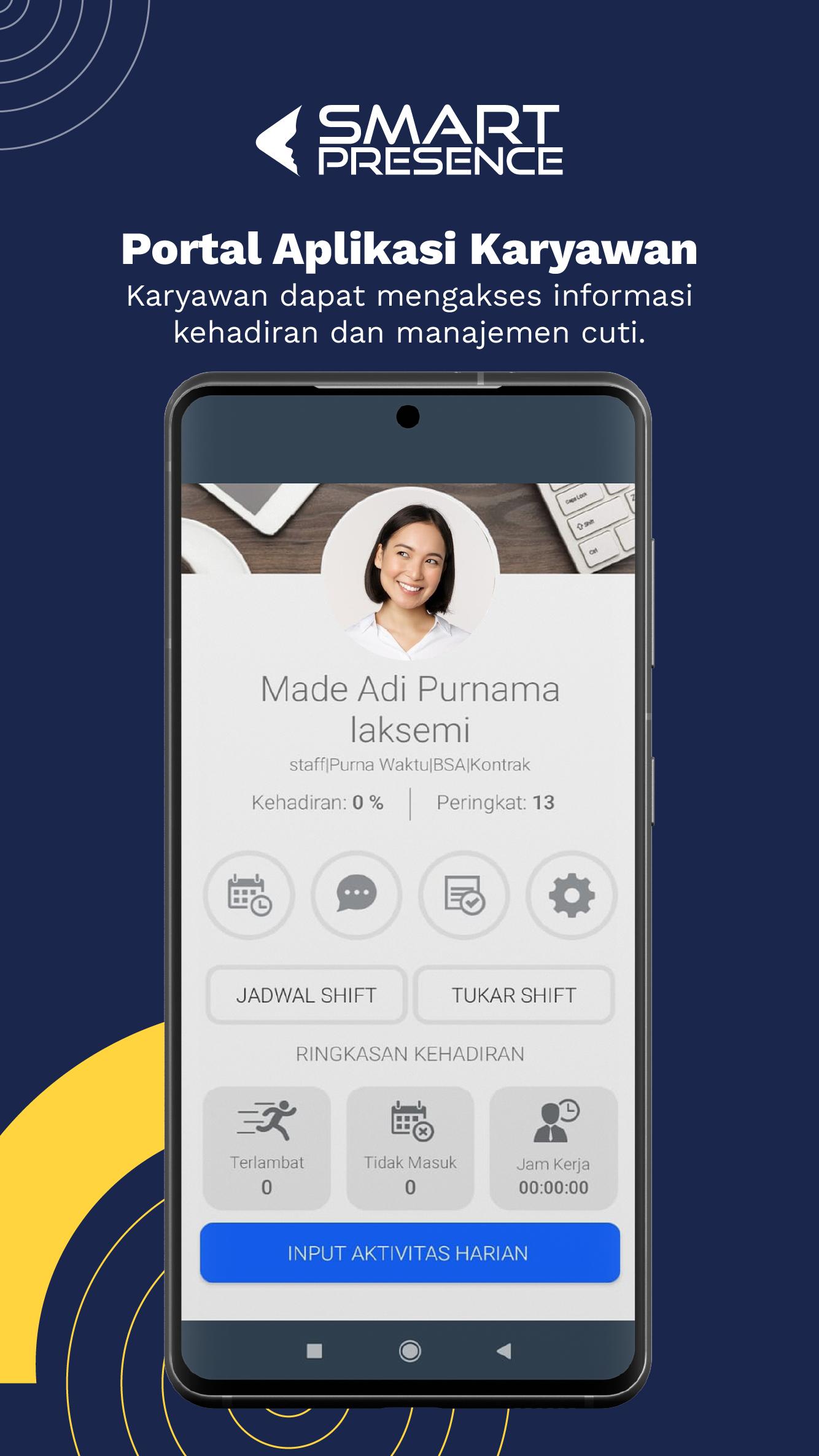
SmartPresence Employee is an attendance portal used by employees to view personal attendance data. With this mobile app version it will provide access to data information more quickly and efficiently. This application allows employees to trace their time attendance to be faster and more effective, anytime and from anywhere.
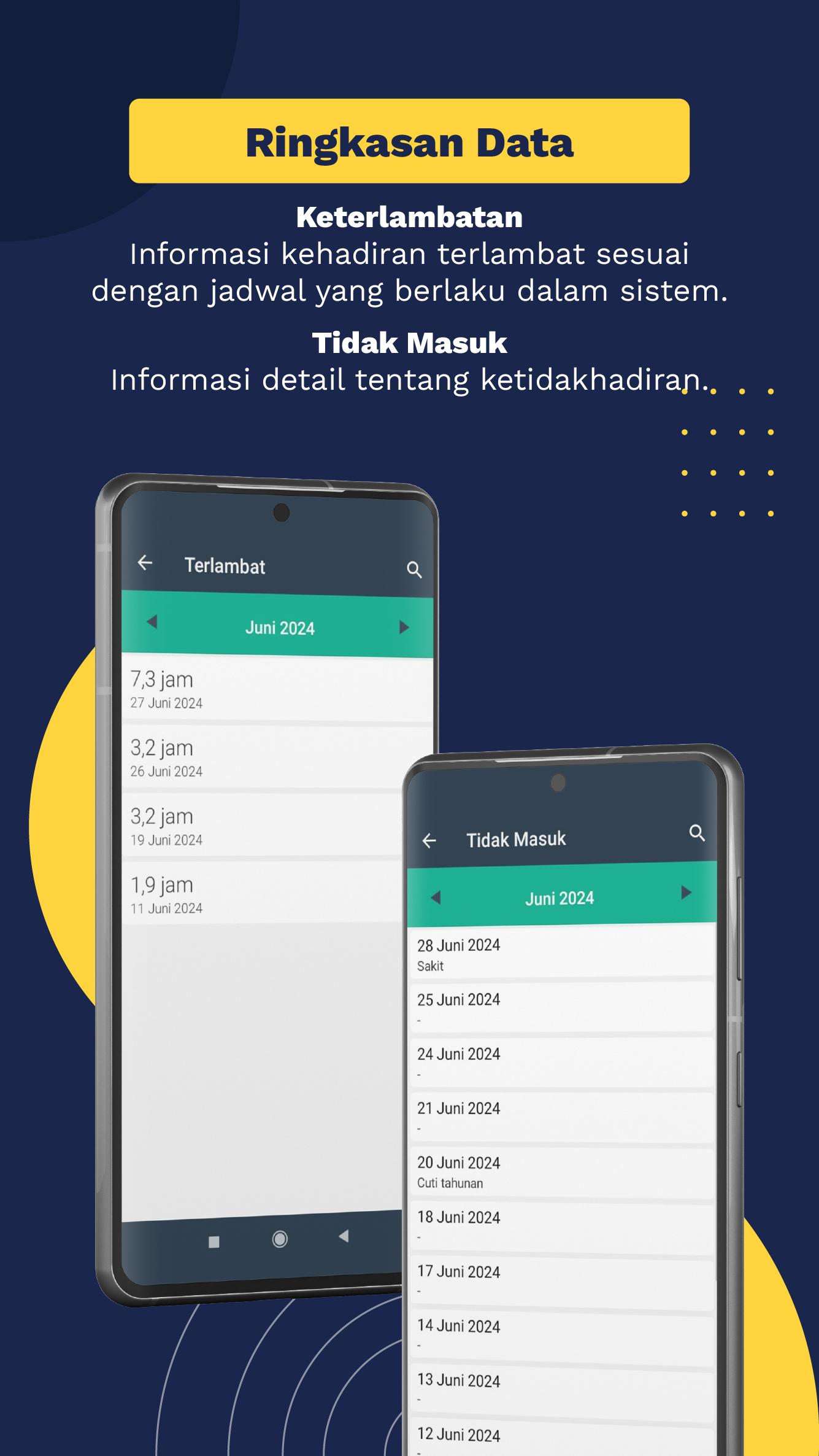
On the main menu this employee application displays employee data such as name, division, along with employee status. In addition, the main thing of this application is the display of the day's attendance hours in question, the history of attendance, the number of late, the number of absences, and long hours of work. This information can be seen in more detail at each date.
Another feature that is no less important than employee smartpresence is the leave submission feature that can be done through this application. And the status of confirmation when employees make leave requests or forget to make absences. There is also a settings menu for changing passwords, viewing pay slips and changing employee profile information.
Method of Use
To be able to use this application, do:
1. First make sure the cellphone number data has been recorded in the employee master database, because a request to forget the password will be sent to the registered cellphone number for the employee concerned.
2. Get your PIN code and company code from your company admin. For example company code 8945, employee PIN 0087. Enter the Forgot Password 8 digit form that code, 89450087 then press the continue button. Then the latest password will be sent to your mobile number.
3. Login press the "Enter" button with an 8 digit code (company code + personal PIN) enter the password that was received via sms earlier. For example the user code: 89450087, password: 7tkh.
4. Applications can be used wait a while for the application to synchronize to the server.
You can use free-trial for 14 days. Use our live chat facility to contact the helpdesk so that you can implement SmartPresence optimally.
SmartPresence Consists of:
- Smartpresence Web Dashboard
- Smartpresence Dashboard app
- Smartpresence Datacapture (for attendance machines)
- Smartpresence Employee app (for employee report application)
Learn more about us:
Website : https://smartpresence.id
Manual : https://help.smartpresence.id/
Office : Ahmad Yani Utara 319 Denpasar-Bali, Indonesia
پیش نظارہ
ٹیگز
پیداواری صلاحیتبورڈمعلومات
ڈویلپر
BimaSakti Alterra
تازہ ترین ورژن
3.2.117
آخری تازہ کاری
2025-08-27
قسم
پیداواری صلاحیت
پر دستیاب ہے۔
Google Play
مزید دکھائیں
پی سی پر گیم لوپ کے ساتھ SmartPresence Emp Employee کیسے کھیلا جائے۔
1. آفیشل ویب سائٹ سے گیم لوپ ڈاؤن لوڈ کریں، پھر گیم لوپ انسٹال کرنے کے لیے exe فائل چلائیں۔
2. گیم لوپ کھولیں اور "SmartPresence Emp Employee" تلاش کریں، تلاش کے نتائج میں SmartPresence Emp Employee تلاش کریں اور "انسٹال کریں" پر کلک کریں۔
3. گیم لوپ پر SmartPresence Emp Employee کھیلنے کا لطف اٹھائیں۔
Minimum requirements
OS
Windows 8.1 64-bit or Windows 10 64-bit
GPU
GTX 1050
CPU
i3-8300
Memory
8GB RAM
Storage
1GB available space
Recommended requirements
OS
Windows 8.1 64-bit or Windows 10 64-bit
GPU
GTX 1050
CPU
i3-9320
Memory
16GB RAM
Storage
1GB available space