RoWrite PC
Royole Corporation
گیم لوپ ایمولیٹر کے ساتھ PC پر RoWrite ڈاؤن لوڈ کریں۔
پی سی پر RoWrite
RoWrite، جو ڈویلپر Royole Corporation سے آرہا ہے، ماضی میں اینڈرائیڈ سسٹم پر چل رہا ہے۔
اب، آپ پی سی پر RoWrite آسانی سے GameLoop کے ساتھ چلا سکتے ہیں۔
اسے GameLoop لائبریری یا تلاش کے نتائج میں ڈاؤن لوڈ کریں۔ مزید غلط وقت پر بیٹری یا مایوس کن کالوں پر نظر نہیں ڈالی جائے گی۔
بس بڑی سکرین پر RoWrite PC کا مفت میں لطف اٹھائیں!
RoWrite تعارف
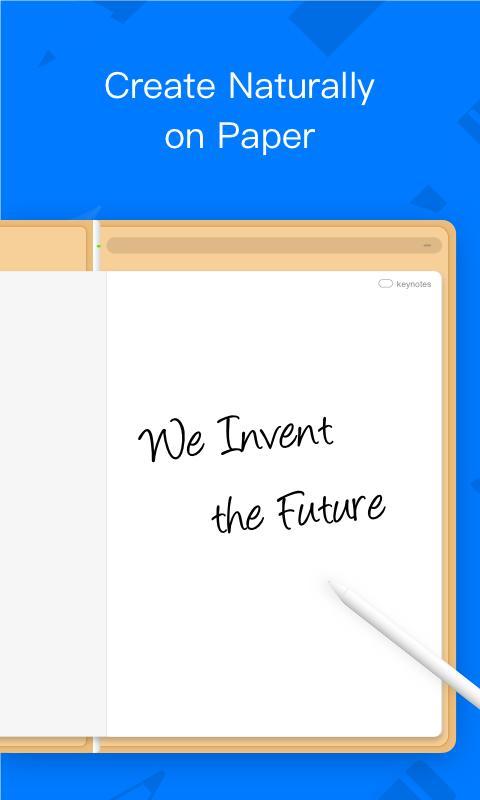
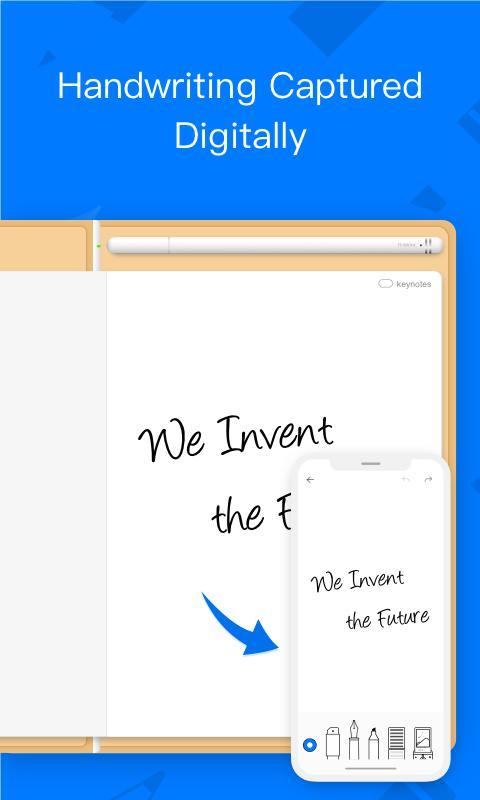
RoWrite, rewarded with International Design Awards in 2017, brings the traditional notepad into the digital age to capture ideas, notes, and drawings. Edit, enhance, share, and even erase your creations after they're saved or in real time, when connected to a smart device with the free RoWrite App.
【Create and Capture】
Write or sketch on regular paper and captured digitally which can be projected onto a screen in real time and facilitate meetings, online education, drawings, etc. When not paired, all work is saved internally to RoWrite for further editing and sharing.
【Convert to Text】
Convert handwritten notes into typed text. Save, share, or export typed text to others or word processing software for further editing.
【Video Playback】
When connected to the RoWrite App, a video of every stroke from beginning to end is automatically saved as an MP4. From learning ABCs, to creating sketches, drawings, diagrams, sketch notes, and Manga.
【Enhance What's Captured】
Choose from 4 different writing instruments, change stroke thickness and opacity, erase lines digitally, or add colors to enhance notes or bring sketches to life.
【Pictures Editing】
Import pictures into the RoWrite App to edit or graffiti. Multiple pictures can be merged in one single time.
【Easily Save and Share】
Save for future sharing and editing. Share work, even a video of it to others.
پیش نظارہ
ٹیگز
پیداواری صلاحیتمعلومات
ڈویلپر
Royole Corporation
تازہ ترین ورژن
4.2.9
آخری تازہ کاری
2023-11-09
قسم
پیداواری صلاحیت
پر دستیاب ہے۔
Google Play
مزید دکھائیں
پی سی پر گیم لوپ کے ساتھ RoWrite کیسے کھیلا جائے۔
1. آفیشل ویب سائٹ سے گیم لوپ ڈاؤن لوڈ کریں، پھر گیم لوپ انسٹال کرنے کے لیے exe فائل چلائیں۔
2. گیم لوپ کھولیں اور "RoWrite" تلاش کریں، تلاش کے نتائج میں RoWrite تلاش کریں اور "انسٹال کریں" پر کلک کریں۔
3. گیم لوپ پر RoWrite کھیلنے کا لطف اٹھائیں۔
Minimum requirements
OS
Windows 8.1 64-bit or Windows 10 64-bit
GPU
GTX 1050
CPU
i3-8300
Memory
8GB RAM
Storage
1GB available space
Recommended requirements
OS
Windows 8.1 64-bit or Windows 10 64-bit
GPU
GTX 1050
CPU
i3-9320
Memory
16GB RAM
Storage
1GB available space