QuickScan: Document Scanner PC
Technostacks Infotech Private Limited
گیم لوپ ایمولیٹر کے ساتھ PC پر QuickScan: Document Scanner ڈاؤن لوڈ کریں۔
پی سی پر QuickScan: Document Scanner
QuickScan: Document Scanner، جو ڈویلپر Technostacks Infotech Private Limited سے آرہا ہے، ماضی میں اینڈرائیڈ سسٹم پر چل رہا ہے۔
اب، آپ پی سی پر QuickScan: Document Scanner آسانی سے GameLoop کے ساتھ چلا سکتے ہیں۔
اسے GameLoop لائبریری یا تلاش کے نتائج میں ڈاؤن لوڈ کریں۔ مزید غلط وقت پر بیٹری یا مایوس کن کالوں پر نظر نہیں ڈالی جائے گی۔
بس بڑی سکرین پر QuickScan: Document Scanner PC کا مفت میں لطف اٹھائیں!
QuickScan: Document Scanner تعارف
Quickscan App for Google Play is a powerful document scanning app that allows users to quickly and easily scan and digitize documents using their mobile devices. With its user-friendly interface and advanced features, Quickscan App is the perfect solution for anyone looking to simplify their document management process.
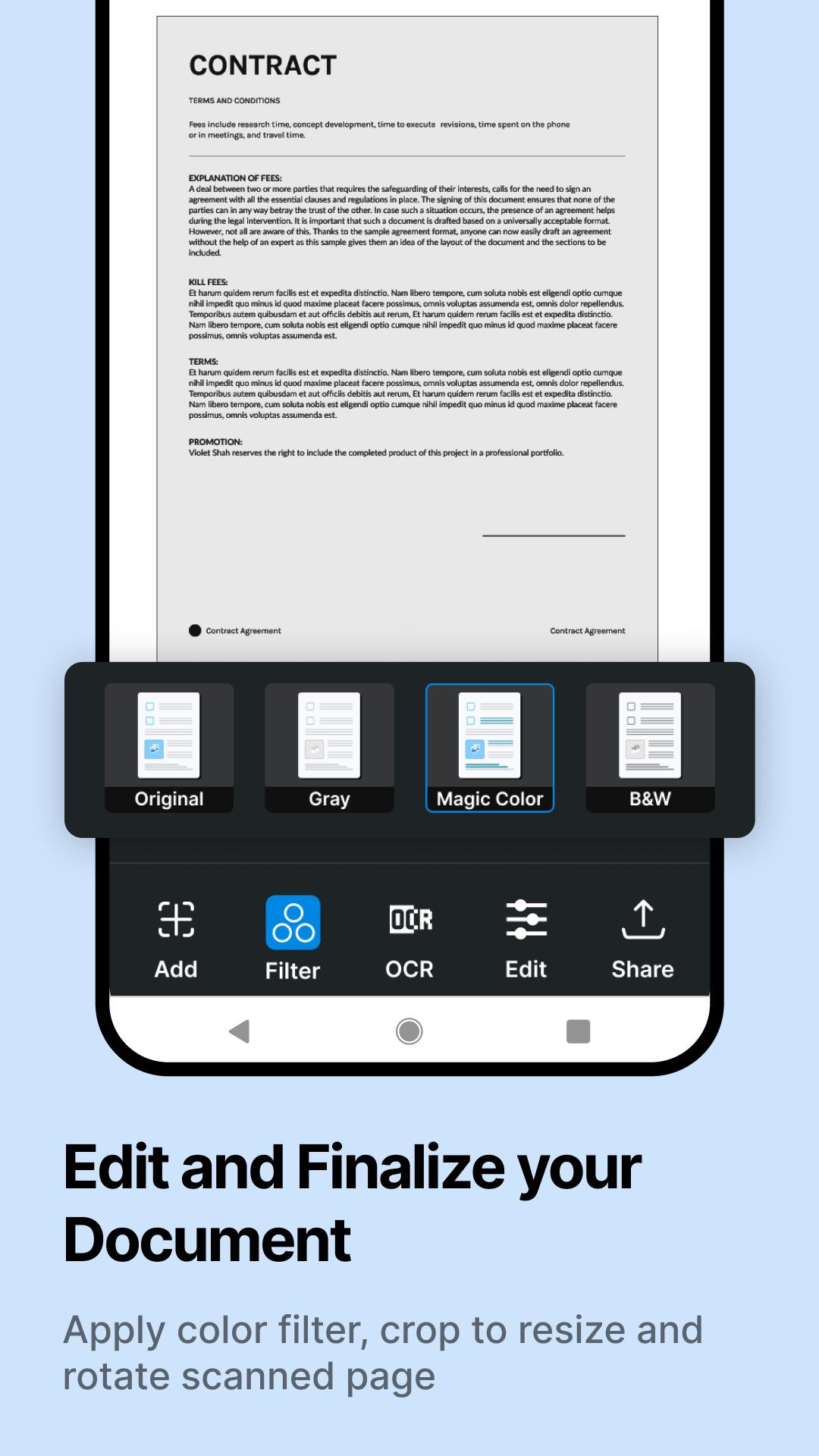
Quickscan App also includes a range of editing tools, allowing users to crop, rotate, and adjust the color and contrast of their scans. And with its support for cloud storage services like Google Drive, users can easily save and access their scanned documents from anywhere.
Whether you're looking for a mobile scanner app, PDF scanner app, or document scanning app, Quickscan App for Google Play has you covered. With its powerful features and intuitive interface, Quickscan App is the ultimate tool for managing your documents on the go.
What we do
Scan Docx:
Quickscan is a powerful and easy-to-use PDF scanner app that will make you say, "This is the best free PDF scanner for documents." With its amazing features, you can quickly scan at any time and save your scans to your device in image or PDF format using our App.
Scan Book:
Scan books, novels, and magazines with this Document scanner app. Use the page scanner to scan to PDF and save your scans to your device in image or PDF format with the Doc scanner app for Android.
Scan ID Photo:
With the photo scanner app and PDF scanner document scan OCR, you can scan and save your favorite photos. Digitize your photos using the picture scanner & OCR scanner and save them as PDF or JPG files with the photo scan and PDF scanning app.
Easy To Use
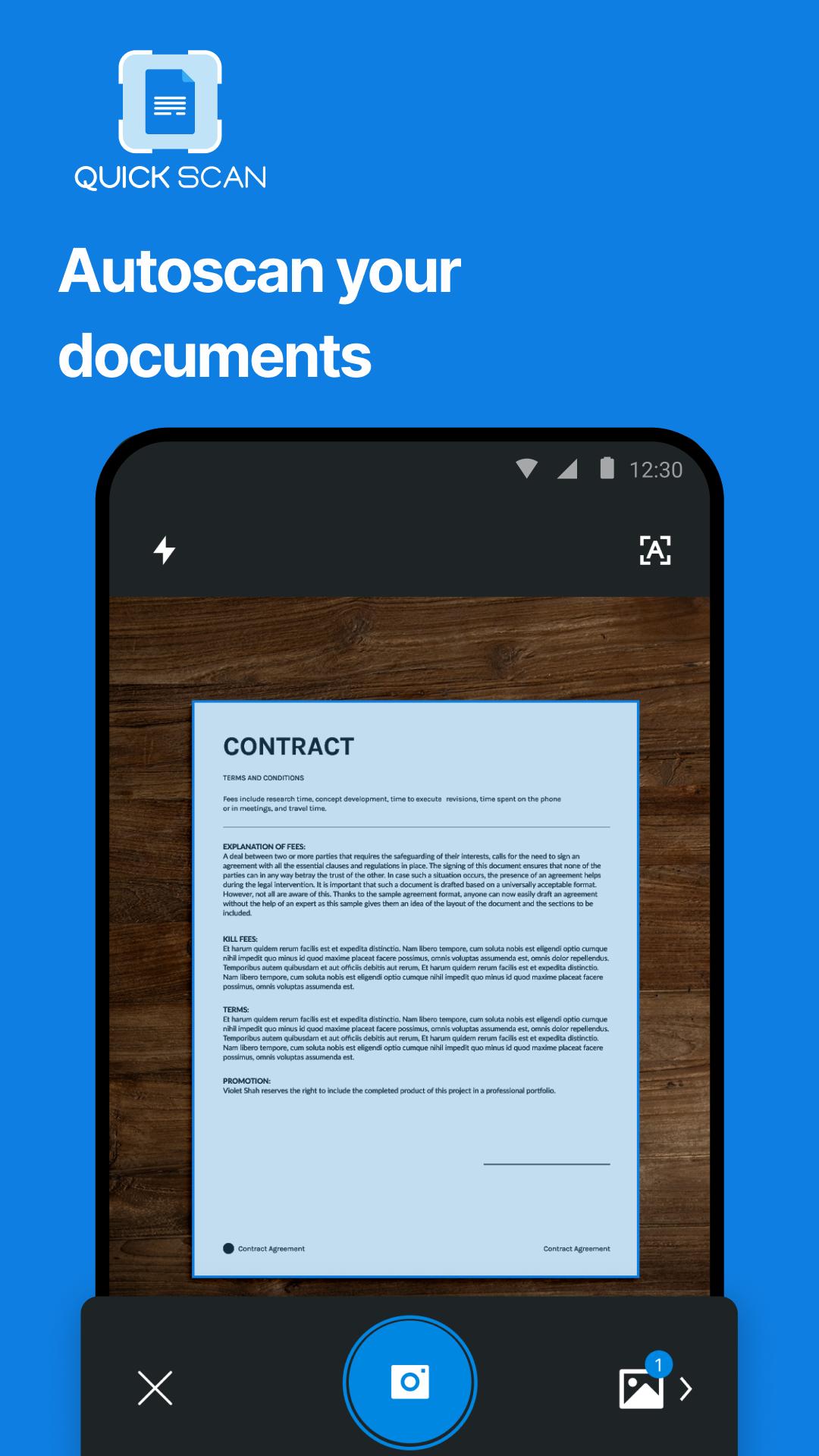
• Scan - Point the camera & scan the document
• Edit - Select the desired part of the document to convert
• Save & Share - Save files in PDF or JPEG and share them among friends and colleagues via email or save them on the cloud.
Features of PDF Scanner App - Document Scanner & Scan PDF
• Automatically recognizes document edges and corrects perspective.
• Organize your documents in folders and subfolders with the Document scanning app.
• Extract text from images using OCR and convert images to editable text.
• Create multi-page PDFs and scan them to PDF using the PDF document scanner app.
• Manage and organize your files with the fast scanner and digital scanner.
• Convert images to PDF files with the picture to PDF converter.
• Share your scanned documents as PDF or JPEG format with your contacts using Quickscan App.
IN-APP PURCHASE
Upgrade your scanning capabilities by subscribing to our premium features. Our subscription service works seamlessly across devices. With a subscription, you can combine multiple scans into one document, extract text from scans using OCR, Sign, stamp & Edit documents whenever and wherever, and back up your scans on your device.
Wherever you are, easily convert photos and documents into high-quality PDF and JPEG files with the best free mobile scanner app available for download. Powered by OCR technology, the scanner allows you to easily digitize books, business cards, and receipts and access them through the server. Trusted by millions of users worldwide, Quickscan is the go-to PDF converter that enables you to share your scanned documents effortlessly.
Follow us on Twitter: @QuickScan_App
Like us on Facebook: @quickscanapp
Follow us on Instagram: https://www.instagram.com/quickscan.app/
Privacy Policy: https://getquickscan.app/privacy-policy/
Terms of Use: https://getquickscan.app/terms-of-use/
For any feedback or queries, please contact us at hello@getquickscan.app
پیش نظارہ
ٹیگز
پیداواری صلاحیتمعلومات
ڈویلپر
Technostacks Infotech Private Limited
تازہ ترین ورژن
2.9
آخری تازہ کاری
2024-02-14
قسم
پیداواری صلاحیت
پر دستیاب ہے۔
Google Play
مزید دکھائیں
پی سی پر گیم لوپ کے ساتھ QuickScan: Document Scanner کیسے کھیلا جائے۔
1. آفیشل ویب سائٹ سے گیم لوپ ڈاؤن لوڈ کریں، پھر گیم لوپ انسٹال کرنے کے لیے exe فائل چلائیں۔
2. گیم لوپ کھولیں اور "QuickScan: Document Scanner" تلاش کریں، تلاش کے نتائج میں QuickScan: Document Scanner تلاش کریں اور "انسٹال کریں" پر کلک کریں۔
3. گیم لوپ پر QuickScan: Document Scanner کھیلنے کا لطف اٹھائیں۔
Minimum requirements
OS
Windows 8.1 64-bit or Windows 10 64-bit
GPU
GTX 1050
CPU
i3-8300
Memory
8GB RAM
Storage
1GB available space
Recommended requirements
OS
Windows 8.1 64-bit or Windows 10 64-bit
GPU
GTX 1050
CPU
i3-9320
Memory
16GB RAM
Storage
1GB available space