
Nippon Paint i-Colour PC
Colorix SA
گیم لوپ ایمولیٹر کے ساتھ PC پر Nippon Paint i-Colour ڈاؤن لوڈ کریں۔
پی سی پر Nippon Paint i-Colour
Nippon Paint i-Colour، جو ڈویلپر Colorix SA سے آرہا ہے، ماضی میں اینڈرائیڈ سسٹم پر چل رہا ہے۔
اب، آپ پی سی پر Nippon Paint i-Colour آسانی سے GameLoop کے ساتھ چلا سکتے ہیں۔
اسے GameLoop لائبریری یا تلاش کے نتائج میں ڈاؤن لوڈ کریں۔ مزید غلط وقت پر بیٹری یا مایوس کن کالوں پر نظر نہیں ڈالی جائے گی۔
بس بڑی سکرین پر Nippon Paint i-Colour PC کا مفت میں لطف اٹھائیں!
Nippon Paint i-Colour تعارف
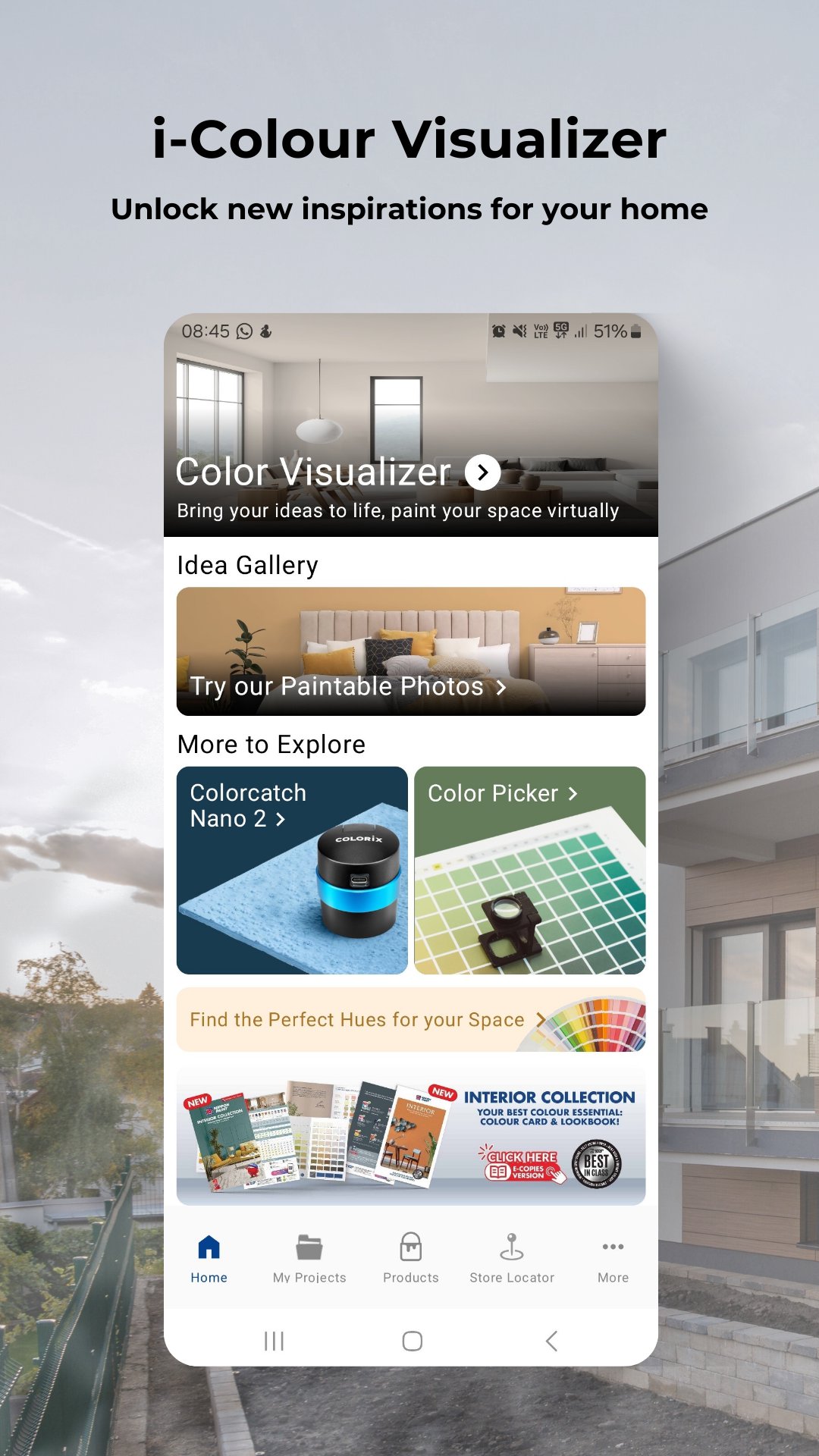
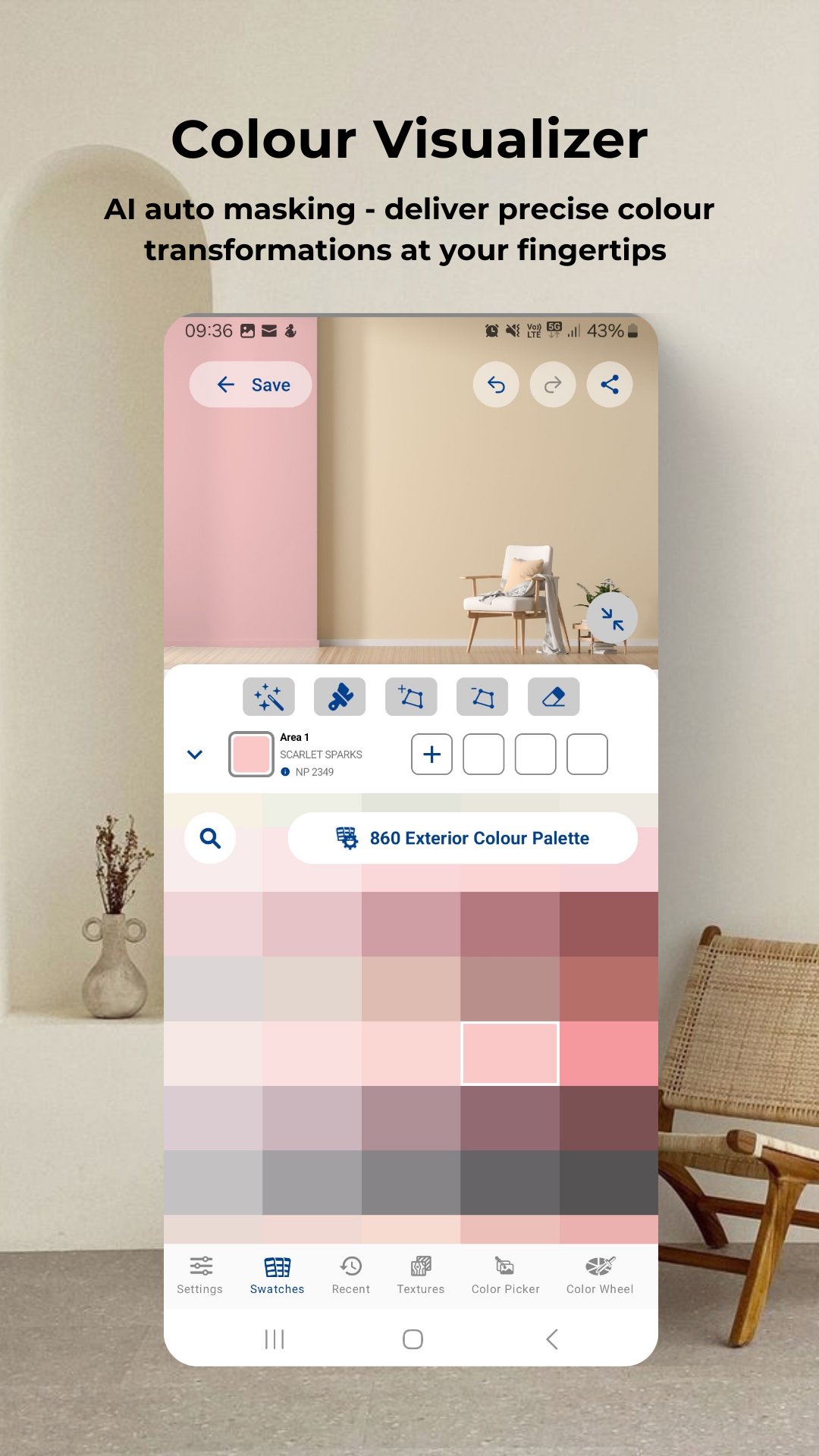
Colour visualizer: Simply upload or take a photo of your room to start virtual painting.
Get inspired: Access the latest trends in colour schemes for the bedroom, café, classroom, exterior, gym, kids' room, kitchen, living room or any spaces!
Colour picker: Activate colour picker tool to move your camera and select the target colour to get closed match colours from database against target colour.
Latest Products: Explore our best-in-class products that offer not only protection but also colour richness like never before.
Store locator: Find the nearest Nippon Paint authorized dealers.
My projects: Organize home or work projects neatly for easy reference or enhance your business presentations professionally.
Thousands of shades await! Explore the Nippon Paint i-Colour app and discover a world of colour possibilities. Don’t wait! Download the app and unlock a world of colours now!
پیش نظارہ
ٹیگز
پیداواری صلاحیتمعلومات
ڈویلپر
Colorix SA
تازہ ترین ورژن
4.07.002
آخری تازہ کاری
2025-10-15
قسم
پیداواری صلاحیت
پر دستیاب ہے۔
Google Play
مزید دکھائیں
پی سی پر گیم لوپ کے ساتھ Nippon Paint i-Colour کیسے کھیلا جائے۔
1. آفیشل ویب سائٹ سے گیم لوپ ڈاؤن لوڈ کریں، پھر گیم لوپ انسٹال کرنے کے لیے exe فائل چلائیں۔
2. گیم لوپ کھولیں اور "Nippon Paint i-Colour" تلاش کریں، تلاش کے نتائج میں Nippon Paint i-Colour تلاش کریں اور "انسٹال کریں" پر کلک کریں۔
3. گیم لوپ پر Nippon Paint i-Colour کھیلنے کا لطف اٹھائیں۔
Minimum requirements
OS
Windows 8.1 64-bit or Windows 10 64-bit
GPU
GTX 1050
CPU
i3-8300
Memory
8GB RAM
Storage
1GB available space
Recommended requirements
OS
Windows 8.1 64-bit or Windows 10 64-bit
GPU
GTX 1050
CPU
i3-9320
Memory
16GB RAM
Storage
1GB available space