My Alarms and Reminders PC
appransom
گیم لوپ ایمولیٹر کے ساتھ PC پر My Alarms and Reminders ڈاؤن لوڈ کریں۔
پی سی پر My Alarms and Reminders
My Alarms and Reminders، جو ڈویلپر appransom سے آرہا ہے، ماضی میں اینڈرائیڈ سسٹم پر چل رہا ہے۔
اب، آپ پی سی پر My Alarms and Reminders آسانی سے GameLoop کے ساتھ چلا سکتے ہیں۔
اسے GameLoop لائبریری یا تلاش کے نتائج میں ڈاؤن لوڈ کریں۔ مزید غلط وقت پر بیٹری یا مایوس کن کالوں پر نظر نہیں ڈالی جائے گی۔
بس بڑی سکرین پر My Alarms and Reminders PC کا مفت میں لطف اٹھائیں!
My Alarms and Reminders تعارف
My Alarms and Reminders
Personalized Alarm Clock, Reminder and Birthday with favorite music and image
The best application to personalize our alarms clock, reminders and birthdays/anniversaries. Make your daily waking experience pleasant and gentle with your favorite music and picture.
FEATURES:
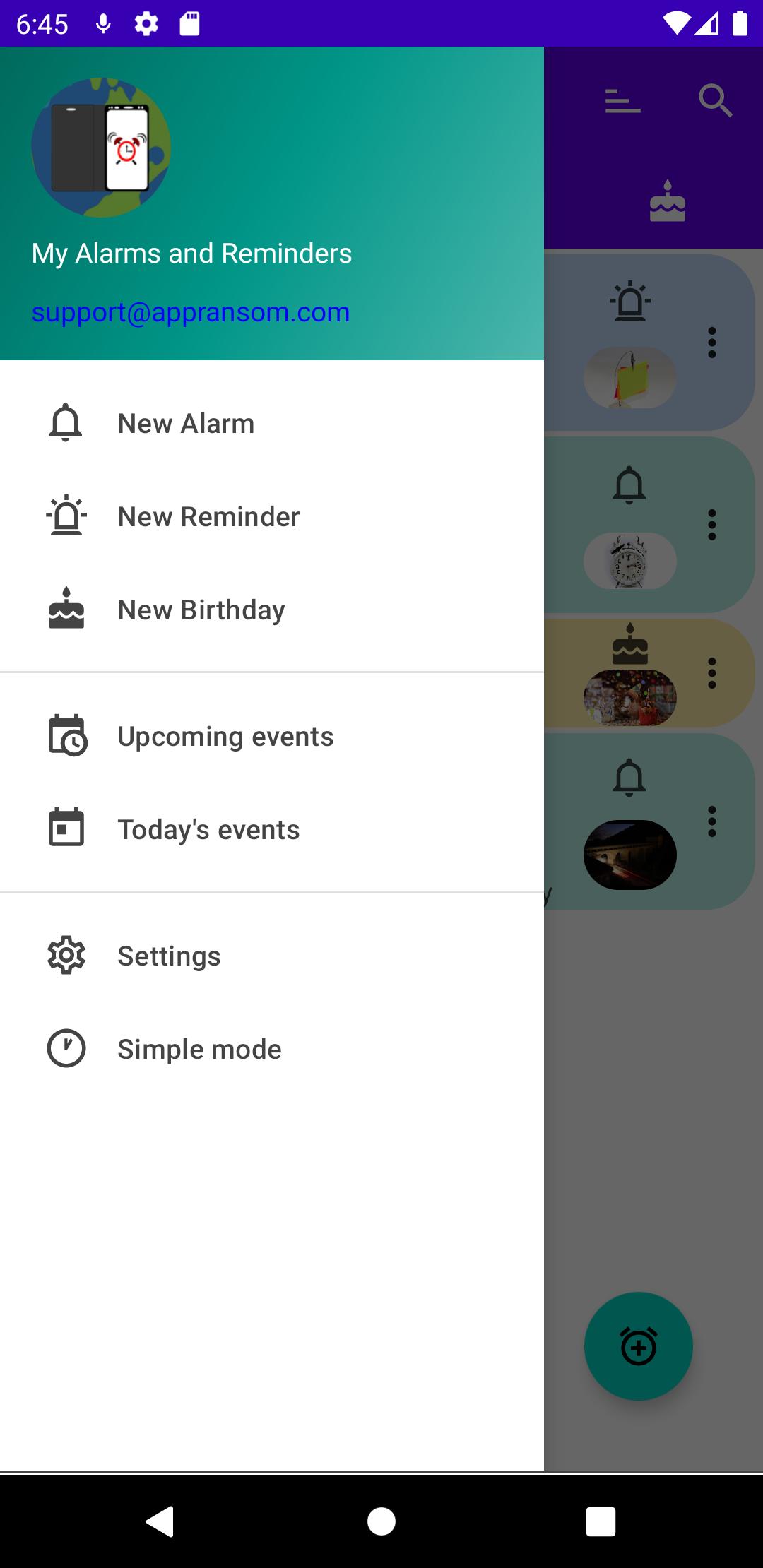
· Two ways of using the application, 'simple' with few options and 'complete' with all the available options. At any time you can change the mode of use through the menus.
· Different types of repetition (daily, weekly, monthly, yearly, every N hours)
· Customize the sound by selecting music that is in the device, silence or default sound of the terminal.
· Select an image from Gallery to be displayed when the alarm clock or reminder is triggered.
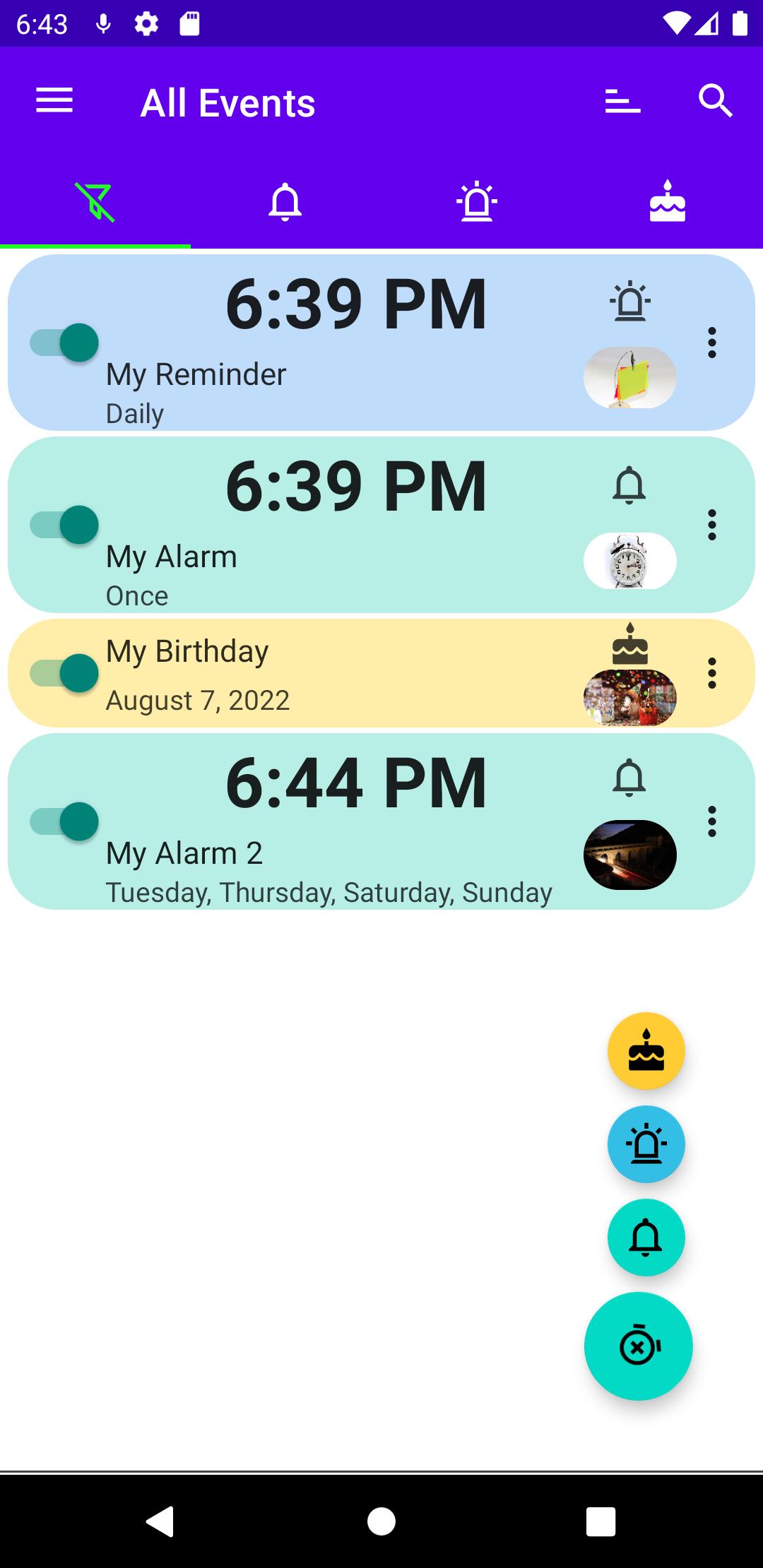
· Filter on the main screen to show Alarms, Reminders, Birthdays/Anniversaries or All.
· Check the next 25 events (configurable) with the date and time of their next activation.
· Check the day's events, both those that have already occurred and those that are still pending.
· Supports Dark Mode to save on battery consumption.
· Supported languages: Spanish, French, English, Italian, Portuguese.
FUNCTIONS:
Full mode:
· Create multiple alarms clock, reminders and birthdays/anniversaries, each with its own on/off status.
· Different types of repetition (daily, weekly, monthly, yearly, every N hours)
· Customize the sound being able to select music that is in the device, silence or sound by default of the terminal.
· If you wish, you can select an image from the Gallery that will be displayed when the alarm or reminder is activated.
· Alarm clock with immediate activation at the selected moment.
. Reminder with activation from the time set at the time the screen is activated, being able to choose that the reminder is activated immediately at the selected time.
. Birthdays/Anniversaries with activation from the set time (configurable) at the time the screen is activated (configurable).
Simple mode:
· An alarm clock or a reminder with daily repetition in which we can identify with a name, set the time of the notice, set the type of notice (alarm clock or reminder) and activate/deactivate at will.
· The alarm clock will be activated immediately at the set time with the sound that is predetermined in the terminal, even if it is in silent mode.
· The reminder will be activated from the time set at the moment the terminal screen turns on, with the default sound depending on the silent mode and the volume for notifications established at that moment.
We offer fast and reliable support to all users and we always answer questions that write to us at support@appransom.com. If you have any problems, questions or suggestions with the application, write to us and we will reply as soon as possible.
Requires internet access and display above.
Contact: support@appransom.com
** Important note: For alarms clock and reminders to work properly, the terminal must be turned on **
پیش نظارہ
ٹیگز
پیداواری صلاحیتمعلومات
ڈویلپر
appransom
تازہ ترین ورژن
2.1.1
آخری تازہ کاری
2022-09-23
قسم
پیداواری صلاحیت
پر دستیاب ہے۔
Google Play
مزید دکھائیں
پی سی پر گیم لوپ کے ساتھ My Alarms and Reminders کیسے کھیلا جائے۔
1. آفیشل ویب سائٹ سے گیم لوپ ڈاؤن لوڈ کریں، پھر گیم لوپ انسٹال کرنے کے لیے exe فائل چلائیں۔
2. گیم لوپ کھولیں اور "My Alarms and Reminders" تلاش کریں، تلاش کے نتائج میں My Alarms and Reminders تلاش کریں اور "انسٹال کریں" پر کلک کریں۔
3. گیم لوپ پر My Alarms and Reminders کھیلنے کا لطف اٹھائیں۔
Minimum requirements
OS
Windows 8.1 64-bit or Windows 10 64-bit
GPU
GTX 1050
CPU
i3-8300
Memory
8GB RAM
Storage
1GB available space
Recommended requirements
OS
Windows 8.1 64-bit or Windows 10 64-bit
GPU
GTX 1050
CPU
i3-9320
Memory
16GB RAM
Storage
1GB available space