
GizmoSmart Cam PC
Eagle Eye Networks B.V.
گیم لوپ ایمولیٹر کے ساتھ PC پر GizmoSmart Cam ڈاؤن لوڈ کریں۔
پی سی پر GizmoSmart Cam
GizmoSmart Cam، جو ڈویلپر Eagle Eye Networks B.V. سے آرہا ہے، ماضی میں اینڈرائیڈ سسٹم پر چل رہا ہے۔
اب، آپ پی سی پر GizmoSmart Cam آسانی سے GameLoop کے ساتھ چلا سکتے ہیں۔
اسے GameLoop لائبریری یا تلاش کے نتائج میں ڈاؤن لوڈ کریں۔ مزید غلط وقت پر بیٹری یا مایوس کن کالوں پر نظر نہیں ڈالی جائے گی۔
بس بڑی سکرین پر GizmoSmart Cam PC کا مفت میں لطف اٹھائیں!
GizmoSmart Cam تعارف
GizmoSmart Cam by GizmoLife
Most of the surveillance solutions available today are reactive and are used only after the event has happened.
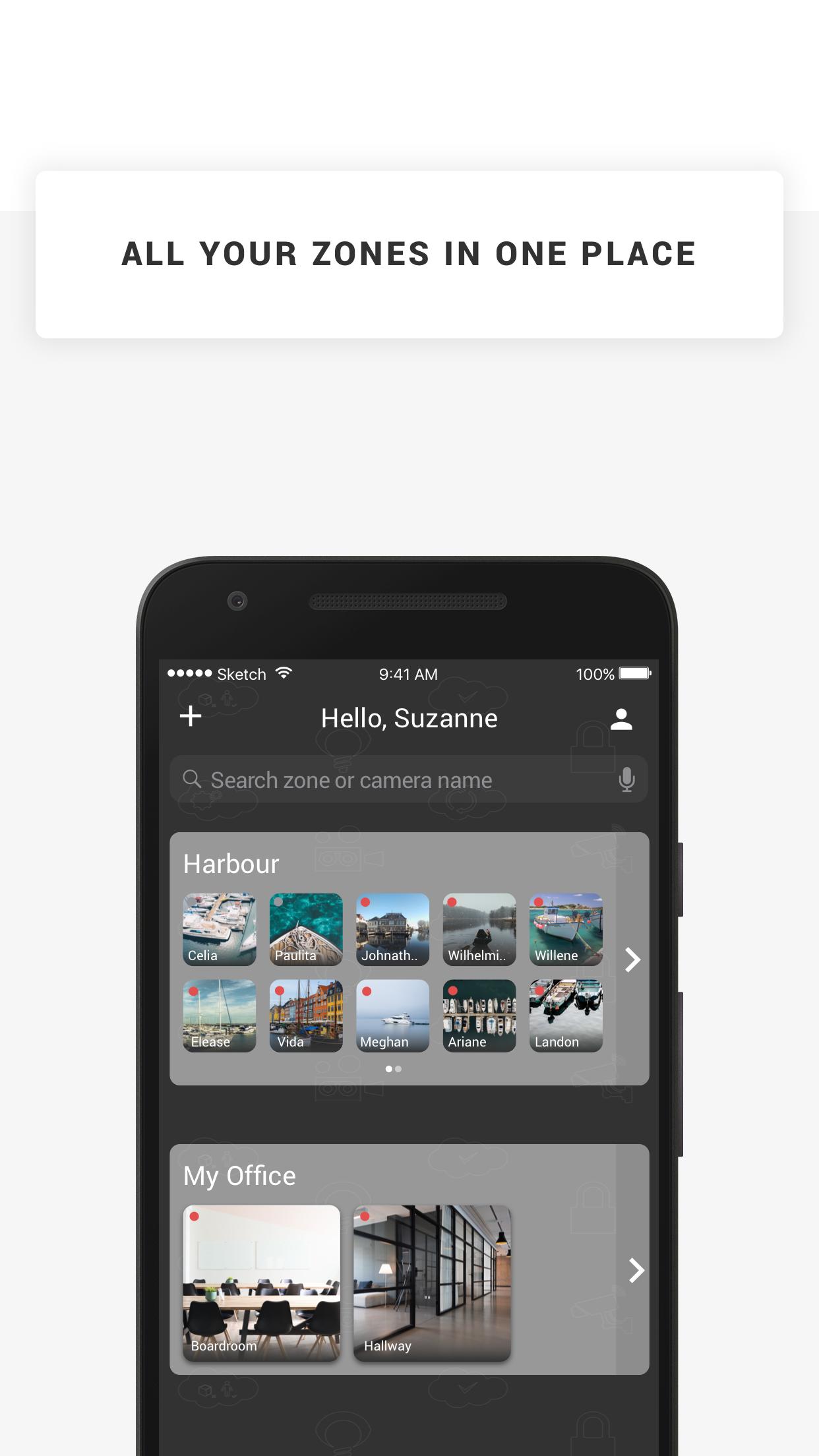
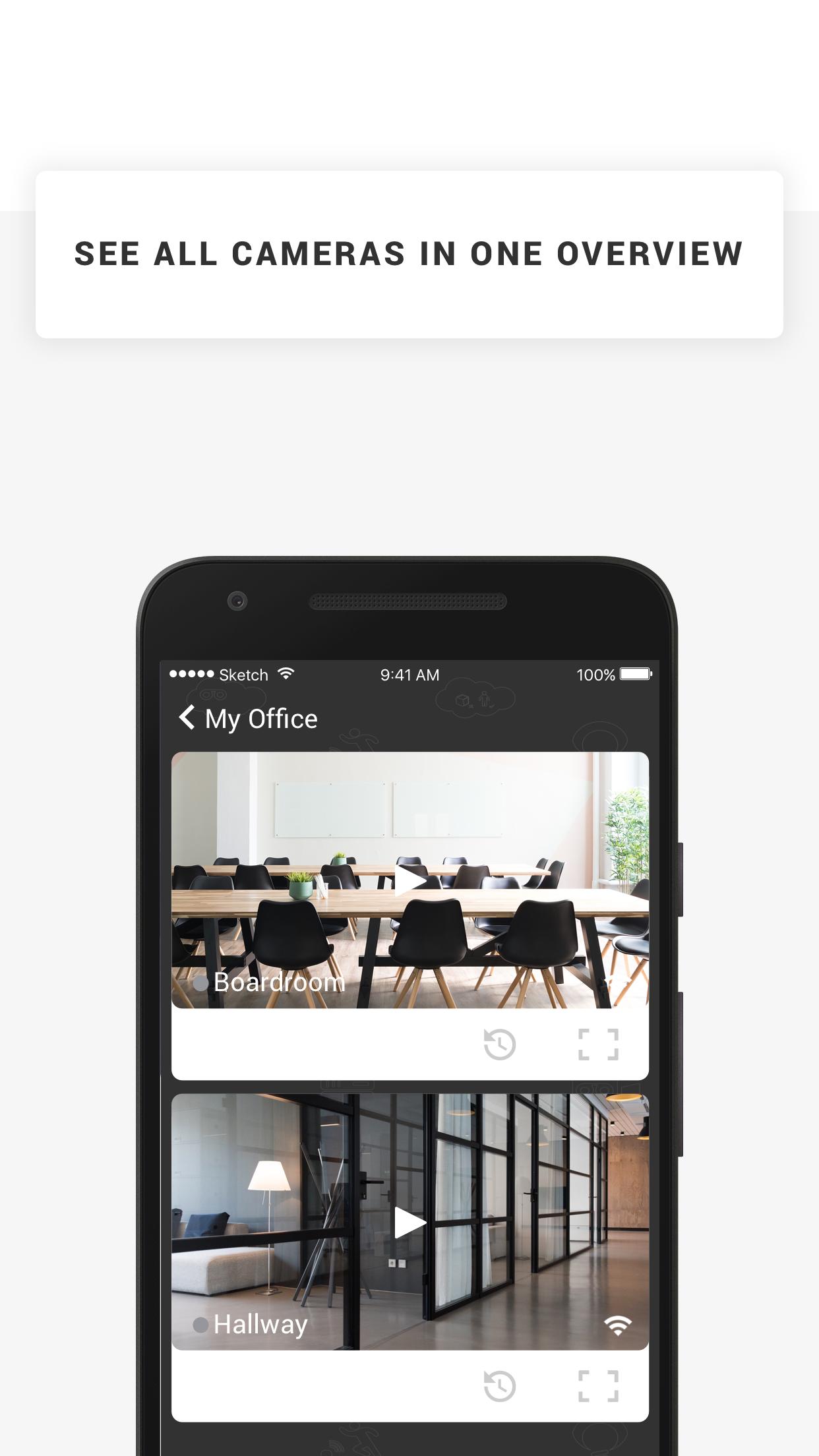
GizmoSmart Cam offers cloud-based surveillance solution: a user friendly and simple system that helps you manage your cameras & footage from the cloud, and pro-actively lets you know when something is up.
With GizmoSmart Cam you can keep an eye on all things that matter. The solution comes with Camera and various Cloud storage subscription plans. The system is very easy to use. Simply plug the camera to power and network, install the app on your device and you are done! You can manage cameras and view footage on your computer, smartphone and tablet, and use our application to receive push-notifications and emails if an object, motion, sound or heat is detected by your cameras. It's that simple.
Features
* Watch the live streams of your cameras
* Watch recorded footage
* Receive push notifications when your camera detects objects, motion, sound or heat
* Manage your cameras angle and zoom in & out
* Store snapshots on your device
پیش نظارہ
ٹیگز
پیداواری صلاحیتمعلومات
ڈویلپر
Eagle Eye Networks B.V.
تازہ ترین ورژن
23.1.0
آخری تازہ کاری
2023-01-10
قسم
پیداواری صلاحیت
پر دستیاب ہے۔
Google Play
مزید دکھائیں
پی سی پر گیم لوپ کے ساتھ GizmoSmart Cam کیسے کھیلا جائے۔
1. آفیشل ویب سائٹ سے گیم لوپ ڈاؤن لوڈ کریں، پھر گیم لوپ انسٹال کرنے کے لیے exe فائل چلائیں۔
2. گیم لوپ کھولیں اور "GizmoSmart Cam" تلاش کریں، تلاش کے نتائج میں GizmoSmart Cam تلاش کریں اور "انسٹال کریں" پر کلک کریں۔
3. گیم لوپ پر GizmoSmart Cam کھیلنے کا لطف اٹھائیں۔
Minimum requirements
OS
Windows 8.1 64-bit or Windows 10 64-bit
GPU
GTX 1050
CPU
i3-8300
Memory
8GB RAM
Storage
1GB available space
Recommended requirements
OS
Windows 8.1 64-bit or Windows 10 64-bit
GPU
GTX 1050
CPU
i3-9320
Memory
16GB RAM
Storage
1GB available space