EVP Recorder PC
AppyDroid
گیم لوپ ایمولیٹر کے ساتھ PC پر EVP Recorder ڈاؤن لوڈ کریں۔
پی سی پر EVP Recorder
EVP Recorder، جو ڈویلپر AppyDroid سے آرہا ہے، ماضی میں اینڈرائیڈ سسٹم پر چل رہا ہے۔
اب، آپ پی سی پر EVP Recorder آسانی سے GameLoop کے ساتھ چلا سکتے ہیں۔
اسے GameLoop لائبریری یا تلاش کے نتائج میں ڈاؤن لوڈ کریں۔ مزید غلط وقت پر بیٹری یا مایوس کن کالوں پر نظر نہیں ڈالی جائے گی۔
بس بڑی سکرین پر EVP Recorder PC کا مفت میں لطف اٹھائیں!
EVP Recorder تعارف
EVP RECORDER: A Legacy of Paranormal Research & Innovation
Experience the 2026 Remaster of the legendary AppyDroid EVP Recorder. Originally established in 2013, this application has been a cornerstone of Instrumental Trans-Communication (ITC) research for over a decade. Trusted by over 1 million investigators worldwide, the EVP Recorder has been completely rebuilt from the ground up to meet the demands of modern paranormal science.
REBUILT FOR THE PROFESSIONAL INVESTIGATOR
Moving beyond legacy architectures, the 2026 edition features a high-performance native audio engine integrated directly with Android's hardware layer. This ensures ultra-low latency and maximum data capture, providing a stable, high-fidelity platform for documenting and analyzing potential Electronic Voice Phenomena.
GLOBAL AI LOCALIZATION
Break the language barrier in paranormal research. Our innovative AI-driven localization system allows you to translate the entire user interface, control labels, and the built-in manual into over 100 languages instantly. Whether you are investigating in the UK, Japan, Brazil, or Italy, the app provides a native experience tailored to your region.
STUDIO-GRADE AUDIO CONTROL
Don't settle for standard voice memos. The EVP Recorder gives you granular control over your audio environment:
Multiple Encoding Formats: Choose between WAV (Uncompressed) for raw data, MP3 for portability, or OGG for optimized ITC captures.
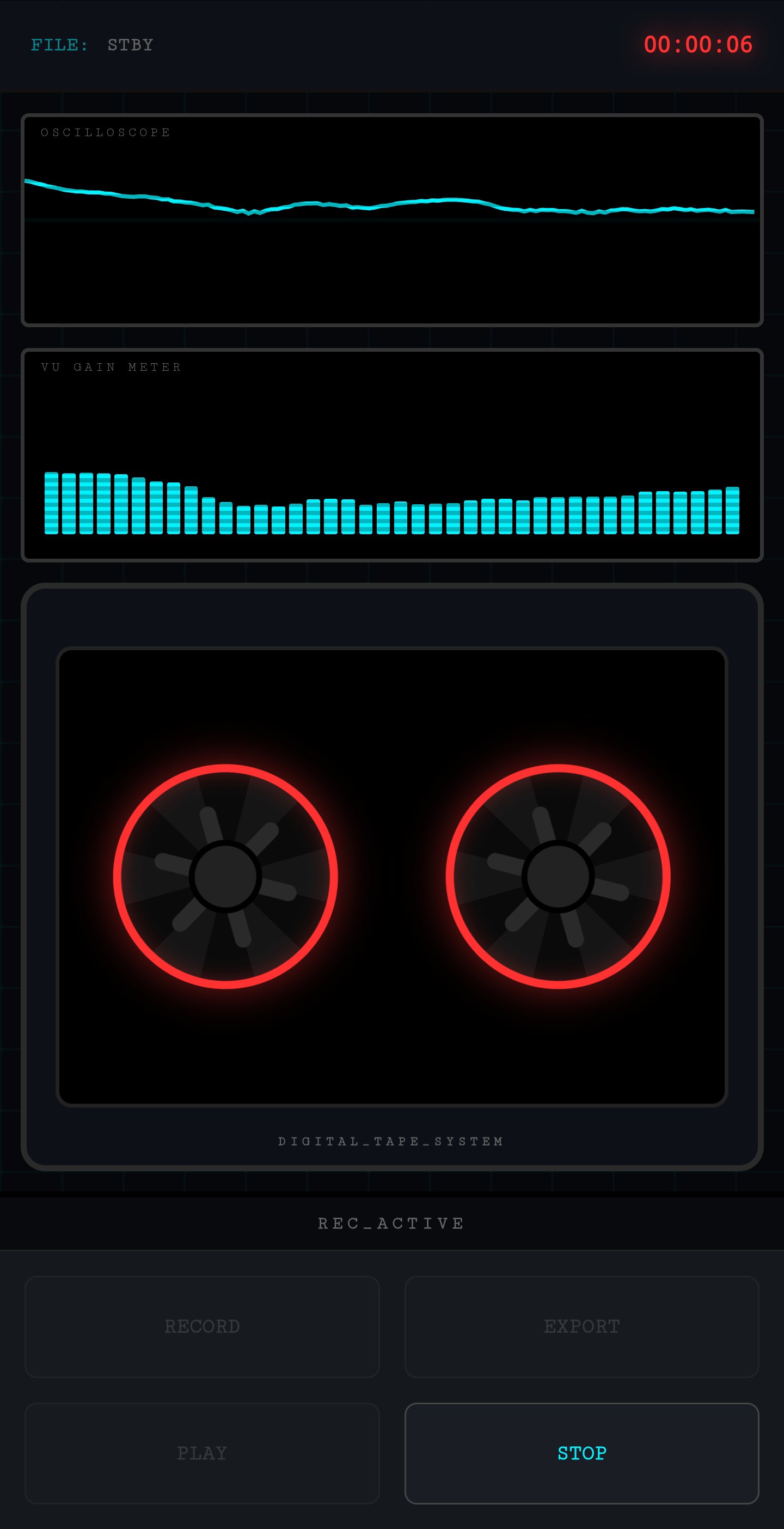
Variable Sample Rates: Record in high-fidelity 44.1kHz for studio clarity, or drop to 8kHz "Lo-Fi" mode—a technique often preferred by researchers for isolating phantom frequency anomalies.
Dynamic Gain Boost: Our proprietary sensitivity curve enhances the slightest audio details without introducing digital clipping.
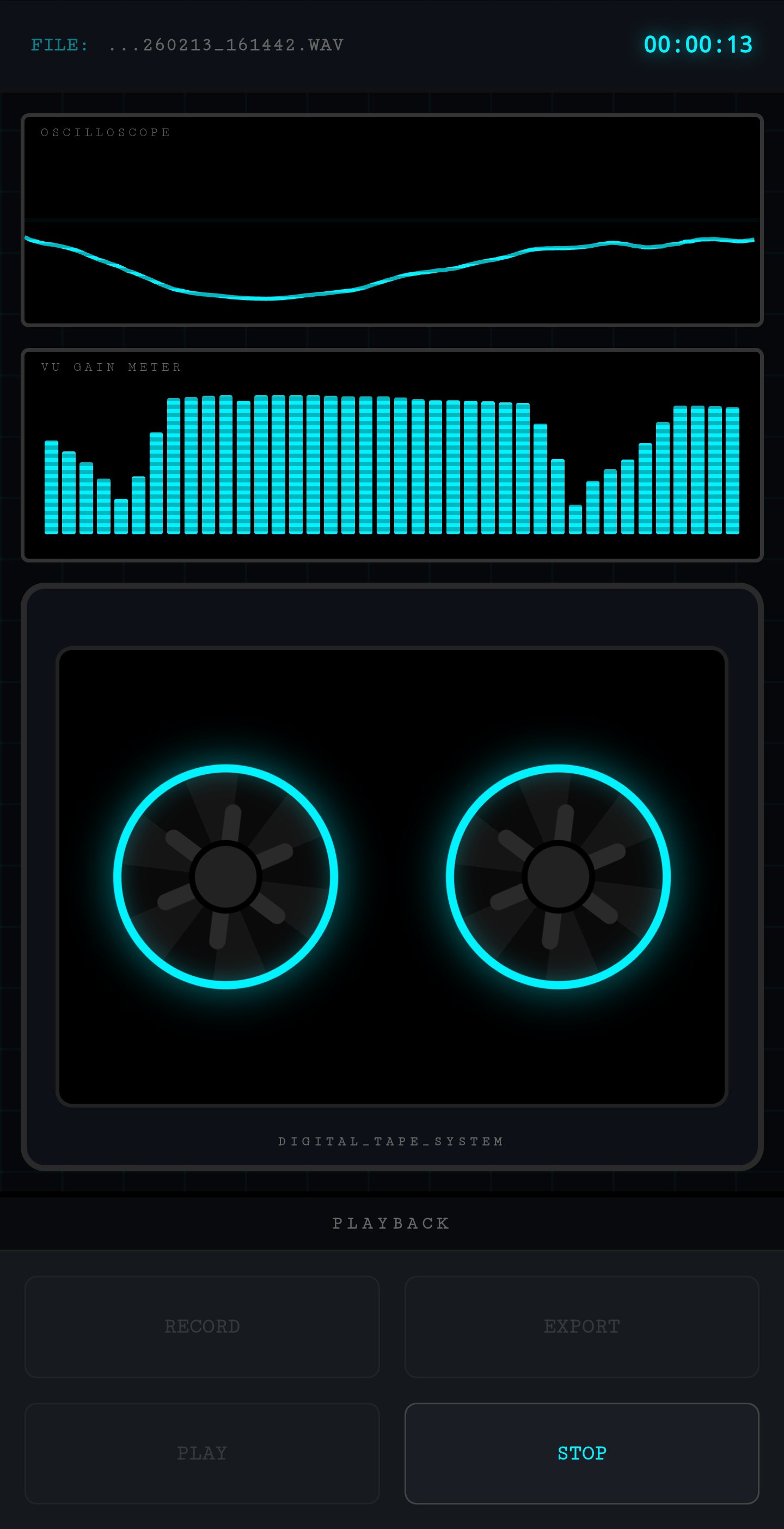
Real-Time Visualization: Analyze your environment with an integrated Oscilloscope and 40-band VU Gain Meter for immediate visual feedback of audio spikes.
ADVANCED FILE MANAGEMENT
Organization is key to a successful investigation.
Open File Manager: Tappable, button-style file management makes it easy to load recordings onto the "Digital Tape Deck" for review.
Intelligent Status Tracking: The active file name is integrated directly into the system status bar, keeping your interface clean and focused.
Secure Exporting: Share findings instantly via the secure Android FileProvider. Export high-quality WAV files to your PC or other audio analysis software for deep-dive forensics.
BUILT BY RESEARCHERS, FOR RESEARCHERS
AppyDroid Development is dedicated to the progress of ITC Science. This update is the result of years of feedback from the global paranormal community. We want to thank our loyal user base for their support over the last 15 years. Your data-driven insights continue to shape the most reliable EVP tool on the market.
EXPERIMENTAL USE & DISCLAIMER:
Please note that this is a specialized tool for paranormal research. Instrumental Trans-Communication (ITC) is an experimental field, and results cannot be guaranteed. Findings should be documented and analyzed with a critical, scientific mindset. Use this application at your own risk.
AppyDroid Development
Leading the way in I.T.C. Research and Development since 2007.
پیش نظارہ
ٹیگز
پیداواری صلاحیتمعلومات
ڈویلپر
AppyDroid
تازہ ترین ورژن
6.8
آخری تازہ کاری
2026-07-23
قسم
پیداواری صلاحیت
پر دستیاب ہے۔
Google Play
مزید دکھائیں
پی سی پر گیم لوپ کے ساتھ EVP Recorder کیسے کھیلا جائے۔
1. آفیشل ویب سائٹ سے گیم لوپ ڈاؤن لوڈ کریں، پھر گیم لوپ انسٹال کرنے کے لیے exe فائل چلائیں۔
2. گیم لوپ کھولیں اور "EVP Recorder" تلاش کریں، تلاش کے نتائج میں EVP Recorder تلاش کریں اور "انسٹال کریں" پر کلک کریں۔
3. گیم لوپ پر EVP Recorder کھیلنے کا لطف اٹھائیں۔
Minimum requirements
OS
Windows 8.1 64-bit or Windows 10 64-bit
GPU
GTX 1050
CPU
i3-8300
Memory
8GB RAM
Storage
1GB available space
Recommended requirements
OS
Windows 8.1 64-bit or Windows 10 64-bit
GPU
GTX 1050
CPU
i3-9320
Memory
16GB RAM
Storage
1GB available space