
ESET Password Manager Legacy PC
ESET
گیم لوپ ایمولیٹر کے ساتھ PC پر ESET Password Manager Legacy ڈاؤن لوڈ کریں۔
پی سی پر ESET Password Manager Legacy
ESET Password Manager Legacy، جو ڈویلپر ESET سے آرہا ہے، ماضی میں اینڈرائیڈ سسٹم پر چل رہا ہے۔
اب، آپ پی سی پر ESET Password Manager Legacy آسانی سے GameLoop کے ساتھ چلا سکتے ہیں۔
اسے GameLoop لائبریری یا تلاش کے نتائج میں ڈاؤن لوڈ کریں۔ مزید غلط وقت پر بیٹری یا مایوس کن کالوں پر نظر نہیں ڈالی جائے گی۔
بس بڑی سکرین پر ESET Password Manager Legacy PC کا مفت میں لطف اٹھائیں!
ESET Password Manager Legacy تعارف
Before you install ESET Password Manager, please note that this app needs to be activated first in ESET Smart Security Premium.
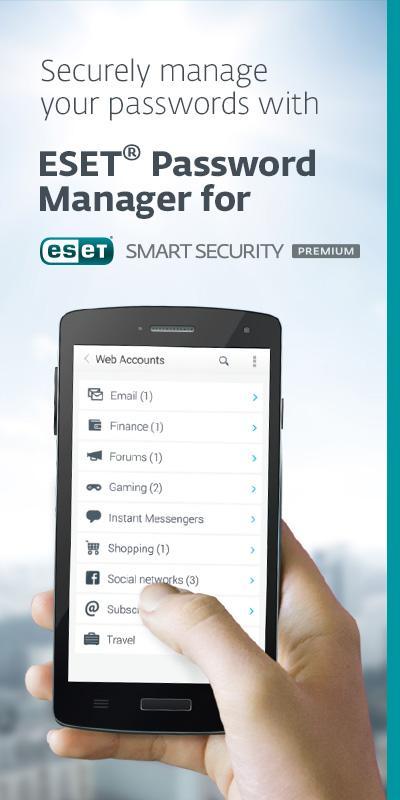
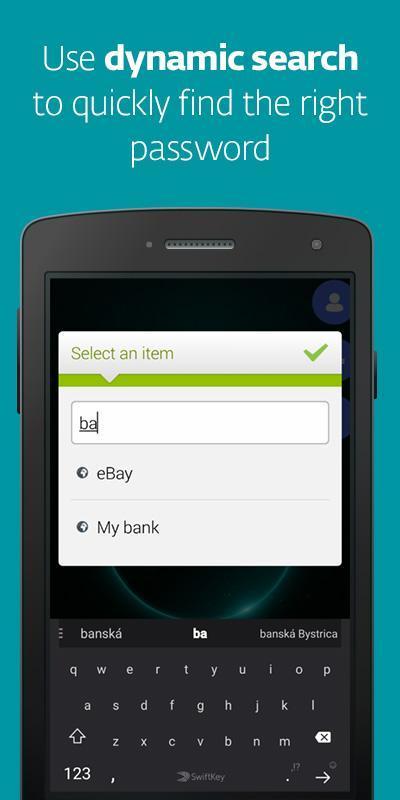
ESET Password Manager allows you to manage your passwords, credit cards numbers and other sensitive information, and access them from anywhere.
All content in the application is encrypted using military-grade AES-256 encryption, protected by a master password.
The ESET Password Manager app allows you to:
✔ Import passwords from Chrome or other password managers
✔ Take advantage of Password Generator to create random and secure passwords
✔ Increase security of stored password with Two-Factor Authentication
✔ Manage access to your passwords with Trusted Devices feature
✔ Securely share your login information with other users
✔ Add multiple identities for easier filling of online forms
✔ Activate a widget to have all your login information a single touch away
✔ Create custom password groups
✔ Access your passwords on the go from your Windows PC, and Android, iOS and macOS devices
Rely on ESET – a company with over 30 years’ experience of enabling businesses and consumers to Enjoy Safer Technology.
Find out more about ESET Password Manager, a companion app for ESET Smart Security Premium: https://www.eset.com/int/home/smart-security-premium/
This app uses Accessibility services.
This app uses the Device Administrator permission.
پیش نظارہ
معلومات
ڈویلپر
ESET
تازہ ترین ورژن
2.0.4332
آخری تازہ کاری
2020-01-20
قسم
پیداواری صلاحیت
پر دستیاب ہے۔
Google Play
مزید دکھائیں
پی سی پر گیم لوپ کے ساتھ ESET Password Manager Legacy کیسے کھیلا جائے۔
1. آفیشل ویب سائٹ سے گیم لوپ ڈاؤن لوڈ کریں، پھر گیم لوپ انسٹال کرنے کے لیے exe فائل چلائیں۔
2. گیم لوپ کھولیں اور "ESET Password Manager Legacy" تلاش کریں، تلاش کے نتائج میں ESET Password Manager Legacy تلاش کریں اور "انسٹال کریں" پر کلک کریں۔
3. گیم لوپ پر ESET Password Manager Legacy کھیلنے کا لطف اٹھائیں۔
Minimum requirements
OS
Windows 8.1 64-bit or Windows 10 64-bit
GPU
GTX 1050
CPU
i3-8300
Memory
8GB RAM
Storage
1GB available space
Recommended requirements
OS
Windows 8.1 64-bit or Windows 10 64-bit
GPU
GTX 1050
CPU
i3-9320
Memory
16GB RAM
Storage
1GB available space