
AI Grammar Checker & Corrector PC
AppsCaps
گیم لوپ ایمولیٹر کے ساتھ PC پر AI Grammar Checker & Corrector ڈاؤن لوڈ کریں۔
پی سی پر AI Grammar Checker & Corrector
AI Grammar Checker & Corrector، جو ڈویلپر AppsCaps سے آرہا ہے، ماضی میں اینڈرائیڈ سسٹم پر چل رہا ہے۔
اب، آپ پی سی پر AI Grammar Checker & Corrector آسانی سے GameLoop کے ساتھ چلا سکتے ہیں۔
اسے GameLoop لائبریری یا تلاش کے نتائج میں ڈاؤن لوڈ کریں۔ مزید غلط وقت پر بیٹری یا مایوس کن کالوں پر نظر نہیں ڈالی جائے گی۔
بس بڑی سکرین پر AI Grammar Checker & Corrector PC کا مفت میں لطف اٹھائیں!
AI Grammar Checker & Corrector تعارف
English Grammar Checker App - Write Cleaner Text While You Type!
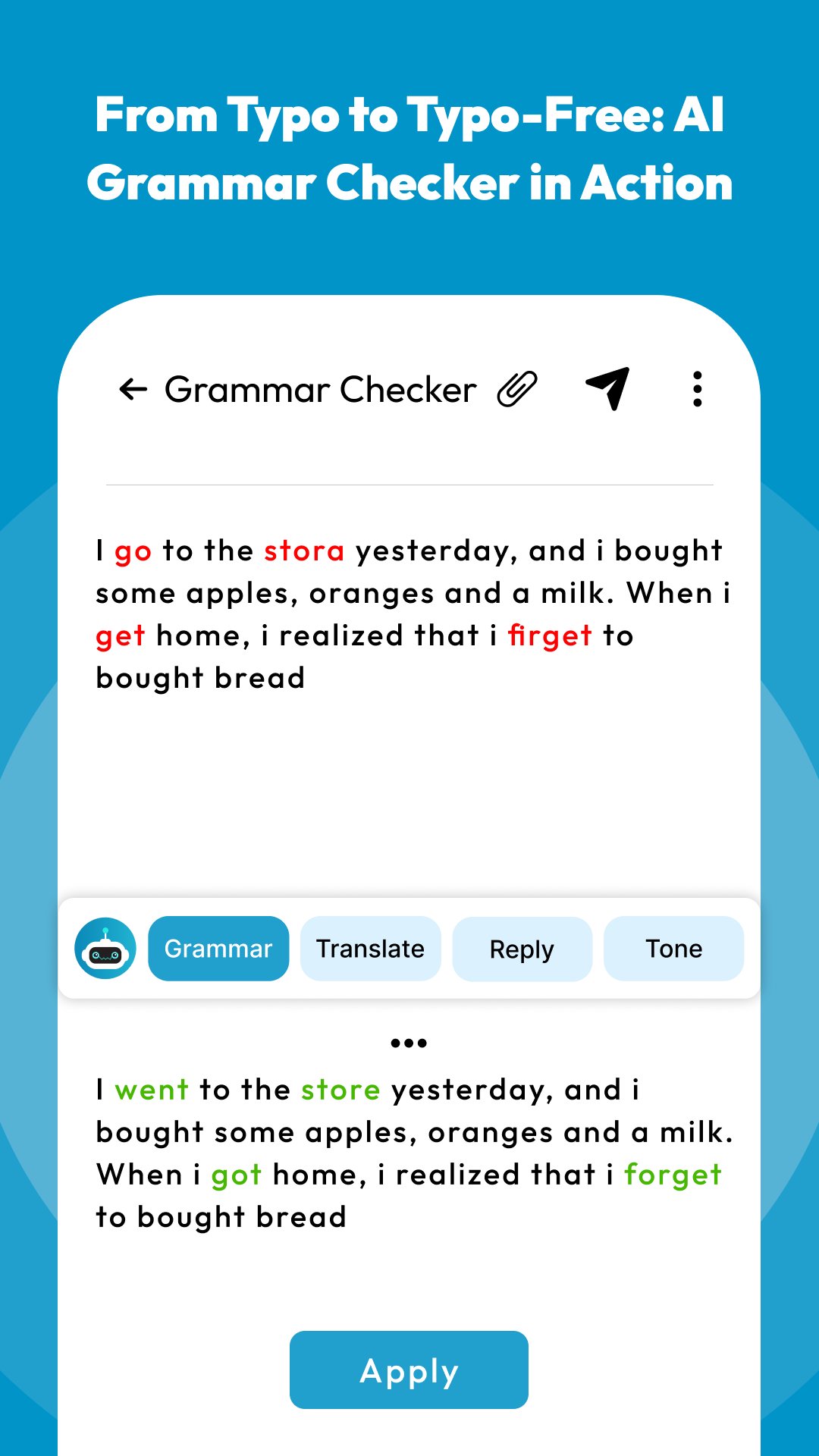
English Grammar Checker App will assist you in improving messages, emails, notes, reports, and daily writing with real-time correction support. AI Grammar Checker And Corrector helps you review grammar, word choice, sentence structure, and common writing mistakes before your text is shared.Proofreader & Punctuation Corrector App is useful when small marks, missing commas, or sentence breaks make your writing harder to read.
Smart Writing Keyboard Tools:
📝English Grammar Checker App - Check writing mistakes while typing everyday text;
🤖AI Grammar Checker And Corrector - Review grammar issues and improve sentence clarity;
📌Proofreader & Punctuation Corrector App - Correct punctuation and polish your writing flow;
🔤Spell Checker For Android - Find wrong words with clear typing support;
✍️Spell Corrector: Sentence Correction App - Rework unclear lines into cleaner sentences;
✅Correct Spelling App - Tap suggested words and fix mistakes faster;
⌨️Spell Check App - Use a smooth keyboard for messages, emails, and documents;
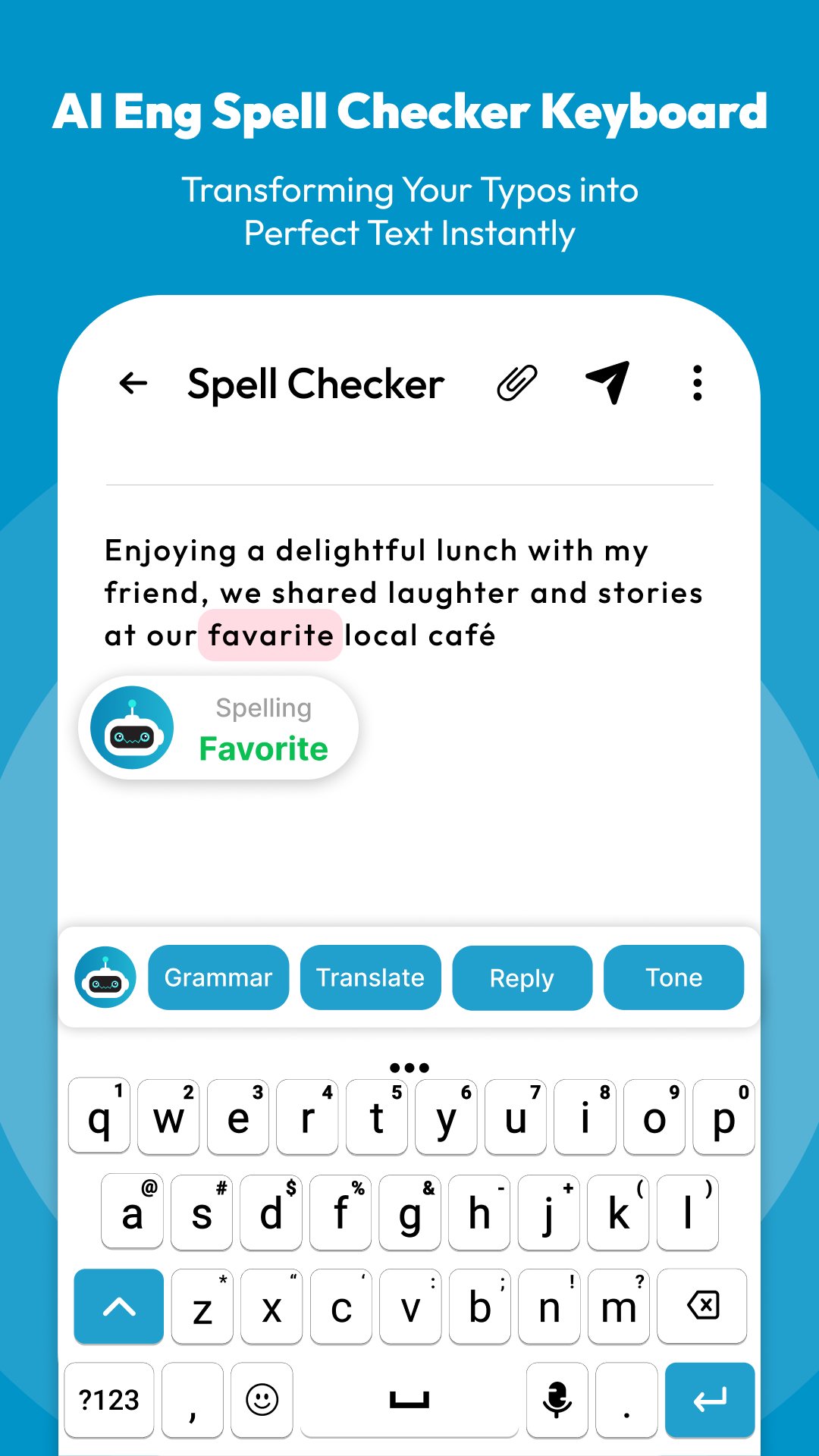
Check words instantly with red underline suggestions!
Spell Check App makes typing easier by marking wrong words as you write. When a mistake appears, you can tap the underlined word and choose a better suggestion without leaving your keyboard.Spell Checker For Android works well for students, professionals, language learners, and anyone who wants more accurate writing on a phone.
Simple Correction Flow:
📲Open English Grammar Checker App, and activate the keyboard from setup;
⌨️Type normally in your message, email, note, or document;
🔤Use Spell Checker For Android when a wrong word is underlined;
✅Choose Correct Spelling App suggestions with one tap;
✍️Try Spell Corrector: Sentence Correction App when the full sentence needs work;
🤖Review AI Grammar Checker And Corrector suggestions before sending;
📌Use Proofreader & Punctuation Corrector App for cleaner final text;
🔤Real-Time Help While You Type:
The Correct Spelling App helps you catch small slips by showing clear suggestions at the right moment. Over time, this can also help you remember better word forms, improve vocabulary, and feel more confident while writing in English.
✍️Grammar, Sentences, And Punctuation Support:
Spell Corrector: Sentence Correction App helps reshape rough lines into clearer writing. For longer text, Proofreader & Punctuation Corrector App gives your work a more polished finish before it becomes a message, report, or assignment.
🚀Lightweight Keyboard For Daily Writing:
A writing tool should feel quick, responsive, and easy to use. AI Grammar Checker And Corrector supports a simple typing flow, so you can focus on what you want to say instead of stopping after every mistake. The setup is also straightforward, making it easier to install, activate, and start writing with support right away.
Write With More Accuracy And Confidence!
Spell Check App gives you a practical way to correct words, improve sentences, and clean up daily writing from your phone. Whether you are a student, office user, or casual writer, this app helps make your English text clearer before you send, save, or share it.پیش نظارہ
ٹیگز
پیداواری صلاحیتمعلومات
ڈویلپر
AppsCaps
تازہ ترین ورژن
2.1.0
آخری تازہ کاری
2026-07-09
قسم
پیداواری صلاحیت
پر دستیاب ہے۔
Google Play
مزید دکھائیں
پی سی پر گیم لوپ کے ساتھ AI Grammar Checker & Corrector کیسے کھیلا جائے۔
1. آفیشل ویب سائٹ سے گیم لوپ ڈاؤن لوڈ کریں، پھر گیم لوپ انسٹال کرنے کے لیے exe فائل چلائیں۔
2. گیم لوپ کھولیں اور "AI Grammar Checker & Corrector" تلاش کریں، تلاش کے نتائج میں AI Grammar Checker & Corrector تلاش کریں اور "انسٹال کریں" پر کلک کریں۔
3. گیم لوپ پر AI Grammar Checker & Corrector کھیلنے کا لطف اٹھائیں۔
Minimum requirements
OS
Windows 8.1 64-bit or Windows 10 64-bit
GPU
GTX 1050
CPU
i3-8300
Memory
8GB RAM
Storage
1GB available space
Recommended requirements
OS
Windows 8.1 64-bit or Windows 10 64-bit
GPU
GTX 1050
CPU
i3-9320
Memory
16GB RAM
Storage
1GB available space