
Delete account (for Insta) PC
sa.malek
گیم لوپ ایمولیٹر کے ساتھ PC پر Delete account (for Insta) ڈاؤن لوڈ کریں۔
پی سی پر Delete account (for Insta)
Delete account (for Insta)، جو ڈویلپر sa.malek سے آرہا ہے، ماضی میں اینڈرائیڈ سسٹم پر چل رہا ہے۔
اب، آپ پی سی پر Delete account (for Insta) آسانی سے GameLoop کے ساتھ چلا سکتے ہیں۔
اسے GameLoop لائبریری یا تلاش کے نتائج میں ڈاؤن لوڈ کریں۔ مزید غلط وقت پر بیٹری یا مایوس کن کالوں پر نظر نہیں ڈالی جائے گی۔
بس بڑی سکرین پر Delete account (for Insta) PC کا مفت میں لطف اٹھائیں!
Delete account (for Insta) تعارف
In the name of Allah
Program description
With this application, you can delete your Instagram account quite simply (of course, you have up to a month to return your account.)
App Features
➖ Ability to completely delete your account (which of course you can return for up to 1 month.)
Do all the things inside the application without entering the site
Very simple and fast user interface
✅ Steps to delete an account
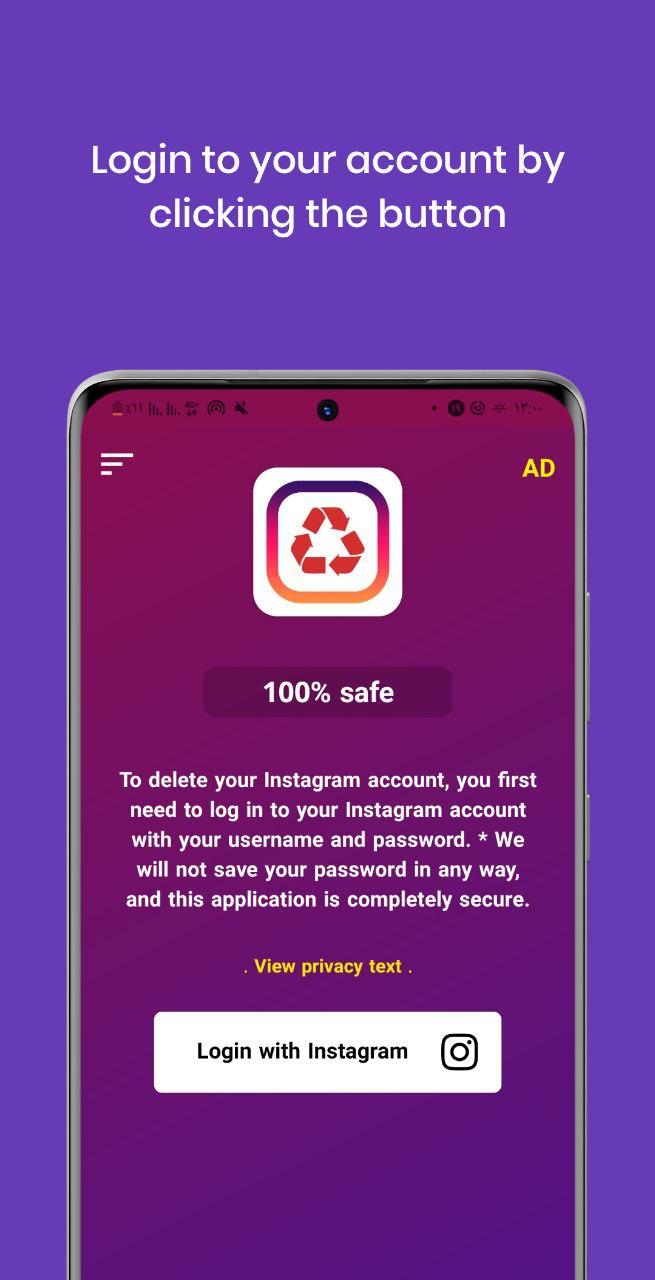
1️⃣ First enter the program, click the button in the middle of the page, then enter your information on the official Instagram page.
2️⃣ By performing the above step, you will enter the next page, where you must enter your password again in the relevant field, and then on the same page, you must select a suitable reason for deleting your account from the reasons before you.
3️⃣ Finally, click on the delete button and in less than a few seconds, your account will be permanently deleted (of course, you have up to 1 month to reactivate your account by selecting the Keep accunt option).
Program Tips:
To delete your account, you must remember your password or password. (If you forget, you can get it by your email.)
If you delete your Instagram account, you can reactivate your Instagram account at any time by logging in (same account has been deleted). Unless you do this, your account will remain inactive and no one will be able to see it or Viewing your profile and other information will not be.
➕ Note that when you delete your Instagram account, the deleted account will be deactivated or (inactive) for up to 30 days. Keep it up and use it. Otherwise, after 30 days, your Instagram account will be completely deleted.
The program uses ads that a small amount of your net will be used to load ads. And it may bother you.
➕ Alternative scattering of different devices and versions of Android The program may have bugs and problems in some devices and versions.
☑️ Disclaimer:
Instagram is the trademark of inc, Instagram.
This application is not made by Instagram and is not affiliated with it, and it is not managed by Instagram in any way and has no connection with it.
پیش نظارہ
ٹیگز
پیداواری صلاحیتمعلومات
ڈویلپر
sa.malek
تازہ ترین ورژن
2.4 - Play_store
آخری تازہ کاری
2024-01-14
قسم
پیداواری صلاحیت
پر دستیاب ہے۔
Google Play
مزید دکھائیں
پی سی پر گیم لوپ کے ساتھ Delete account (for Insta) کیسے کھیلا جائے۔
1. آفیشل ویب سائٹ سے گیم لوپ ڈاؤن لوڈ کریں، پھر گیم لوپ انسٹال کرنے کے لیے exe فائل چلائیں۔
2. گیم لوپ کھولیں اور "Delete account (for Insta)" تلاش کریں، تلاش کے نتائج میں Delete account (for Insta) تلاش کریں اور "انسٹال کریں" پر کلک کریں۔
3. گیم لوپ پر Delete account (for Insta) کھیلنے کا لطف اٹھائیں۔
Minimum requirements
OS
Windows 8.1 64-bit or Windows 10 64-bit
GPU
GTX 1050
CPU
i3-8300
Memory
8GB RAM
Storage
1GB available space
Recommended requirements
OS
Windows 8.1 64-bit or Windows 10 64-bit
GPU
GTX 1050
CPU
i3-9320
Memory
16GB RAM
Storage
1GB available space