Bookmark Folder PC
Tossy
گیم لوپ ایمولیٹر کے ساتھ PC پر Bookmark Folder ڈاؤن لوڈ کریں۔
پی سی پر Bookmark Folder
Bookmark Folder، جو ڈویلپر Tossy سے آرہا ہے، ماضی میں اینڈرائیڈ سسٹم پر چل رہا ہے۔
اب، آپ پی سی پر Bookmark Folder آسانی سے GameLoop کے ساتھ چلا سکتے ہیں۔
اسے GameLoop لائبریری یا تلاش کے نتائج میں ڈاؤن لوڈ کریں۔ مزید غلط وقت پر بیٹری یا مایوس کن کالوں پر نظر نہیں ڈالی جائے گی۔
بس بڑی سکرین پر Bookmark Folder PC کا مفت میں لطف اٹھائیں!
Bookmark Folder تعارف
** Introduction **
Have you ever wanted to switch a browser when browsing website?
For example, use Chrome for working time, use Firefox for private time, use Opera for study time...
This app can organize all of your bookmarks in bulk, and you can select launching browser for each bookmarks.
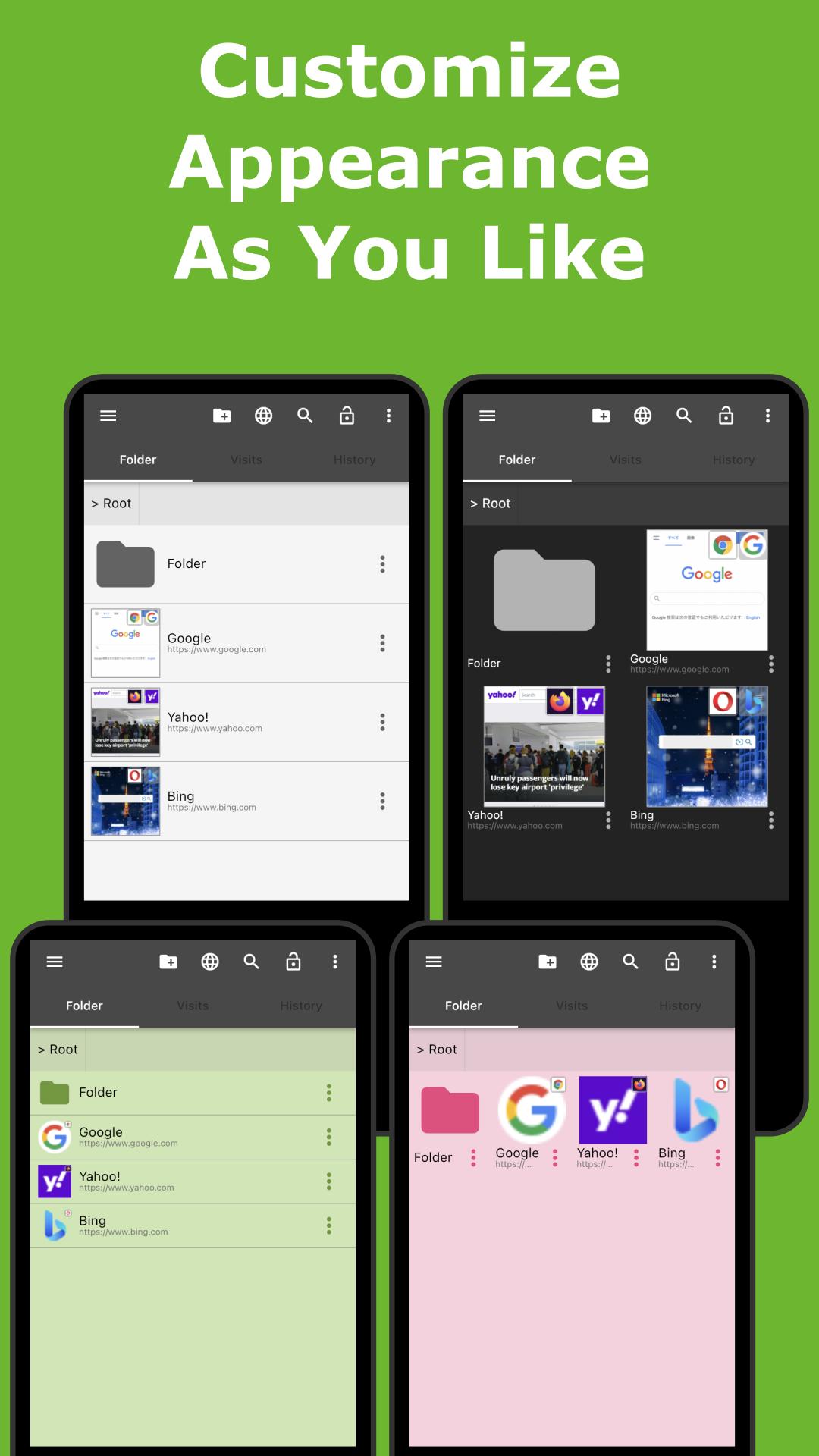
Enjoy your website browsing time with customizing appearance to your liking.
You can hide the bookmarks you don't want other person to see.
And the app can create backup file automatically.
So it is secure even if you lost or break your device.
You will never lose your bookmarks.
** Overview **
- Organize favorite web page with directory like a file manager app!
- No more need to re-register bookmarks even if you changed the browser to use.
- Recommended for the user using multiple browsers. This app can choose launching browser.
- Customize the appearance to your liking and make it easy to use.
** Characteristics **
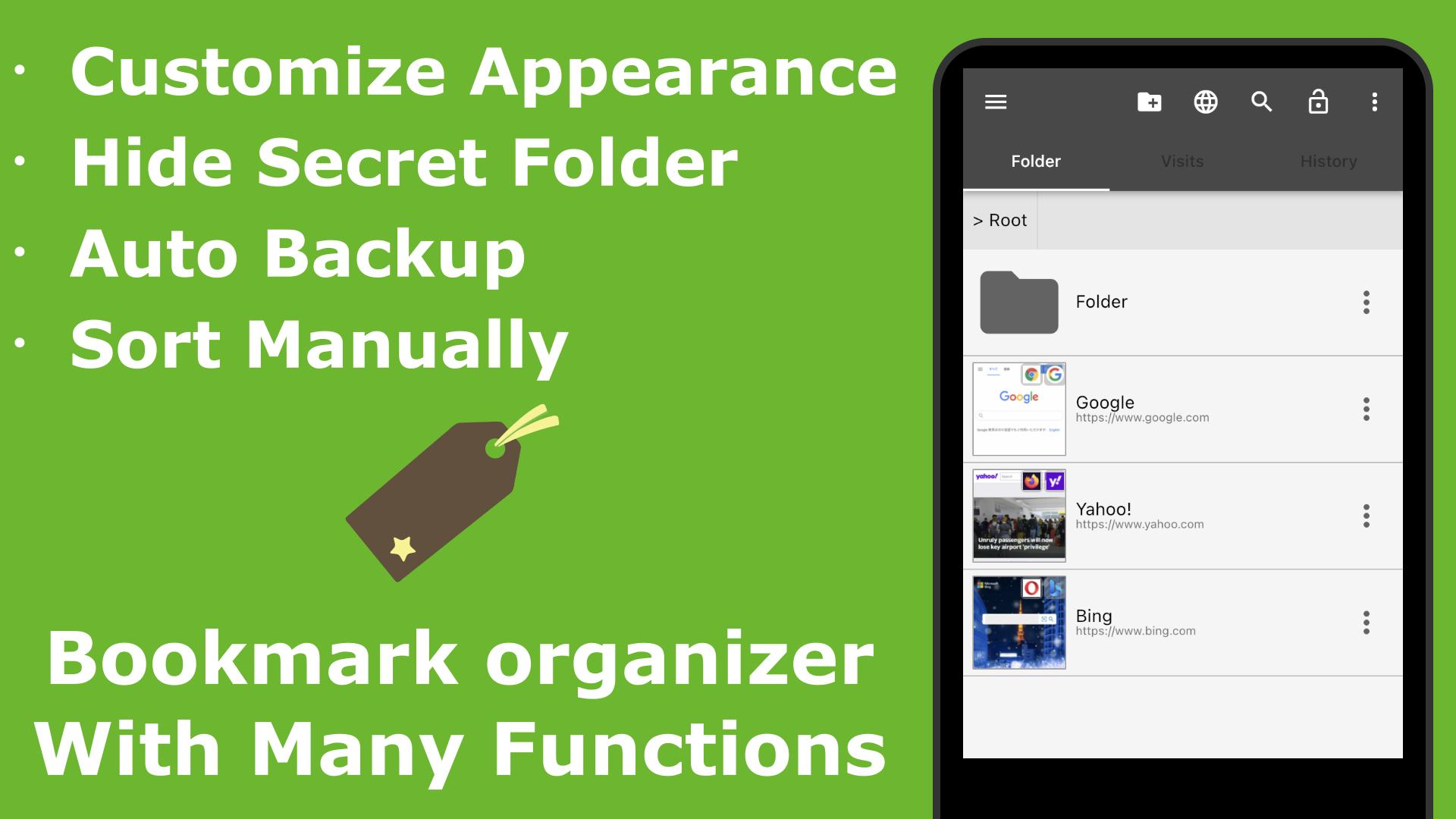
>> Organize bookmarks simply
- Add bookmarks easily from "Share" menu on each browsers.
- Organize bookmarks with directory. No limited directory structure level!
- Hide bookmarks you don't want other person to see with lock function!
- Sort bookmarks manually as you like with dragging.
- Find the item you want to see easily with favicon and thumbnail of website.
>> Customize to your like
- Choosable launching browser for each bookmarks.
- Choosable item view, List or Grid.
- Customizable background color, text color, text size and etc adjust to your liking.
- Open bookmarks anytime from status bar.
>> Secure backup
- Export backup file of bookmarks.
- With AUTO backup, you will never lose your bookmarks even if your device has been broken!
- Support to save in cloud storage.
>> Transfer easily to other device
- Via HTML bookmark file, you can import bookmarks easily from your PC browser.
- Transfer bookmarks easily to other device via backup file saved in Cloud Storage.
** Permission **
>> INTERNET, ACCESS_NETWORK_STATE
- To load ads, favicon and thumbnail.
>> INSTALL_SHORTCUT
- To create bookmark shortcut to home screen.
>> RECEIVE_BOOT_COMPLETED
- To set notification in status bar when the device is booted.
** Ad-free License key **
https://play.google.com/store/apps/details?id=com.coconuts.webnavigatornoads
** Developer website **
https://coconutsdevelop.com/
پیش نظارہ
ٹیگز
پیداواری صلاحیتمعلومات
ڈویلپر
Tossy
تازہ ترین ورژن
5.5.0
آخری تازہ کاری
2025-03-02
قسم
پیداواری صلاحیت
پر دستیاب ہے۔
Google Play
مزید دکھائیں
پی سی پر گیم لوپ کے ساتھ Bookmark Folder کیسے کھیلا جائے۔
1. آفیشل ویب سائٹ سے گیم لوپ ڈاؤن لوڈ کریں، پھر گیم لوپ انسٹال کرنے کے لیے exe فائل چلائیں۔
2. گیم لوپ کھولیں اور "Bookmark Folder" تلاش کریں، تلاش کے نتائج میں Bookmark Folder تلاش کریں اور "انسٹال کریں" پر کلک کریں۔
3. گیم لوپ پر Bookmark Folder کھیلنے کا لطف اٹھائیں۔
Minimum requirements
OS
Windows 8.1 64-bit or Windows 10 64-bit
GPU
GTX 1050
CPU
i3-8300
Memory
8GB RAM
Storage
1GB available space
Recommended requirements
OS
Windows 8.1 64-bit or Windows 10 64-bit
GPU
GTX 1050
CPU
i3-9320
Memory
16GB RAM
Storage
1GB available space