AI Six Packs Abs Photo Editor PC
Cruise Infotech
گیم لوپ ایمولیٹر کے ساتھ PC پر AI Six Packs Abs Photo Editor ڈاؤن لوڈ کریں۔
پی سی پر AI Six Packs Abs Photo Editor
AI Six Packs Abs Photo Editor، جو ڈویلپر Cruise Infotech سے آرہا ہے، ماضی میں اینڈرائیڈ سسٹم پر چل رہا ہے۔
اب، آپ پی سی پر AI Six Packs Abs Photo Editor آسانی سے GameLoop کے ساتھ چلا سکتے ہیں۔
اسے GameLoop لائبریری یا تلاش کے نتائج میں ڈاؤن لوڈ کریں۔ مزید غلط وقت پر بیٹری یا مایوس کن کالوں پر نظر نہیں ڈالی جائے گی۔
بس بڑی سکرین پر AI Six Packs Abs Photo Editor PC کا مفت میں لطف اٹھائیں!
AI Six Packs Abs Photo Editor تعارف
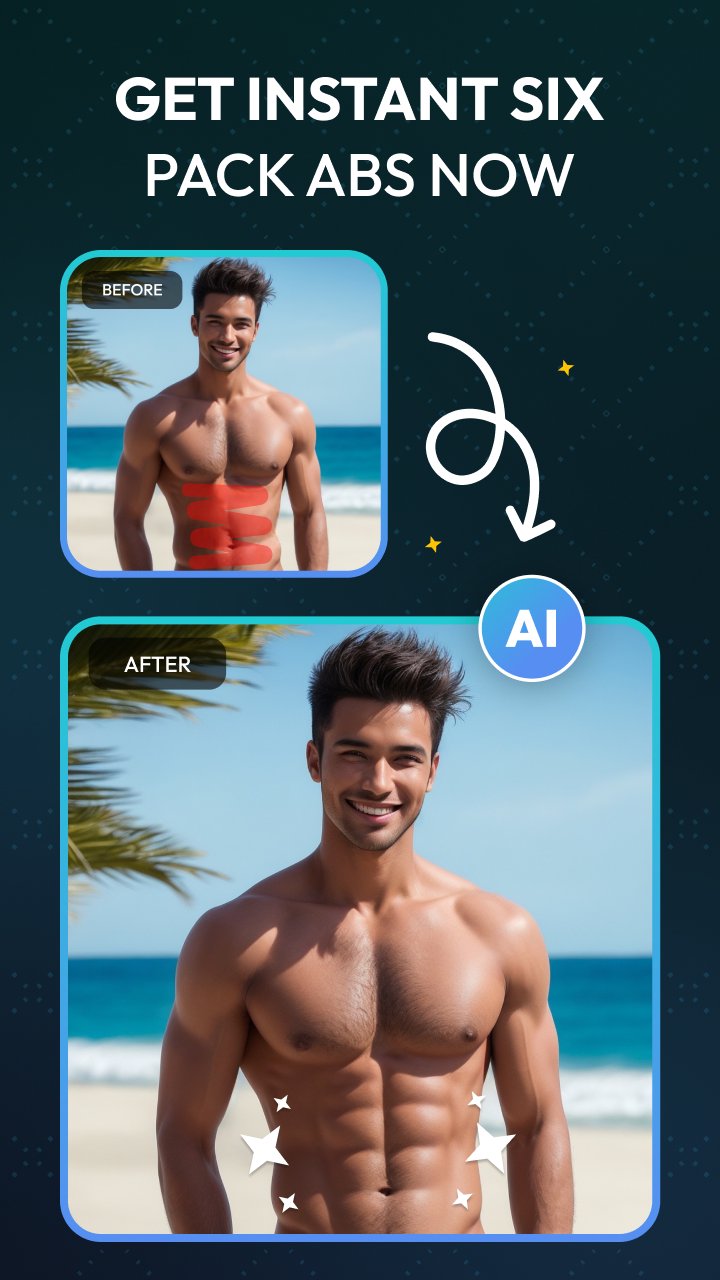
AI Six Packs Abs Photo Editor App is a powerful AI-driven photo editing tool that lets you effortlessly add realistic six-pack abs to any photo with just a few taps. Whether you want to enhance your body shape or experiment with different bodybuilding styles, this AI Six Pack Photo app provides a variety of options, including romantic, bodybuilder, boxer, muscular, strong, six-pack, sigma, and sticker effects. With advanced AI techniques, the AI Six Packs Maker app seamlessly transforms your photos, giving you a perfectly sculpted physique without the need for complex editing skills.
AI Six Packs Abs Photo Editor app also allows you to take your edits to the next level by converting your photos into dynamic muscle surge photo video animations with a simple tap on your device screen. Just follow the easy steps: select your desired style, upload an image, and tap the generate button to instantly transform your look. All your creations are saved in a dedicated folder, making it easy to access and share with anyone. Try this AI Abs Photo Editor tool to easily enhance your body looks by adding a variety of body-building options. AI Six Packs Abs Photo Editor app to turn your ordinary photos into dynamic bodybuilding looks without going to the gym or personal training.
Features:
AI Six Packs Editor to add six abs to your photos using AI techniques.
AI Abs Editor effortlessly adds realistic six-pack abs to any photo with AI techniques.
Variety of Bodybuilding Styles like romantic, bodybuilder, boxer, muscular, strong, six-pack, Sigma, and stickers.
Instant Body Transformation Enhance your body shape without complex editing skills or physical training.
Muscle Surge Photo Video Animation to convert your photos into dynamic muscle surge animations with a single tap.
Easy to create ABS photos by following simple steps and easily save or share them with anyone using social media.
The AI Six Packs Editor App is the perfect tool to instantly create stunning body transformations with AI!
پیش نظارہ

ٹیگز
فوٹوگرافیمعلومات
ڈویلپر
Cruise Infotech
تازہ ترین ورژن
14.0.0
آخری تازہ کاری
2025-09-10
قسم
فوٹوگرافی
پر دستیاب ہے۔
Google Play
مزید دکھائیں
پی سی پر گیم لوپ کے ساتھ AI Six Packs Abs Photo Editor کیسے کھیلا جائے۔
1. آفیشل ویب سائٹ سے گیم لوپ ڈاؤن لوڈ کریں، پھر گیم لوپ انسٹال کرنے کے لیے exe فائل چلائیں۔
2. گیم لوپ کھولیں اور "AI Six Packs Abs Photo Editor" تلاش کریں، تلاش کے نتائج میں AI Six Packs Abs Photo Editor تلاش کریں اور "انسٹال کریں" پر کلک کریں۔
3. گیم لوپ پر AI Six Packs Abs Photo Editor کھیلنے کا لطف اٹھائیں۔
Minimum requirements
OS
Windows 8.1 64-bit or Windows 10 64-bit
GPU
GTX 1050
CPU
i3-8300
Memory
8GB RAM
Storage
1GB available space
Recommended requirements
OS
Windows 8.1 64-bit or Windows 10 64-bit
GPU
GTX 1050
CPU
i3-9320
Memory
16GB RAM
Storage
1GB available space