
PhotoStitcher - Take Scrolling PC
Vertexshare Software Ltd
گیم لوپ ایمولیٹر کے ساتھ PC پر PhotoStitcher - Take Scrolling ڈاؤن لوڈ کریں۔
پی سی پر PhotoStitcher - Take Scrolling
PhotoStitcher - Take Scrolling، جو ڈویلپر Vertexshare Software Ltd سے آرہا ہے، ماضی میں اینڈرائیڈ سسٹم پر چل رہا ہے۔
اب، آپ پی سی پر PhotoStitcher - Take Scrolling آسانی سے GameLoop کے ساتھ چلا سکتے ہیں۔
اسے GameLoop لائبریری یا تلاش کے نتائج میں ڈاؤن لوڈ کریں۔ مزید غلط وقت پر بیٹری یا مایوس کن کالوں پر نظر نہیں ڈالی جائے گی۔
بس بڑی سکرین پر PhotoStitcher - Take Scrolling PC کا مفت میں لطف اٹھائیں!
PhotoStitcher - Take Scrolling تعارف
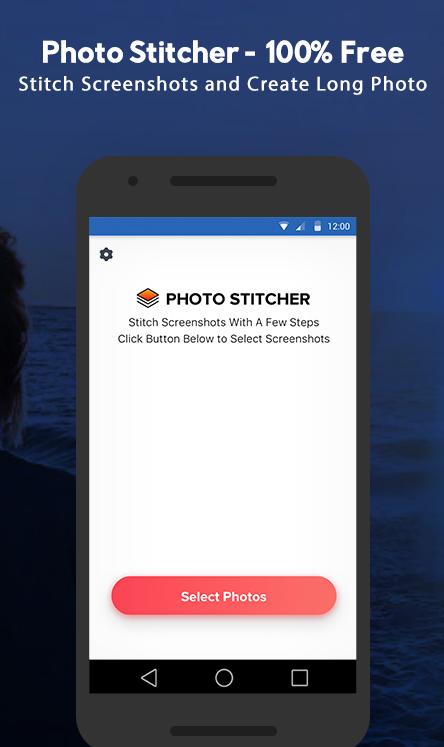
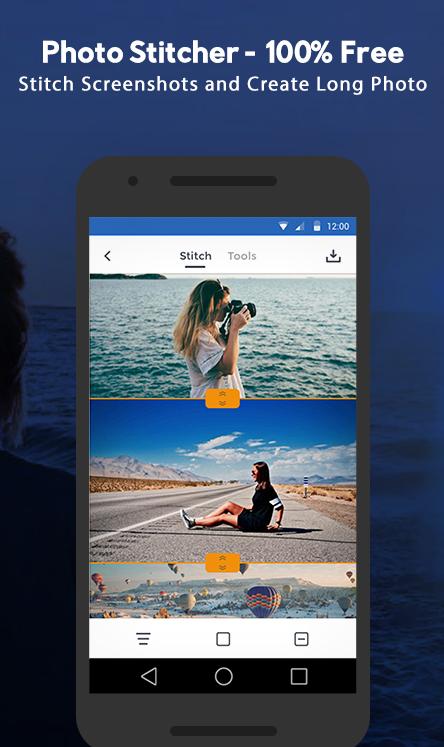
PhotoStitcher is a powerful panorama stitcher APP that enables users to merge multiple images/photos/screenshot together. It could also help you to create one single and long screenshot that extends beyond the screen's limit with a few clicks.
*********Main Features*********
- Support creating horizontal and vertical scrolling screenshots
- Support editing the height and width of each photo
- Support editing the scrolling screenshots with useful tools
- Support adding annotations
- Support adding arrows, rectangles, curves
- Support adding mosaic, watermark, mockups
- Support exporting HD photos
- Support sharing photos to your friends or social media
- Minimal interface design, no advertising.
- Universal application, compatible with all Andriod phones.
*********We can stitch*********
- Conversation(WhatsApp/Facebook)
- To-Do list
- Tweet list
- Comment list
- Long article
- Long web page
- Other contents that can be scrolled
*********How to use Photo Stitcher*********
The process is quite simple.
#1 Select the photo or image you want to stitch.
#2 Stitch each image.
#3 Add necessary annotation, watermark, redaction or mockup.
#4 Save to your local album
*********Privacy Protect*********
100% offline app. No data will be uploaded
PrivacyPolicy: https://vertexshare.com/privacypolicy/photo-stitcher/
*********Contact*********
Have questions? Please contact support@imglarger.com or go to https://vertexshare.com/photo-stitcher
پیش نظارہ
ٹیگز
فوٹوگرافیمعلومات
ڈویلپر
Vertexshare Software Ltd
تازہ ترین ورژن
1.1.3
آخری تازہ کاری
2020-03-27
قسم
فوٹوگرافی
پر دستیاب ہے۔
Google Play
مزید دکھائیں
پی سی پر گیم لوپ کے ساتھ PhotoStitcher - Take Scrolling کیسے کھیلا جائے۔
1. آفیشل ویب سائٹ سے گیم لوپ ڈاؤن لوڈ کریں، پھر گیم لوپ انسٹال کرنے کے لیے exe فائل چلائیں۔
2. گیم لوپ کھولیں اور "PhotoStitcher - Take Scrolling" تلاش کریں، تلاش کے نتائج میں PhotoStitcher - Take Scrolling تلاش کریں اور "انسٹال کریں" پر کلک کریں۔
3. گیم لوپ پر PhotoStitcher - Take Scrolling کھیلنے کا لطف اٹھائیں۔
Minimum requirements
OS
Windows 8.1 64-bit or Windows 10 64-bit
GPU
GTX 1050
CPU
i3-8300
Memory
8GB RAM
Storage
1GB available space
Recommended requirements
OS
Windows 8.1 64-bit or Windows 10 64-bit
GPU
GTX 1050
CPU
i3-9320
Memory
16GB RAM
Storage
1GB available space