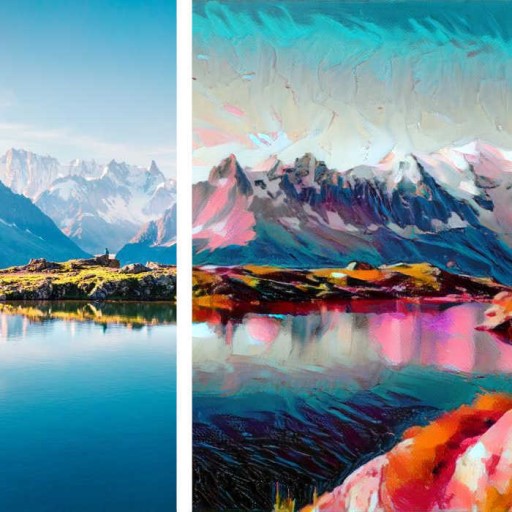
Nature - Photo Editor Filters PC
Picockapp
گیم لوپ ایمولیٹر کے ساتھ PC پر Nature - Photo Editor Filters ڈاؤن لوڈ کریں۔
پی سی پر Nature - Photo Editor Filters
Nature - Photo Editor Filters، جو ڈویلپر Picockapp سے آرہا ہے، ماضی میں اینڈرائیڈ سسٹم پر چل رہا ہے۔
اب، آپ پی سی پر Nature - Photo Editor Filters آسانی سے GameLoop کے ساتھ چلا سکتے ہیں۔
اسے GameLoop لائبریری یا تلاش کے نتائج میں ڈاؤن لوڈ کریں۔ مزید غلط وقت پر بیٹری یا مایوس کن کالوں پر نظر نہیں ڈالی جائے گی۔
بس بڑی سکرین پر Nature - Photo Editor Filters PC کا مفت میں لطف اٹھائیں!
Nature - Photo Editor Filters تعارف
Welcome to a real treat in the photo editor apps world!🌐 If you are a photo filters freak and love adding cool photo effects to your selfies, you must try this brilliant photo editing app - Photo Filters And Effects: Cool Picture Effects 🤳 by Picock
A new way to add cool photo effects to your pictures! 📸 Huge variety of photo filters that are constantly updated, with amazing, trendy, and cool photo effects for real photography enthusiasts new kind of a foto editor 🤳
Keep taking photos with different angles and amazing background using this stylish photo filters and effects app spice up your photography skills.👍
You can get cool picture effects easily with Picock photo editor app.
You do not need photoshop anymore to edit your photos even if you are a photography freak. This unique photo editor app provides cool photo editing effects and tools just like advanced photoshop.
The app contains amazing features that make your picture look beautiful in just a few seconds - easy to use foto editor. Most of the image presets and filters are similar or better than other apps that provide it as a paid feature.
Easy to use, take your photography skill to the next level with few clicks!
The pics art app provides cool effects that will make your picture look wonderful and out of the world with fun foto editor app - with the user needs as top priority.
Not like any other foto editor - "PICOCK: Photo Filters And Effects: Cool Picture Effects 🤳" is an all in one app with awesome photo editer features that will give a professional look to your image along with great looking photo filters.
Here is your perfect chance to make your image look the
most wonderful in just a few seconds and share among your friends over social media immediately.
App Features
✅ Cool Picture Effects
✅ Filter images from the content image and style image to make the most unique looking beautiful image
✅ State-of-the-art technologies (like AI & ML) are used for image photo editer
✅ Adjust the image brightness, exposure, saturation, and more
If you want to add any kind of art filters to your images or want to add premium image filters, this is the only photo editer app that you’ll ever need to make your photos look amazing.
You will love this amazing app among all other photo apps!
************************
SAY HELLO👋
************************
We are constantly working hard on making the “PICOCK: Photo Editor” app better and more useful for you. We need your constant support to get going.
Please email us for any queries/suggestions/problems or if you just want to say hello.
We would love to hear from you. If you have
enjoyed any feature of the “PICOCK: Photo Editor” app, do not forget to - Rate us in the play store and share us with your friends.
پیش نظارہ


ٹیگز
فوٹوگرافیمعلومات
ڈویلپر
Picockapp
تازہ ترین ورژن
1.3.1-nature
آخری تازہ کاری
2022-12-03
قسم
فوٹوگرافی
پر دستیاب ہے۔
Google Play
مزید دکھائیں
پی سی پر گیم لوپ کے ساتھ Nature - Photo Editor Filters کیسے کھیلا جائے۔
1. آفیشل ویب سائٹ سے گیم لوپ ڈاؤن لوڈ کریں، پھر گیم لوپ انسٹال کرنے کے لیے exe فائل چلائیں۔
2. گیم لوپ کھولیں اور "Nature - Photo Editor Filters" تلاش کریں، تلاش کے نتائج میں Nature - Photo Editor Filters تلاش کریں اور "انسٹال کریں" پر کلک کریں۔
3. گیم لوپ پر Nature - Photo Editor Filters کھیلنے کا لطف اٹھائیں۔
Minimum requirements
OS
Windows 8.1 64-bit or Windows 10 64-bit
GPU
GTX 1050
CPU
i3-8300
Memory
8GB RAM
Storage
1GB available space
Recommended requirements
OS
Windows 8.1 64-bit or Windows 10 64-bit
GPU
GTX 1050
CPU
i3-9320
Memory
16GB RAM
Storage
1GB available space