
Photos and Files Renamer PC
Fabio Crovatto
گیم لوپ ایمولیٹر کے ساتھ PC پر Photos and Files Renamer ڈاؤن لوڈ کریں۔
پی سی پر Photos and Files Renamer
Photos and Files Renamer، جو ڈویلپر Fabio Crovatto سے آرہا ہے، ماضی میں اینڈرائیڈ سسٹم پر چل رہا ہے۔
اب، آپ پی سی پر Photos and Files Renamer آسانی سے GameLoop کے ساتھ چلا سکتے ہیں۔
اسے GameLoop لائبریری یا تلاش کے نتائج میں ڈاؤن لوڈ کریں۔ مزید غلط وقت پر بیٹری یا مایوس کن کالوں پر نظر نہیں ڈالی جائے گی۔
بس بڑی سکرین پر Photos and Files Renamer PC کا مفت میں لطف اٹھائیں!
Photos and Files Renamer تعارف
Rename your photos and files easily and quickly!
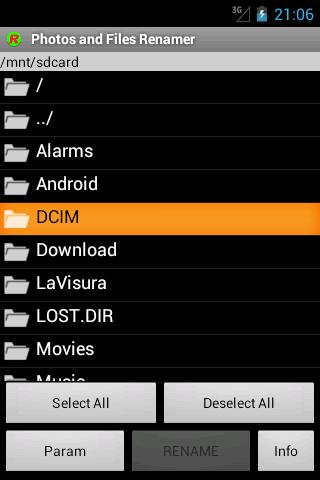
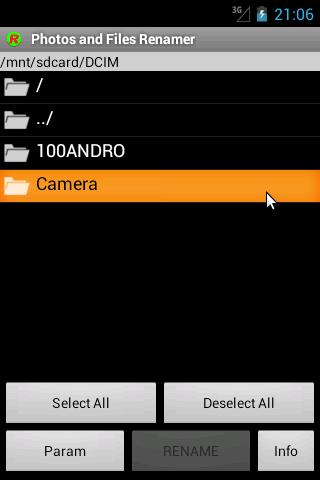
The app "Rename photos and files", also called "JcRename", is an easy APP to rename a series of photos or files, is batch rename tool for rename files in the directory.
JcRename is very useful if you want to rename your photos in order to classify and identify them by a name "expressively defined" instead of a generic sequential number or a date.
Have you visited Venice? Rename your photos as "Venice" so that you can recall them immediately!
Remember that this app can't rename the file extension, if you need this please buy the professional edition.
Try the new Photo and Files Renamer, professional edition compared to this free version were introduced the following:
- no advertising;
- the visual aspect and the menu organisation;
- pictures and videos preview was included;
- immediate update of Android Gallery was included;
- the possibility to rename also file extension was included;
- function which allows the to restore the previous files names;
- hidden files and folders management option was included;
- We added the translation in German and Russian;
- We added the automatical numbering in free position;
JcRename is also available for desktop computers at the JavaHouse site http://www.javahouse.altervista.org/crovatto/jcrename_en.html
پیش نظارہ
ٹیگز
فوٹوگرافیمعلومات
ڈویلپر
Fabio Crovatto
تازہ ترین ورژن
4.6
آخری تازہ کاری
2024-09-27
قسم
فوٹوگرافی
پر دستیاب ہے۔
Google Play
مزید دکھائیں
پی سی پر گیم لوپ کے ساتھ Photos and Files Renamer کیسے کھیلا جائے۔
1. آفیشل ویب سائٹ سے گیم لوپ ڈاؤن لوڈ کریں، پھر گیم لوپ انسٹال کرنے کے لیے exe فائل چلائیں۔
2. گیم لوپ کھولیں اور "Photos and Files Renamer" تلاش کریں، تلاش کے نتائج میں Photos and Files Renamer تلاش کریں اور "انسٹال کریں" پر کلک کریں۔
3. گیم لوپ پر Photos and Files Renamer کھیلنے کا لطف اٹھائیں۔
Minimum requirements
OS
Windows 8.1 64-bit or Windows 10 64-bit
GPU
GTX 1050
CPU
i3-8300
Memory
8GB RAM
Storage
1GB available space
Recommended requirements
OS
Windows 8.1 64-bit or Windows 10 64-bit
GPU
GTX 1050
CPU
i3-9320
Memory
16GB RAM
Storage
1GB available space