
Slide Launcher PC
Suxsem
گیم لوپ ایمولیٹر کے ساتھ PC پر Slide Launcher ڈاؤن لوڈ کریں۔
پی سی پر Slide Launcher
Slide Launcher، جو ڈویلپر Suxsem سے آرہا ہے، ماضی میں اینڈرائیڈ سسٹم پر چل رہا ہے۔
اب، آپ پی سی پر Slide Launcher آسانی سے GameLoop کے ساتھ چلا سکتے ہیں۔
اسے GameLoop لائبریری یا تلاش کے نتائج میں ڈاؤن لوڈ کریں۔ مزید غلط وقت پر بیٹری یا مایوس کن کالوں پر نظر نہیں ڈالی جائے گی۔
بس بڑی سکرین پر Slide Launcher PC کا مفت میں لطف اٹھائیں!
Slide Launcher تعارف
♣ 0% RAM AND BATTERY USAGE!
♣ APP SIZE: LESS THEN 2mb!
This is not a traditional launcher (like Nova, Apex, Adw, ecc...) so you don't have to replace the one that you're currently using
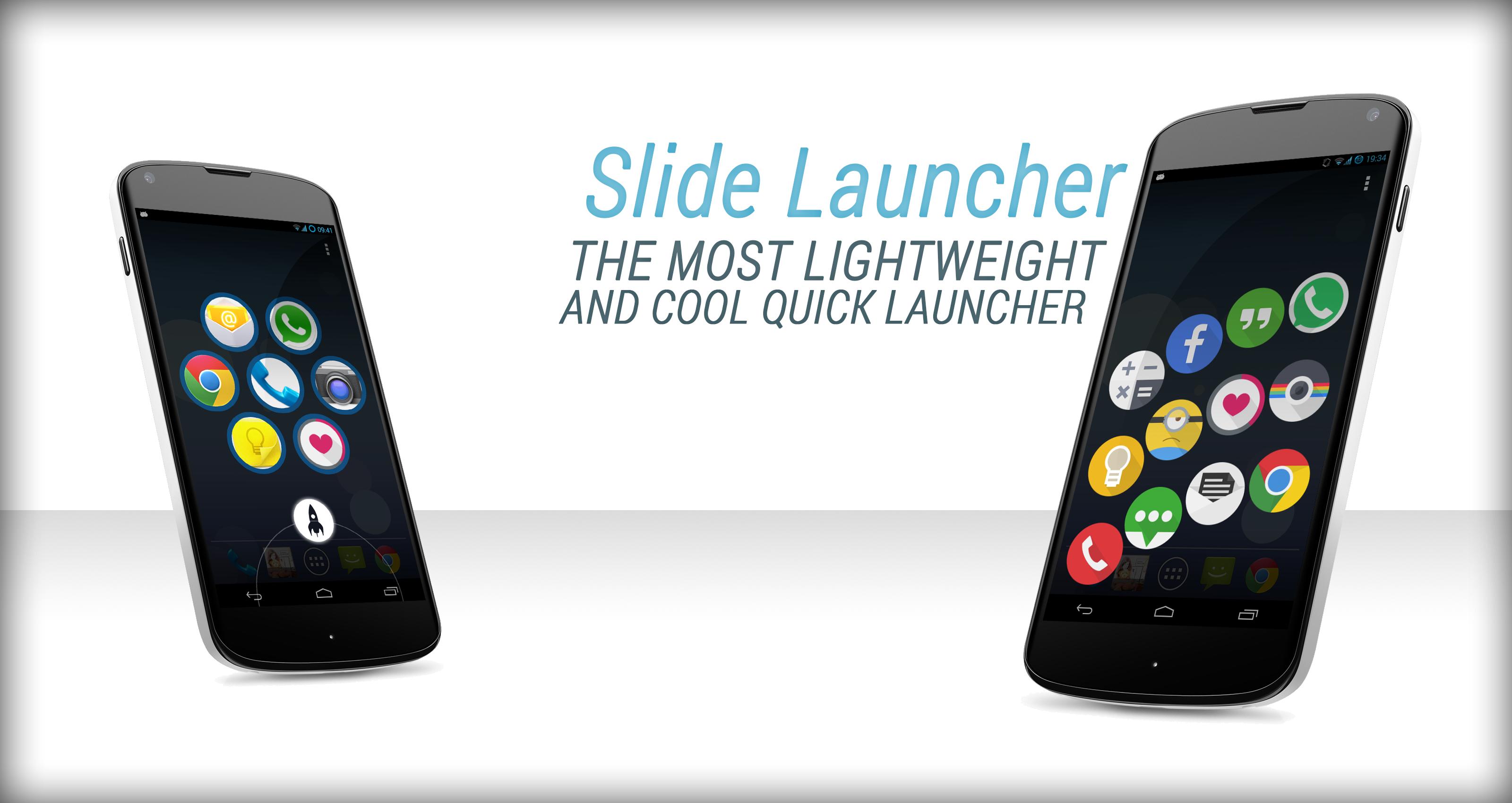
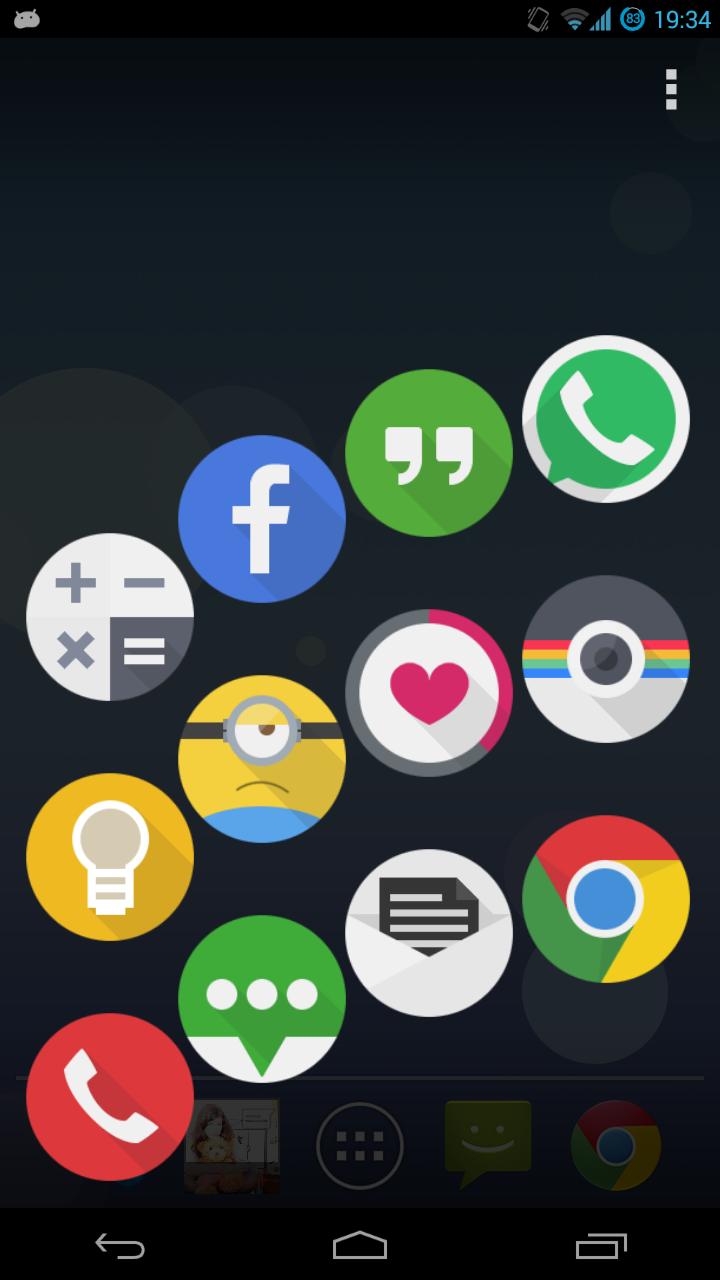
Slide Launcher is a fully customizable and extremely lightweight quick launcher that let you to start your favourite apps, direct messages, calls (and everything that can be started) FROM ANY SCREEN!
It uses the Google Now gesture (sliding up the home button) so will always be there, (even in the lockscreen!) and doesn't require any battery-eater service and overlay, unlike others apps of this kind.
This is why Slide Launcher will never run in background and will never slow down your phone or drain your battery.
MAIN FEATURES:
• Supports apps, direct messages, calls, shortcuts, activities and custom intents
• Supports themes for the most common launchers (nova, apex, go, ecc...)
• Different icons arrangements (circle, arc, grid, bar, ecc...)
• Launch apps in popup mode (floating window) (only for ParanoidAndroid ROM)
• Different frames can be applied on icons to make them more stylish
• Add, reorder and delete icons by drag & drop gesture
• Fully customizable (icons size, space between icons, haptic feedback, background color/image, ecc...)
OTHER FEATURES:
• Advanced cache engine for an amazing fast start time
• Fresh user interface accordance with Android style
• Can be launched with search or camera buttons for devices that don't have the navigation bar
Slide Launcher has just been released so expect improvements and new features in the future!
What are you waiting for? Download Slide Launcher right now... it's absolutely free and you'll love it! ♥
Don't have navigation bar, search button or camera button? We are working on a plugin to start Slide Launcher with a swipe gesture from the bottom of the screen...stay tuned!
Do you have a Samsung device with Android 4.1 or lower? Download this little plugin to avoid some problems: http://tiny.cc/slidelaunchertouchwiz
FAQs: http://tiny.cc/slidelauncherfaqs
Official XDA thread: http://tiny.cc/slidelauncherxda
پیش نظارہ
ٹیگز
پرسنلائزیشنمعلومات
ڈویلپر
Suxsem
تازہ ترین ورژن
3.4
آخری تازہ کاری
2013-11-13
قسم
پرسنلائزیشن
پر دستیاب ہے۔
Google Play
مزید دکھائیں
پی سی پر گیم لوپ کے ساتھ Slide Launcher کیسے کھیلا جائے۔
1. آفیشل ویب سائٹ سے گیم لوپ ڈاؤن لوڈ کریں، پھر گیم لوپ انسٹال کرنے کے لیے exe فائل چلائیں۔
2. گیم لوپ کھولیں اور "Slide Launcher" تلاش کریں، تلاش کے نتائج میں Slide Launcher تلاش کریں اور "انسٹال کریں" پر کلک کریں۔
3. گیم لوپ پر Slide Launcher کھیلنے کا لطف اٹھائیں۔
Minimum requirements
OS
Windows 8.1 64-bit or Windows 10 64-bit
GPU
GTX 1050
CPU
i3-8300
Memory
8GB RAM
Storage
1GB available space
Recommended requirements
OS
Windows 8.1 64-bit or Windows 10 64-bit
GPU
GTX 1050
CPU
i3-9320
Memory
16GB RAM
Storage
1GB available space