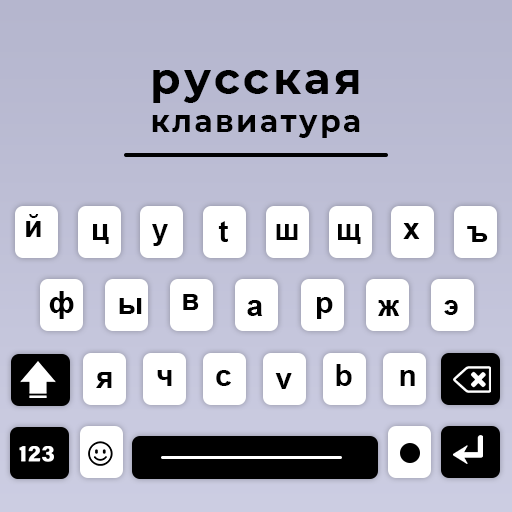
Russian English Keyboard PC
Fast Keyboard & Voice Translator
گیم لوپ ایمولیٹر کے ساتھ PC پر Russian English Keyboard ڈاؤن لوڈ کریں۔
پی سی پر Russian English Keyboard
Russian English Keyboard، جو ڈویلپر Fast Keyboard & Voice Translator سے آرہا ہے، ماضی میں اینڈرائیڈ سسٹم پر چل رہا ہے۔
اب، آپ پی سی پر Russian English Keyboard آسانی سے GameLoop کے ساتھ چلا سکتے ہیں۔
اسے GameLoop لائبریری یا تلاش کے نتائج میں ڈاؤن لوڈ کریں۔ مزید غلط وقت پر بیٹری یا مایوس کن کالوں پر نظر نہیں ڈالی جائے گی۔
بس بڑی سکرین پر Russian English Keyboard PC کا مفت میں لطف اٹھائیں!
Russian English Keyboard تعارف
Russian English Keyboard is the perfect tool for fast, smart, and stylish typing in both Russian and English. This Russian language keyboard is designed for users who want a smooth typing experience with accurate suggestions, auto-correction, and voice-to-text input. Whether you're chatting, writing an email, or posting on social media, this English to Russian keyboard gives you all the features you need in one place.
Switch easily between Russian and English keyboards with a single tap. The dual-language keyboard supports Russian typing, emoji and sticker keyboards, and includes smart predictive text to speed up your typing. It works seamlessly on all Android devices and offers an offline Russian keyboard experience—no internet needed after setup.
Customize your typing style with stylish keyboard themes, background images, and font options. Whether you prefer a classic Russian keyboard, modern design, or colorful layouts, the app lets you set your favorite look.
The Russian Keyboard app is the ultimate solution for typing in Cyrillic on your Android device. Whether you’re a native speaker, a learner, or just need to type in Russian language input, this bilingual Russian keyboard provides a seamless experience with powerful features and a user-friendly interface.
Unlock the power of Fast Russian typing Keyboard with our feature-packed Russian Keyboard offline! Designed for both beginners and advanced users, this voice typing app makes typing in Cyrillic fast, easy, and fun. Whether you are texting, writing emails, or social media posts in Russian, this early cyrillic keyboard provides the tools you need for a smooth experience.
Russian keyboard 2024 works as default keyboard in a mobile phone to write Russian and English together through Offline Russian keyboard with themes and emoji. Russian language free keyboard is specially designed for peoples who love to type English and Russian at the same time in a simple and easy way with smart Russian keyboard free app.
Key Features:
Type in Russian and English with ease and Russian keyboard with emoji & stickers
Auto-correction and word suggestions
Voice typing and fast Russian text input and Offline support for Russian typing
Colorful themes and custom fonts and Lightweight, fast, and secure
Russian Cyrillic Typing: Effortlessly switch between Cyrillic and Latin alphabets.
Smart Word Suggestions: Advanced word prediction and auto-correct to speed up your typing.
Cute Emoji Support: Express yourself with a wide range of emojis directly integrated into the russian emoji keyboard.
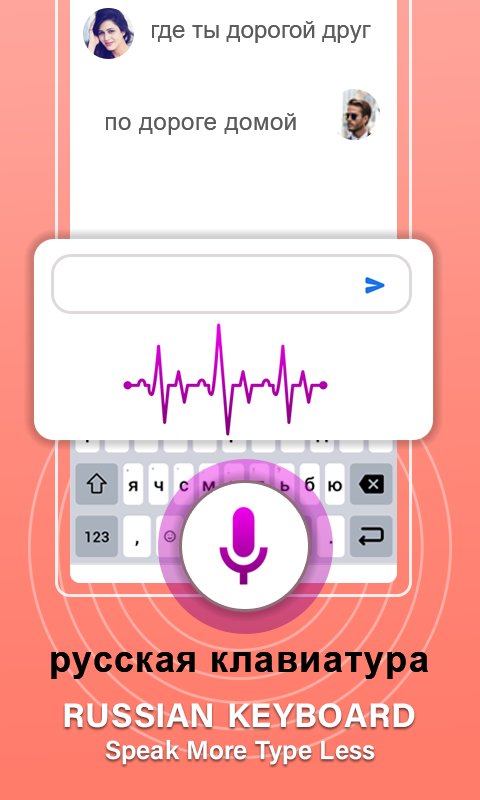
Voice Input: Use speech to Russian Text Input to type in Russian hands-free.
Customizable Themes: Personalize your customizable keyboard russian with beautiful themes and color schemes.
Bilingual Layout: Easily toggle between voice typing Russian and English or any other language.
Offline keyboard Typing App: Type in Russian even when you are offline—perfect for travel and limited connectivity.
Easy Setup: Quick installation and easy-to-use settings in gesture typing russian language Keyboard.
پیش نظارہ

ٹیگز
پرسنلائزیشنمعلومات
ڈویلپر
Fast Keyboard & Voice Translator
تازہ ترین ورژن
V14
آخری تازہ کاری
2025-10-09
قسم
پرسنلائزیشن
پر دستیاب ہے۔
Google Play
مزید دکھائیں
پی سی پر گیم لوپ کے ساتھ Russian English Keyboard کیسے کھیلا جائے۔
1. آفیشل ویب سائٹ سے گیم لوپ ڈاؤن لوڈ کریں، پھر گیم لوپ انسٹال کرنے کے لیے exe فائل چلائیں۔
2. گیم لوپ کھولیں اور "Russian English Keyboard" تلاش کریں، تلاش کے نتائج میں Russian English Keyboard تلاش کریں اور "انسٹال کریں" پر کلک کریں۔
3. گیم لوپ پر Russian English Keyboard کھیلنے کا لطف اٹھائیں۔
Minimum requirements
OS
Windows 8.1 64-bit or Windows 10 64-bit
GPU
GTX 1050
CPU
i3-8300
Memory
8GB RAM
Storage
1GB available space
Recommended requirements
OS
Windows 8.1 64-bit or Windows 10 64-bit
GPU
GTX 1050
CPU
i3-9320
Memory
16GB RAM
Storage
1GB available space