
Order List PC
Zircon Infotech
گیم لوپ ایمولیٹر کے ساتھ PC پر Order List ڈاؤن لوڈ کریں۔
پی سی پر Order List
Order List، جو ڈویلپر Zircon Infotech سے آرہا ہے، ماضی میں اینڈرائیڈ سسٹم پر چل رہا ہے۔
اب، آپ پی سی پر Order List آسانی سے GameLoop کے ساتھ چلا سکتے ہیں۔
اسے GameLoop لائبریری یا تلاش کے نتائج میں ڈاؤن لوڈ کریں۔ مزید غلط وقت پر بیٹری یا مایوس کن کالوں پر نظر نہیں ڈالی جائے گی۔
بس بڑی سکرین پر Order List PC کا مفت میں لطف اٹھائیں!
Order List تعارف
The app is very useful to prepare list, call or send quotation and give orders to various parties.
How it is Useful:
This application is useful to prepare the Price list and send it to customers via various digital sharing options.
Users can call or send the quotation from/to other parties anytime, anywhere on urgent basis.
This app is also useful to give an authentic order for procuring material with the help of various digital sharing options.
It provides flexibility to send the list of items to supplier, executives, friends, etc.
How it Works:
This app gives a facility to add new items, categorize the items in different groups as well as changes the item’s description.
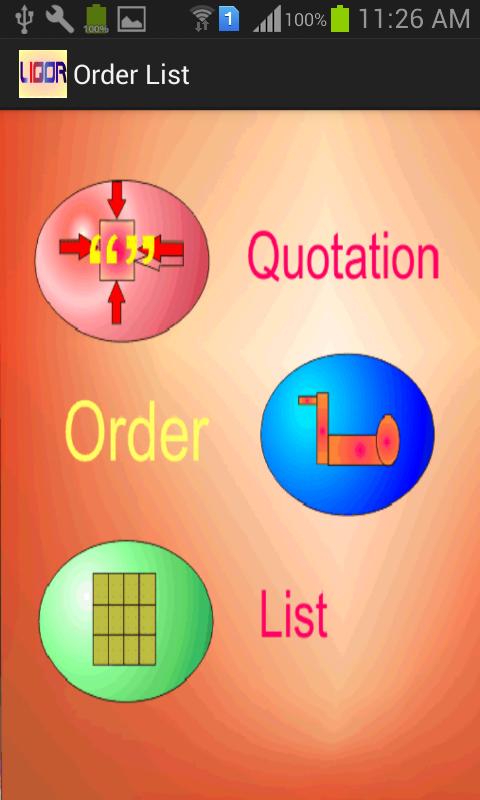
Main Screen of Application shows the various groups of items (whatever you insert). ‘Add new Items’ by using Main Menu or ‘Show and Send List’ which are already selected by you.
When you ‘Show and Send List’, app displays the entire selected item and give a choice to send this information to receiver through various sharing option. You may send these items as a ‘List’, ‘Quotation’ or as an ‘Order’ also at the time of sending of items you can add the description for the same.
After sending this list you can ‘Refresh List’, to nullify all the selected Quantity, Rate and Amount and to make another list.
How to Prepare List:
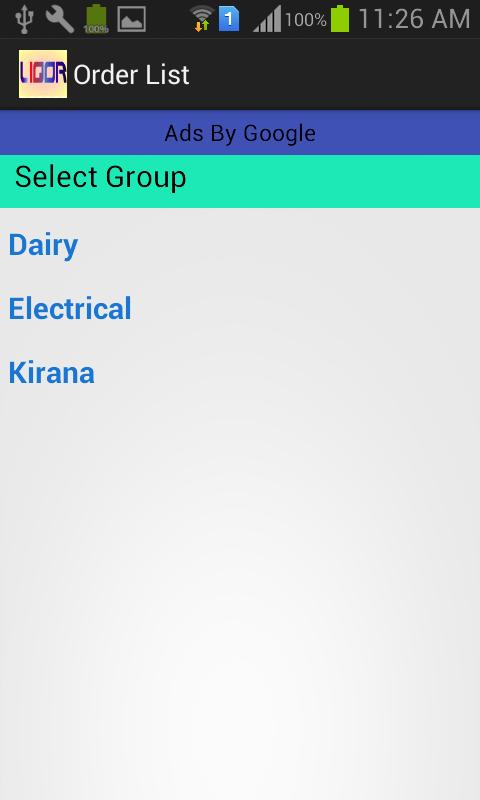
From the Main Screen, you may select the Group and get the list of items of the selected group. Now you can select an Item and enter the Quantity, Rate to get the amount. If you want to Edit the details of Items or change the Group then Select Edit button and change the Name and Group of the selected item.
After saving the details, it will show you the previous list and you may select new items or or go back further to select the new group.
After completion of list you can once again send the information in the form of ‘List’, ‘Quotation’ or ‘Order’ and save the time and enjoy the life.
پیش نظارہ
ٹیگز
پرسنلائزیشنمعلومات
ڈویلپر
Zircon Infotech
تازہ ترین ورژن
1.1
آخری تازہ کاری
2018-05-24
قسم
پرسنلائزیشن
پر دستیاب ہے۔
Google Play
مزید دکھائیں
پی سی پر گیم لوپ کے ساتھ Order List کیسے کھیلا جائے۔
1. آفیشل ویب سائٹ سے گیم لوپ ڈاؤن لوڈ کریں، پھر گیم لوپ انسٹال کرنے کے لیے exe فائل چلائیں۔
2. گیم لوپ کھولیں اور "Order List" تلاش کریں، تلاش کے نتائج میں Order List تلاش کریں اور "انسٹال کریں" پر کلک کریں۔
3. گیم لوپ پر Order List کھیلنے کا لطف اٹھائیں۔
Minimum requirements
OS
Windows 8.1 64-bit or Windows 10 64-bit
GPU
GTX 1050
CPU
i3-8300
Memory
8GB RAM
Storage
1GB available space
Recommended requirements
OS
Windows 8.1 64-bit or Windows 10 64-bit
GPU
GTX 1050
CPU
i3-9320
Memory
16GB RAM
Storage
1GB available space