
Folder Widget - Large Folders PC
automan
گیم لوپ ایمولیٹر کے ساتھ PC پر Folder Widget - Large Folders ڈاؤن لوڈ کریں۔
پی سی پر Folder Widget - Large Folders
Folder Widget - Large Folders، جو ڈویلپر automan سے آرہا ہے، ماضی میں اینڈرائیڈ سسٹم پر چل رہا ہے۔
اب، آپ پی سی پر Folder Widget - Large Folders آسانی سے GameLoop کے ساتھ چلا سکتے ہیں۔
اسے GameLoop لائبریری یا تلاش کے نتائج میں ڈاؤن لوڈ کریں۔ مزید غلط وقت پر بیٹری یا مایوس کن کالوں پر نظر نہیں ڈالی جائے گی۔
بس بڑی سکرین پر Folder Widget - Large Folders PC کا مفت میں لطف اٹھائیں!
Folder Widget - Large Folders تعارف
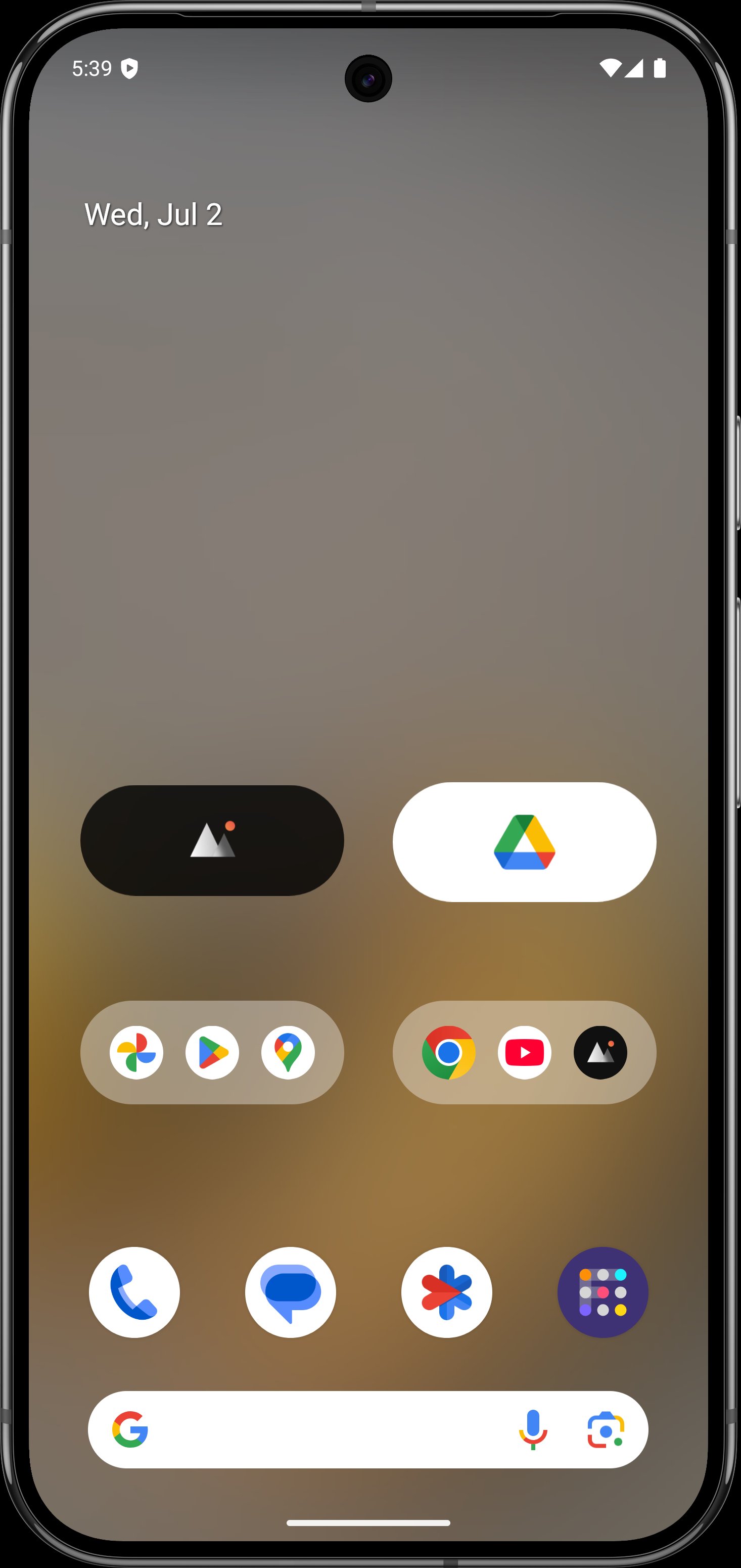
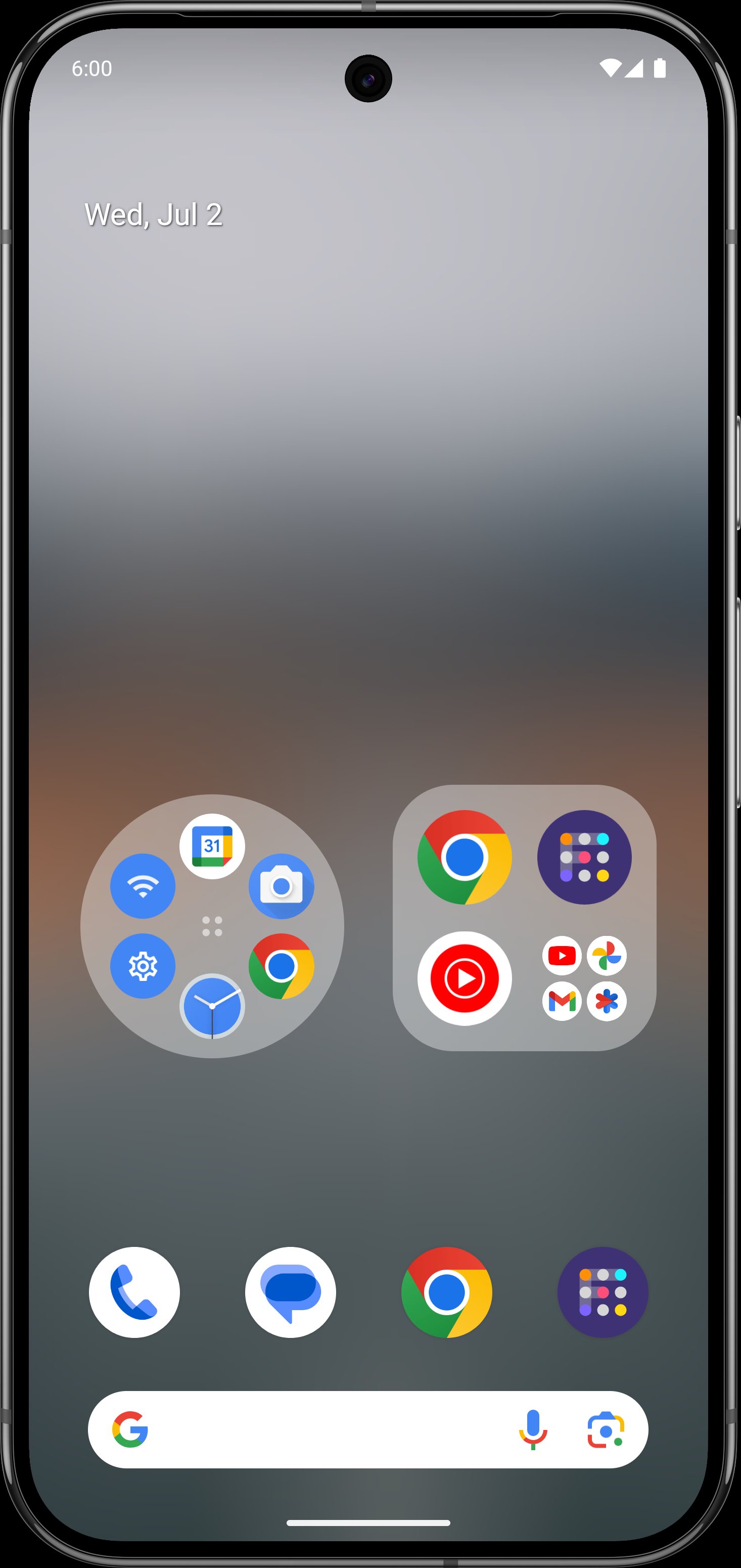
Large Folders makes your phone’s launcher home screen easy to navigate by organizing apps into one Large Folder or Large Icon and quickly accessing the corresponding app without even opening that app folder in the first place. You can enter the large folder with a touch on the lower right corner of the folder.
Features:
- Rich configuration options
- Support hiding folder name
- Support kind of shortcuts, such as quick system settings, in-app shortcuts, files, folders, web page, activities, accessibility shortcuts, custom schema, shell and popup widget
- Kind of folder widget struct type, 2x2, 3x3, 4x4, 3+4, 1x5, 2x3, 3x2, MxN(cutstom), MxN(Scroll), Circle and more
- Custom widget size, background color, radius, margins, paddings
- Custom folder name, text color, text size, text paddings
- Custom folder grid size and icon name visibility
- Support change notification dot number styles
- Vertical scrollable inside the folder box
- Adaptive icon shape
- Support icon pack and mask
- Auto-dark folder background
- Shadow option of folder name
Popup widget- Select one or more pop-up widgets to place in a large folder or icon on the home screen launcher
File/Folders - select the file or folder path as the quickest way to open it
Accessibility shortcuts - includes quick Home, Back, Recent, Power menu, Take screenshot(Android P+), One-key Lock screen(Android P+) and more
Activities- activity screen list of all installed apps
Web page - use any URL as a separate page that can be opened quickly
Schema - jump to a specific page using a more advanced schema
Shell - command execution
If you have any questions or suggestions, please contact me by email to hanks.xyz@gmail.com
پیش نظارہ
ٹیگز
پرسنلائزیشنمعلومات
ڈویلپر
automan
تازہ ترین ورژن
10.8.2
آخری تازہ کاری
2026-02-23
قسم
پرسنلائزیشن
پر دستیاب ہے۔
Google Play
مزید دکھائیں
پی سی پر گیم لوپ کے ساتھ Folder Widget - Large Folders کیسے کھیلا جائے۔
1. آفیشل ویب سائٹ سے گیم لوپ ڈاؤن لوڈ کریں، پھر گیم لوپ انسٹال کرنے کے لیے exe فائل چلائیں۔
2. گیم لوپ کھولیں اور "Folder Widget - Large Folders" تلاش کریں، تلاش کے نتائج میں Folder Widget - Large Folders تلاش کریں اور "انسٹال کریں" پر کلک کریں۔
3. گیم لوپ پر Folder Widget - Large Folders کھیلنے کا لطف اٹھائیں۔
Minimum requirements
OS
Windows 8.1 64-bit or Windows 10 64-bit
GPU
GTX 1050
CPU
i3-8300
Memory
8GB RAM
Storage
1GB available space
Recommended requirements
OS
Windows 8.1 64-bit or Windows 10 64-bit
GPU
GTX 1050
CPU
i3-9320
Memory
16GB RAM
Storage
1GB available space