Awesome icons PC
Momo apps
گیم لوپ ایمولیٹر کے ساتھ PC پر Awesome icons ڈاؤن لوڈ کریں۔
پی سی پر Awesome icons
Awesome icons، جو ڈویلپر Momo apps سے آرہا ہے، ماضی میں اینڈرائیڈ سسٹم پر چل رہا ہے۔
اب، آپ پی سی پر Awesome icons آسانی سے GameLoop کے ساتھ چلا سکتے ہیں۔
اسے GameLoop لائبریری یا تلاش کے نتائج میں ڈاؤن لوڈ کریں۔ مزید غلط وقت پر بیٹری یا مایوس کن کالوں پر نظر نہیں ڈالی جائے گی۔
بس بڑی سکرین پر Awesome icons PC کا مفت میں لطف اٹھائیں!
Awesome icons تعارف
**NOTE: Android 8.0 and newer adds a small icon next to your customized icon. It's not possible to remove that due to Android limitations.**
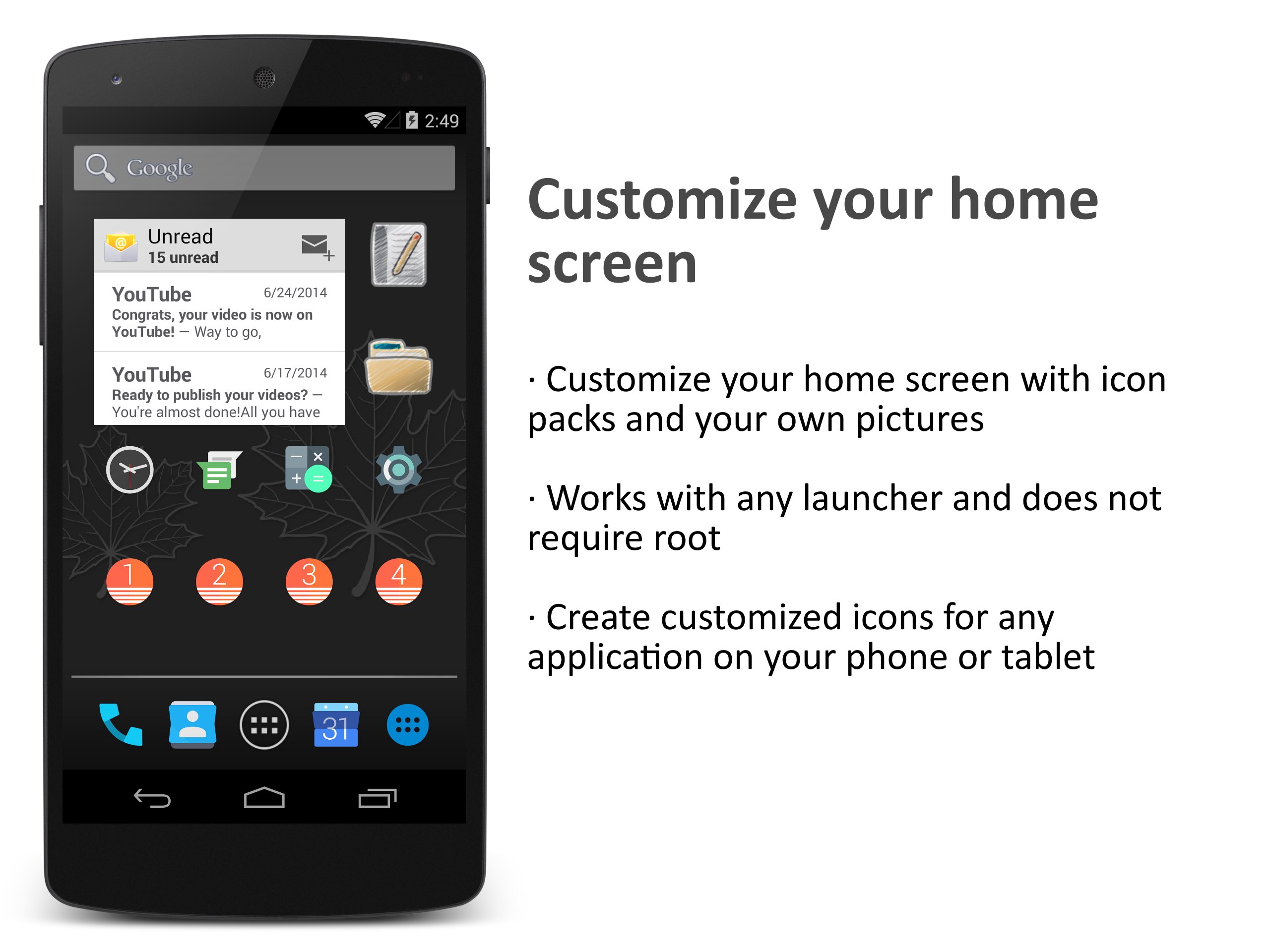
Awesome Icons lets you customize your home screen icons with icon packs and your own pictures. It works with most launchers and does not require root.
Download icon packs from the Play store and mix icons freely from any of them. You can also use your own pictures from the gallery or the camera to create your own icons. With Awesome Icons, you choose the style of each home screen icon individually.
Creating customized icons is easy: find the application and the icon pack you want, and create your new home screen icon with a single tap. You can also customize the label of the application or remove it completely.
You can use the app to personalize your icons with any launcher, including the stock Android launcher and the Google Now launcher.
Video review by TechnoBuffalo: https://www.youtube.com/watch?v=54U6ErWJAkU
Try these:
- Draw your own icons on paper and use the camera.
- Create icons with empty labels for a minimalistic look.
- Use a different style on each home screen page.
Features:
- Create customized icons for any application on your phone or tablet
- Pick any image from the gallery to use as an icon.
- Take pictures with the camera to create your own icons.
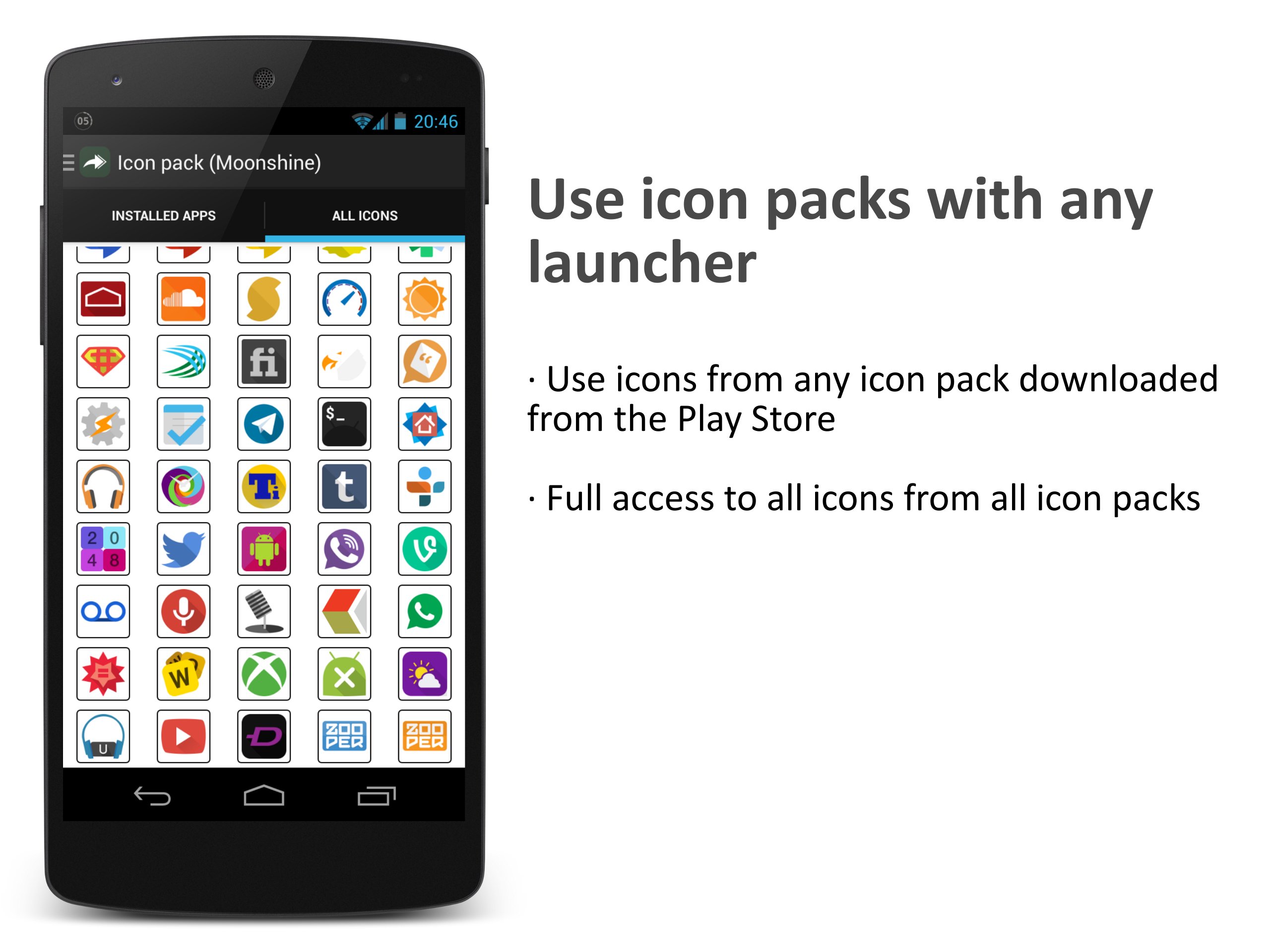
- Use icons from any icon pack installed from the Play store.
- Full access to all icons from all icon packs: use any icon for any app.
- Customize the label for your icons or remove it completely.
- No third party launcher or root is required.
- No impact on performance or battery life
- Works on any phone or tablet.
Please note that this app only changes home screen icons, not icons in the app drawer of your launcher.
پیش نظارہ
ٹیگز
پرسنلائزیشنمعلومات
ڈویلپر
Momo apps
تازہ ترین ورژن
0.15.3
آخری تازہ کاری
2018-12-26
قسم
پرسنلائزیشن
پر دستیاب ہے۔
Google Play
مزید دکھائیں
پی سی پر گیم لوپ کے ساتھ Awesome icons کیسے کھیلا جائے۔
1. آفیشل ویب سائٹ سے گیم لوپ ڈاؤن لوڈ کریں، پھر گیم لوپ انسٹال کرنے کے لیے exe فائل چلائیں۔
2. گیم لوپ کھولیں اور "Awesome icons" تلاش کریں، تلاش کے نتائج میں Awesome icons تلاش کریں اور "انسٹال کریں" پر کلک کریں۔
3. گیم لوپ پر Awesome icons کھیلنے کا لطف اٹھائیں۔
Minimum requirements
OS
Windows 8.1 64-bit or Windows 10 64-bit
GPU
GTX 1050
CPU
i3-8300
Memory
8GB RAM
Storage
1GB available space
Recommended requirements
OS
Windows 8.1 64-bit or Windows 10 64-bit
GPU
GTX 1050
CPU
i3-9320
Memory
16GB RAM
Storage
1GB available space