Real Drums 3D PC
Netigen Drum Loops
گیم لوپ ایمولیٹر کے ساتھ PC پر Real Drums 3D ڈاؤن لوڈ کریں۔
پی سی پر Real Drums 3D
Real Drums 3D، جو ڈویلپر Netigen Drum Loops سے آرہا ہے، ماضی میں اینڈرائیڈ سسٹم پر چل رہا ہے۔
اب، آپ پی سی پر Real Drums 3D آسانی سے GameLoop کے ساتھ چلا سکتے ہیں۔
اسے GameLoop لائبریری یا تلاش کے نتائج میں ڈاؤن لوڈ کریں۔ مزید غلط وقت پر بیٹری یا مایوس کن کالوں پر نظر نہیں ڈالی جائے گی۔
بس بڑی سکرین پر Real Drums 3D PC کا مفت میں لطف اٹھائیں!
Real Drums 3D تعارف
Real Drums 3D - a special set which you will love at the first sight!
★ Two modes
★★ Amazing sounds
★★★ Unique soundtracks
★★★★ Just perfect!
If you are looking for something special, you have finally found it!
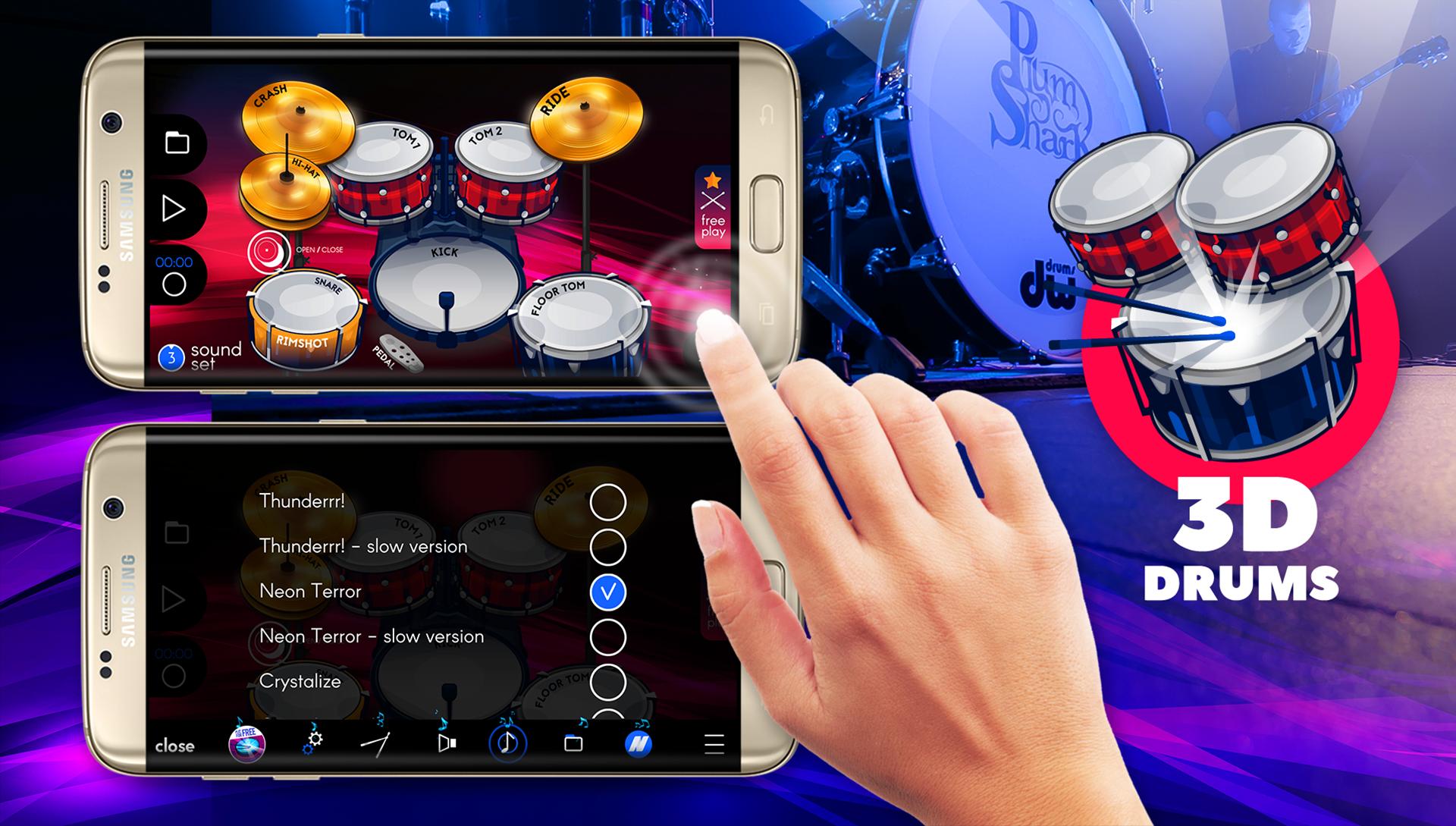
★ Real Drums 3D is a percussion set perfectly fitted both for beginning musicians, who spend hours practicing the easiest beats and professional drummers who want to have their drums always to hand. Real Drums 3D contains 51 realistic sounds recorded in a professional studio as well as a multitouch function. Thanks to the recording mode, every user can record all pieces.
★ Application contains two modes:
- free play - use it to practise your skills,
- demo song - you can listen to an example song.
★ What's more?
In Real Drums 3D you can find 6 soundtracks - play them in the background and keep practising.
★ Features:
- recording, saving, loading mode,
- multitouch,
- 51 realistic sounds,
- choice of instruments sound: three sound sets,
- turn on/off vibration and effects,
- set the tempo,
- free,
- you can make you own composition.
★ Try unique music instruments! This game is perfect both for experienced percussionists and amateurs. Making music never before has been so easy. Now you don’t have to have your own studio.
★ Using it you can feel like a real drummer!
Learn to play on percussion with this application! Feel the power!
★ If you need any help, please contact us: mobile@netigen.pl
پیش نظارہ

ٹیگز
Music-&معلومات
ڈویلپر
Netigen Drum Loops
تازہ ترین ورژن
1.7.1
آخری تازہ کاری
2019-04-04
قسم
Music-audio
پر دستیاب ہے۔
Google Play
مزید دکھائیں
پی سی پر گیم لوپ کے ساتھ Real Drums 3D کیسے کھیلا جائے۔
1. آفیشل ویب سائٹ سے گیم لوپ ڈاؤن لوڈ کریں، پھر گیم لوپ انسٹال کرنے کے لیے exe فائل چلائیں۔
2. گیم لوپ کھولیں اور "Real Drums 3D" تلاش کریں، تلاش کے نتائج میں Real Drums 3D تلاش کریں اور "انسٹال کریں" پر کلک کریں۔
3. گیم لوپ پر Real Drums 3D کھیلنے کا لطف اٹھائیں۔
Minimum requirements
OS
Windows 8.1 64-bit or Windows 10 64-bit
GPU
GTX 1050
CPU
i3-8300
Memory
8GB RAM
Storage
1GB available space
Recommended requirements
OS
Windows 8.1 64-bit or Windows 10 64-bit
GPU
GTX 1050
CPU
i3-9320
Memory
16GB RAM
Storage
1GB available space