GlycoX 10 Graphic Equalizer PC
Kushiheim
گیم لوپ ایمولیٹر کے ساتھ PC پر GlycoX 10 Graphic Equalizer ڈاؤن لوڈ کریں۔
پی سی پر GlycoX 10 Graphic Equalizer
GlycoX 10 Graphic Equalizer، جو ڈویلپر Kushiheim سے آرہا ہے، ماضی میں اینڈرائیڈ سسٹم پر چل رہا ہے۔
اب، آپ پی سی پر GlycoX 10 Graphic Equalizer آسانی سے GameLoop کے ساتھ چلا سکتے ہیں۔
اسے GameLoop لائبریری یا تلاش کے نتائج میں ڈاؤن لوڈ کریں۔ مزید غلط وقت پر بیٹری یا مایوس کن کالوں پر نظر نہیں ڈالی جائے گی۔
بس بڑی سکرین پر GlycoX 10 Graphic Equalizer PC کا مفت میں لطف اٹھائیں!
GlycoX 10 Graphic Equalizer تعارف
You can get the sound quality you want just by starting the music player from the playback button of this app and changing the settings of bass boost, virtualizer, and equalizer. You can change the sound quality of music players, audio players, videos, music streaming apps, radio apps, etc. (*1)
Feature:
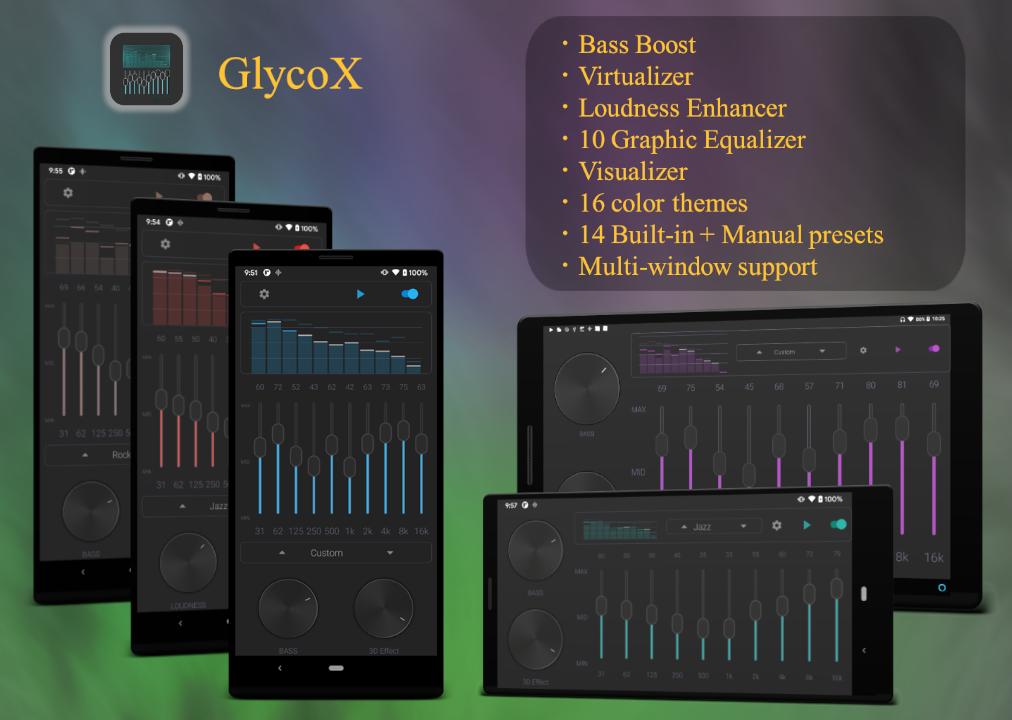
- Bass boost
- 3D Effect(Virtualizer)(*2)
- OpenGL Graphics with Visualizer (*3)
- Loudness Enhancer and Volume Knob(*4)
- 14 Buit-In + 1 custom equalizer preset
- 16 different color themes
- Operation via notification
- Supports Multi-Window Mode(Android 7 or later)
(*1) Not supported on some models.
(*2) Stereo widening effect can be used. By using a headset, you can get the best sound effect.
(*3) This app uses the output sound to visualize the FFT data, so user permission is required when launching the app.
(*4) Swipe between knobs to bring up the next screen
In portrait screen: Swipe vertically
In landscape screen: Swipe horizontally
This equalizer app will not work if you start it while other equalizers are running,
so you need to start it according to the following procedure.
1. Completely stop both the GlycoX app and other equalizer apps.
1.1 For apps that cannot be terminated from notifications (some apps do not issue notifications)
Press and hold the icon to "force stop" on the "App information" screen.
2. Launch the GlycoX app.
===== For users with Android 10 or later =====
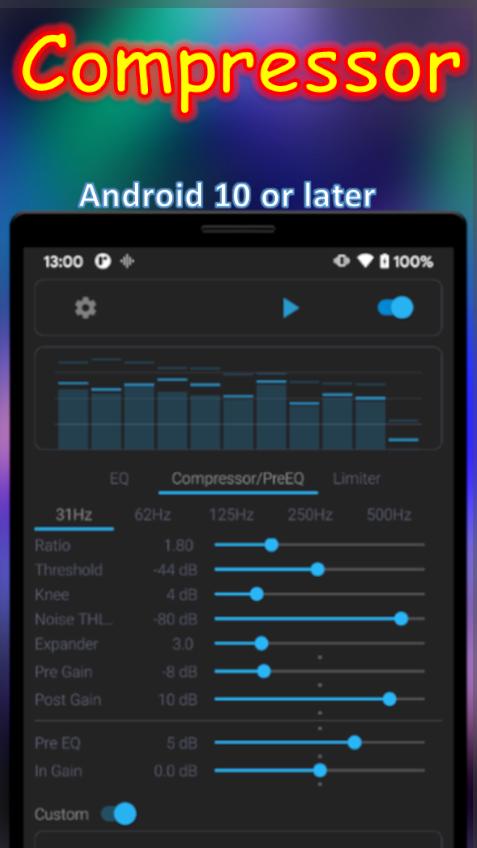
On Android 10 or later, you can enjoy music with the best sound by adjusting the Compressor.
The effector consists of Pre EQ --> Compressor --> Post EQ --> Limiter in this order.
1. How to easily increase the bass using Compressor (first try it at 62Hz, which is easy to hear)
- Lower the value of Pre Gain.
- Increase the value of Post Gain.
- Slightly lower the Ratio value.
- Increase Threshold a little.
(First of all, try moving the Seek Bar of these four parameters slowly left and right to feel the change in sound.)
2. The following is an example of how to adjust Post EQ at the end.
Step1. Set the Post EQ preset to FLAT.
Step2. Set all Compressor and Limiter presets to Default. (Don't set In Gain and Out Gain too high, just set them to about 0.
Step3. change Pre EQ, Pre Gain, and Post Gain to your favorite values for each frequency. Adjust the Ratio and Threshold as necessary.
Step4. increase the volume to the desired level with Out Gain. If necessary, adjust the In Gain.
Step5. Adjust Post EQ if necessary.
3. Operation mode
From v1.6.6, the following two operation modes are selectable.
- Standard
This mode was used until v1.5.6.
- Deep
This mode is for deep bass. It is effective to adjust the volume by lowering the In Gain and moderately increasing the Out Gain, Loudness, and Volume.
If you increase the In Gain too much, the bass effect will be reduced.
First, try adjusting the Pre Gain, Post Gain, and Pre EQ up or down at the default setting of 31Hz to feel the effect that could not be created with Standard.
(Note: The Bass Boost knob cannot be used in this mode.)
If you use Android 10 or later, you may not want to use Bass Boost as much as possible.
==============================================
Notes:
To exit the app completely, you need to exit from notifications.
Loudness, In Gain, and Out Gain values will not be saved after quitting the app.
Extreme settings may cause sound crack. Please enjoy this app with moderate settings and volume at your own risk.
پیش نظارہ
ٹیگز
Music-&معلومات
ڈویلپر
Kushiheim
تازہ ترین ورژن
1.9.11a
آخری تازہ کاری
2025-04-07
قسم
Music-audio
پر دستیاب ہے۔
Google Play
مزید دکھائیں
پی سی پر گیم لوپ کے ساتھ GlycoX 10 Graphic Equalizer کیسے کھیلا جائے۔
1. آفیشل ویب سائٹ سے گیم لوپ ڈاؤن لوڈ کریں، پھر گیم لوپ انسٹال کرنے کے لیے exe فائل چلائیں۔
2. گیم لوپ کھولیں اور "GlycoX 10 Graphic Equalizer" تلاش کریں، تلاش کے نتائج میں GlycoX 10 Graphic Equalizer تلاش کریں اور "انسٹال کریں" پر کلک کریں۔
3. گیم لوپ پر GlycoX 10 Graphic Equalizer کھیلنے کا لطف اٹھائیں۔
Minimum requirements
OS
Windows 8.1 64-bit or Windows 10 64-bit
GPU
GTX 1050
CPU
i3-8300
Memory
8GB RAM
Storage
1GB available space
Recommended requirements
OS
Windows 8.1 64-bit or Windows 10 64-bit
GPU
GTX 1050
CPU
i3-9320
Memory
16GB RAM
Storage
1GB available space