
Audio Cues PC
Radial Theater
گیم لوپ ایمولیٹر کے ساتھ PC پر Audio Cues ڈاؤن لوڈ کریں۔
پی سی پر Audio Cues
Audio Cues، جو ڈویلپر Radial Theater سے آرہا ہے، ماضی میں اینڈرائیڈ سسٹم پر چل رہا ہے۔
اب، آپ پی سی پر Audio Cues آسانی سے GameLoop کے ساتھ چلا سکتے ہیں۔
اسے GameLoop لائبریری یا تلاش کے نتائج میں ڈاؤن لوڈ کریں۔ مزید غلط وقت پر بیٹری یا مایوس کن کالوں پر نظر نہیں ڈالی جائے گی۔
بس بڑی سکرین پر Audio Cues PC کا مفت میں لطف اٹھائیں!
Audio Cues تعارف
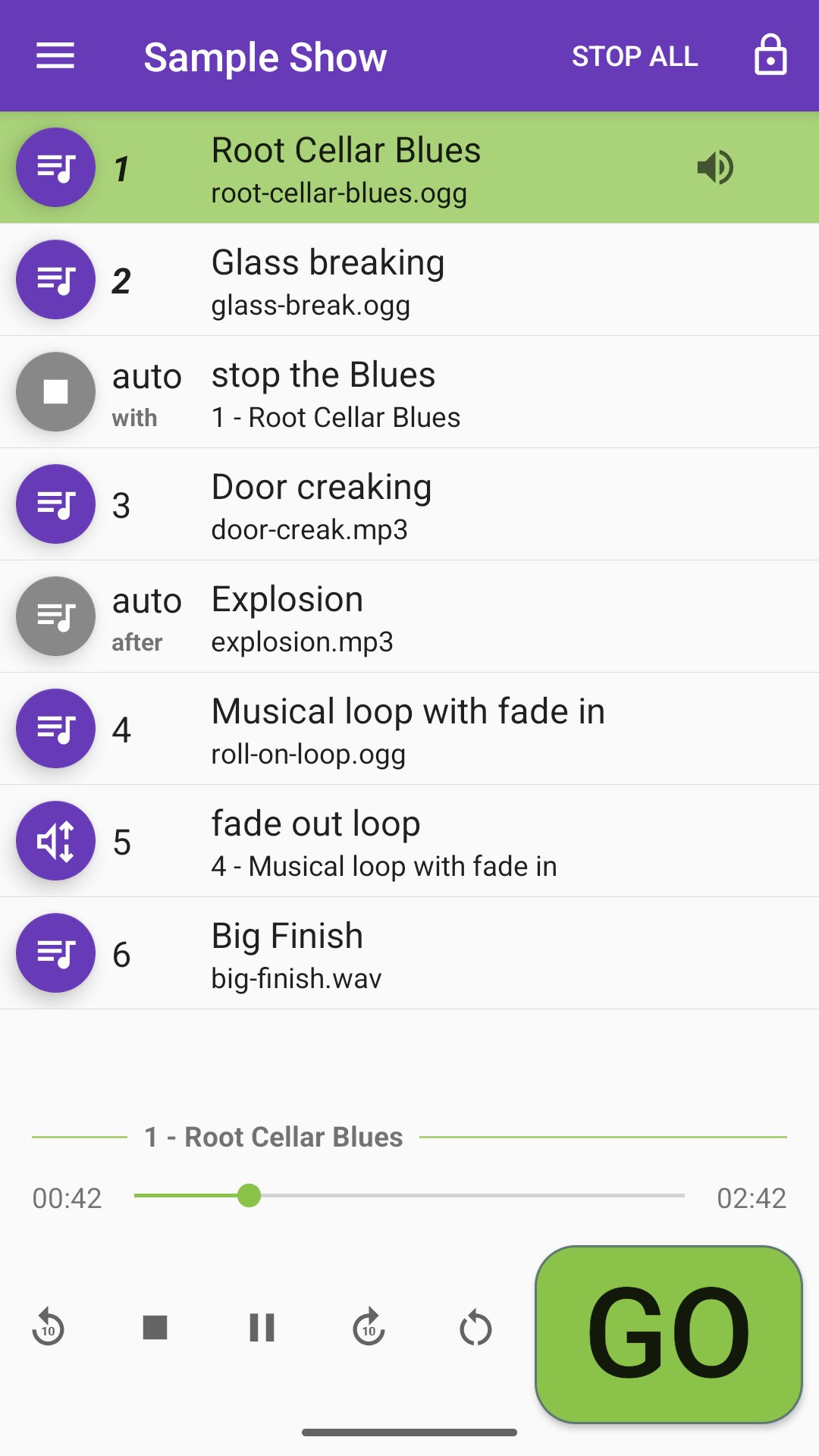
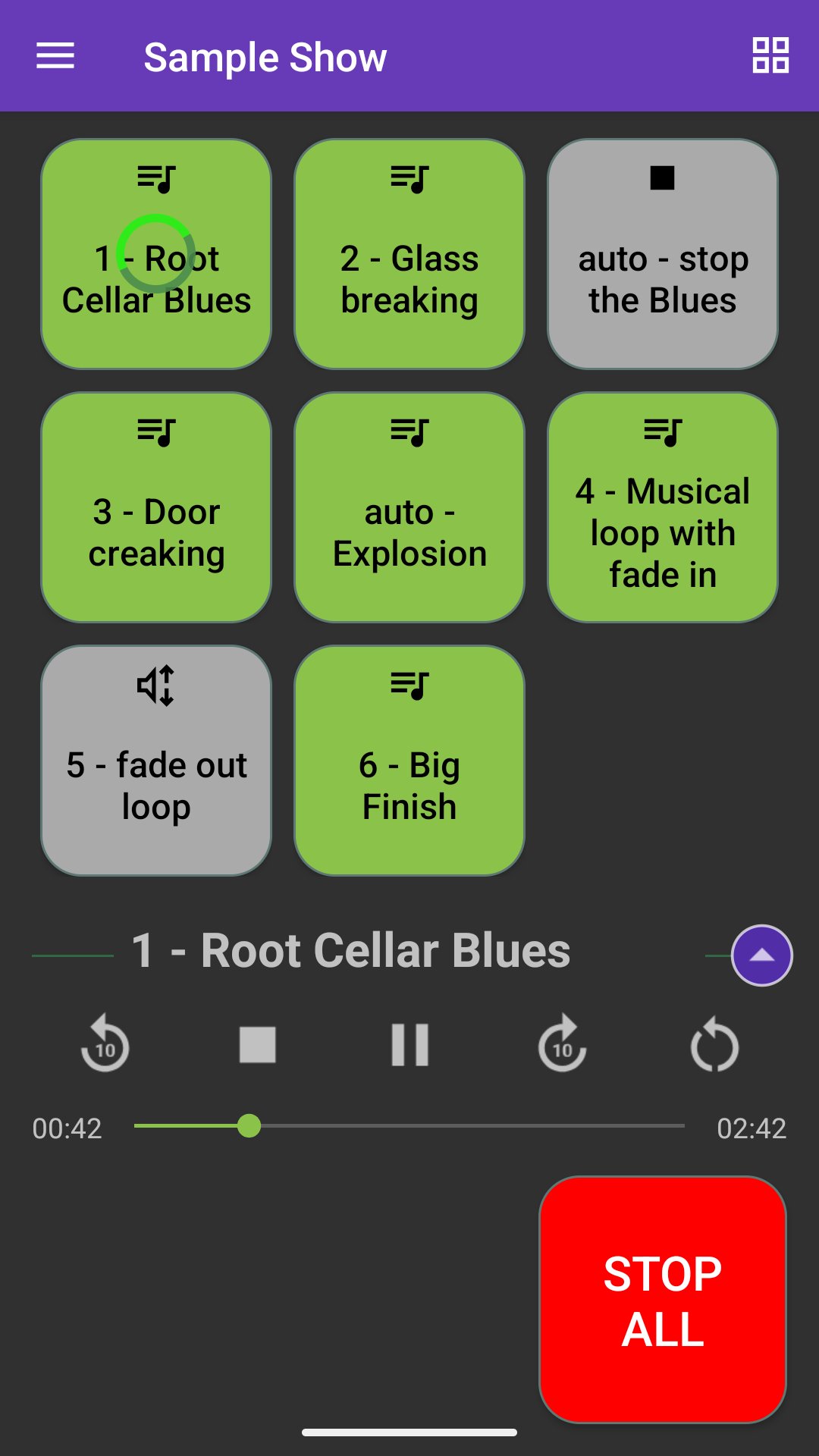
Audio Cues is designed for live performance. With just an Android phone or tablet, you can create and run simple audio designs for theatre, dance, and other live entertainment. Backing tracks for musicians, sound effects for magicians, music and other sounds for DJs: all are possible with this simple app.
In-App Purchase: Unlimited Shows and Cues
Audio Cues permits up to 2 shows on each device and up to 10 cues per show without any payment or registration. An in-app purchase adds support for Unlimited Shows and Cues. In-app purchases are connected to Google accounts rather than individual devices, so the Unlimited Shows and Cues package will be recognized wherever you download the app with your account.
December 2025: New features!
• With the new "Skip stop cues" setting enabled, if the next cue is a Stop or a Fade with "Stop target when finished" checked, and if it targets a just-finished cue, it will be skipped. This feature is initially available only for the MediaPlayer audio engine.
• Cues with delays now display a clock icon in the cue list and Soundboard screens. A countdown is now displayed in both screens during the delay.
November 2025: Code modernization and bug fixes
Audio Cues first appeared in 2016, and a lot has changed in Android development since then. This release focuses on internal changes that will support adding new features in later versions.
September 2025: Low-latency playback
The new Oboe-based low-latency audio playback engine delivers faster responsiveness to button taps.
Visit https://www.audiocues.app/release-notes for more about the latest updates.
Features
Audio Cues supports five kinds of cues:
• Audio cues work with most standard audio file formats, including WAV, OGG, MP3 and more.
• Fade cues can change a targeted audio cue's volume and pan from one channel to the other.
• Stop cues immediately stop targeted audio cues.
• Pause/Play cues act as a toggle switch, pausing or playing the targeted audio cues depending on whether they're currently playing.
• Go to cues let you jump to another cue and optionally play it right it right away.
Other features include:
• Integration with Google Drive, OneDrive and Dropbox to transfer audio files to your Android device
• Support for Bluetooth media remote controls, keyboards, and Flic 2 buttons to trigger cues during performances
• Backup and restore shows to ZIP files
Keyboard shortcuts:
• Up and down cursor keys to scroll through the cue list
• Space bar to trigger the Go button
• Esc to stop all running cues
• Configurable keyboard shortcuts for navigation and running cues
Importing Audio Files
Import audio files from:
• File sharing services such as Google Drive, Dropbox and OneDrive
• An SD card or thumb drive
• The device's internal storage
We recommend Audacity, a free desktop application, for creating audio files.
For more details about the app's features, read the User guide at
https://audiocues.app/user-guide.
Tech support and feature requests
Having trouble with the app? Got a great idea for a new feature? Send an email to: radialtheater@gmail.com
The developer
Audio Cues was designed and developed by Seattle-based Radial Theater Project's Producing Director, David Gassner. In addition to being an active theatre artist, he teaches software development skills for LinkedIn Learning.
Radial Theater Project
Proceeds from Audio Cues in-app purchases support Radial Theater Project's productions in Seattle, WA. Learn more at https://radialtheater.org.
پیش نظارہ
ٹیگز
Music-&معلومات
ڈویلپر
Radial Theater
تازہ ترین ورژن
2025.12.1b
آخری تازہ کاری
2026-01-05
قسم
Music-audio
پر دستیاب ہے۔
Google Play
مزید دکھائیں
پی سی پر گیم لوپ کے ساتھ Audio Cues کیسے کھیلا جائے۔
1. آفیشل ویب سائٹ سے گیم لوپ ڈاؤن لوڈ کریں، پھر گیم لوپ انسٹال کرنے کے لیے exe فائل چلائیں۔
2. گیم لوپ کھولیں اور "Audio Cues" تلاش کریں، تلاش کے نتائج میں Audio Cues تلاش کریں اور "انسٹال کریں" پر کلک کریں۔
3. گیم لوپ پر Audio Cues کھیلنے کا لطف اٹھائیں۔
Minimum requirements
OS
Windows 8.1 64-bit or Windows 10 64-bit
GPU
GTX 1050
CPU
i3-8300
Memory
8GB RAM
Storage
1GB available space
Recommended requirements
OS
Windows 8.1 64-bit or Windows 10 64-bit
GPU
GTX 1050
CPU
i3-9320
Memory
16GB RAM
Storage
1GB available space