
Classic Jazz Radio PC
wsmrApps
گیم لوپ ایمولیٹر کے ساتھ PC پر Classic Jazz Radio ڈاؤن لوڈ کریں۔
پی سی پر Classic Jazz Radio
Classic Jazz Radio، جو ڈویلپر wsmrApps سے آرہا ہے، ماضی میں اینڈرائیڈ سسٹم پر چل رہا ہے۔
اب، آپ پی سی پر Classic Jazz Radio آسانی سے GameLoop کے ساتھ چلا سکتے ہیں۔
اسے GameLoop لائبریری یا تلاش کے نتائج میں ڈاؤن لوڈ کریں۔ مزید غلط وقت پر بیٹری یا مایوس کن کالوں پر نظر نہیں ڈالی جائے گی۔
بس بڑی سکرین پر Classic Jazz Radio PC کا مفت میں لطف اٹھائیں!
Classic Jazz Radio تعارف
This most complete Classic Jazz Music Radio App includes Radio Stations with Classic Jazz Music from around the world. All available live streams with Classic Jazz Music in one single app!
📻 Classic Jazz Music Radio:
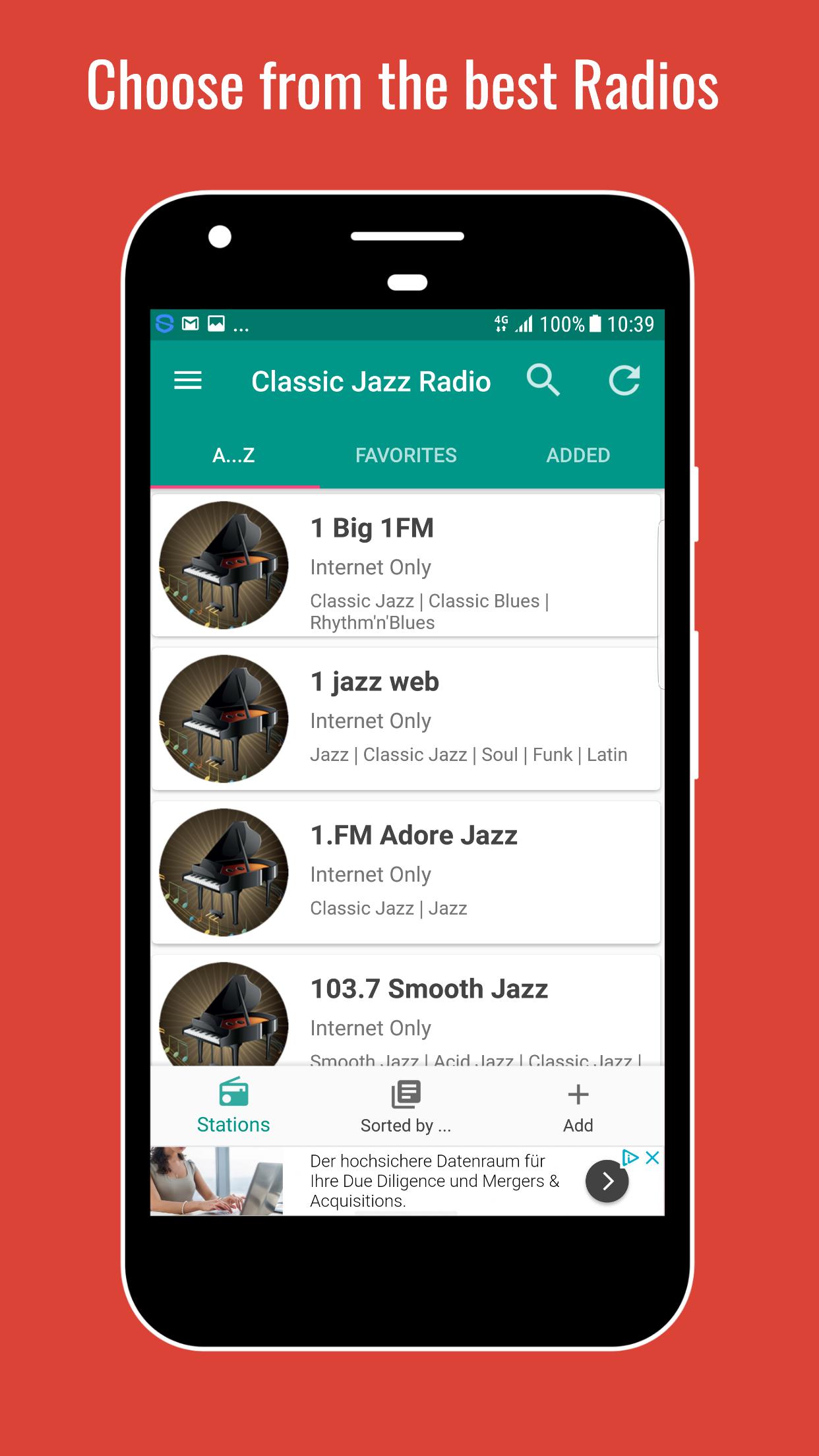
choose from the top live streams with Classic Jazz Music from around the world
♬ Song and Artist information
💨 Fast access
♥ Set favorites
🔍 Search for a station
◉ Radios are sorted by genres
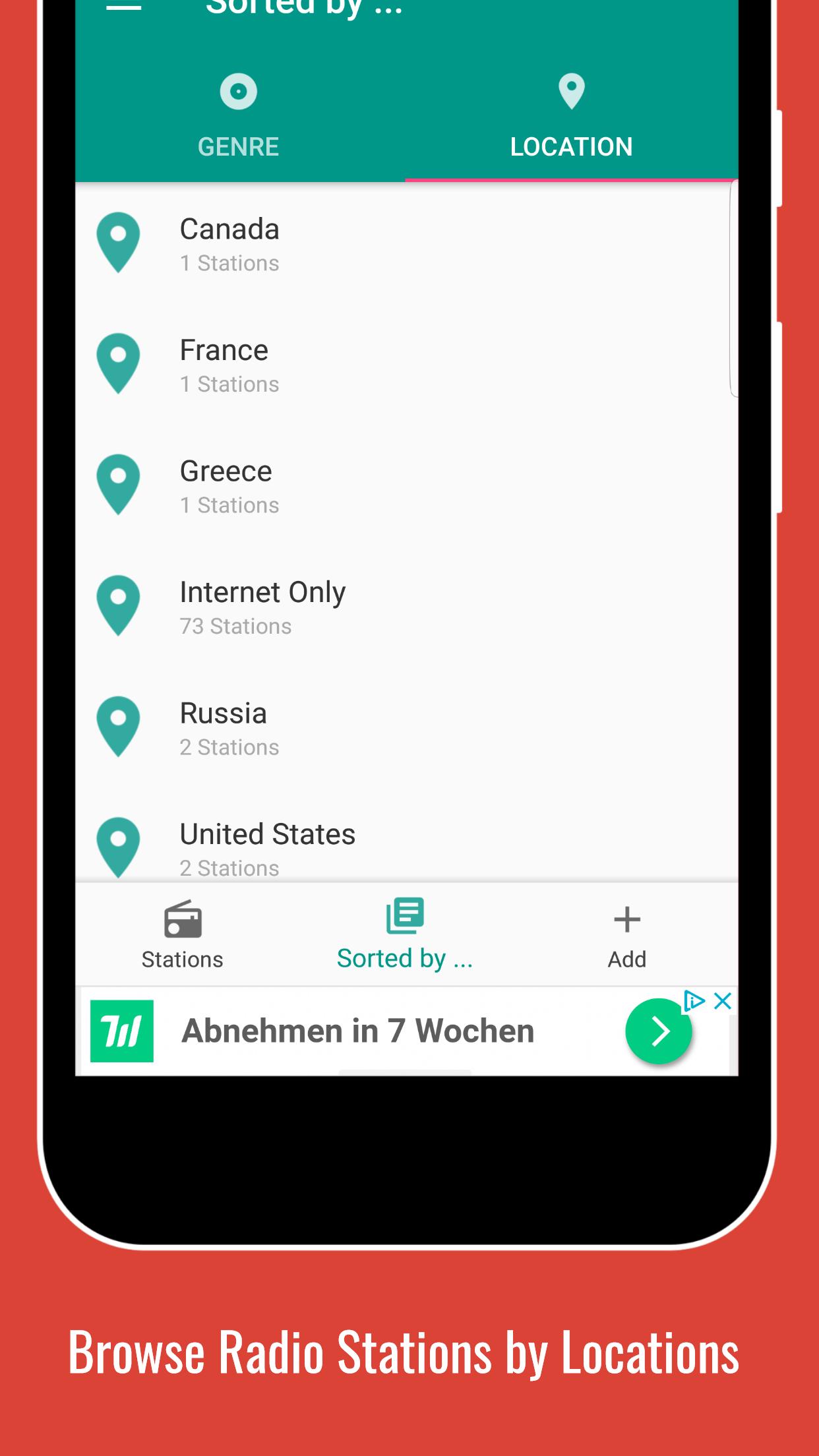
📌 Radios are sorted by location
🕐 Set a sleep timer
⏰ Set a alarm
✚ Add a live stream
↺ Refresh Playlist to always see the latest updates
$ Remove Ads with low priced paid subscription
❗ Please note that not all stations are available 24/7! Some stations also do have a max. number of listeners and/or are located in regions that do not have a 100% reliable internet connection. If you see the error message "Connection could not be established" and this problem persists, please contact us.
� For further information please use the FAQ Section inside the app (under Settings) or visit our homepage at http://swsisgmbh.com
پیش نظارہ
ٹیگز
Music-&معلومات
ڈویلپر
wsmrApps
تازہ ترین ورژن
1.0
آخری تازہ کاری
2023-03-05
قسم
Music-audio
پر دستیاب ہے۔
Google Play
مزید دکھائیں
پی سی پر گیم لوپ کے ساتھ Classic Jazz Radio کیسے کھیلا جائے۔
1. آفیشل ویب سائٹ سے گیم لوپ ڈاؤن لوڈ کریں، پھر گیم لوپ انسٹال کرنے کے لیے exe فائل چلائیں۔
2. گیم لوپ کھولیں اور "Classic Jazz Radio" تلاش کریں، تلاش کے نتائج میں Classic Jazz Radio تلاش کریں اور "انسٹال کریں" پر کلک کریں۔
3. گیم لوپ پر Classic Jazz Radio کھیلنے کا لطف اٹھائیں۔
Minimum requirements
OS
Windows 8.1 64-bit or Windows 10 64-bit
GPU
GTX 1050
CPU
i3-8300
Memory
8GB RAM
Storage
1GB available space
Recommended requirements
OS
Windows 8.1 64-bit or Windows 10 64-bit
GPU
GTX 1050
CPU
i3-9320
Memory
16GB RAM
Storage
1GB available space