PlayPASS Music(プレイパス対応音楽プレイヤー) PC
株式会社レコチョク
گیم لوپ ایمولیٹر کے ساتھ PC پر PlayPASS Music(プレイパス対応音楽プレイヤー) ڈاؤن لوڈ کریں۔
پی سی پر PlayPASS Music(プレイパス対応音楽プレイヤー)
PlayPASS Music(プレイパス対応音楽プレイヤー)، جو ڈویلپر 株式会社レコチョク سے آرہا ہے، ماضی میں اینڈرائیڈ سسٹم پر چل رہا ہے۔
اب، آپ پی سی پر PlayPASS Music(プレイパス対応音楽プレイヤー) آسانی سے GameLoop کے ساتھ چلا سکتے ہیں۔
اسے GameLoop لائبریری یا تلاش کے نتائج میں ڈاؤن لوڈ کریں۔ مزید غلط وقت پر بیٹری یا مایوس کن کالوں پر نظر نہیں ڈالی جائے گی۔
بس بڑی سکرین پر PlayPASS Music(プレイパス対応音楽プレイヤー) PC کا مفت میں لطف اٹھائیں!
PlayPASS Music(プレイパス対応音楽プレイヤー) تعارف
With PlayPASS Music Player, you can instantly download and play purchased CDs, DVDs, and Blu-rays. No need to transfer them from your computer!
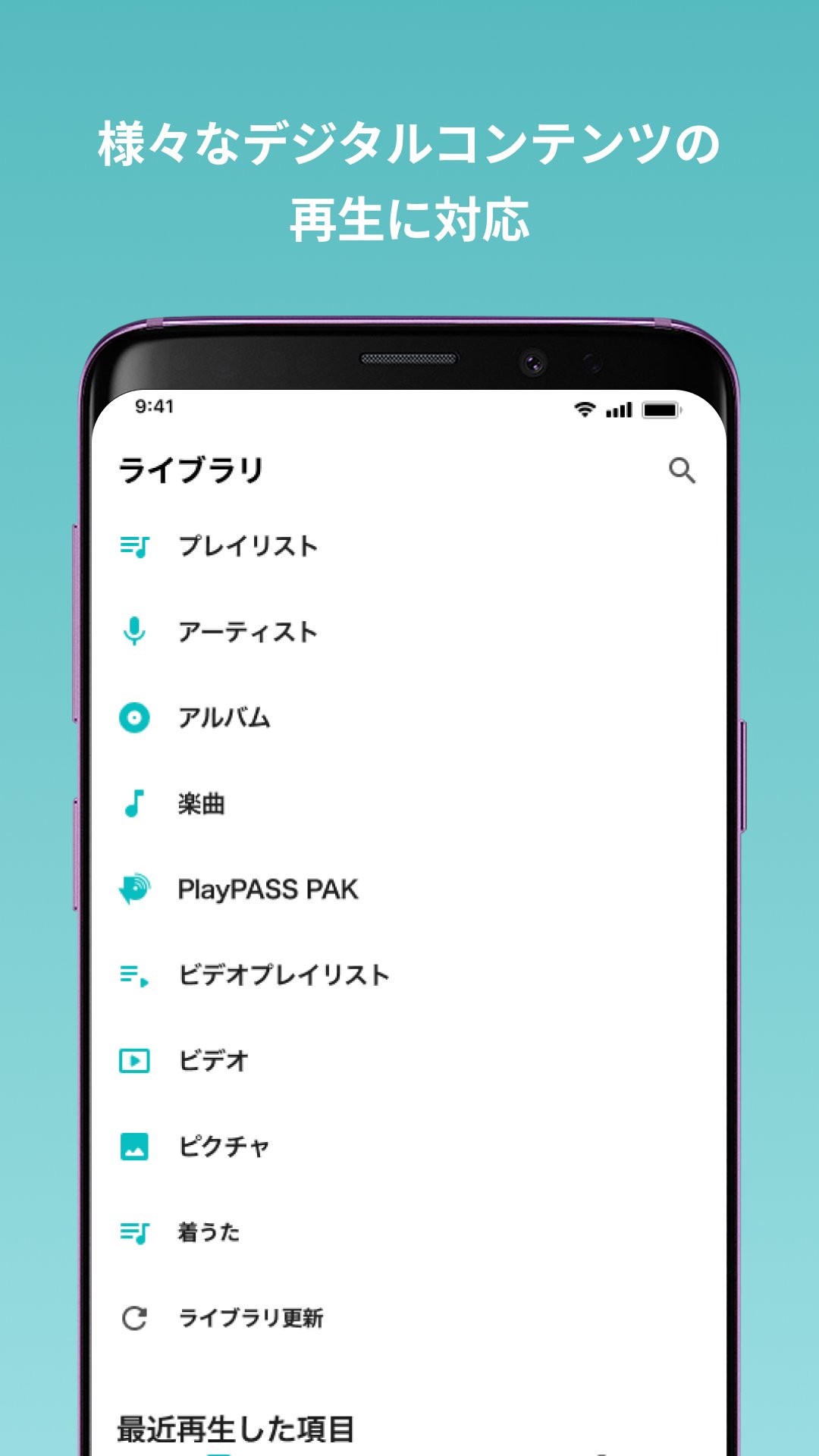
It's also a free music player that you can use every day, allowing you to download and play music purchased from participating stores.
■Convenient Features of PlayPASS Music Player
(1) Supports PlayPASS Codes!
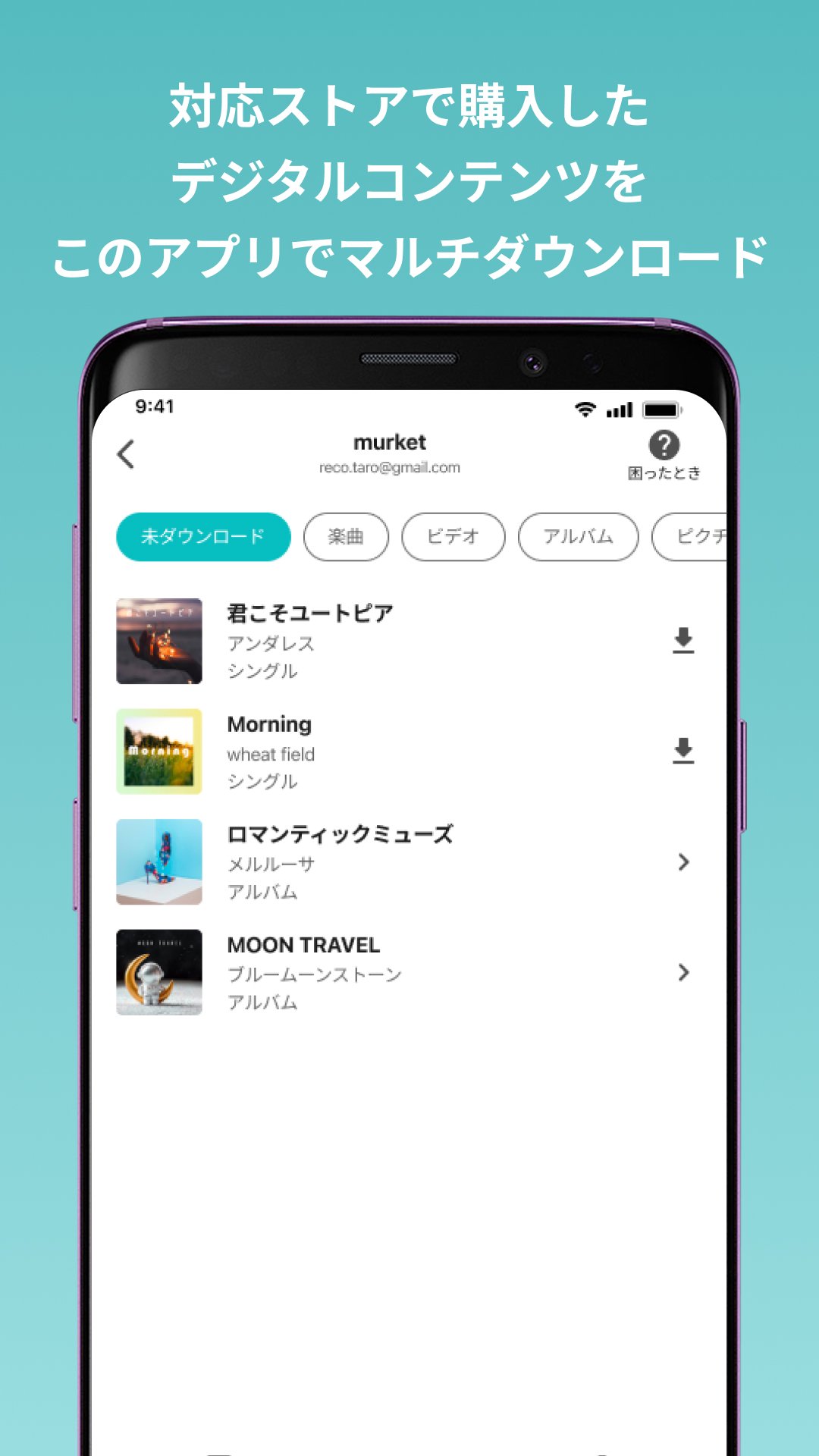
By using the PlayPASS code included with your CD/DVD/Blu-ray, you can download music and videos directly to your smartphone without having to import the CD/DVD/Blu-ray to your computer and then transfer it to your smartphone.
(2) Download and play content purchased from participating stores.
You can watch music, videos, and images purchased from participating stores with PlayPASS Music Player.
(3) Enhanced Music Player Features, Including Lyrics
You can view lyrics on the player screen while listening to music. You can even check the lyrics of songs you've been interested in.
・High-quality playback (320Kbps/128Kbps) *Default setting is 128Kbps
・Hi-Res audio playback
・Playlist creation
・Background playback
・Lyrics display *Some songs are not supported.
■What is a PlayPASS code?
A PlayPASS code is a free code that allows you to download music and videos from purchased CDs/DVDs/Blu-rays.
It is included with PlayPASS-compatible CDs/DVDs/Blu-rays. Use this code to download music for free.
[Supported System Requirements]
Android 10.0 or higher
*Devices and operating systems other than those listed above may be compatible, but operation is not guaranteed.
[Contact Us]
For bug reports and other questions, please contact us at the URL below.
https://help.playpass.jp/
PlayPASS Music Player App Terms of Use
https://playpass.jp/appterms_privacy/
[Copyright License Number]
JASRAC License Number: 9014985134Y38029, PVY00179516-001
eLicense License Number: ID34100
JRC License Number: X000008B47L
پیش نظارہ
ٹیگز
Music-&معلومات
ڈویلپر
株式会社レコチョク
تازہ ترین ورژن
5.1.00
آخری تازہ کاری
2025-11-26
قسم
Music-audio
پر دستیاب ہے۔
Google Play
مزید دکھائیں
پی سی پر گیم لوپ کے ساتھ PlayPASS Music(プレイパス対応音楽プレイヤー) کیسے کھیلا جائے۔
1. آفیشل ویب سائٹ سے گیم لوپ ڈاؤن لوڈ کریں، پھر گیم لوپ انسٹال کرنے کے لیے exe فائل چلائیں۔
2. گیم لوپ کھولیں اور "PlayPASS Music(プレイパス対応音楽プレイヤー)" تلاش کریں، تلاش کے نتائج میں PlayPASS Music(プレイパス対応音楽プレイヤー) تلاش کریں اور "انسٹال کریں" پر کلک کریں۔
3. گیم لوپ پر PlayPASS Music(プレイパス対応音楽プレイヤー) کھیلنے کا لطف اٹھائیں۔
Minimum requirements
OS
Windows 8.1 64-bit or Windows 10 64-bit
GPU
GTX 1050
CPU
i3-8300
Memory
8GB RAM
Storage
1GB available space
Recommended requirements
OS
Windows 8.1 64-bit or Windows 10 64-bit
GPU
GTX 1050
CPU
i3-9320
Memory
16GB RAM
Storage
1GB available space