Philips HearLink PC
SBO Hearing A/S
گیم لوپ ایمولیٹر کے ساتھ PC پر Philips HearLink ڈاؤن لوڈ کریں۔
پی سی پر Philips HearLink
Philips HearLink، جو ڈویلپر SBO Hearing A/S سے آرہا ہے، ماضی میں اینڈرائیڈ سسٹم پر چل رہا ہے۔
اب، آپ پی سی پر Philips HearLink آسانی سے GameLoop کے ساتھ چلا سکتے ہیں۔
اسے GameLoop لائبریری یا تلاش کے نتائج میں ڈاؤن لوڈ کریں۔ مزید غلط وقت پر بیٹری یا مایوس کن کالوں پر نظر نہیں ڈالی جائے گی۔
بس بڑی سکرین پر Philips HearLink PC کا مفت میں لطف اٹھائیں!
Philips HearLink تعارف
The Philips HearLink app is compatible with all Philips HearLink wireless hearing aids. Depending on the hearing aids and the mobile device you are using, you may or may not have access to all features the app offers.
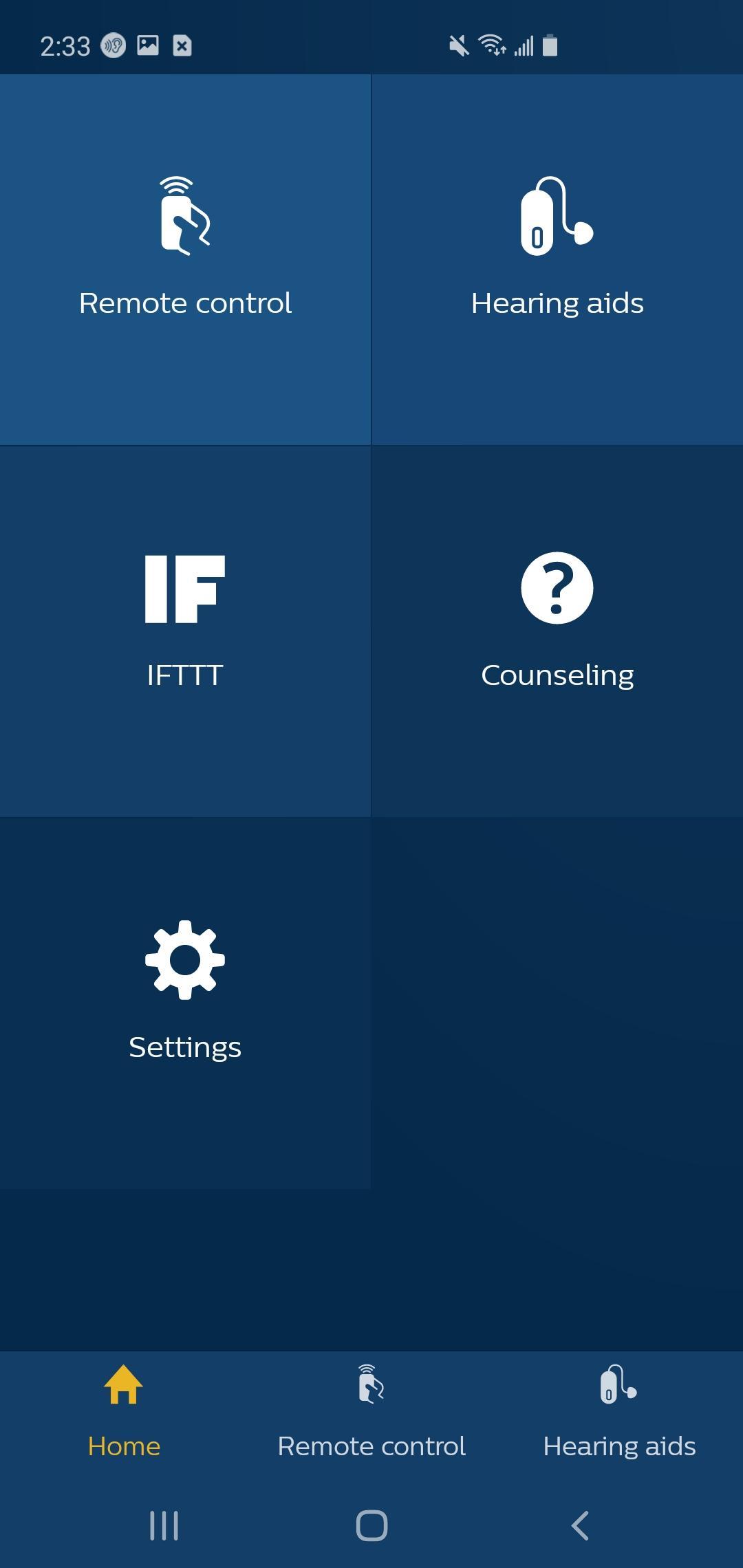
With the Philips HearLink app you can easily and discreetly control your wireless Philips HearLink hearing aids.
The mobile device becomes your remote control for changing listening programs, adjusting the volume, muting your hearing aids and activating streaming options. Here are some other helpful app functionalities:
- Select from which of your TV-Adapters you want to stream the signal to your hearing aids.
- Check your hearing aid battery level or the connection status from your mobile device to your hearing aids.
- With the "Find my hearing aids" function, you can track the location of your hearing aids.
- Connect your hearing aids to other devices and web services via IFTTT.
- Fine-tune the sound when watching a movie or streaming audio using the streaming equalizer, for a personalized listening experience. The streaming equalizer is available for all Philips Bluetooth hearing aids except Philips HearLink 2000 and 3000, if your devices support audio streaming.
For more information, you can access instructions on how to use this app in the application settings.
We recommend using the latest version of Android OS.
To check the latest list of compatible devices, please visit:
https://www.hearingsolutions.philips.com/support/connectivity/compatibility
The app is not compatible with the following Philips HearLink models: IIC, CIC, ITC.
We hope that you will like the changes. Thank you for using our app!
پیش نظارہ
ٹیگز
طبیمعلومات
ڈویلپر
SBO Hearing A/S
تازہ ترین ورژن
2.5.0.10268
آخری تازہ کاری
2021-09-27
قسم
طبی
پر دستیاب ہے۔
Google Play
مزید دکھائیں
پی سی پر گیم لوپ کے ساتھ Philips HearLink کیسے کھیلا جائے۔
1. آفیشل ویب سائٹ سے گیم لوپ ڈاؤن لوڈ کریں، پھر گیم لوپ انسٹال کرنے کے لیے exe فائل چلائیں۔
2. گیم لوپ کھولیں اور "Philips HearLink" تلاش کریں، تلاش کے نتائج میں Philips HearLink تلاش کریں اور "انسٹال کریں" پر کلک کریں۔
3. گیم لوپ پر Philips HearLink کھیلنے کا لطف اٹھائیں۔
Minimum requirements
OS
Windows 8.1 64-bit or Windows 10 64-bit
GPU
GTX 1050
CPU
i3-8300
Memory
8GB RAM
Storage
1GB available space
Recommended requirements
OS
Windows 8.1 64-bit or Windows 10 64-bit
GPU
GTX 1050
CPU
i3-9320
Memory
16GB RAM
Storage
1GB available space