
Oticon Companion PC
Oticon A/S
گیم لوپ ایمولیٹر کے ساتھ PC پر Oticon Companion ڈاؤن لوڈ کریں۔
پی سی پر Oticon Companion
Oticon Companion، جو ڈویلپر Oticon A/S سے آرہا ہے، ماضی میں اینڈرائیڈ سسٹم پر چل رہا ہے۔
اب، آپ پی سی پر Oticon Companion آسانی سے GameLoop کے ساتھ چلا سکتے ہیں۔
اسے GameLoop لائبریری یا تلاش کے نتائج میں ڈاؤن لوڈ کریں۔ مزید غلط وقت پر بیٹری یا مایوس کن کالوں پر نظر نہیں ڈالی جائے گی۔
بس بڑی سکرین پر Oticon Companion PC کا مفت میں لطف اٹھائیں!
Oticon Companion تعارف
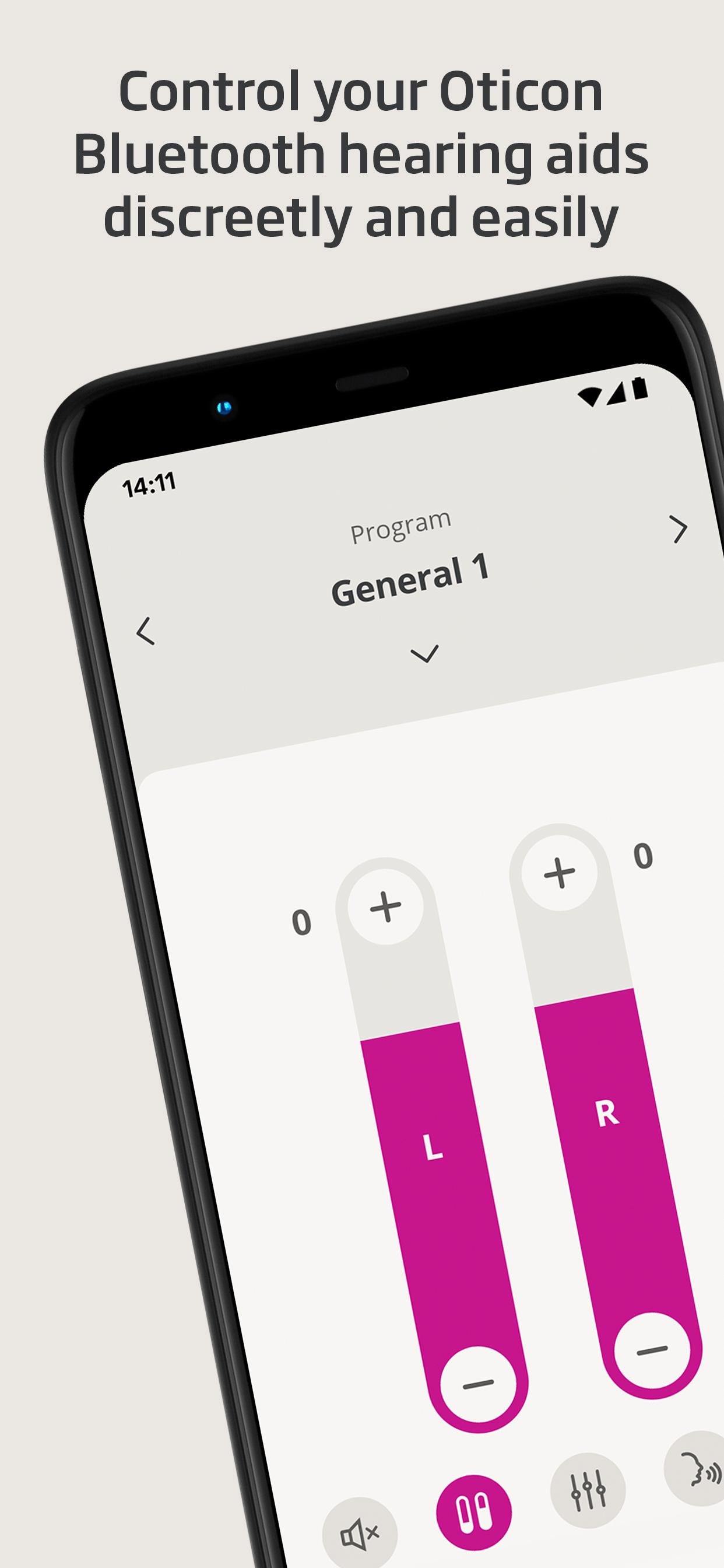
This app lets you control your hearing aids from your mobile device. Just a note: some features may be available depending on your hearing aid model. Check below for details.
• Adjust the sound volume for each hearing aid together or separately
• Mute surroundings for better focus
• Switch between programs set by your hearing care professional
• Check battery levels
• Use SpeechBooster to reduce background noise and enhance speech (available for all hearing aid models except Oticon Opn™)
• Stream calls, music, and podcasts directly to your hearing aids (availability may vary depending on your phone model)
• Find your hearing aids if lost (requires location services to always be turned on)
• Access app support and troubleshooting solutions
• Meet your hearing care professional for an online visit (by appointment)
• Adjust streaming sounds with streaming equalizer (available for all hearing aid models except Oticon Opn™ and Oticon Siya)
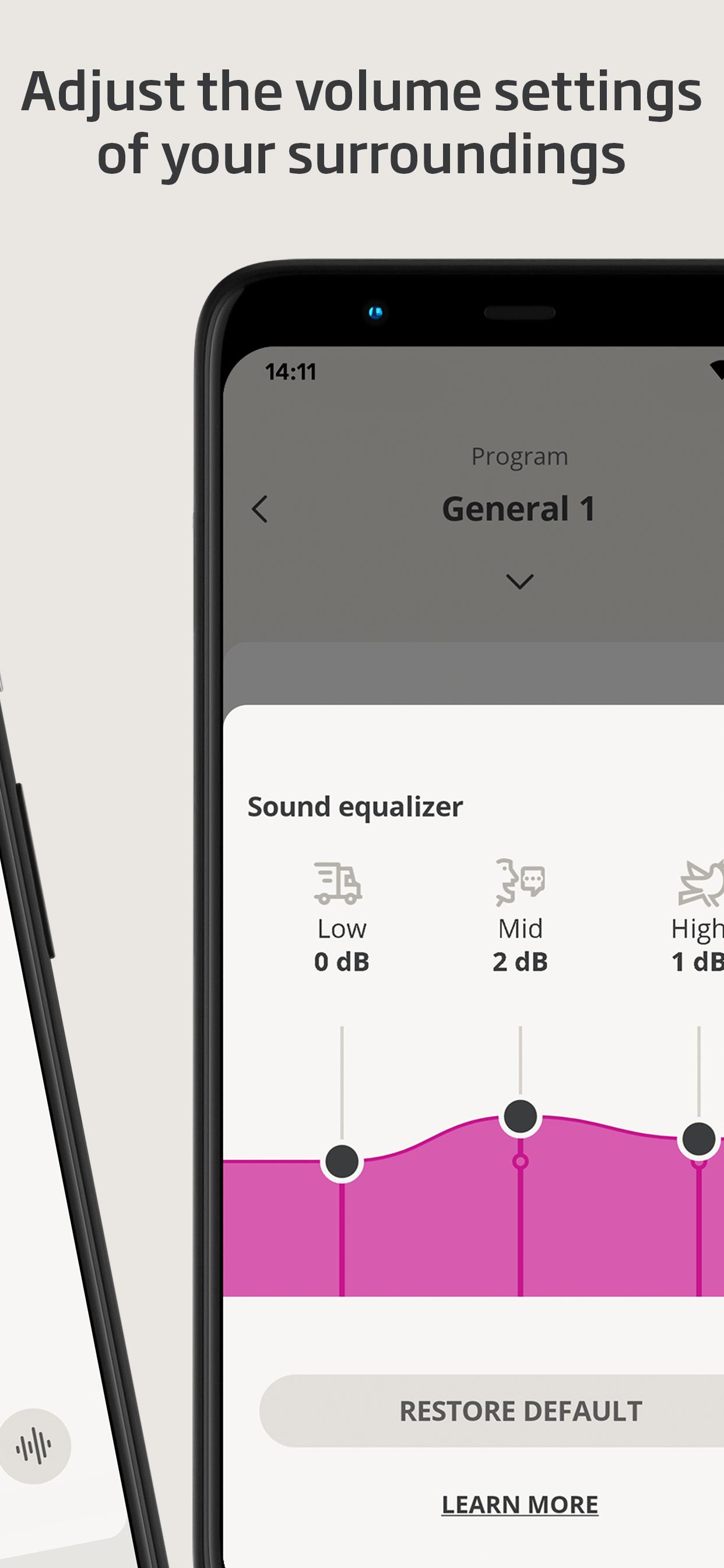
• Adjust sounds around you with sound equalizer (available for Oticon Intent™ and Oticon Real™ models)
• Track your progress with HearingFitness™ feature (available for Oticon Intent™ and Oticon Real™ models)
• Handle wireless accessories paired with your hearing aids such as TV Adapters, Oticon EduMic or ConnectClip
First use:
You need to pair your hearing aids with this app to use it to control your hearing aids.
App availability:
The app is compatible with most hearing aid models. If you have hearing aids from 2016-2018 and haven't updated them yet, a hearing aid update is required for this app to work. We recommend regular hearing aid updates during your routine check-up with your hearing care professional.
For optimal performance, we recommend updating your device to Android OS 10 or later. To check the latest list of compatible devices, please visit:
https://www.oticon.com/support/compatibility
پیش نظارہ
ٹیگز
طبیمعلومات
ڈویلپر
Oticon A/S
تازہ ترین ورژن
1.5.2
آخری تازہ کاری
2025-04-11
قسم
طبی
پر دستیاب ہے۔
Google Play
مزید دکھائیں
پی سی پر گیم لوپ کے ساتھ Oticon Companion کیسے کھیلا جائے۔
1. آفیشل ویب سائٹ سے گیم لوپ ڈاؤن لوڈ کریں، پھر گیم لوپ انسٹال کرنے کے لیے exe فائل چلائیں۔
2. گیم لوپ کھولیں اور "Oticon Companion" تلاش کریں، تلاش کے نتائج میں Oticon Companion تلاش کریں اور "انسٹال کریں" پر کلک کریں۔
3. گیم لوپ پر Oticon Companion کھیلنے کا لطف اٹھائیں۔
Minimum requirements
OS
Windows 8.1 64-bit or Windows 10 64-bit
GPU
GTX 1050
CPU
i3-8300
Memory
8GB RAM
Storage
1GB available space
Recommended requirements
OS
Windows 8.1 64-bit or Windows 10 64-bit
GPU
GTX 1050
CPU
i3-9320
Memory
16GB RAM
Storage
1GB available space