
CarryMap PC
Data East, LLC
گیم لوپ ایمولیٹر کے ساتھ PC پر CarryMap ڈاؤن لوڈ کریں۔
پی سی پر CarryMap
CarryMap، جو ڈویلپر Data East, LLC سے آرہا ہے، ماضی میں اینڈرائیڈ سسٹم پر چل رہا ہے۔
اب، آپ پی سی پر CarryMap آسانی سے GameLoop کے ساتھ چلا سکتے ہیں۔
اسے GameLoop لائبریری یا تلاش کے نتائج میں ڈاؤن لوڈ کریں۔ مزید غلط وقت پر بیٹری یا مایوس کن کالوں پر نظر نہیں ڈالی جائے گی۔
بس بڑی سکرین پر CarryMap PC کا مفت میں لطف اٹھائیں!
CarryMap تعارف
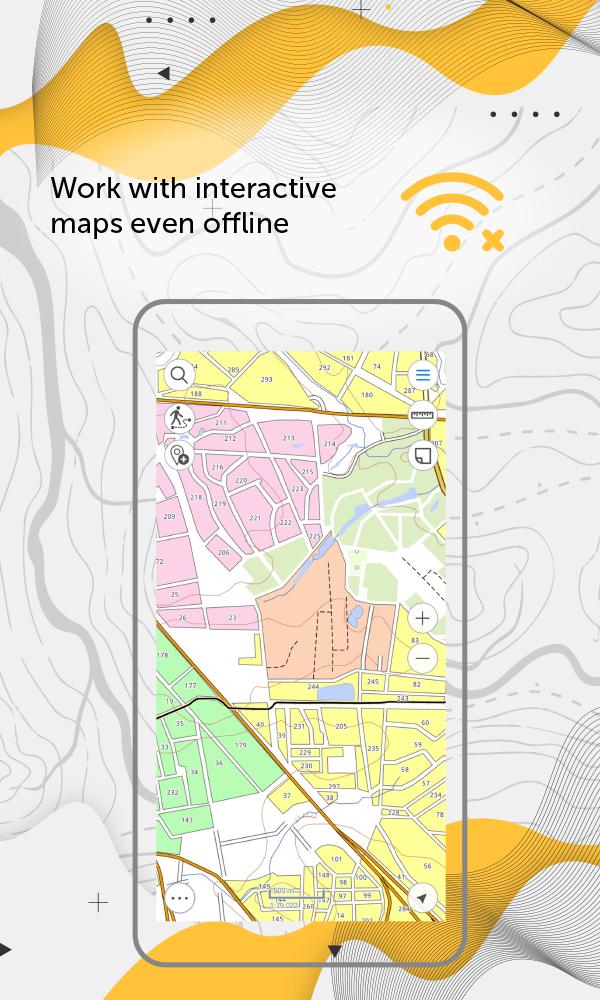
CarryMap is a free application for viewing and working with interactive maps offline, providing a wide range of tools.
It is designed to work with maps in a specific mobile format CMF2. To export your ArcGIS maps to this format, use CarryMap Builder, an extension to ArcGIS Desktop.
CarryMap app offers a comprehensive set of tools for collecting, processing and analyzing spatial geodata. It provides seamless field work without authorization, payments and in-app purchases.
Maps management
- Download maps of only needed areas and store them in a convenient catalog. The maps provided in the catalog were created based on OpenStreetMap data.
- Upload your own maps prepared in ArcGIS and work with them offline.
- Use reliable methods for your maps protection.
- Create fully functional projects for work with all the needed information.
- Save selected map areas as bookmarks.
Working with objects
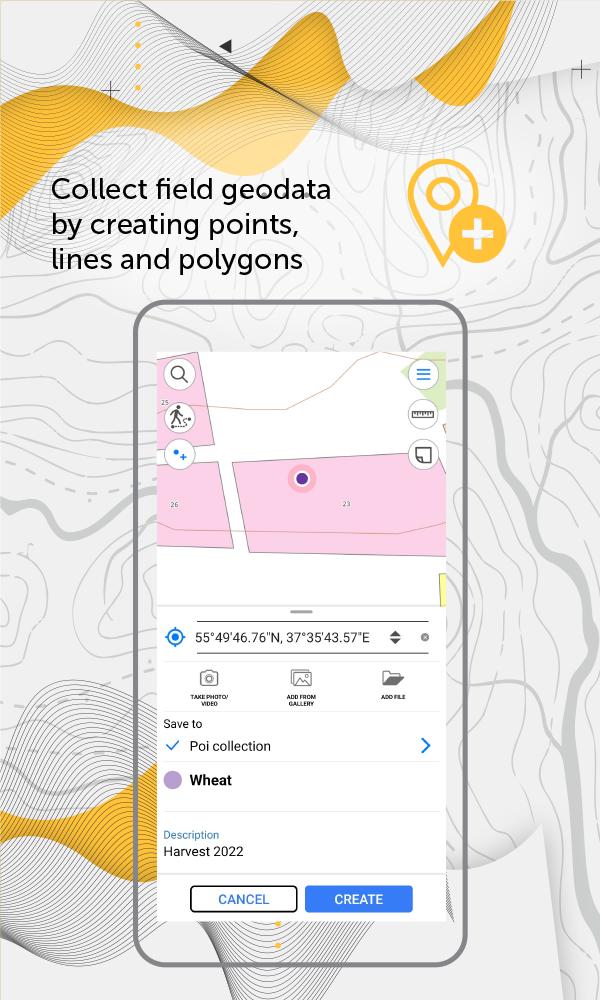
- Create and edit point, line, and polygon features on the map.
- Add media attachments (photo, video and documents) to features.
- Record voice comments when creating and describing features on the map.
- Create points on-the-fly using your device camera.
- Create points on the map with a single tap while moving, add description later if needed.
- Add graphic marks as text, arrows or free hand graphic.
GPS tracks and navigation
- Use external Bad Elf GPS receiver to find your current location.
- Save tracks automatically without being distracted by editing them as you go.
- Use features on the map as landmarks or destination points on your route.
- Search and identify features offline.
- Measure distances and areas.
Data export
- Share coordinates of features on the map by sending a file or a link.
- Upload maps in MBTILES* formats.
- Share collected data in GPKG (GeoPackage), GPX, KML/KMZ and SHP formats.
*Maps in MBTILES format with raster tile type only are supported.
The application is accessible to a wide range of users, regardless of GIS skills, and can be used in various fields, including electrical energy industry, agriculture, geology and geodesy, housing and utility, environmental protection, water and land resources management, ecology and incident management, urban management, etc.
Take the opportunity to create your own branded application for viewing and working with mobile maps based on CarryMap for your company. Read more: https://carrymap.com/en/features/branding/
Read more about all the capabilities of CarryMap Builder extension at https://builder.carrymap.com/en/
To learn more about CarryMap application, visit https://carrymap.com/en/overview/
Watch educational videos on our YouTube page:
https://www.youtube.com/c/CarryMap/videos
Your questions or comments are welcome at support@xtools.pro
پیش نظارہ
ٹیگز
Maps-&معلومات
ڈویلپر
Data East, LLC
تازہ ترین ورژن
7.1
آخری تازہ کاری
2025-10-02
قسم
Maps-navigation
پر دستیاب ہے۔
Google Play
مزید دکھائیں
پی سی پر گیم لوپ کے ساتھ CarryMap کیسے کھیلا جائے۔
1. آفیشل ویب سائٹ سے گیم لوپ ڈاؤن لوڈ کریں، پھر گیم لوپ انسٹال کرنے کے لیے exe فائل چلائیں۔
2. گیم لوپ کھولیں اور "CarryMap" تلاش کریں، تلاش کے نتائج میں CarryMap تلاش کریں اور "انسٹال کریں" پر کلک کریں۔
3. گیم لوپ پر CarryMap کھیلنے کا لطف اٹھائیں۔
Minimum requirements
OS
Windows 8.1 64-bit or Windows 10 64-bit
GPU
GTX 1050
CPU
i3-8300
Memory
8GB RAM
Storage
1GB available space
Recommended requirements
OS
Windows 8.1 64-bit or Windows 10 64-bit
GPU
GTX 1050
CPU
i3-9320
Memory
16GB RAM
Storage
1GB available space