
2Maps - The double map PC
Mapfulness
گیم لوپ ایمولیٹر کے ساتھ PC پر 2Maps - The double map ڈاؤن لوڈ کریں۔
پی سی پر 2Maps - The double map
2Maps - The double map، جو ڈویلپر Mapfulness سے آرہا ہے، ماضی میں اینڈرائیڈ سسٹم پر چل رہا ہے۔
اب، آپ پی سی پر 2Maps - The double map آسانی سے GameLoop کے ساتھ چلا سکتے ہیں۔
اسے GameLoop لائبریری یا تلاش کے نتائج میں ڈاؤن لوڈ کریں۔ مزید غلط وقت پر بیٹری یا مایوس کن کالوں پر نظر نہیں ڈالی جائے گی۔
بس بڑی سکرین پر 2Maps - The double map PC کا مفت میں لطف اٹھائیں!
2Maps - The double map تعارف
Welcome to 2Maps!
Sometimes, you need more than just one map!
With 2Maps, mapping becomes an interactive adventure. Compare two maps side by side or overlay them for a comprehensive view. Drop pins for your places of interest, sketch out routes, outline areas, and discover the joy of mapping made simple. Whether for work or play, 2Maps is your go-to for smart navigation and easy planning.
Interact with your maps like you have never done before.
⚙️ 📡 🎚️
FEATURES
Things to do on two maps:
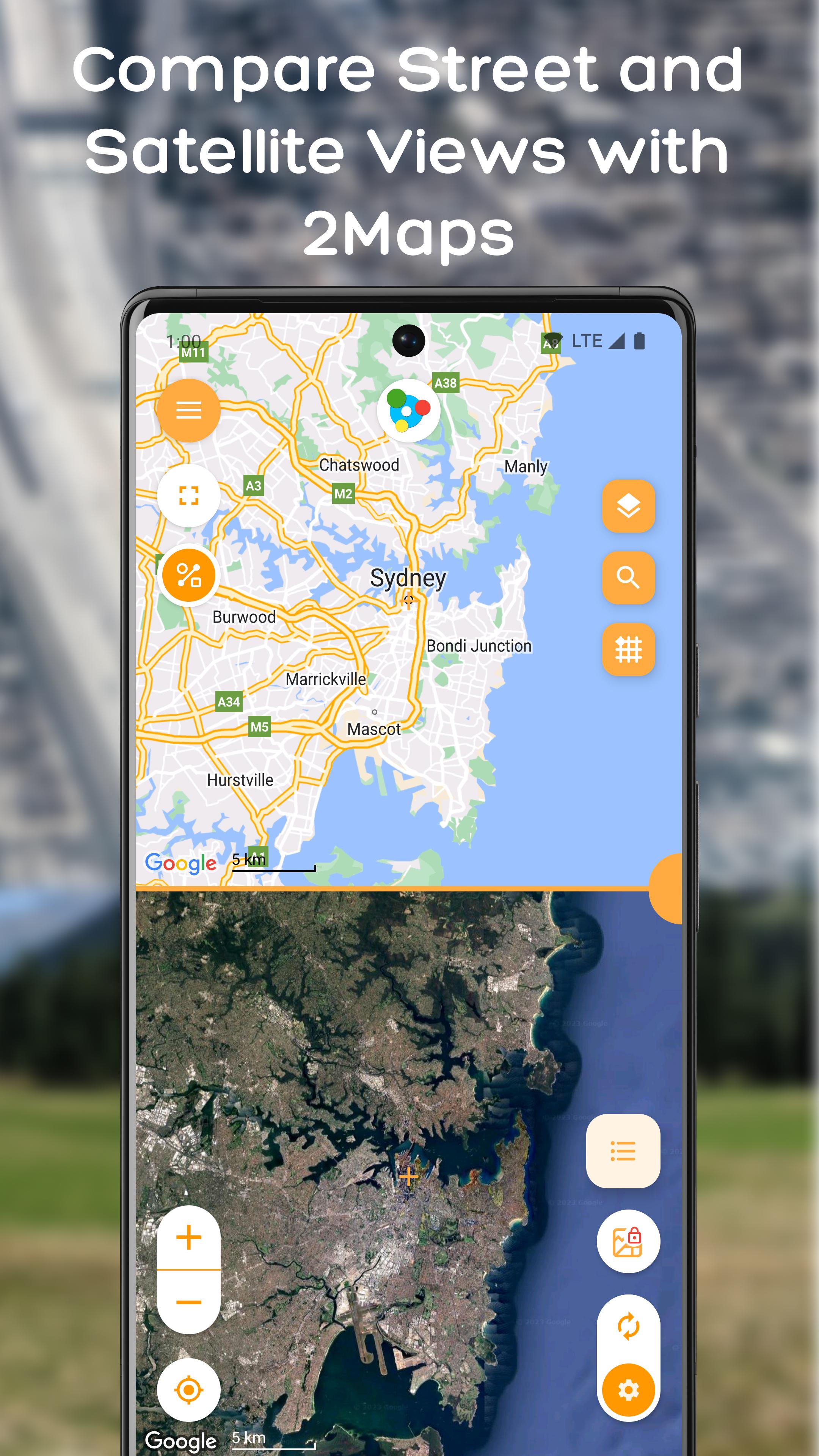
• Double the perspective: View two maps simultaneously for a complete understanding of your surroundings
• Double or single map selection: Lock the maps together for synchronised movement, allowing you to navigate both maps simultaneously with just one finger
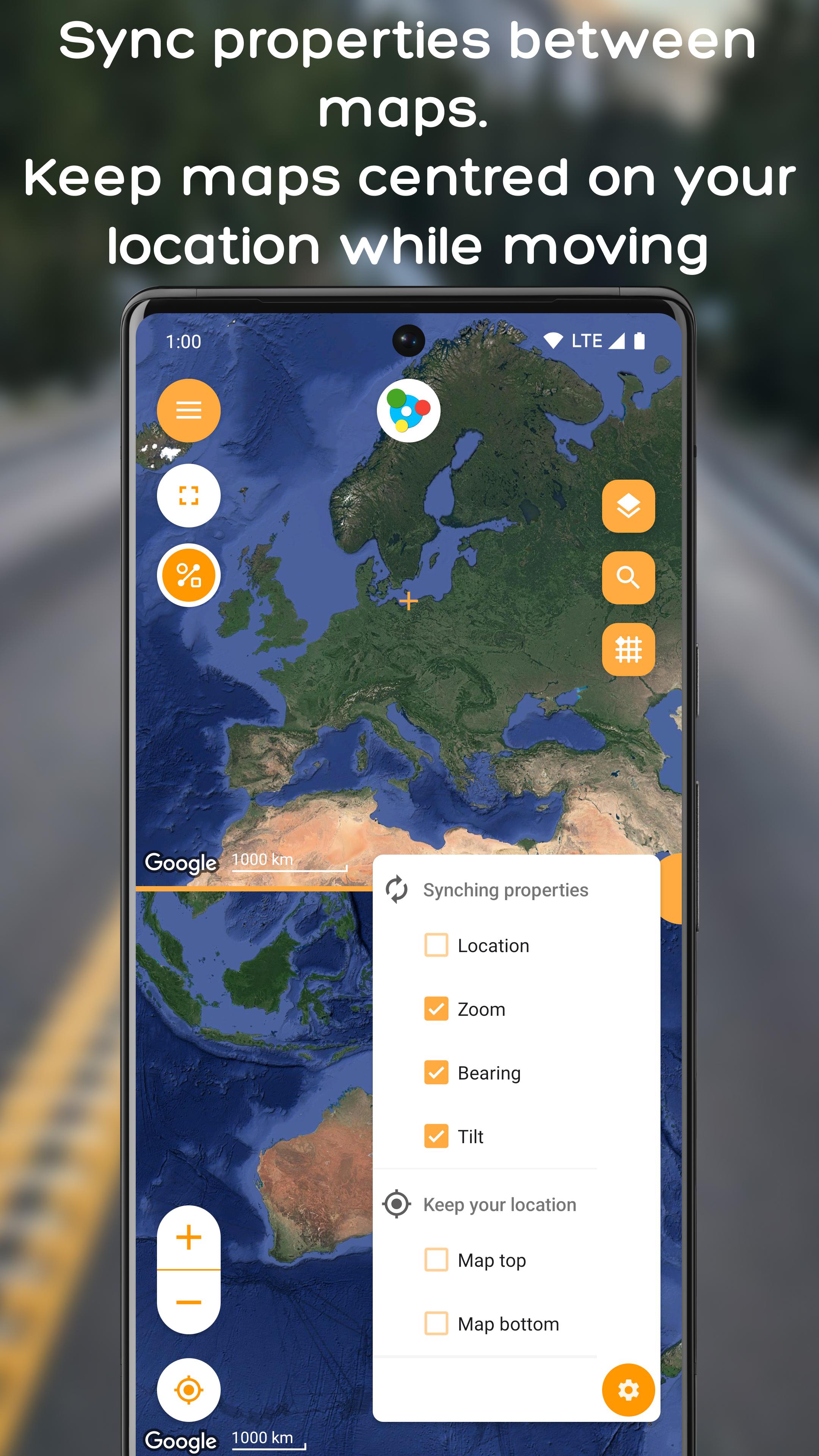
• Synchronise properties: Synchronise location, zoom, tilt, and bearing between the maps for a unified and cohesive mapping experience
• Overlay maps: Combine two maps with adjustable transparency and uncover new details
• Compare two locations: Select two different locations to display on each map
• Compare street / satellite view: Display street and satellite views simultaneously for the same or different locations, offering a multifaceted understanding of any area
• Compare zoom levels: Select a location to display on each map with different zoom levels. This feature is helpful to monitor your current location and overall trip position
General:
• Single map: Switch to a standard single map view for a traditional mapping experience
• Custom Markers: Add pins to note important locations
• Drawing Tools: Draw lines and mark areas directly on the map
• Keep your current location: Maintain your current position on one or both maps, ensuring real-time orientation and navigation
• Ease of Use: Intuitive and user-friendly design for all users
Visualisation and management:
• 🗺️ Map and List mode: Visualise, manage, set, and edit maps and their elements directly on the map or in a streamlined view
Mapful (quick) actions:
• Search function: Look for new location
• GPS Coordinates finder: Locate specific coordinates
• Location history: Access recently used locations and elements
Settings and utilities:
• Distance units, zoom controls, map behaviour, default properties and many more
• Backup and restore your data
Feedback and support:
• 👋🏼 Something not working as expected? Get in touch, don't leave a bad review. We're here to help
• 💌 There are tools and links for sharing feedback, assisting with translations, providing suggestions, and reading legal documents
• ✉️ Feedback? Contact the developer, report an issue, suggest the next feature!
• 🏳️🌈 Do you want this app in your language? Just ask! 🌐
Languages:
🌐 🗣️ Now available in Italian, French, Spanish, Portuguese, German, Japanese, Russian, and Chinese
✨ Adapted for Android 13 🦾
A clear message 🤗 🙏🏼 💚 🌳 🏔 🌈
Be kind, love and respect others and our planet, be mindful and do what’s meaningful for you, follow your dreams and passions, enjoy nature.
And now, please get the most out of 2Maps!
Proudly part of the Mapfulness project! 🌏 🚀
Be mindful of your surroundings!
Tags: maps, exploration, map comparison, map transparency, wilderness, travel, car, train, bus, motorbike, biking, bicycle, hiking, walking, running, trail, educational maps, location bookmarking, map drawing, map marking, map customization
پیش نظارہ
ٹیگز
Maps-&Travel-&معلومات
ڈویلپر
Mapfulness
تازہ ترین ورژن
3.3.2
آخری تازہ کاری
2025-10-23
قسم
Maps-navigation
پر دستیاب ہے۔
Google Play
مزید دکھائیں
پی سی پر گیم لوپ کے ساتھ 2Maps - The double map کیسے کھیلا جائے۔
1. آفیشل ویب سائٹ سے گیم لوپ ڈاؤن لوڈ کریں، پھر گیم لوپ انسٹال کرنے کے لیے exe فائل چلائیں۔
2. گیم لوپ کھولیں اور "2Maps - The double map" تلاش کریں، تلاش کے نتائج میں 2Maps - The double map تلاش کریں اور "انسٹال کریں" پر کلک کریں۔
3. گیم لوپ پر 2Maps - The double map کھیلنے کا لطف اٹھائیں۔
Minimum requirements
OS
Windows 8.1 64-bit or Windows 10 64-bit
GPU
GTX 1050
CPU
i3-8300
Memory
8GB RAM
Storage
1GB available space
Recommended requirements
OS
Windows 8.1 64-bit or Windows 10 64-bit
GPU
GTX 1050
CPU
i3-9320
Memory
16GB RAM
Storage
1GB available space