Cute Clock Widget 2 PC
+HOME by Ateam Entertainment
گیم لوپ ایمولیٹر کے ساتھ PC پر Cute Clock Widget 2 ڈاؤن لوڈ کریں۔
پی سی پر Cute Clock Widget 2
Cute Clock Widget 2، جو ڈویلپر +HOME by Ateam Entertainment سے آرہا ہے، ماضی میں اینڈرائیڈ سسٹم پر چل رہا ہے۔
اب، آپ پی سی پر Cute Clock Widget 2 آسانی سے GameLoop کے ساتھ چلا سکتے ہیں۔
اسے GameLoop لائبریری یا تلاش کے نتائج میں ڈاؤن لوڈ کریں۔ مزید غلط وقت پر بیٹری یا مایوس کن کالوں پر نظر نہیں ڈالی جائے گی۔
بس بڑی سکرین پر Cute Clock Widget 2 PC کا مفت میں لطف اٹھائیں!
Cute Clock Widget 2 تعارف
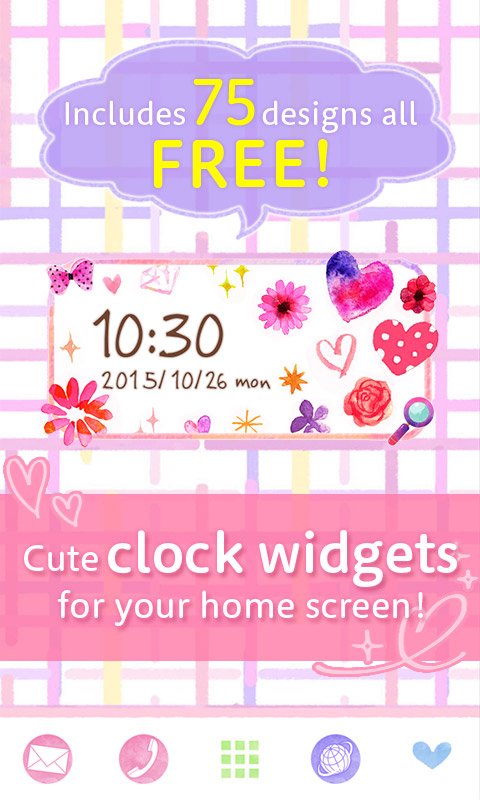
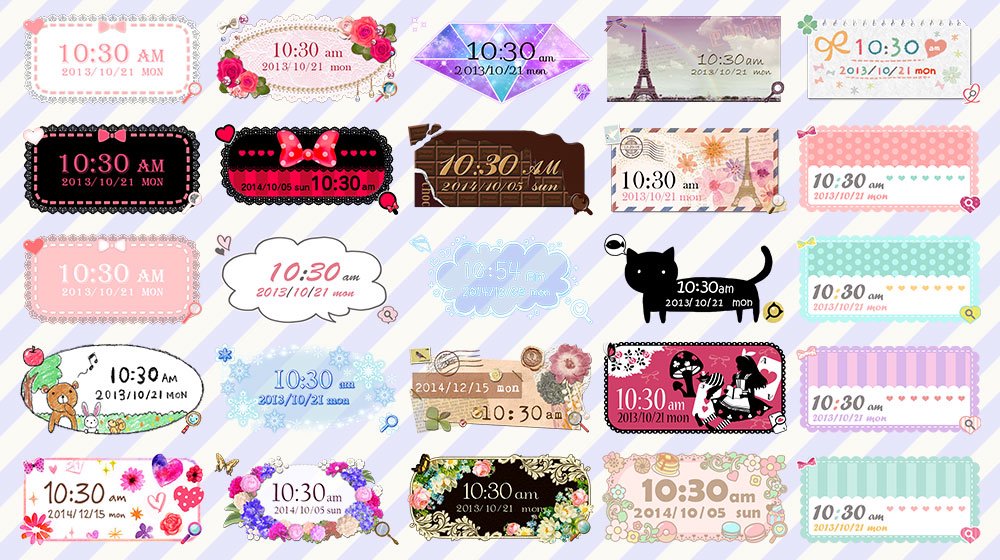
[Completely Free] The 2nd edition of the stylish and cute clock widget app is here, with 75 designs available for unlimited use! ♡
Perfect for a girly home screen! Easily make your home screen stylish and adorable with popular designs such as floral, natural, hand-drawn, and princess styles♪
Change the widget to match your mood or wallpaper, and customize your phone to be uniquely cute! 🎵
★Main Features★
●Choose from the following 3 Widget sizes: 4x2, 4x1, and 2x1.
●Each size contains 25 different designs -- one for every occasion!
●Choose between 12-hour and 24-hour display!
●Tap on the date to launch your Calendar, and the time to launch your Alarm! (You can also edit the apps you want to launch from the Widget.)
●Tap on the bottom right of the Widget to launch the handy search browser!
★How To Use★
This is a Widget app to be used on your home screen.
<>
1. Hold your finger down on an empty space on your home screen.
2. Select "Widgets" from the pop-up that appears.
3. Choose "Cute Clock Widget" from the Widget list.
4. Choose your preferred design and you're done!
When you want to change the style of the Widget, tap on the bottom left of the Widget and choose a new style!
*The steps to setting up the Widget may differ slightly depending on the Home application you are using.
★Caution★
Saving this application onto an SD card will prevent you from being able to use the Widget. Please save it onto your device.
Having a task killer app, battery-saving app or antivirus software installed on your phone may affect the performance of the Widget. If you experience any performance issues, please set the Widget as an exception in the above apps/software.
★Request to Customers★
If you have any questions or would like to report any bugs, please refrain from writing them as reviews as we will be unable to respond. We will gladly answer any questions or comments you may have via support e-mail below.
★Inquiries, Requests, Bugs, Etc.★
info+android+widget@atm-plushome.com
*If you have spam filters set up, please adjust your settings to allow our responses to get through to you.
★Compatible Devices★
Wide range of Android devices using Android 6.0 and later
پیش نظارہ
ٹیگز
طرز زندگیمعلومات
ڈویلپر
+HOME by Ateam Entertainment
تازہ ترین ورژن
1.0.3.2
آخری تازہ کاری
2026-04-30
قسم
طرز زندگی
پر دستیاب ہے۔
Google Play
مزید دکھائیں
پی سی پر گیم لوپ کے ساتھ Cute Clock Widget 2 کیسے کھیلا جائے۔
1. آفیشل ویب سائٹ سے گیم لوپ ڈاؤن لوڈ کریں، پھر گیم لوپ انسٹال کرنے کے لیے exe فائل چلائیں۔
2. گیم لوپ کھولیں اور "Cute Clock Widget 2" تلاش کریں، تلاش کے نتائج میں Cute Clock Widget 2 تلاش کریں اور "انسٹال کریں" پر کلک کریں۔
3. گیم لوپ پر Cute Clock Widget 2 کھیلنے کا لطف اٹھائیں۔
Minimum requirements
OS
Windows 8.1 64-bit or Windows 10 64-bit
GPU
GTX 1050
CPU
i3-8300
Memory
8GB RAM
Storage
1GB available space
Recommended requirements
OS
Windows 8.1 64-bit or Windows 10 64-bit
GPU
GTX 1050
CPU
i3-9320
Memory
16GB RAM
Storage
1GB available space