RunCline PC
Pascal Carrieres
گیم لوپ ایمولیٹر کے ساتھ PC پر RunCline ڈاؤن لوڈ کریں۔
پی سی پر RunCline
RunCline، جو ڈویلپر Pascal Carrieres سے آرہا ہے، ماضی میں اینڈرائیڈ سسٹم پر چل رہا ہے۔
اب، آپ پی سی پر RunCline آسانی سے GameLoop کے ساتھ چلا سکتے ہیں۔
اسے GameLoop لائبریری یا تلاش کے نتائج میں ڈاؤن لوڈ کریں۔ مزید غلط وقت پر بیٹری یا مایوس کن کالوں پر نظر نہیں ڈالی جائے گی۔
بس بڑی سکرین پر RunCline PC کا مفت میں لطف اٹھائیں!
RunCline تعارف
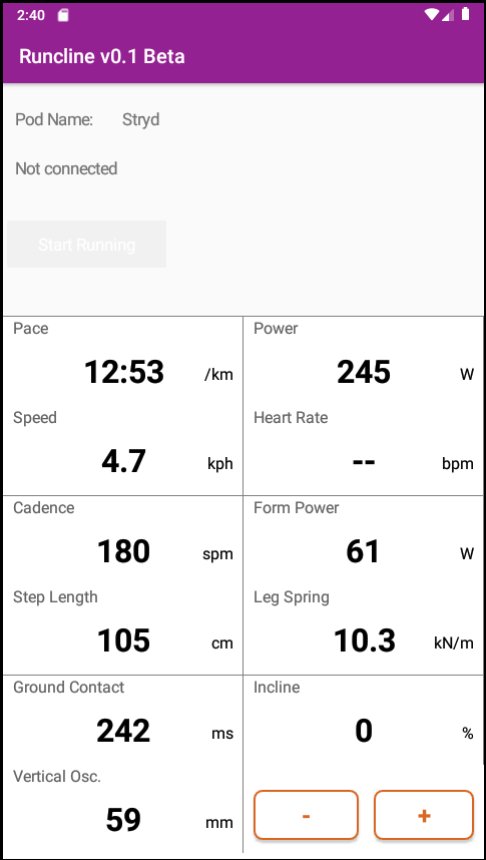
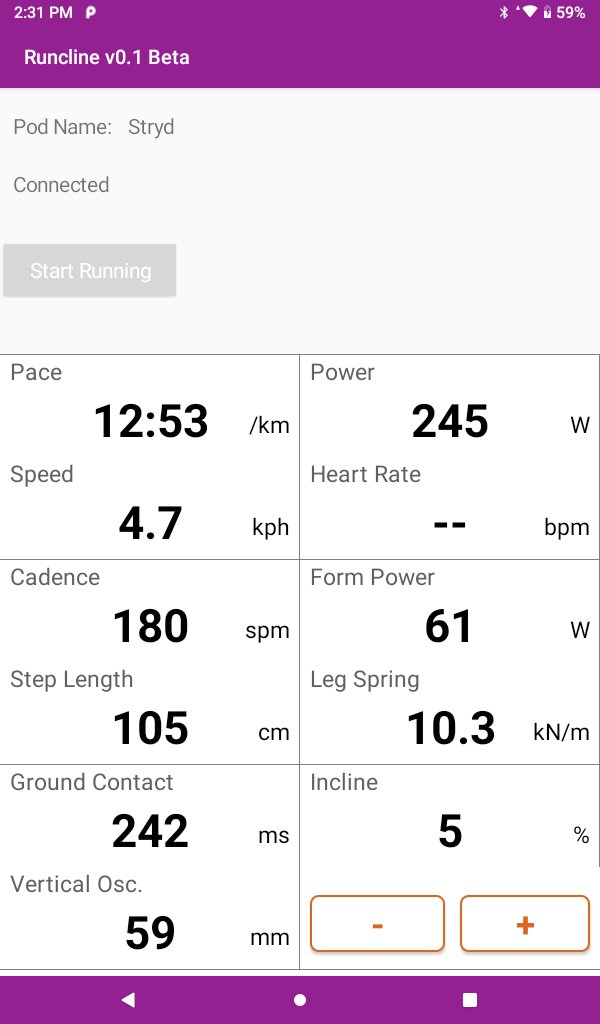
RunCline provides incline information entered manually in the app and transmits it automatically over Bluetooth. It will also connect to an external foot pod and re-transmit the collected metrics over Bluetooth. What's the purpose? You can pair the phone or tablet running RunCline with Zwift and get elevation, power, speed and cadence. RunCline will also display all metrics on screen for you to view during your running.
Requirements: You need to pair a Bluetooh compliant foot pod or device to RunCline to use the app.
Pairing: In this beta, RunCline can pair automatically with Stryd, Zwift RunPod, MilestonePod foot pods, Runn, UA HOVR shoes, Garmin Fenix and Forerunner watches with Virtual Run feature, and Sole smart treadmills like F63, F65, F80, F85 and TT8. Start RunCline and wait for the pairing to occur. Pairing is completed when you get a "Connected" status. If you have multiple devices, RunCline will pair with the first it sees. Pair Zwift with RunCline after pairing it to your foot pod or other devices. For Sole treadmills, you need to start the treadmill and make it move before you pair with RunCline.
The running metrics from the foot pod will be displayed on screen and re-transmitted over Bluetooth. RunCline does not log or save any of these metrics locally. Use the + and - buttons to select the incline or let the magic happens by itself when paired with a Sole treadmill.
Feedback is more than welcomed and will contribute to make RunCline better for everyone.
پیش نظارہ
ٹیگز
Health-&معلومات
ڈویلپر
Pascal Carrieres
تازہ ترین ورژن
141
آخری تازہ کاری
2023-02-19
قسم
Health-fitness
پر دستیاب ہے۔
Google Play
مزید دکھائیں
پی سی پر گیم لوپ کے ساتھ RunCline کیسے کھیلا جائے۔
1. آفیشل ویب سائٹ سے گیم لوپ ڈاؤن لوڈ کریں، پھر گیم لوپ انسٹال کرنے کے لیے exe فائل چلائیں۔
2. گیم لوپ کھولیں اور "RunCline" تلاش کریں، تلاش کے نتائج میں RunCline تلاش کریں اور "انسٹال کریں" پر کلک کریں۔
3. گیم لوپ پر RunCline کھیلنے کا لطف اٹھائیں۔
Minimum requirements
OS
Windows 8.1 64-bit or Windows 10 64-bit
GPU
GTX 1050
CPU
i3-8300
Memory
8GB RAM
Storage
1GB available space
Recommended requirements
OS
Windows 8.1 64-bit or Windows 10 64-bit
GPU
GTX 1050
CPU
i3-9320
Memory
16GB RAM
Storage
1GB available space