
eMoods Wellness Tracker PC
eMoods
گیم لوپ ایمولیٹر کے ساتھ PC پر eMoods Wellness Tracker ڈاؤن لوڈ کریں۔
پی سی پر eMoods Wellness Tracker
eMoods Wellness Tracker، جو ڈویلپر eMoods سے آرہا ہے، ماضی میں اینڈرائیڈ سسٹم پر چل رہا ہے۔
اب، آپ پی سی پر eMoods Wellness Tracker آسانی سے GameLoop کے ساتھ چلا سکتے ہیں۔
اسے GameLoop لائبریری یا تلاش کے نتائج میں ڈاؤن لوڈ کریں۔ مزید غلط وقت پر بیٹری یا مایوس کن کالوں پر نظر نہیں ڈالی جائے گی۔
بس بڑی سکرین پر eMoods Wellness Tracker PC کا مفت میں لطف اٹھائیں!
eMoods Wellness Tracker تعارف
eMoods Wellness Tracker is a simple tool that can help you track your overall well-being and build supportive routines and healthy habits, while helping you visualize your progress with graphs.
YOUR PRIVACY MATTERS! eMoods never stores ANY of your data in the cloud or connects to any APIs. No data ever leaves your phone without your explicit action.
Managing your wellness during this particularly stressful time just became easier and more effective! eMoods Wellness is a private and easy to use mood and habit tracker for graphing, reporting, and managing your personal well-being. Start tracking, recognize your triggers and stressors, and take control of your mood and overall health!
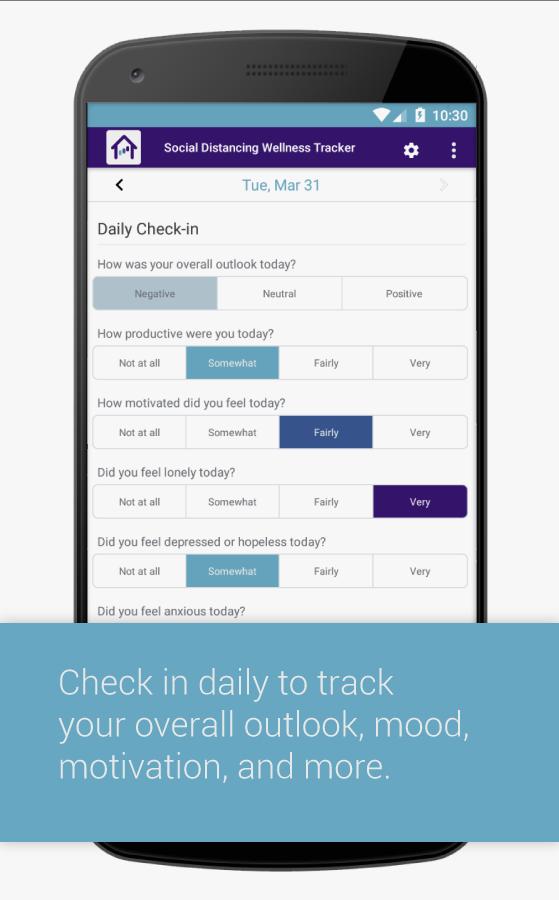
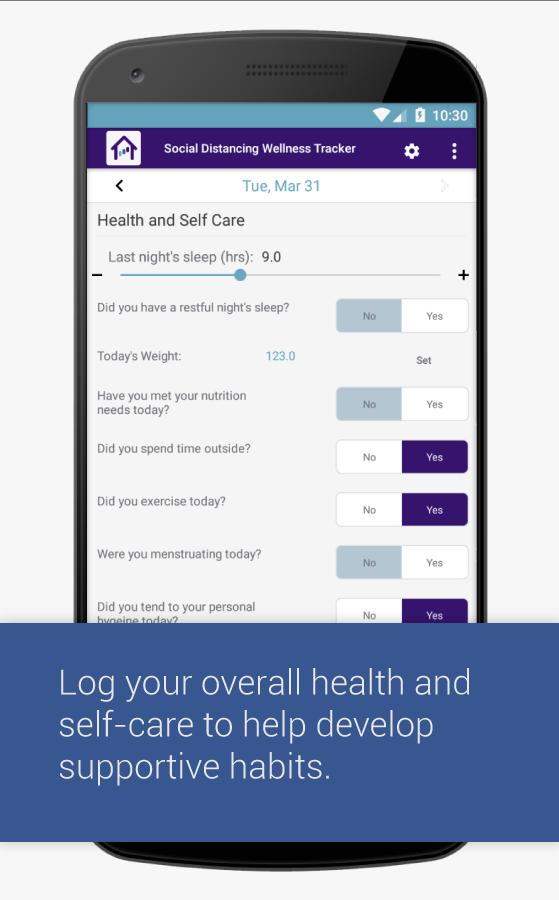
eMoods is a free mood and habit tracker app that lets you easily chart your daily outlook, productivity and motivation, depression and anxiety, sleep, nutrition, exercise, medications, substance use, news and social media exposure, and other factors that may affect your daily overall wellness.
View in-app graphs at any time to help you identify helpful habits and develop a routine to support your well-being during periods of isolation. Export a printable PDF report at the end of each month to assess or email to your doctor, caregiver, family member, or friend.
eMoods Wellness includes a dark color theme and a colorblind-friendly color scheme.
Patronage is strictly optional, and directly helps us continue to develop this app.
پیش نظارہ
ٹیگز
Health-&معلومات
ڈویلپر
eMoods
تازہ ترین ورژن
1.0.8
آخری تازہ کاری
2024-03-10
قسم
Health-fitness
پر دستیاب ہے۔
Google Play
مزید دکھائیں
پی سی پر گیم لوپ کے ساتھ eMoods Wellness Tracker کیسے کھیلا جائے۔
1. آفیشل ویب سائٹ سے گیم لوپ ڈاؤن لوڈ کریں، پھر گیم لوپ انسٹال کرنے کے لیے exe فائل چلائیں۔
2. گیم لوپ کھولیں اور "eMoods Wellness Tracker" تلاش کریں، تلاش کے نتائج میں eMoods Wellness Tracker تلاش کریں اور "انسٹال کریں" پر کلک کریں۔
3. گیم لوپ پر eMoods Wellness Tracker کھیلنے کا لطف اٹھائیں۔
Minimum requirements
OS
Windows 8.1 64-bit or Windows 10 64-bit
GPU
GTX 1050
CPU
i3-8300
Memory
8GB RAM
Storage
1GB available space
Recommended requirements
OS
Windows 8.1 64-bit or Windows 10 64-bit
GPU
GTX 1050
CPU
i3-9320
Memory
16GB RAM
Storage
1GB available space